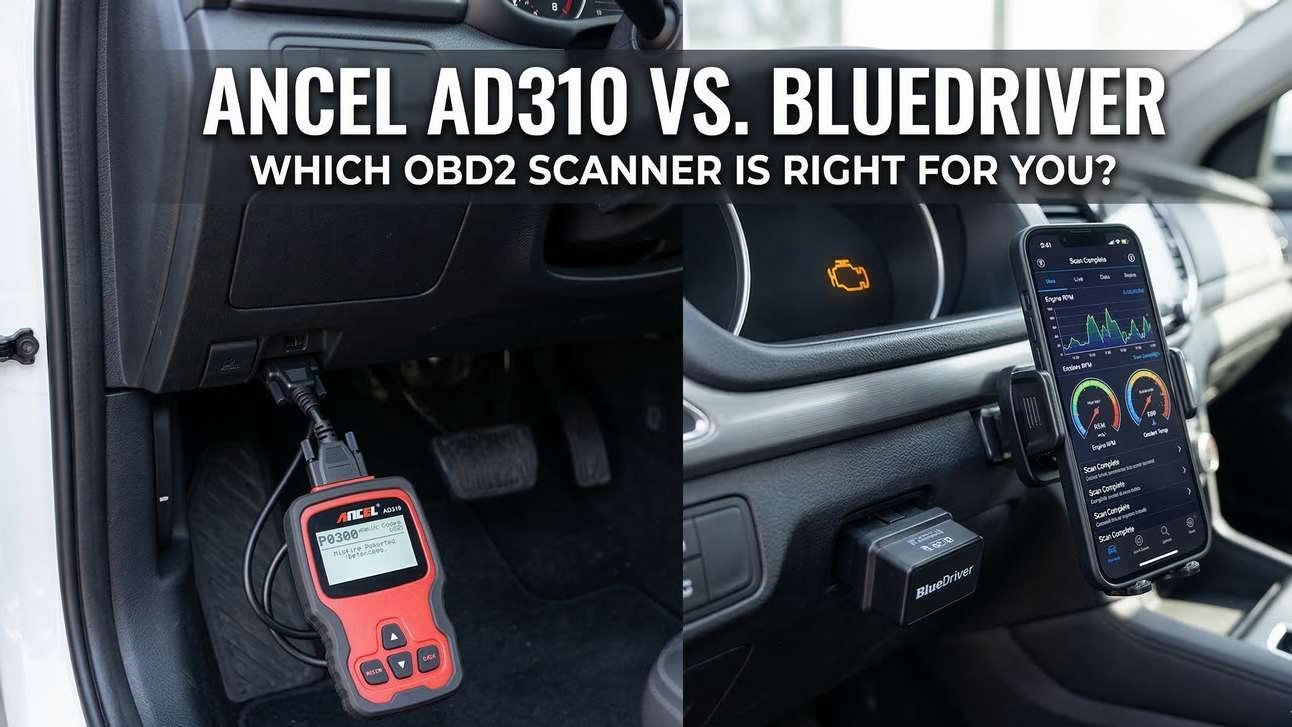
In this guide, you will get a full breakdown of Ancel AD310 vs BlueDriver; how each tool works, who it suits best, where it falls short, and which one delivers better value. If you are searching for the best OBD2 scanner for beginners, trying to understand how to read a check engine light, or deciding between a simple reader and a Bluetooth upgrade, this guide will give you a clear answer.
🔧 Quick overview: top OBD2 scanners

ANCEL AD310
Key specifications
- Display: 2.4″ backlit LCD (128×64)
- Power: Direct from OBDII (no batteries)
- Protocols: All OBDII (J1850, ISO9141, KWP2000, CAN)
- Compatibility: 1996 US / 2000 EU / 2005 Asian cars
- Cable: 2.5 ft heavy‑duty insulated
Key features
- Read & erase codes + DTC lookup on screen
- Live data stream (RPM, coolant temp, speed)
- I/M readiness (emission check) & freeze frame
- Vehicle info (VIN, CID, CVN)
Pros & Cons
Pros
- Simplicity – extremely easy, no apps
- Durability – sturdy build, thick cable
- No batteries – always ready
- Cost‑effective – cheap reliable option
Cons
- Limited systems – no ABS/SRS/transmission
- Basic graphics – B&W LCD (90s style)
- No graphing – text/number only
- Slow scrolling on large data lists

BlueDriver Bluetooth Pro
Key specifications
- Compatibility: 1996+ vehicles (domestic & import)
- Connection: Bluetooth wireless (iOS/Android)
- Protocols: All OBD2 (including CAN)
- Subscription: No fees – one‑time purchase
- Power: Vehicle‑powered, compact size
Key features
- Enhanced diagnostics: ABS, SRS, TPMS, Transmission
- Smog check (readiness) & Mode 6 support
- Freeze frame, live data, repair reports
- No subscription, great app with enhanced code support (Honda etc.)
Pros & Cons
Pros
- Price point – often under $100 (all‑time low ~$70)
- No subscription – professional level without fees
- Enhanced code support (ABS, SRS, TPMS, Honda)
- Reliable app, minimal Bluetooth dropouts
Cons
- Live data lag – slow sample rate
- Large transmitter – bulky unit
- Limited VAG deep diagnostics (OBDeleven better)
- Mixed reviews: 3.7/5 ★ on Amazon (59k+ ratings)
ⓘ Images & affiliate links as per product info. Always check latest price & compatibility.
What Is an OBD2 Scanner and Why Does It Matter?
Before comparing the tools, it helps to understand what an OBD2 scanner actually does.
What is the OBD2 port?
Every modern car has an OBD2 port. In most vehicles, you will find it under the dashboard on the driver’s side. It is a standard diagnostic connector that lets scan tools communicate with the car’s onboard computers.
OBD stands for On-Board Diagnostics. The “2” refers to the second generation of the standard. In plain English, it means your car monitors many parts of engine and emissions performance. When something moves outside the expected range, the car stores a trouble code and may turn on the Check Engine Light.
That code is not a full repair answer. It is a starting point. It tells you what system triggered the fault. A scanner lets you retrieve that code instead of guessing.
Why do cars have this system?
Cars are packed with sensors. They monitor air-fuel ratios, ignition timing, emissions performance, coolant temperature, throttle behavior, catalytic converter efficiency, and far more. OBD2 gives technicians and DIY owners a standard way to access that information.
That matters for three big reasons:
- Fault detection
- Emissions compliance
- Repair efficiency
Without OBD2, each diagnosis would start in the dark. With OBD2, you get a structured clue. That saves time and often saves money.
Basic code readers vs professional diagnostic tools
This is where many buyers get confused. Not every scanner does the same job.
A basic code reader usually handles:
- Reading generic engine trouble codes
- Clearing engine trouble codes
- Displaying emissions readiness status
- Showing a limited set of live engine data
- Pulling freeze-frame data in some cases
A professional or advanced diagnostic tool often adds:
- Manufacturer-specific codes
- Enhanced diagnostics for systems like ABS, SRS, and transmission
- More detailed live data
- Graphing
- Better readiness and monitor information
- Diagnostic reports and repair guidance
- Broader software support
This difference is the core of the ancel ad310 vs bluedriver debate. The AD310 is mainly a code reader. BlueDriver is closer to a consumer-level diagnostic platform.
Why scanner prices vary so much
OBD2 scanners range from very cheap to very expensive for a reason. Price usually follows three things.
1. Data depth
A budget scanner may only read basic engine and emissions codes. A more advanced tool can dig into more systems and show richer data. That extra access costs more.
2. Connectivity
Wired tools with built-in screens are often simpler and cheaper. Bluetooth models rely on apps, software support, and device compatibility. That adds convenience but also raises cost.
3. Software intelligence
A plain code reader gives you a code. A smarter tool may also explain the code, show likely causes, offer repair reports, or let you work through deeper diagnostics. Software is where value often separates cheap tools from better tools.
What a scanner can and cannot do
A scanner is useful, but it is not magic. This is where many beginners make mistakes.
A trouble code does not always identify the failed part. For example, a code related to an oxygen sensor does not always mean the oxygen sensor itself is bad. Wiring issues, vacuum leaks, exhaust leaks, fuel trim problems, and other faults can trigger related codes.
That is why good diagnosis is about context, not just code reading.
A scanner can help you:
- See what the car is complaining about
- Check whether the issue is active or stored
- Clear codes after repairs
- Confirm readiness before inspection
- Watch some live data to spot patterns
A scanner cannot guarantee:
- The exact failed component
- A safe repair plan for serious issues
- A substitute for hands-on testing in every case
If the vehicle has braking faults, airbag warnings, severe transmission symptoms, or major misfires, a qualified mechanic should still verify the problem.
Why beginners still need one
Even a basic scanner can save money. It helps you avoid blind parts swapping. It helps you know whether a shop diagnosis sounds reasonable. It helps you spot simple issues before they become expensive.
If your goal is just to understand why the light came on, clear it after a confirmed repair, and check emissions readiness, a basic unit may be enough.
If your goal is deeper troubleshooting, especially on modern vehicles with system-specific warnings, a higher-end tool makes far more sense.
That brings us to the two scanners in this comparison.
Ancel AD310 Review: The Budget King for Basic Diagnostics
The Ancel AD310 has earned its reputation because it does the job most casual drivers actually need. It is built for one thing above all else: fast, simple access to basic OBD2 data without apps, pairing, charging, or account setup.
Design and build quality
The AD310 is a wired scanner with a built-in 2.4-inch backlit LCD screen and physical buttons. That design is old-school, but in this case, old-school is part of the appeal. You plug it into the OBD2 port, and it powers on from the vehicle. There is no battery to charge. There is no phone to connect. There is no Bluetooth to fail.
The cable is heavy-duty and flexible, which helps in real use. Cheap scanners often feel flimsy at the connector. The AD310 feels more like a tool than a gadget. It is simple enough to live in a glovebox and tough enough for regular use.
The downside is obvious. The interface looks dated. The black-and-white style display is functional, not impressive. Navigation can also feel slow if you are scrolling through larger data lists.
Core functions
The AD310 handles the basics well. Its main jobs are:
- Read engine trouble codes
- Clear engine trouble codes
- Display code definitions through built-in DTC lookup
- Check I/M readiness for emissions testing
- Show freeze-frame data
- Display live engine data in text form
- Retrieve vehicle info such as VIN, CID, and CVN
That is strong value for an entry-level tool. For many drivers, those features cover most real-world needs. If your goal is to learn how to read a check engine light, this scanner gives you a direct and simple path.
Where it stops is just as important. The AD310 is not a full-system diagnostic tool. It generally does not support ABS, SRS, or transmission diagnostics. That means if your issue involves anti-lock brakes, airbags, or deeper drivetrain faults, this tool will likely not give you the data you need.
Compatibility
The AD310 supports all major current OBD2 protocols and is built to work with most:
- 1996 and newer US vehicles
- 2000 and newer EU vehicles
- 2005 and newer Asian vehicles
That sounds broad, and it is, but not every feature works the same on every vehicle. Basic code reading is widely supported. Deeper functions and data behavior can vary by vehicle. If your vehicle is on the edge of compatibility, check the manufacturer’s compatibility list.
Pros
The AD310’s biggest strength is that it removes friction.
It is easy to use
There is almost no learning curve. Plug it in. Turn the ignition on. Read the code. That is why it is often recommended as the best OBD2 scanner for beginners who do not want app setup or tech headaches.
It is affordable
This is one of the cheapest reliable scanners in its class. If your budget is tight, it gives you useful diagnostic access without overspending.
It is always ready
No battery. No charging. No phone dependency. That makes it a reliable emergency tool to keep in the car.
It is sturdy
The cable and body are built with practicality in mind. It feels more durable than many no-name bargain scanners.
Cons
The weaknesses are clear, and they matter.
No Bluetooth or smartphone app
If you want wireless use, graphs, easier screen reading, or app-driven reports, this is not your tool.
No enhanced diagnostics
This is the biggest limitation. If you need ABS, SRS, or transmission code access, the AD310 is usually the wrong choice.
Live data is basic
It can show live data, but it presents it in text only. No graphing. No advanced analysis. No slick interface.
The interface feels dated
It works, but it does not feel modern.
Who should buy the Ancel AD310?
The AD310 is ideal for:
- Drivers who want a cheap and dependable scanner
- Beginners who only need engine code reading and clearing
- Owners who want to check emissions readiness before inspection
- People who dislike using apps or Bluetooth tools
- Anyone who wants a simple glovebox diagnostic backup
If your main goal is basic engine fault checks and you do not need deeper system access, the AD310 makes sense. If you want more than that, its low price stops being a bargain and starts becoming a limitation.
BlueDriver Bluetooth Pro Review: The Smarter Tool for Deeper Diagnostics
The BlueDriver Bluetooth Pro targets a different buyer. This is not the scanner you buy just to clear an occasional code and move on. It is the scanner you buy when you want more data, more system access, and a more modern diagnostic experience.
Design and build quality
BlueDriver is a Bluetooth OBD2 dongle that plugs into the vehicle’s diagnostic port and works through a smartphone app. There is no built-in screen. Your phone becomes the display and control center.
That design has major advantages. The app interface is easier to read than a tiny dedicated scanner screen. Navigation is cleaner. Reports are easier to review. Live data is easier to interpret. In daily use, a good app can make a scanner feel much more capable.
The tradeoff is dependency. You need a compatible smartphone. You need to pair the device. If you hate using a phone for tools, that alone may be a deal breaker.
The dongle itself is compact enough for normal use, though some users still consider it a bit bulky compared with ultra-small adapters.
Core functions
BlueDriver goes beyond basic engine code reading. Its main strengths include:
- Read and clear engine codes
- Enhanced diagnostics for ABS, SRS, and transmission on supported vehicles
- Live data
- Freeze-frame data
- Smog check and readiness status
- Mode 6 support
- Repair reports
- App-based interface on iOS and Android
- No subscription fee
This is the big reason BlueDriver costs more. It can reach beyond the basic emissions side of OBD2 and provide system coverage that a simple code reader cannot.
That makes it more useful for intermittent faults, deeper troubleshooting, and situations where the issue is not limited to the check engine light.
Compatibility
BlueDriver is designed for 1996 and newer vehicles and works with iOS and Android devices. It supports all standard OBD2 protocols, including CAN.
As with any scan tool, coverage can vary by make and model, especially for enhanced diagnostics. Engine code reading is broad. Enhanced features depend on the vehicle and software support. For any specific car, the smart move is still to check the manufacturer compatibility list.
Pros
BlueDriver has several major advantages over a basic scanner.
Enhanced diagnostics
This is the headline feature. If you need access to ABS, SRS, or transmission codes, BlueDriver is in a different league than the AD310.
Wireless convenience
No cable hanging from the port. No handheld unit to manage. The Bluetooth connection makes diagnostics more comfortable in many real-world situations.
Better software experience
A phone screen is easier to read. The app format also makes data and reports more useful for beginners and more practical for repeat use.
Repair reports
This is valuable for DIY owners. Reports can help point you toward likely causes and next steps. That does not replace real diagnosis, but it is more informative than a raw code list.
No subscription fee
That matters. Some app-based tools trap buyers with ongoing costs. BlueDriver keeps things simple as a one-time purchase.
Cons
BlueDriver is stronger, but not flawless.
It costs more
This is the biggest barrier. If you only need to read basic engine codes a few times a year, the extra cost may be hard to justify.
You need a smartphone
No phone, no scanner interface. That is fine for most people, but not all.
Live data lag can matter
For casual checks, the live data is useful. For users who care about fast sample rates and more advanced live-data analysis, it may feel slower than ideal.
It is still not a full pro shop scanner
BlueDriver is strong for a consumer tool, but it is not a replacement for high-end professional equipment in every case or every brand.
Who should buy BlueDriver?
BlueDriver is ideal for:
- DIY owners who want more than basic engine code checks
- Users troubleshooting ABS, airbag, or transmission issues on supported vehicles
- People who prefer a smartphone-based interface
- Buyers who want repair reports and a more guided experience
- Used-car shoppers who want deeper inspection capability
- Beginners who want room to grow beyond the basics
If you want a serious bluetooth obd2 scanner review answer in one line, here it is: BlueDriver is a meaningful step up from a basic code reader, but you only get full value from it if you actually use the added diagnostic depth.
Ancel AD310 vs BlueDriver: Head-to-Head Comparison
This is where the choice gets practical.
| Feature | Ancel AD310 | BlueDriver Bluetooth Pro |
|---|---|---|
| Scanner type | Basic wired code reader | Wireless Bluetooth diagnostic scanner |
| Connectivity | Wired | Bluetooth |
| Display | Built-in LCD screen | Smartphone app required |
| Phone required | No | Yes |
| Read engine codes | Yes | Yes |
| Clear engine codes | Yes | Yes |
| I/M readiness / smog check | Yes | Yes |
| Freeze-frame data | Yes | Yes |
| Live data | Yes, text-based | Yes, app-based |
| Enhanced diagnostics | Generally no | Yes, on supported vehicles |
| ABS codes | Generally no | Yes, on supported vehicles |
| SRS / airbag codes | Generally no | Yes, on supported vehicles |
| Transmission codes | Generally no | Yes, on supported vehicles |
| Repair reports | No | Yes |
| Subscription fee | No | No |
| Power source | Vehicle-powered | Vehicle-powered |
| Compatibility | Most 1996+ US, 2000+ EU, 2005+ Asian vehicles | 1996+ vehicles, iOS and Android supported |
| Warranty | Not confirmed in the provided data | Not confirmed in the provided data |
| Price position | Budget | Higher price point |
Ease of use: plug-and-play vs app setup
If you define ease of use as least setup, the AD310 wins. You plug it in and use it. That is it. There is no pairing. No app install. No device permissions. No concern about whether your phone battery is low.
For a first-time user who just wants to know why the light is on, the AD310 is hard to beat.
If you define ease of use as better interface and better guidance, BlueDriver wins. Its app-driven experience is easier to read, easier to navigate, and easier to understand once it is set up. Repair reports also help new users move from raw code reading toward action.
So which is truly easier? It depends on the user.
- AD310 is easier for people who want zero setup.
- BlueDriver is easier for people comfortable with smartphones and apps.
Diagnostic depth: basic engine codes vs broader system access
This is the biggest divider in the ancel ad310 vs bluedriver debate.
The AD310 is built around standard OBD2 engine and emissions diagnostics. That covers a lot of common check engine situations, but not enough for many modern repair scenarios.
BlueDriver goes deeper. On supported vehicles, it can access systems like:
- ABS
- SRS
- Transmission
That difference matters more than many buyers realize.
If the fault is a loose gas cap, basic misfire, or emissions readiness issue, the AD310 may be all you need.
If the fault involves an airbag warning, intermittent transmission behavior, or braking system codes, the AD310 may leave you stuck while BlueDriver can at least move the diagnosis forward.
Value for money: is BlueDriver worth the extra cost?
For some people, yes. For others, no.
The AD310 has excellent value because it solves a common problem at a very low cost. If all you want is a reliable answer to “why is my check engine light on?” then paying more may not improve your life much.
BlueDriver becomes worth it when:
- You own multiple vehicles
- You plan to keep cars long term
- You do more of your own maintenance
- You want to troubleshoot deeper faults
- You value repair reports and app usability
- You want one tool that covers more systems
In other words, BlueDriver is not “better” simply because it has more features. It is better only if those features match your actual use.
Durability and long-term use
The AD310 feels like a small purpose-built tool. It is simple and rugged. Fewer moving parts. Fewer connection layers. Fewer failure points. That is part of why many users trust it as a glovebox backup.
BlueDriver is durable enough for normal use, but its real long-term value depends on the app ecosystem and software support. A Bluetooth scanner is not just hardware. It is hardware plus software plus phone compatibility. When that system works well, it is excellent. When users want total independence from phones and apps, a wired tool still feels more dependable.
Which one gives more confidence during diagnosis?
BlueDriver. No question.
The AD310 can tell you what code is present. That is useful. But BlueDriver gives more context, broader coverage, and better workflow for follow-up. That matters when the fault is not simple.
Still, confidence is not the same as certainty. Even BlueDriver cannot replace proper mechanical testing in every situation.
Real-World Use Cases
Scenario A: The light comes on after refueling
You tighten the gas cap, but the light stays on. You want to know if it is just an EVAP-related issue or something worse.
Best fit: Ancel AD310
This is classic AD310 territory. Plug it in, read the engine code, and decide whether the issue looks minor. If the code points to a simple emissions issue, the scanner likely gives you enough information to proceed.
Scenario B: The car has a transmission-related symptom
The vehicle hesitates, shifts oddly, or throws a warning you suspect is not just engine-related.
Best fit: BlueDriver
This is where a basic reader often hits a wall. If the problem involves transmission diagnostics, a tool with enhanced code support is the smarter choice. BlueDriver is much more likely to help you get useful fault data.
Scenario C: You are buying a used car
You want a quick check before handing over cash.
Both have a role, but BlueDriver is better
The AD310 is enough for a fast engine code scan and readiness check. That alone can reveal obvious issues or signs that codes were recently cleared. But BlueDriver gives you more confidence because it can go deeper on supported vehicles and offer broader data.
Scenario D: You are preparing for an emissions or smog test
You need to see whether the monitors are ready and whether any faults are still stored.
Both work
The AD310 can do this. BlueDriver can also do it and may present readiness data in a cleaner way. If your only goal is inspection prep, the AD310 is often enough. If you also want stronger diagnostic capability for any failed readiness monitor, BlueDriver has the edge.
Common FAQs
Can Ancel AD310 read ABS codes?
Generally, no. The AD310 is mainly a basic OBD2 engine and emissions code reader. It usually does not provide enhanced diagnostics for ABS, SRS, or transmission systems.
Does BlueDriver work on iPhone and Android?
Yes. BlueDriver requires a smartphone app and is designed to work with both iOS and Android devices.
Do I need internet for BlueDriver?
For basic reading and many core scanner functions, internet is not always required once the device is connected and the app is in use. However, internet access may be needed for features like repair reports or other app-based support content. If you want the full experience, expect that online access helps.
Are there subscription fees for BlueDriver?
No. One of BlueDriver’s strongest selling points is that it does not require a subscription fee. You pay once for the tool.
Which one is better for a complete beginner?
That depends on what “beginner” means.
- If you want the simplest possible tool, buy the Ancel AD310.
- If you want a friendlier interface and more capability, buy the BlueDriver.
A total beginner who only needs to check a check engine light will probably feel more comfortable with the AD310. A beginner who is comfortable with apps and wants room to grow may be happier with BlueDriver.
Can either scanner tell me exactly which part to replace?
No scanner can guarantee that. A trouble code points to a system or condition, not always the failed component. Good diagnosis may still require testing, visual inspection, or help from a professional mechanic.
Which one is better for long-term ownership?
If you plan to keep your car for years and do more of your own troubleshooting, BlueDriver is usually the better long-term investment. If you just want a reliable low-cost code reader in the glovebox, the AD310 is the smarter buy.
Final Verdict: Which OBD2 Scanner Should You Buy?
The answer comes down to one thing: how deep do you need to go?
If you want a cheap, dependable, no-nonsense scanner that reads and clears basic engine codes, checks readiness, and works without apps or Bluetooth, the Ancel AD310 is still one of the easiest recommendations in this category. It is simple. It is durable. It is beginner-friendly. It does the basics well. For many drivers, that is enough.
If you want broader diagnostic coverage, wireless convenience, app-based usability, enhanced system access, and repair reports, the BlueDriver Bluetooth Pro is the stronger tool. It costs more, but it offers a lot more. For DIY owners who want to troubleshoot beyond simple check engine light issues, it is the better fit.
Winner for Budget: Ancel AD310
Choose the AD310 if:
- You want the lowest-cost reliable option
- You only need basic engine diagnostics
- You want a dedicated handheld scanner
- You do not care about ABS, SRS, or transmission access
Best for: beginners, glovebox backup, simple CEL checks, emissions readiness checks