Introduction
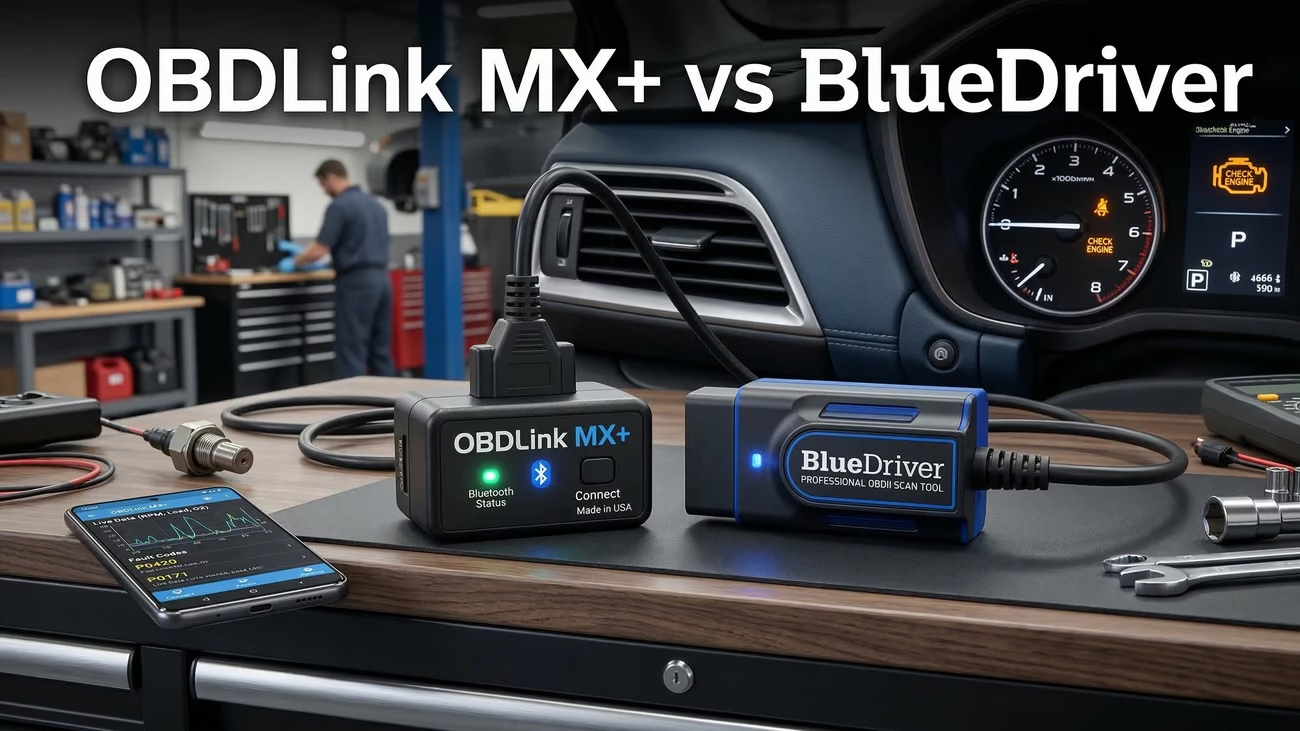
This guide breaks it all down in plain English. In this OBDLink MX+ vs BlueDriver comparison, I will cover:
- What each scanner does best
- Where each one falls short
- A side-by-side specs table
- Real-world use cases for different drivers
- App and software differences
- Performance and compatibility
- Pricing, warranty, and long-term value
- Who should buy which
If you want the short version, here it is: OBDLink MX+ is the better pick for users who want flexibility, speed, and stronger brand-specific support for Ford and GM. BlueDriver is the better pick for users who want a simpler, guided experience with strong built-in diagnostics.
Now let’s dig into the details.
⚡ Quick Overview · OBDLink MX+ vs BlueDriver
Real diagnostics, Real data — based on specs & user reviews

- Up to 100 PIDs/sec – fastest BT adapter (Android/PC)
- Ford SW-CAN · GM MS-CAN – rare enhanced access
- iOS Bluetooth LE + 250 ft range · Android
- 128‑bit encryption · physical pairing button · MITM protection
- 3‑year warranty · free OEM add‑ons · auto sleep

- Enhanced codes: ABS, airbags, SRS, TPMS, transmission
- Free repair reports with causes, fixes, video guides
- Live data graphing · Mode 6 · freeze frame
- No subscriptions · smog check ready · 24/7 support
- 1‑year warranty · iOS/Android · compact design
OBDLink MX+ #ad · BlueDriver Pro #ad — prices may vary.
Product Overviews
OBDLink MX+ Overview
The OBDLink MX+ is a compact Bluetooth OBD-II adapter built for users who want more than a quick code scan. It turns a phone, tablet, or computer into a portable diagnostic device. You can read and clear trouble codes, monitor live data, and access advanced vehicle information. It works with iOS, Android, and Windows, which gives it broader platform flexibility than many adapters in this price range.
What makes the MX+ stand out is its focus on speed and openness. It supports all standard OBD-II protocols, but it also adds SW-CAN and MS-CAN support, which matters for many Ford and GM vehicles. That alone puts it in a different class from many low-cost Bluetooth scanners. If you want to use third-party apps like Torque, AlfaOBD, or BimmerCode, the MX+ becomes even more appealing.
Its technical profile is strong. It offers a Bluetooth range of up to about 250 feet, supports fast data transfer, and can reach up to 100 PIDs per second on PC and Android. That level of speed matters when you are graphing live data or watching multiple sensors at once. It also includes automatic sleep mode, low power draw, overvoltage protection, and security features like 128-bit encryption and physical button-based pairing.
The target audience is clear. The MX+ suits:
- DIY mechanics who want stronger data access
- Ford and GM owners who need access beyond standard OBD-II
- Power users who prefer third-party apps
- iPhone users who want Bluetooth support without Wi-Fi workarounds
- Drivers who plan to keep the scanner plugged in for regular monitoring
Still, the MX+ is not perfect. The hardware is compact and useful, but some users feel the build quality is a bit cheap for the price. The app experience also gets mixed feedback. Many people love the hardware, then complain that the companion app feels dated or clunky. So the MX+ often shines brightest when paired with the right third-party software.
In short, OBDLink MX+ is a premium adapter for users who want a fast, flexible, and technically capable tool rather than a beginner-focused guided scanner.
BlueDriver Overview
The BlueDriver Bluetooth Pro OBDII, usually called BlueDriver, takes a different approach. It is also a wireless scan tool that plugs into the OBD-II port and connects to your phone. But instead of focusing on broad software compatibility, it focuses on a guided, app-centered experience.
BlueDriver can read and clear standard codes, but its bigger selling point is enhanced diagnostics. It supports deeper code access for systems like:
- ABS
- SRS / airbags
- TPMS
- Transmission
That feature set makes BlueDriver attractive to people who want more than a basic engine code reader but do not want to mess with multiple apps, custom setups, or extra learning curves. Its app also provides repair reports, likely causes, suggested fixes, live data, freeze frame data, and smog readiness checks. That makes it especially friendly for beginners.
BlueDriver works with iOS and Android, and it supports vehicles from 1996 and newer in North America. It also supports select European models from 2001 petrol or 2004 diesel. The hardware is small, wireless, and designed for low power use. Like the MX+, it can remain plugged in without major battery drain in normal use.
Its audience is slightly different. BlueDriver is ideal for:
- DIY users who want easy-to-read repair guidance
- Drivers who prefer a single app that does everything
- People who want enhanced code reading without a professional scanner
- Users who care more about clarity and convenience than software flexibility
Where BlueDriver loses points is openness. It depends on its own app. That means no third-party app support, which can be a deal breaker for advanced users. Some users also report Bluetooth pairing delays, app crashes, or frustration with newer account requirements. And while it is strong for guided diagnostics, it still lacks bidirectional control, so it does not become a true high-end shop tool.
In plain terms, BlueDriver is the tool for someone who wants a smart assistant in their pocket. It is less about tinkering. It is more about getting useful answers fast.
Specifications Comparison Table
Here is the side-by-side look that matters most in the OBDLink MX+ vs BlueDriver decision.
| Feature | OBDLink MX+ | BlueDriver |
|---|---|---|
| Device Type | Bluetooth OBD-II adapter | Bluetooth OBD-II adapter |
| Dimensions | 1.97 x 1.77 x 0.91 in | 2.2 x 1.9 x 1.0 in |
| Weight | 1.2 oz | Approx. 1.1 oz |
| Operating Voltage | 8-18V DC | 8-18V DC |
| Operating Temperature | -4°F to 131°F | -4°F to 131°F |
| Connectivity | Bluetooth v3.0 Class 1.5 + BLE for iOS | Bluetooth 4.0 |
| Wireless Range | Up to approx. 250 ft | Up to approx. 30 ft |
| Device Support | iOS, Android, Windows | iOS, Android |
| Protocol Support | All legislated OBD-II + SW-CAN and MS-CAN | All standard OBD-II + enhanced diagnostics for select makes |
| Data Rate | Up to 100 PIDs/sec on PC/Android | Real-time live data with multiple PIDs |
| Third-Party Apps | Yes | No |
| Security | 128-bit encryption, MITM protection, physical connect button | Secure Bluetooth pairing |
| Power Management | Auto sleep/wake, under 10 mA sleep draw | Low power use, automatic sleep mode |
| Warranty | 3-year warranty | 1-year limited warranty |
| Money-Back Window | 90-day or 180-day depending on retailer | 90-day depending on retailer |
| Special Strength | Speed, flexibility, Ford/GM network access | Guided repair reports, easy app experience |
| Typical Price Range | About $100-$120 | About $100-$120 |
On paper, the OBDLink MX+ wins in range, platform support, third-party compatibility, security, and warranty. It also looks more appealing if you care about raw data speed or brand-specific access for Ford and GM.
The BlueDriver wins in a different way. Its spec sheet is less flashy, but its value comes from the app experience. Many buyers do not care about 250-foot range or custom app support. They care about one thing: Can this help me figure out what is wrong with my car without a headache? That is BlueDriver’s main pitch.
So the table does not tell the full story. It tells you the hardware edge. The rest comes down to how you plan to use the scanner.
Pros and Cons Comparison
OBDLink MX+ Pros
The best way to describe the MX+ is capable and flexible.
1. Very fast live data
The MX+ is often praised for its speed. That matters when you want to monitor sensor behavior in real time, especially under load. Faster data refresh means smoother graphs, better logging, and easier diagnosis.
2. Strong support for Ford and GM
This is a major reason many enthusiasts choose it. Support for SW-CAN and MS-CAN gives the MX+ an edge on many Ford and GM vehicles. If your car lives in those ecosystems, the MX+ starts looking much stronger.
3. Works with third-party apps
This is huge. Many scanners lock you into one app. The MX+ does not. That means you can build your own setup based on the app that fits your vehicle and skill level.
4. Great cross-platform support
It works with iOS, Android, and Windows. That matters if you want to use a laptop in the garage, an Android tablet for gauges, or an iPhone for quick code checks.
5. Low power draw and strong security
The sleep mode is useful if you leave the adapter plugged in. The added security features also help it stand out from no-name Bluetooth dongles.
OBDLink MX+ Cons
1. The app is not its strongest point
This is the complaint that shows up over and over. The hardware is excellent. The companion app does not always match it. Some users find it dated, slow, or awkward.
2. Price feels high for basic users
If you only want to read and clear engine codes, the MX+ can feel like overkill. You are paying for flexibility and deeper capability.
3. Limited service functions without extra software
The MX+ is strong at reading data. But if you want more advanced actions, you often need the right app, the right vehicle support, and the right workflow.
4. Build quality feels average
Some users expect a more premium feel at this price point. The plastic housing and physical button do not impress everyone.
BlueDriver Pros
BlueDriver wins people over with clarity and convenience.
1. Excellent guided repair reports
This is BlueDriver’s killer feature. Instead of just tossing a code at you, it gives likely causes, repair suggestions, and support content that helps you move from diagnosis to action.
2. Enhanced diagnostics for key systems
BlueDriver goes beyond engine codes on supported vehicles. Access to ABS, SRS, TPMS, and transmission data makes it more useful than a basic scanner for many common jobs.
3. Friendly app experience
For many users, the app is the reason to buy it. It feels easier to understand than many enthusiast-oriented tools. That matters if you are new to vehicle diagnostics.
4. No subscriptions
This is a big plus. You pay once. You get the app features without extra fees.
5. Good long-term value for casual DIYers
If BlueDriver helps you avoid even one or two misdiagnosed shop visits, it can pay for itself fast.
BlueDriver Cons
1. Locked to its own app
This is the big weakness. If you like custom apps, live dashboards in other platforms, or brand-specific software ecosystems, BlueDriver will frustrate you.
2. No bidirectional control
It can diagnose. It cannot truly act like a dealer-level scanner. That limits its usefulness for deeper service work.
3. Pairing and app issues do happen
Not everyone has problems, but enough users mention pairing delays, app crashes, or update friction that it matters.
4. Coverage is not perfect across every make
Enhanced diagnostics vary by vehicle. That is normal in this category, but it still matters.
OBDLink MX+ vs BlueDriver: The Trade-Offs That Matter
This is where the OBDLink MX+ vs BlueDriver comparison gets simple.
Choose OBDLink MX+ if you care about:
- Speed
- Third-party apps
- Better flexibility
- Ford and GM network access
- iOS, Android, and Windows support
- Longer warranty
Choose BlueDriver if you care about:
- Easier setup
- Guided repair reports
- A cleaner beginner experience
- Strong built-in diagnostics through one app
- Simplicity over customization
The MX+ feels like a better platform. BlueDriver feels like a better guided product.
Real Use Cases
This is the section where abstract features become real buying advice. Let’s put both tools into common scenarios.
1. The DIY Home Mechanic With One Daily Driver
You drive one car. A check engine light appears. You want to know the issue before paying a shop diagnostic fee.
How BlueDriver performs
- Plug it into the OBD-II port.
- Open the app on your phone.
- Read the code.
- Review the repair report with likely causes and next steps.
- Decide whether it is something simple, like a sensor, or something that needs a mechanic.
For this user, BlueDriver feels smooth. The repair guidance makes it less intimidating. You do not need to know much about fuel trims, Mode 6, or third-party apps to get value.
How OBDLink MX+ performs
- Plug in the device.
- Pair it using the physical connect button.
- Open the app or a compatible third-party app.
- Pull the code and review live data.
- Use the extra data speed if you want to dig deeper.
The MX+ can do the job well, but it asks more from the user. If you just want answers fast, BlueDriver often feels easier.
Best fit: BlueDriver
2. The Ford Owner Who Wants Deeper Access
Now let’s say you own a Ford and want better access to manufacturer-specific systems and networks.
How OBDLink MX+ performs
This is where the MX+ starts to pull away. Support for SW-CAN and MS-CAN gives it access that many generic scanners lack. Combined with third-party app support, it becomes much more useful for Ford-focused diagnosis and enthusiast workflows.
How BlueDriver performs
BlueDriver can still be useful for standard and enhanced diagnostics, but it does not match the MX+ for network flexibility or app ecosystem strength on Ford-heavy use cases.
Which is better for Ford vehicles: OBDLink MX+ or BlueDriver?
In most cases, OBDLink MX+ is the better tool for Ford owners who want deeper access and more flexibility.
Best fit: OBDLink MX+
3. The Honda or Toyota Owner Who Wants Easy Reports
You own a mainstream daily driver. You are not trying to code modules or build custom dashboards. You want to scan, understand, and repair.
How BlueDriver performs
BlueDriver shines here. Many users like how clearly it presents information. It makes common issues less stressful because it explains the likely problem instead of just presenting a raw code.
How OBDLink MX+ performs
The MX+ still works well. But unless you plan to use third-party apps or want faster data logging, you may not use its extra strengths.
Best fit: BlueDriver
4. The Multi-Car Household or Enthusiast Garage
Now imagine a household with several vehicles from different brands. Maybe one Ford truck, one Honda sedan, and one GM SUV. You want one scanner that can adapt.
How OBDLink MX+ performs
This is a strong use case for the MX+. Its broad compatibility and app flexibility give it more room to grow. You can start with simple code reading and later move into more advanced apps as your needs increase.
How BlueDriver performs
BlueDriver remains easy to use and offers broad value. But because it lives inside one app, it may feel more limiting once you want specialized workflows.
Best fit: OBDLink MX+
5. The Light Professional or Side-Hustle Mechanic
This person checks customer cars, helps friends with diagnostics, or runs a small side business.
How BlueDriver performs
BlueDriver has one major advantage here: the app’s reports are easy to share and easy for non-technical people to understand. That can be useful when explaining a problem to a customer.
How OBDLink MX+ performs
The MX+ works better if your process depends on third-party software, fast live data, and support for brand-specific workflows. It is more flexible, and that matters in mixed vehicle environments.
Best fit:
- BlueDriver if you value simple reports for customers
- OBDLink MX+ if you value technical flexibility
6. The Driver Who Leaves a Scanner Plugged In
Some users like to keep a scanner installed all the time for occasional checks or live monitoring.
OBDLink MX+ advantage
Its low sleep draw and long wireless range make it a better permanent-plug choice for many users.
BlueDriver advantage
It also uses low power and can stay connected in normal use, but it does not have the same hardware flexibility or range.
Best fit: OBDLink MX+
The Real Lesson From These Use Cases
The OBDLink MX+ vs BlueDriver battle is not about one scanner being universally better. It is about what kind of owner you are.
- If you want answers with less effort, BlueDriver wins.
- If you want capability and options, OBDLink MX+ wins.
That is the honest answer.
Who Should Buy Which?
Buy OBDLink MX+ If You Are This Type of User
Choose the OBDLink MX+ if most of these points sound like you:
- You own a Ford or GM and want stronger protocol support
- You like using third-party apps
- You want faster live data
- You may use a Windows laptop as part of your setup
- You want a scanner that can grow with your skill level
- You care about a longer warranty
- You prefer a more open ecosystem over a guided one
The MX+ is the better long-term tool for users who enjoy diagnostics as a hobby or want a scanner that can handle more than basic code checks. It is also the better choice if you have a mixed garage and do not want to be boxed into one app.
Buy BlueDriver If You Are This Type of User
Choose BlueDriver if these points fit you better:
- You want easy-to-read repair reports
- You prefer a simple mobile app
- You mostly diagnose one or two personal vehicles
- You do not care about third-party apps
- You want enhanced diagnostics for common systems without extra setup
- You value a smoother beginner experience
- You want a scanner that helps you move from code to likely fix fast
BlueDriver is easier to recommend to first-time scanner buyers. It removes a lot of guesswork. For many people, that matters more than flexibility.
Best Picks by Buyer Type
Best for beginners
BlueDriver
Best for Ford and GM owners
OBDLink MX+
Best for app flexibility
OBDLink MX+
Best for guided repair help
BlueDriver
Best for long-term enthusiast use
OBDLink MX+
Best for quick home diagnostics
BlueDriver
Performance and Compatibility
When buyers compare specs, they often miss the real question: How does the tool feel in use?
With the MX+, the answer is speed. Faster data rates mean less waiting and smoother sensor tracking. That matters when chasing intermittent issues. If you are watching throttle behavior, fuel trims, RPM changes, or multiple live values at once, the MX+ gives a more responsive experience.
Compatibility is another strength. The MX+ supports all standard OBD-II protocols plus SW-CAN and MS-CAN, making it especially useful on Ford and GM platforms. It also works across iOS, Android, and Windows, which gives it extra life beyond just smartphone use.
BlueDriver feels different. It is not all about raw data speed. It is about delivering useful information in a format normal drivers can understand. It supports standard OBD-II diagnostics plus enhanced access to systems like ABS, SRS, TPMS, and transmission on select makes. For many users, that is the more meaningful advantage.
So if your goal is deeper flexible analysis, choose MX+. If your goal is clearer guided diagnostics, choose BlueDriver.
App and Software Analysis
This is arguably the biggest difference in the OBDLink MX+ vs BlueDriver conversation.
OBDLink MX+ software approach
The MX+ gives you options. You can use its own app, but the real appeal is compatibility with third-party tools. That is powerful because different apps serve different needs. One may be better for dashboards. Another may be better for logging. Another may work best for a specific brand community.
The downside is obvious. More options can mean more complexity. If the bundled app feels weak, you may need to test a few alternatives before you love the setup.
BlueDriver software approach
BlueDriver keeps everything inside its own app. That makes setup simpler. The learning curve is lower. The reports are easier to read. The workflow feels tighter. You do not need to think about what app to use because there is only one path.
The downside is just as obvious. If you outgrow that app, you cannot pivot to another one. You live inside BlueDriver’s ecosystem.
This is why advanced users often prefer MX+, while casual users often prefer BlueDriver.
Pricing, Warranty, and Value
Both tools usually sit in the same broad price band: around $100 to $120. So price alone does not settle the debate.
OBDLink MX+ value case
The MX+ gives you:
- A 3-year warranty
- Stronger flexibility
- Better protocol support for Ford and GM
- Third-party app access
- Fast live data
- Cross-platform support
If you plan to use those benefits, it offers excellent value.
BlueDriver value case
BlueDriver gives you:
- A one-time purchase with no subscription
- Guided repair reports
- Better out-of-box ease
- Strong enhanced diagnostics for supported vehicles
- Solid value for casual DIY use
If you want a scanner that cuts through confusion fast, BlueDriver can pay for itself with just one avoided shop visit.
Which gives better ROI?
- For beginners: BlueDriver
- For enthusiasts and multi-app users: OBDLink MX+
- For warranty coverage: OBDLink MX+
- For guided convenience: BlueDriver
User Reviews Summary
Across forums and owner discussions, the same patterns show up.
Common praise for OBDLink MX+
- Very fast
- Reliable once configured
- Great with Ford and GM
- Excellent for users who want more advanced app support
- Worth the price for serious DIYers
Common complaints about OBDLink MX+
- App feels outdated
- Setup can be less smooth than expected
- Not cheap
- Limited service functions without the right software
Common praise for BlueDriver
- Easy to use
- Helpful repair reports
- Good for everyday diagnostics
- Great for DIY owners who do not want extra complexity
- Saves money by making common issues easier to identify
Common complaints about BlueDriver
- Locked to one app
- Pairing or app issues happen for some users
- Account requirement annoys some buyers
- Not ideal for advanced or highly specialized workflows
The broad review pattern matches the product design: MX+ is stronger for control and flexibility. BlueDriver is stronger for simplicity and guidance.
Future-Proofing
OBD tools are evolving in two clear directions.
First, more buyers want phone-first diagnostics. Both scanners fit that trend well. They are compact, wireless, and easier to use than old handheld code readers.
Second, buyers expect more than just code reading. They want repair guidance, enhanced modules, live data, and better app experiences. BlueDriver responds to that trend with guided reports. OBDLink responds with speed and app compatibility.
If future-proofing means adaptability, the MX+ has an edge because it works with more platforms and more software paths. If future-proofing means staying easy for average users, BlueDriver still holds up well because its core experience is simple and useful.
Neither tool is a true dealer-level scanner. Neither replaces a pro bidirectional platform. But both fit the modern driver who wants more control over car maintenance without spending shop-tool money.
Conclusion
So, in the final OBDLink MX+ vs BlueDriver verdict, which one wins?
The honest answer is this: there is no universal winner. There is only the scanner that fits your real needs.
Choose OBDLink MX+ if you want the more flexible, more technical, and more expandable tool. It is the better choice for Ford and GM owners, enthusiasts, multi-vehicle households, and anyone who values third-party app support, faster data, and broader platform compatibility. It feels more like a serious diagnostic platform that can grow with you.
Choose BlueDriver if you want the easier, more guided, and more beginner-friendly scanner. It is the better choice for everyday drivers, first-time buyers, and DIY owners who want clear repair reports without digging through multiple apps or learning advanced workflows. It turns confusing codes into actionable next steps, and that matters.
If I had to reduce the whole comparison to one line, it would be this:
- OBDLink MX+ is better for capability
- BlueDriver is better for convenience
That is the real split.
For many buyers, BlueDriver will feel like the smarter first purchase. It is easier to live with. For more advanced users, the MX+ usually offers the better ceiling. It asks a little more from you, but it gives more back if you know how to use it.
The good news is that both tools are a major upgrade over generic bargain-bin OBD adapters. Either one can save you time, money, and guesswork.
If you are ready to buy, compare the current prices, check your vehicle compatibility, and choose based on how you actually diagnose cars, not how you imagine you might someday diagnose them. That simple move will save you from buying the wrong scanner.