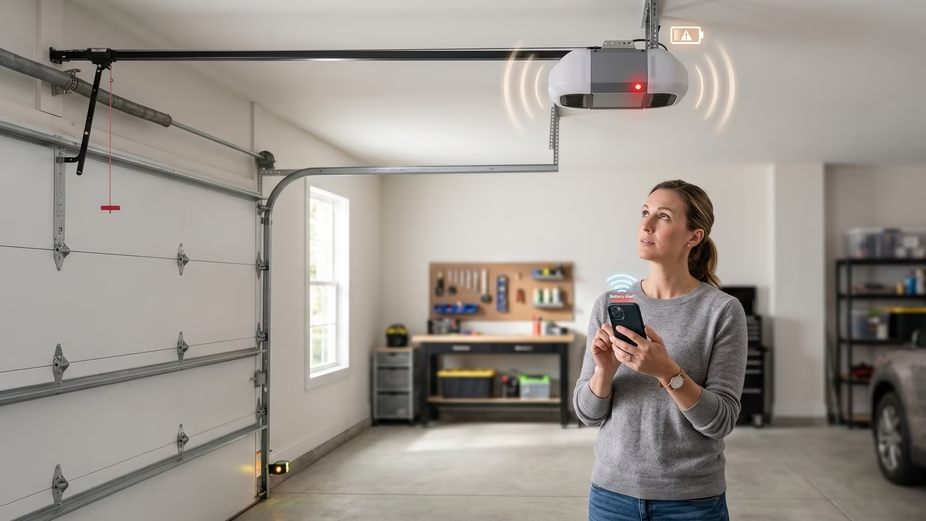
A beeping garage door opener can drive you a little crazy. One minute the garage is quiet. Next, your Chamberlain opener starts chirping every few seconds or every half minute. It feels random, but it usually is not.
In most cases, the beep is a warning. Your Chamberlain garage door opener may be running on battery power. The backup battery may be low or dead. The Timer-to-Close feature may be active. Or a myQ device, wall control, or nearby alarm may be making the sound. Chamberlain says some models use beeps to confirm actions or warn you about battery, power, and auto-close activity.
The good news? You can solve many of these problems yourself. Start with the beep pattern. Then check the power, battery light, safety sensors, and myQ app before you buy parts or call a technician.
Quick Answer: Why Is My Chamberlain Garage Door Beeping?
Your Chamberlain garage door is beeping because the opener is trying to tell you something. The most common reason is the backup battery. If the unit beeps every 2 seconds, it may be running on battery power. If it beeps every 30 seconds, the backup battery may be low or dead. Chamberlain also notes that some openers beep before closing when the Timer-to-Close feature is turned on.
So, do not ignore the sound. But do not panic either. A Chamberlain garage door opener beeping every 30 seconds is often a simple battery issue. A Chamberlain garage door opener beeping every 2 seconds often points to a power problem. And beeping before the door closes may be normal.
Your first move is simple. Listen to the pattern. Look at the battery light. Then test the outlet.
Quick Diagnosis: What Does the Beeping Pattern Mean?
Before you open covers or order a battery, decode the beep. Chamberlain garage door opener beeping sounds are not all the same. The timing gives you the best clue.
A beep every 2 seconds often means the opener is using battery backup power. This can happen during a power outage, after a breaker trips, or when the outlet stops working. Chamberlain says this may come with a solid orange battery light.
A beep every 30 seconds usually points to the backup battery. If the battery light flashes orange, the battery may be low. If the battery light is solid red, the battery may be dead and unable to recharge. Chamberlain recommends replacing the battery in that case.
Beeping before the door closes is different. If your model has Timer-to-Close, the opener may beep before it shuts the door on its own. Chamberlain says this warning can sound before and during auto-close.
Chamberlain Beeping Pattern Cheat Sheet
Use this fast check:
- Beeping every 2 seconds: the opener may be running on battery power.
- Beeping every 30 seconds with a flashing orange light: the backup battery may be low.
- Beeping every 30 seconds with a solid red light: the backup battery may be dead.
- Beeping before closing: Timer-to-Close may be active.
- One beep during setup: this may be normal when setting limits or force.
- Beeping from the wall control or smart hub: the sound may not be from the opener motor.
This step matters because the wrong guess can waste money. Many people replace a battery when the real issue is a dead outlet.
First, Make Sure the Beep Is Actually Coming from the Garage Door Opener
This sounds obvious, but it saves time. Stand in the garage and listen closely. A beep can bounce off walls and make the source hard to find. Many homeowners think the opener is beeping when the sound is coming from something else.
Chamberlain says that if your garage door opener does not have battery backup, the beeping may come from a myQ Garage, 888LM or 889LM wall control, smoke alarm, carbon monoxide alarm, water softener, or another nearby warning device.
So do a quick sound check. Stand under the motor unit. Wait for the beep. Then move toward the wall button. Next, check any myQ smart garage hub. Finally, look at ceiling alarms and nearby devices.
This one-minute test can stop you from chasing the wrong problem. If the beep is not from the opener, replacing a Chamberlain battery will not help.
The One-Minute Source Test
Recommended word count: 120–150 words
Here is a simple way to find the sound:
- Stand directly under the opener motor.
- Wait for the next beep.
- Look at the battery light on the opener.
- Move close to the wall control.
- Check any myQ hub or smart garage control.
- Listen near smoke and carbon monoxide alarms.
- Check nearby appliances, such as a water softener.
- Repeat once if the sound is hard to place.
Do not skip this step. A low smoke alarm battery can sound a lot like a garage door opener battery warning. The same is true for smart accessories. If you confirm the beep is coming from the opener, move on to the power and battery checks.
Cause #1 — Your Chamberlain Opener Is Running on Battery Backup
If your Chamberlain garage door opener is beeping every 2 seconds, it may be running on battery backup. This means the opener is not getting normal power from the house. Chamberlain says this condition may show a solid orange battery light.
This can happen during a power outage. It can also happen if the garage outlet lost power. A breaker may have tripped. The opener may be loose in the outlet. Or the outlet itself may have failed.
Start with the simple things. Check if the garage lights work. Then check the breaker panel. If your opener plugs into an outlet on the ceiling, test that outlet with a lamp, phone charger, or small tool. If the test device does not work, the opener is not the main problem. The power supply is.
Once normal power returns, the beeping should stop. The battery light should also change after the opener leaves battery mode.
DIY Fix for Battery Backup Beeping
Recommended word count: 150–180 words
Follow these steps:
- Check whether the rest of your home has power.
- Turn on the garage light.
- Look for a tripped breaker.
- Make sure the opener plug is fully seated.
- Test the opener outlet with another device.
- Reset the outlet if it has a reset button.
- Wait a few minutes after power returns.
- Check if the solid orange light changes.
If the outlet is dead, do not keep pressing the remote. Fix the power issue first. If the breaker keeps tripping, stop and call an electrician. That is no longer a garage door opener problem.
When This Is Not a DIY Job
Recommended word count: 80–110 words
Call an electrician if you notice any of these signs:
- The outlet smells burnt.
- The breaker trips again right away.
- The opener plug feels hot.
- You see scorch marks.
- The outlet stays dead after reset.
- The opener turns off and on by itself.
Do not guess with electrical problems. A beeping opener is annoying. A bad outlet can be dangerous.
Cause #2 — The Backup Battery Is Low
A Chamberlain garage door opener beeping every 30 seconds often means the backup battery needs attention. If the battery light is flashing orange, Chamberlain says the battery may be low. The first step is to test the outlet. If the opener has power but the battery light does not improve, the battery may need replacement.
This is common as the battery gets older. Backup batteries do not last forever. They sit inside the opener and wait for outages. Over time, they lose strength. When that happens, the opener warns you with a steady beep.
Do not rush to replace it before you check power. If the opener was running on battery power during an outage, the battery may only need time to recharge. But if house power is working and the Chamberlain battery backup beeping continues, a new battery is likely the fix.
This is one of the easiest DIY repairs for many homeowners. You just need the right replacement battery for your model.
DIY Fix: Check Power Before You Replace the Battery
Use this quick checklist:
- Make sure the opener is plugged in.
- Test the outlet with another device.
- Check the breaker panel.
- Wait if power just came back after an outage.
- Look at the battery light again.
- Open the myQ app if your opener is connected.
- Check for battery or power alerts.
- Replace the battery if the warning stays.
This step protects you from buying the wrong part. A low battery warning can appear when the opener is not getting steady power. So prove the outlet works first.
What If the Beep Stops After Power Returns?
If the beep stops after power returns, you may not need a battery. Your opener was likely doing its job. It switched to backup power during the outage, then went back to normal once house power came back.
Still, keep an eye on it. If the Chamberlain garage door opener battery beeping returns soon, the battery may be near the end of its life. Check the battery light again and note the color.
Cause #3 — The Backup Battery Is Dead
A low battery can often recharge. A dead battery cannot. If your Chamberlain garage door opener keeps beeping every 30 seconds and the battery light stays red, the backup battery may have reached the end of its life.
This is one of the most common reasons for Chamberlain battery backup beeping. The opener is warning you that it may not work during a power outage. Your garage door may still open and close while the house power is on. But if the power goes out, the backup system may fail.
The fix is usually simple. Replace the old backup battery with a compatible Chamberlain battery for your opener model. Before you buy one, check your model number. It is often on the side, back, or light cover area of the motor unit.
Do not guess on the battery type. A wrong battery may not fit, charge, or work safely.
DIY Battery Replacement Guide
You do not need many tools for this job. In most cases, a screwdriver, flashlight, gloves, and the right battery are enough.
Here is the basic process:
- Close the garage door.
- Unplug the garage door opener.
- Find the battery compartment.
- Remove the battery cover.
- Take a photo of the wire connections.
- Disconnect the old battery.
- Remove the battery from the compartment.
- Place the new battery inside.
- Reconnect the wires the same way they were before.
- Put the cover back on.
- Plug the opener back in.
- Wait for the battery to charge.
- Check whether the beeping stops.
Take your time with the wire connections. The photo you take before removal can save you from confusion later.
How to Stop the Beeping While Waiting for a New Battery
If the beeping is driving you mad and you cannot replace the battery right away, you may be able to stop it for now.
Unplug the opener first. Then disconnect the backup battery. After that, plug the opener back in.
This can stop the battery warning sound. But remember one thing. Your opener will not have backup power until you install a new battery. If the power goes out, you may need to open the garage door by hand.
Use this only as a short-term fix. Do not leave the opener this way for months.
After You Replace the Battery
Once the new battery is installed, give it time to charge. The beeping may not stop the exact second you plug the opener back in. Wait a little and check the battery light.
Then test the opener from the wall button. Test the remote. If you use the myQ app, check the app status too.
If the Chamberlain garage door opener battery beeping continues after a new battery, the problem may not be the battery. You may have a power issue, loose battery wire, bad outlet, or control board problem.
H2: Cause #4 — Timer-to-Close Is Warning You Before the Door Shuts
Not every beep means something is broken. Some Chamberlain garage door openers beep because they are about to close the door on their own.
This feature is often called Timer-to-Close. When it is turned on, the opener gives a warning before the door comes down. That warning helps protect people, pets, bikes, tools, and cars in the path of the door.
So if your opener only beeps before closing, pause before you troubleshoot the battery. This may be normal. The opener is not asking for repair. It is telling anyone nearby to move away from the door.
This kind of beeping may happen after you use the wall control, remote, keypad, or myQ app. It may also happen if the auto-close setting has been turned on by mistake.
How to Know If Timer-to-Close Is the Cause
Ask yourself these quick questions:
- Does the beeping happen only before the door closes?
- Does the door close by itself after a set time?
- Does the opener light flash while it beeps?
- Did someone recently change the wall control settings?
- Did you recently set up or update the myQ app?
If the answer is yes, the beeping is likely a safety warning. It is doing what it was designed to do.
This is very different from a Chamberlain garage door opener beeping every 30 seconds. A battery beep keeps repeating even when the door is not moving. A Timer-to-Close beep usually happens right before the door shuts.
DIY Fix: Adjust or Turn Off Timer-to-Close
If you like the feature, leave it on. It can be useful if people in your home often forget to close the garage door.
If you do not want it, check your wall control first. Many models let you adjust the auto-close timer from the control panel. Look for a menu, timer, or close setting.
If your opener connects to myQ, open the app and check the door settings. Look for schedules, close rules, or alerts. Turn off anything that closes the door when you do not expect it.
After you change the setting, test the door. Open it, wait, and see if the beeping returns.
Smart Safety Tip
If you keep Timer-to-Close turned on, keep the area near the door clear. Do not leave bikes, tools, trash bins, or storage boxes under the door path.
You can also add a small sign near the wall button:
Door may close automatically. Keep area clear.
It is simple, but it helps. Guests, kids, and workers may not know your garage door can close on its own.
Cause #5 — A myQ Smart Garage Device Is Beeping
If you have a Chamberlain myQ system, the beep may come from the smart device instead of the main opener. This can happen with a smart garage hub, smart garage control, or Wi-Fi opener.
A myQ device may beep during setup, when the door closes remotely, or when it sends a safety alert. It may also alert you when something needs attention. That could include a sensor issue, a connection problem, or a door status problem.
This is why it helps to find the exact source of the sound. If the beep comes from a small smart hub on the ceiling or wall, replacing the opener battery will not fix it.
Your best tool here is the myQ app. It can often show alerts, door status, and basic problem details.
DIY Fix: Check the myQ App
Open the myQ app and look for alerts. Do not just check whether the door says open or closed. Go deeper and review the device status.
Try these steps:
- Open the myQ app.
- Select your garage door opener.
- Check for alerts or warnings.
- Look for connection issues.
- Check if a close schedule is active.
- Review recent door activity.
- Confirm the opener is online.
- Restart your router if the device is offline.
- Power-cycle the opener if needed.
- Reconnect Wi-Fi if the app asks you to.
A weak Wi-Fi signal can cause smart garage problems. If your router is far from the garage, the opener may lose connection. In that case, moving the router, adding a mesh unit, or using a Wi-Fi extender may help.
Remote Closing Beeps Are Often Normal
If the garage door closes through the app, the system may beep as a warning. This is a safety feature. It lets anyone in the garage know the door is about to move.
That sound can be annoying, but it has a purpose. A garage door is heavy. If it closes while someone is standing below it, the risk is real.
Do not remove buzzers, speakers, or warning parts from a smart garage device. That may make the system less safe. It may also create problems later if someone else uses the app and does not know the warning sound is gone.
When myQ Beeping Needs More Attention
The beep needs more attention if the app shows errors, the door status is wrong, or the opener keeps going offline.
For example, the app may say the door is open when it is closed. Or it may fail to close the door from your phone. You may also see repeated alerts after each use.
In that case, check the door sensor, Wi-Fi signal, and opener power. If everything looks fine but the issue keeps coming back, you may need to reset and reconnect the device.
Cause #6 — The Safety Sensors Are Blocked, Dirty, or Misaligned
Your Chamberlain garage door opener may beep if the door cannot close safely. One common reason is a problem with the safety sensors.
These sensors sit near the bottom of the garage door tracks. They face each other across the door opening. If something blocks the beam, the opener may stop the door from closing. This helps prevent the door from closing on a person, pet, or object.
A sensor problem can look like a battery issue at first. You may hear beeping. You may see flashing lights. The door may start to close, then reverse. Or it may refuse to close unless you hold the wall button down.
The fix is often easy. Most sensor problems come from dirt, clutter, loose brackets, or poor alignment.
Signs Your Safety Sensors May Be the Problem
Look for these clues:
- The garage door starts to close, then goes back up.
- The opener light flashes.
- One sensor light is off.
- One sensor light is blinking.
- The door closes only when you hold the wall button.
- The door will open but will not close.
- Boxes, tools, leaves, or toys are near the sensor path.
- The sensors look crooked or loose.
If you see these signs, do not force the door. The opener is trying to stop unsafe movement.
DIY Fix: Clean and Align the Sensors
Start with the easy steps first.
- Move anything near the bottom of the door.
- Clear the space between both sensors.
- Wipe each sensor lens with a soft cloth.
- Check that both sensors face each other.
- Gently adjust the brackets if they look crooked.
- Tighten loose sensor screws.
- Check for loose or damaged wires.
- Try closing the door again.
Do not use harsh cleaners on the sensor lenses. A dry cloth or slightly damp cloth is enough.
After cleaning and alignment, watch the sensor lights. Many systems show steady lights when the sensors are lined up. If a light keeps blinking, the sensor may still be out of line.
What If the Door Still Will Not Close?
If the door still will not close, look at the tracks and rollers. A bent track or stuck roller can also cause trouble. The opener may think something is blocking the door.
Do not adjust springs or cables. Those parts are under high tension and can cause serious injury.
Call a garage door technician if the door is crooked, jammed, off track, or heavy by hand. Sensor cleaning is a good DIY job. Spring and cable repair is not.
Cause #7 — The Wall Control Panel or Accessory Is Beeping
Sometimes the sound is not coming from the motor unit at all. It may come from the wall control, keypad, remote accessory, or smart garage hub.
This is easy to miss. The garage can echo, so the beep may sound like it comes from the ceiling opener. But when you stand closer, you may find the wall control is the real source.
Some Chamberlain wall controls and accessories can beep during setup, when they need attention, or when they have a fault. A wireless keypad can also chirp when its battery is low. If the keypad is outside the garage, the sound may be faint and hard to track.
Before you replace the opener battery, inspect each accessory.
Common Accessories That May Beep
Check these items:
- Wall control panel
- Smart wall button
- Wireless keypad
- myQ smart garage hub
- Door sensor
- Remote control
- External battery backup unit
- Nearby alarm or warning device
Stand close to each one and wait for the next beep. This is not exciting work, but it works. You want to catch the sound at the source.
DIY Fix for Wall Control or Keypad Beeping
Start with the easiest fixes:
- Check the wall control screen or light.
- Replace the keypad battery if needed.
- Make sure the wall control is firmly mounted.
- Look for loose low-voltage wires.
- Check if any buttons are stuck.
- Power-cycle the opener.
- Re-pair the accessory if needed.
- Replace the accessory if it keeps failing.
If the wall control has a screen, read the message before pressing buttons. It may tell you exactly what is wrong.
If the keypad is the issue, replace the battery and test it again. A weak keypad battery can cause odd behavior, missed commands, or warning chirps.
When to Replace the Accessory
Replace the wall control or accessory if it keeps beeping after fresh batteries, clean wiring, and a reset.
Also replace it if buttons stick, the display fails, or the unit works only sometimes. A failing wall control can create confusing symptoms. It may make the opener seem broken when the motor is fine.
If you are not sure, disconnecting or replacing the accessory may be cheaper than replacing the whole opener. Just make sure the part matches your Chamberlain model.
Cause #8 — The Opener Is in Setup, Limit, or Force Adjustment Mode
Sometimes a single beep is not a warning. It may simply mean your Chamberlain opener is in setup mode.
This can happen when someone presses the adjustment buttons on the opener. It can also happen during travel limit setup. The travel limit tells the opener where the door should stop when it opens and closes.
If the beeping started after a repair, reset, battery change, or new opener setup, check this first. You may not have a bad battery. You may have an unfinished setup.
A one-time beep during adjustment is often normal. But repeated beeping, flashing lights, or a door that will not move correctly means you need to finish the setup process.
Signs the Opener May Be in Setup Mode
Look for these clues:
- The beeping started after someone pressed buttons on the opener.
- The door opens too far or not far enough.
- The door closes, then reverses.
- The opener light flashes after movement.
- The up and down arrows were recently used.
- The opener was recently reset.
- The door will not complete a full open or close cycle.
If any of these sound familiar, do not keep pressing random buttons. That can make the settings worse.
DIY Fix: Finish the Setup Carefully
Start by finding your model number. Then use the correct manual or setup steps for that model.
In general, you may need to:
- Set the fully open position.
- Set the fully closed position.
- Save the travel limits.
- Test the door with the wall button.
- Test the safety reversal system.
- Adjust only if the door stops too soon or reverses.
Go slow. Small changes matter. If you set the close limit too far, the opener may push too hard against the floor. If you set it too short, the door may leave a gap.
Do Not Skip the Safety Test
After any limit or force adjustment, test the safety system. Place a small object, such as a roll of paper towels, under the door. Close the door.
The door should reverse when it touches the object. If it does not, stop using the opener until the issue is fixed.
This is not a small detail. A garage door is heavy. The opener needs to know when to stop.
Step-by-Step DIY Troubleshooting Flow
If you want the fastest path, follow this order. It keeps you from replacing parts before you know what is wrong.
Start with the sound. Then check the power. Then check the battery. After that, move to smart features, sensors, and accessories.
This order works because most Chamberlain garage door opener beeping issues come from simple causes. A power issue can look like a battery issue. A wall control beep can sound like an opener beep. A Timer-to-Close warning can feel like a fault when it is really normal.
Give yourself ten minutes. In many cases, that is enough to find the cause.
Step 1 — Identify the Beep Pattern
Listen for the timing.
Ask yourself:
- Is it beeping every 2 seconds?
- Is it beeping every 30 seconds?
- Does it beep only before closing?
- Does it beep only when you press a button?
- Does it beep during setup?
- Is the sound coming from the motor, wall control, keypad, or smart hub?
Write the pattern down if needed. This small step makes the rest much easier.
Step 2 — Check the Battery Light
Look at the opener motor unit. Find the battery light.
A solid orange light often points to battery backup mode. A flashing orange light may point to a low battery. A solid red light often means the backup battery is dead or can no longer charge.
The light matters because the beep alone does not tell the full story. The light and beep together give you a better answer.
Step 3 — Test the Power Outlet
Do not assume the outlet works just because the opener is plugged in.
Plug a lamp, phone charger, or small tool into the same outlet. If the device does not turn on, you likely have a power problem.
Check the breaker panel. If the outlet has a reset button, press it. If the outlet still does not work, stop and call an electrician.
This step is important when your Chamberlain garage door opener is beeping every 2 seconds. The opener may be fine. It may just be running on backup power.
Step 4 — Check the Backup Battery
If the outlet works, move to the battery.
Open the battery compartment and inspect the battery. Look for loose wires, swelling, leaks, rust, or damage. If anything looks unsafe, do not touch it with bare hands.
If the battery is old and the opener keeps beeping every 30 seconds, replacement is likely the right move. Make sure the new battery matches your Chamberlain model.
Step 5 — Check Timer-to-Close Settings
If the beeping happens only before the door closes, check the auto-close feature.
Look at the wall control. Then check the myQ app if your opener is connected. A close schedule, timer, or smart rule may be active.
If you do not want the door to close on its own, turn the setting off. Then test the door again.
Step 6 — Check the myQ App
If your opener uses myQ, open the app.
Look for alerts, error messages, device status, Wi-Fi problems, or close schedules. Also check if the app shows the correct door position.
If the app says the door is open when it is closed, the sensor or hub may need attention. If the opener is offline, check your Wi-Fi signal.
Step 7 — Inspect the Safety Sensors
Look near the bottom of the garage door tracks. Find the two safety sensors.
Clear anything in the way. Clean the lenses. Make sure the sensors point at each other. Tighten loose brackets.
Then try the door again. If the door closes normally, the sensor issue was the cause.
Step 8 — Check Nearby Alarms and Devices
If nothing on the opener looks wrong, check nearby devices.
Look at smoke alarms, carbon monoxide alarms, water softeners, battery chargers, smart hubs, and keypads. A low battery chirp from one of these can fool you.
Stand near each device and wait for the next beep. The source may surprise you.
Step 9 — Stop DIY If the Door Looks Unsafe
Do not keep testing the opener if the door looks crooked, stuck, or off track.
Also stop if you see broken springs, frayed cables, bent tracks, or loose rollers. These are not safe DIY repairs.
At that point, the beep is no longer the main issue. The door itself needs professional service.
How to Stop a Chamberlain Garage Door Opener from Beeping
The way to stop the beep depends on the cause. There is no single fix for every Chamberlain opener.
That is why the beep pattern matters. A battery beep needs a battery fix. A power beep needs a power fix. A Timer-to-Close beep may not need repair at all.
Use the sections below to match the sound with the right action.
If It Is Beeping Every 2 Seconds
Check the power first.
Do this:
- Check if your home has power.
- Turn on the garage light.
- Test the opener outlet.
- Check the breaker.
- Reset the outlet if needed.
- Make sure the opener plug is secure.
If the outlet is dead, restore power to the outlet. Once the opener gets normal power again, the beeping should stop.
If the breaker trips again, call an electrician.
If It Is Beeping Every 30 Seconds
Look at the battery light.
If the light flashes orange, the backup battery may be low. Check the outlet and give the battery time to recharge.
If the light is solid red, the battery may be dead. Replace it with a compatible Chamberlain battery.
If the beeping continues after replacement, check the wires, outlet, and battery fit. A loose connection can keep the warning active.
If It Beeps Before Closing
This is often normal.
Check whether Timer-to-Close is active. Also check if someone is closing the garage door through the myQ app.
If you want the feature, leave it on. If you do not, turn it off from the wall control or app.
Do not disable safety warnings by damaging the device. Fix the setting instead.
If the Beep Comes from myQ
Open the myQ app and check alerts.
Look for:
- Offline status
- Door sensor problems
- Close schedules
- Door position errors
- Wi-Fi connection issues
- Repeated warnings
Restart the router if needed. Power-cycle the opener. Reconnect Wi-Fi if the device stays offline.
If the app keeps showing the wrong door status, inspect the door sensor or smart hub.
If the Beep Comes from Somewhere Else
Do not replace opener parts yet.
Check:
- Smoke alarm batteries
- Carbon monoxide alarm batteries
- Keypad batteries
- Smart hub alerts
- Wall control messages
- Nearby appliances
Once you find the real source, the fix is usually simple.
Chamberlain Garage Door Battery Replacement: Extended DIY Guide
Replacing the backup battery is one of the most useful DIY fixes for a Chamberlain garage door opener beeping every 30 seconds.
The job is simple for many homeowners. But you still need to work carefully. You are dealing with power, wires, and a moving door system.
Before you start, make sure the garage door is closed. This keeps the door stable while you work. Also make sure you have the right battery. Model fit matters.
Tools and Supplies You May Need
Gather everything before you start.
You may need:
- Compatible Chamberlain backup battery
- Screwdriver
- Flashlight
- Work gloves
- Phone camera
- Clean cloth
- Owner’s manual or model number
A phone camera is more useful than it sounds. Take a photo before you remove the old battery wires. That way, you can reconnect the new battery the same way.
Before You Remove the Old Battery
Check the model number on the opener. It may be on the side, back, bottom, or behind a light cover.
Then confirm the replacement battery matches that model. Do not buy based on looks alone.
Next, close the garage door. Unplug the opener from the outlet. Wait a moment before opening the battery cover.
If the old battery looks swollen, cracked, wet, or corroded, be careful. Wear gloves. Do not squeeze it. Place it in a safe spot and recycle it properly.
Battery Replacement Steps
Follow this simple process:
- Close the garage door.
- Unplug the opener.
- Open the battery compartment.
- Take a photo of the wire setup.
- Disconnect the negative wire.
- Disconnect the positive wire.
- Remove the old battery.
- Clean dust from the compartment.
- Place the new battery inside.
- Connect the positive wire.
- Connect the negative wire.
- Close the battery compartment.
- Plug the opener back in.
- Wait for the battery to charge.
- Test the opener.
Do not force the battery into place. If it does not fit, stop and recheck the battery type.
After Replacement Checklist
Once the new battery is in, run a quick check.
Confirm that:
- The beeping has stopped.
- The battery light is no longer red.
- The wall button works.
- The remote works.
- The keypad works.
- The myQ app shows normal status.
- The door opens and closes smoothly.
- The safety sensors are clear.
If everything works, you are done. If the beep returns, the battery may not be the only issue.
How to Dispose of the Old Battery
Do not throw the old battery in your regular trash.
Most garage door opener backup batteries are rechargeable batteries. Take the old one to a battery recycling center, hardware store, or local waste drop-off that accepts rechargeable batteries.
This keeps chemicals out of the trash and helps prevent fire risk.
What If the Beeping Continues After Replacing the Battery?
This can be frustrating. You bought the battery, installed it, and the beeping still will not stop.
Do not assume the new battery is bad right away. Several things can keep the warning active.
The opener may not be getting power from the outlet. The battery wires may be loose. The battery may not be compatible. The opener may need time to charge the new battery. Or the beep may be coming from another device nearby.
Start with a calm retest.
Common Reasons the Beep Continues
Check these possibilities:
- The outlet has no power.
- The opener is still running on backup power.
- The battery wires are loose.
- The battery terminals are reversed.
- The new battery is the wrong type.
- The battery has not charged yet.
- The wall control is beeping.
- The myQ hub is beeping.
- A smoke alarm or carbon monoxide alarm is chirping.
- The opener has a deeper control issue.
The most common mistake is skipping the outlet test. If the opener is not getting house power, even a new battery may not solve the beeping.
DIY Retest After Battery Replacement
Try this:
- Unplug the opener.
- Open the battery compartment.
- Check the wire connections.
- Make sure the battery sits firmly in place.
- Close the cover.
- Plug the opener back in.
- Test the outlet with another device.
- Wait for the battery to charge.
- Check the battery light.
- Listen for the exact source of the beep.
If the beeping stops after reconnecting the wires, the problem was likely a loose terminal.
If the battery light still shows a warning after charging, the opener may need service.
When the New Battery May Not Be the Fix
A new battery will not fix every beeping problem.
It will not fix:
- A dead outlet
- A tripped breaker
- A bad wall control
- A myQ connection problem
- A sensor alignment problem
- A damaged opener board
- A nearby alarm chirp
- A broken garage door spring
This is why diagnosis matters. The beep is only a clue. You still need to match it to the real cause.
When You Should Stop DIY and Call a Garage Door Technician
DIY is great for batteries, sensors, app settings, and basic power checks. But some garage door problems are not safe for homeowners.
Garage doors are heavy. The springs and cables carry a lot of force. If those parts fail, the door can drop fast or move in a dangerous way.
So use a simple rule. If the issue is electrical, battery, sensor, app, or accessory related, you can often inspect it safely. If the door itself looks damaged or unstable, stop.
Call a Pro If You See These Warning Signs
Call a garage door technician if you notice:
- A broken spring
- A gap in the spring
- Frayed cables
- Loose cables
- Door off track
- Bent track
- Door hanging crooked
- Door slamming shut
- Door stuck halfway
- Door feels very heavy by hand
- Opener hums but the door does not move
- Burning smell from the opener
- Sparks or smoke
- Repeated breaker trips
- Safety sensors will not work after cleaning
- The door fails the safety reversal test
Do not keep testing the opener if the door is unsafe. You can make the damage worse.
Why This Matters
The opener is only one part of the system. It pulls and guides the door, but it should not carry the full weight of the door.
If the spring is broken, the opener may strain. It may beep, flash, hum, or stop. But the real problem is the door balance.
A healthy garage door should not feel extremely heavy when you lift it by hand after pulling the emergency release. If it does, call a pro.
What to Tell the Technician
Before you call, write down a few details.
Share:
- Your Chamberlain model number
- The beep pattern
- Battery light color
- Whether the opener has power
- Whether the door opens by remote
- Whether the wall button works
- Any myQ app alerts
- What you already tried
This helps the technician bring the right parts. It may also save time during the visit.
How to Prevent Future Chamberlain Beeping
You cannot prevent every beep. Some beeps are safety warnings. But you can reduce surprise beeping with a few simple habits.
Most problems start small. A weak battery. A dirty sensor. A loose wire. A weak Wi-Fi signal. A cluttered door path.
If you check these things once in a while, your Chamberlain garage door opener will be quieter and more reliable.
Monthly Checks
Once a month, do a quick check.
- Open and close the door.
- Listen for odd sounds.
- Look at the battery light.
- Clear items near the safety sensors.
- Wipe sensor lenses.
- Check that both sensors face each other.
- Look for myQ app alerts.
- Make sure the door path is clear.
This takes only a few minutes. It can prevent many small issues from turning into annoying beeps.
Every 6 Months
Twice a year, go a little deeper.
- Test the backup battery if your model has one.
- Replace keypad batteries if they are weak.
- Check remote batteries.
- Inspect visible wires.
- Tighten loose sensor brackets.
- Review Timer-to-Close settings.
- Check Wi-Fi strength near the opener.
- Make sure the opener outlet is secure.
If your garage gets very hot, cold, or damp, check more often. Batteries and electronics can wear faster in tough garage conditions.
Once a Year
Once a year, give the whole door system a closer look.
- Check the age of the backup battery.
- Save the opener model number.
- Download or save the manual.
- Test the safety reversal system.
- Watch the door move from fully open to fully closed.
- Look for jerky movement.
- Listen for grinding or scraping.
- Schedule service if the door looks rough or unbalanced.
A quiet opener starts with a healthy door. If the door drags, binds, or shakes, the opener has to work harder.
FAQs About Chamberlain Garage Door Beeping
Why is my Chamberlain garage door opener beeping every 30 seconds?
A Chamberlain garage door opener beeping every 30 seconds usually points to the backup battery. The battery may be low, weak, or dead.
Check the battery light first. If it flashes orange, the battery may need time to recharge or may be getting weak. If it stays red, the battery likely needs replacement.
Also test the outlet. If the opener is not getting house power, the battery warning may continue.
Why is my Chamberlain garage door opener beeping every 2 seconds?
A beep every 2 seconds often means the opener is running on battery backup. That usually means normal power is not reaching the opener.
Check for a power outage, tripped breaker, loose plug, or dead outlet. Test the outlet with another device. Once normal power returns, the beeping should stop.
Why does my Chamberlain garage door beep before closing?
If it beeps before closing, the Timer-to-Close feature or myQ remote close warning may be active. This is often normal.
The beep warns people nearby that the door is about to move. If you do not want auto-close, check the wall control or myQ app settings.
Can I stop the beeping without replacing the battery?
Sometimes, yes. If the beeping comes from a low or dead backup battery, you may be able to unplug the opener, disconnect the old battery, and plug the opener back in.
This can stop the warning for now. But it also removes backup power. Replace the battery soon if you want the opener to work during a power outage.
Is Chamberlain garage door beeping dangerous?
The beep itself is not dangerous. It is a warning. But the reason behind the beep can matter.
A low battery is usually simple. A power issue needs care. A sensor issue can stop the door from closing safely. A broken spring, cable, or track problem needs a professional.
Does myQ cause beeping?
Yes. myQ devices can beep during remote closing, setup, alerts, or connection problems.
Open the myQ app and check for alerts, schedules, door status, and Wi-Fi issues. If the beep happens only when the door closes through the app, it may be a normal safety warning.
Why is my Chamberlain garage door beeping after a power outage?
The opener may still be on battery backup, or the backup battery may need to recharge. First, make sure power has returned to the opener outlet.
If the opener keeps beeping after power is back, check the battery light. A weak battery may need replacement.
Why is my Chamberlain garage door beeping and flashing?
Beeping with flashing lights can point to several issues. It may be a Timer-to-Close warning, a safety sensor problem, or a setup issue.
Watch when it happens. If it flashes before closing, it may be normal. If the door will not close, inspect the safety sensors.
How long does a Chamberlain backup battery last?
Battery life varies by use, age, temperature, and storage conditions. Many homeowners replace the backup battery every few years.
If your opener starts beeping every 30 seconds and the battery light shows a warning, it is time to test power and inspect the battery.
Can I use my garage door opener without the backup battery?
In many cases, yes, if the opener has normal house power. But it will not run during a power outage without a working backup battery.
If your model came with battery backup, it is best to keep a good battery installed.
Final Thoughts: Start With the Beep Pattern, Then Fix the Real Problem
A beeping Chamberlain garage door opener is annoying, but it is usually not a mystery. The sound is a clue.
If it beeps every 2 seconds, check power. If it beeps every 30 seconds, check the backup battery. If it beeps before closing, check Timer-to-Close or myQ settings. If the door will not close, inspect the safety sensors.
The smartest move is to avoid guessing. Listen to the pattern. Check the battery light. Test the outlet. Then move through the simple fixes one by one.
Most homeowners can handle basic checks, battery replacement, sensor cleaning, and app settings. But if the door is crooked, heavy, stuck, or has broken springs or cables, stop and call a technician.
Fix the real cause, and the beeping should stop. Your garage gets quiet again, and your opener stays ready when you need it.