
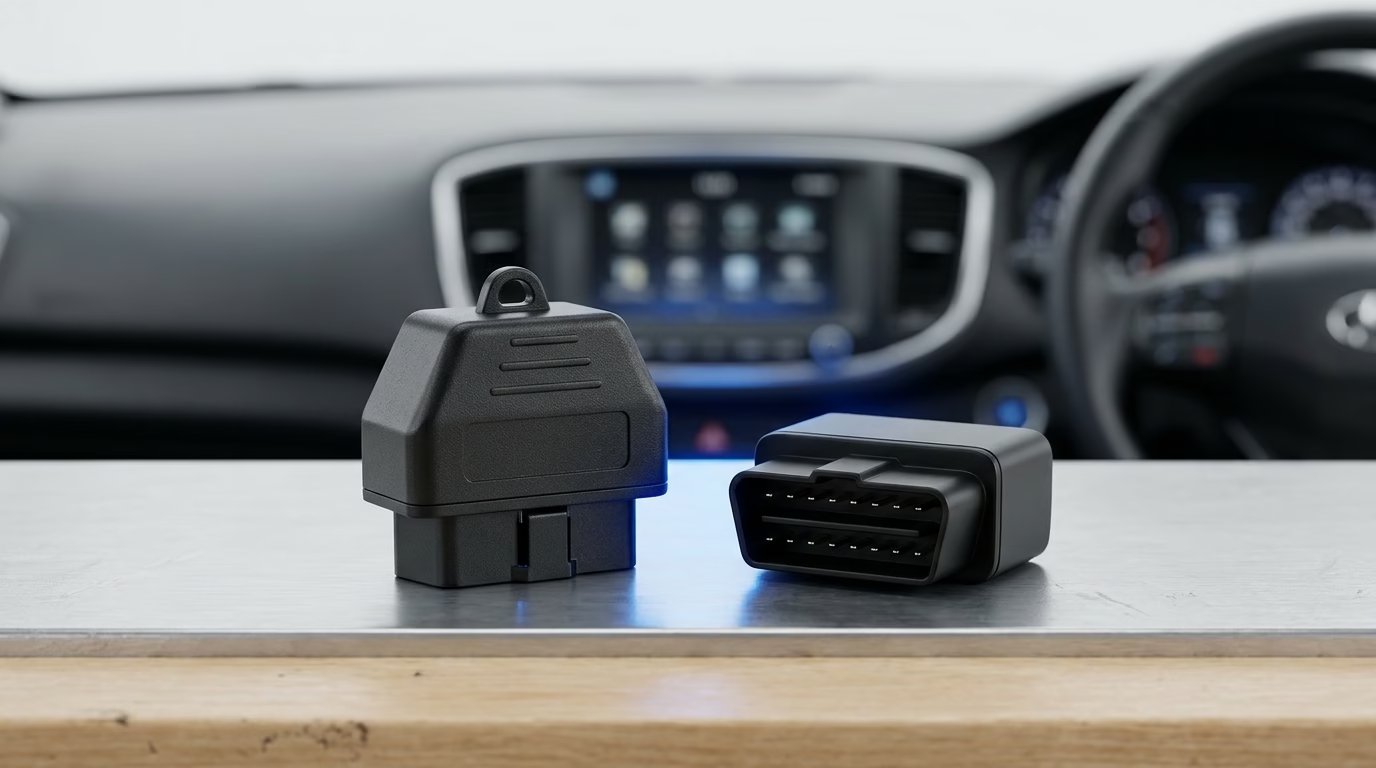
The vLinker MS vs MC+ choice starts with your car and app. Pick the MS for broader network support and faster live data, where supported. Pick the MC+ for routine checks if it costs less and suits your app. For EV trips, check the exact car, phone and app match first.
Both tools plug into your car’s OBD2 port [the socket used to read faults]. Your phone or laptop then runs the software. The right app matters as much as the plug-in tool.
This guide draws on product specs and owner posts from Reddit and car forums. It is a research-based comparison, not a hands-on test. Owner reports show useful clues, but cannot prove which model lasts longer.
vLinker MS vs MC+: At a Glance
| What you need to know | vLinker MS | vLinker MC+ |
|---|---|---|
| Phone and PC support | iOS, Android and Windows | iOS, Android and Windows |
| iPhone link | Apple MFi [certified connection to Apple devices] | Bluetooth LE [low-energy wireless link], through the app |
| CAN [in-car data network] support | HS-CAN, MS-CAN, SW-CAN, CH-CAN and LS-CAN | HS-CAN, MS-CAN and SW-CAN |
| Live data speed | Faster in one direct owner test | The same owner found it fine for fault checks |
| Auto sleep and wake | Yes, listed feature | Yes, listed feature |
| Firmware [software inside the tool] updates | Yes | Yes |
| Best reason to choose it | More networks and faster data logging | Routine checks at a lower price, if available |
| Main thing to check | Your app supports this exact model | Your app and car work with its features |
The network names above are labels for different in-car data paths. More paths can help you reach more parts of a car. They do not make every feature work on every car.
What Changes Between These Two Adapters?
More Car Networks on the MS
The MS adds CH-CAN and LS-CAN to the networks listed for MC+. That gives it more ways to talk to supported cars. You only gain from those extras when your app uses them.
Think about the job you want to do. A basic fault check may not need those extra paths. Work on several supported car systems may benefit more.
Speed You Can Use
One Reddit owner compared both tools with Car Scanner on iOS. The MS gave faster results while tracking several live values. The MC+ still felt fast enough for normal fault checks.
That was one test on one car. App settings also changed the results. Treat it as a useful clue, not a fixed speed promise.
The same owner found a trade-off with the MS. Fast data requests warmed the phone and slowed wireless charging. The adapter itself did not get hot in that report.
Less aggressive scan settings helped the phone keep up. So did the phone’s low-power mode. If you log data on long drives, the fastest setting may not suit you.
Phone Support and App Costs
Both models list support for iOS, Android and Windows. Their iPhone connection methods differ, though. The MS uses Apple-certified Bluetooth, while MC+ uses a low-energy link.
For MC+ on iPhone, start the connection inside your chosen app. Do not assume pairing in phone settings completes the setup. Follow that app’s steps for the exact adapter.
Your adapter price is not your total software cost. Some apps charge for access or extra tasks. Check those fees before you compare the final cost.
Considering CX for your apps? See our OBDLink CX vs vLinker MC+ comparison.
What Owners Like—and What Trips Them Up
vLinker MS: Pros and Cons
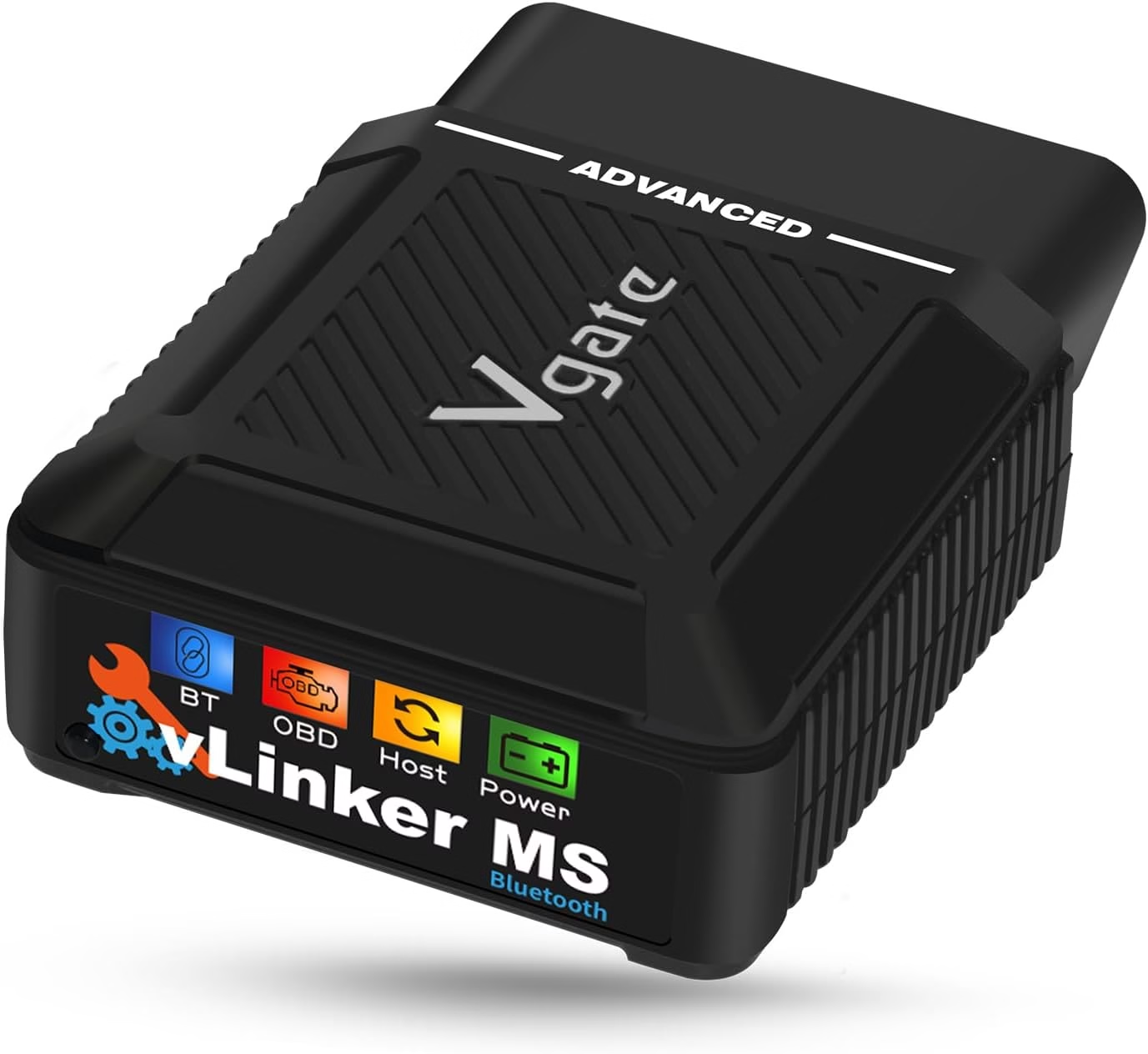
A Ford F-150 Lightning owner found the MS quick with Torque and Car Scanner. They also read fault codes and live data through FORScan. Windows pairing took more work than the phone setup.
That owner did not test writing changes or flashing software. They also could not connect to ABRP at the time. You should not treat their scan results as proof of support for those tasks.
Other owners reported brief or unstable Windows 11 connections with Multiecuscan. Some later found that a newer app version fixed the issue. Those cases do not prove a fault in the adapter.
Pros
- More listed car networks than MC+.
- Faster live data in a direct owner comparison.
- Successful phone-based monitoring and FORScan scans in owner reports.
- Listed auto sleep and wake support.
Cons
- Windows setup can take extra steps.
- Fast polling can add load to your phone.
- Success in one app does not ensure success in another.
- The reviewed reports do not establish long-term failure rates.
The MS makes sense if you need its extra reach or speed. A small price gap strengthens that case. First, check support for the task you plan to run.
Check the vLinker MS price on Amazon
vLinker MC+: Pros and Cons
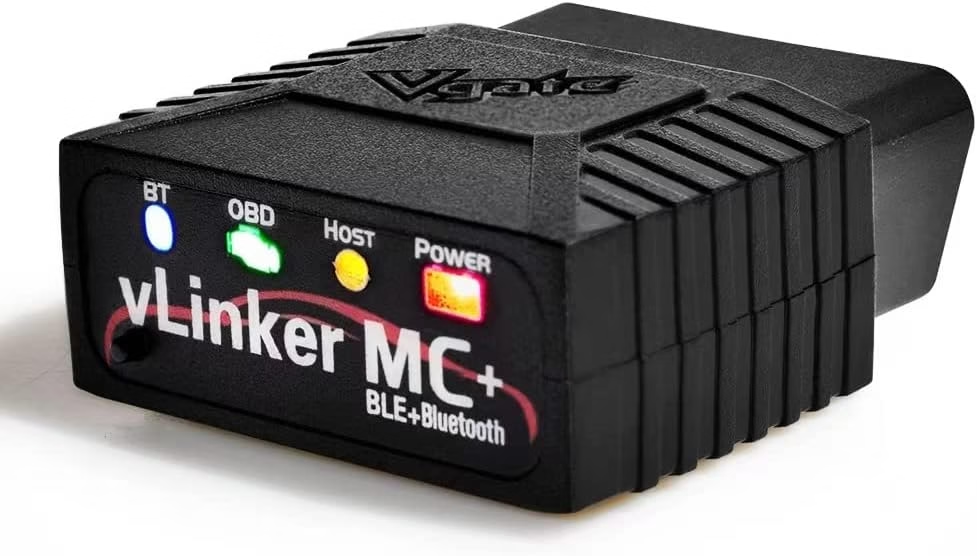
MC+ owner reports cover both fuel-powered cars and EVs [electric vehicles]. One owner read Subaru Forester gearbox heat data and Honda CR-Z battery data. The post did not list the app or car years.
In an Ioniq5 discussion, one owner reported years of plugged-in use without issues. Another praised auto wake when starting the car and opening ABRP. An Audi e-tron owner also reported a steady flow of charge data.
There are less smooth cases, too. An ID.4 owner had trouble with the update tool and delayed charge readings. The update later worked, but the cause was unclear.
A Taycan owner could link to MC+ but not the car’s control unit. The wrong car profile was then found in the app. The thread did not include a final successful retest.
Pros
- Useful fault and live-data checks in several owner reports.
- Positive EV auto-wake and ABRP experiences.
- A good value option if your local price is lower.
- Support for the main networks shared with MS.
Cons
- Slower than MS in the direct owner test.
- No listed CH-CAN or LS-CAN support.
- Some owners report update or app connection trouble.
- Car profiles and app settings can take time to get right.
Choose MC+ when it meets your needs and saves you money. Its lower speed need not spoil a simple fault check. For many buyers, a known app match matters more.
Check the vLinker MC+ price on Amazon
Which Adapter Fits Your Car and Apps?
Everyday Fault Checks and Live Data
For basic checks, start with the app you want to use. Need a wider shortlist? See our Reddit-backed OBD2 scanner picks. Confirm that it lists your car and the exact adapter. Then check whether your desired data or task is included.
MC+ is a fair choice if it meets those checks and costs less. MS is worth a look when you track more live values. Neither tool can add a feature that your app does not support.
EV Trips With ABRP
ABRP [A Better Routeplanner, an EV trip app] can use live car data. MC+ has positive reports from several EV owners. It also has reports of late readings or failed connections.
Those mixed results make the exact setup worth checking. Match your car’s year, phone system and app version where you can. A broad claim that it “works with EVs” is too vague.
Do not pick MS just because it looks faster on paper. One Lightning owner had trouble linking it to ABRP. Their other scan apps worked, which shows why each app needs its own check.
Ford, Volvo, Fiat and Alfa Apps
For Ford and FORScan, separate reading data from changing settings. An MS owner verified scans, fault codes and live data. That report did not cover coding or flashing.
For Volvo and V-Tool, both MS and MC+ appear on the app’s recommended list. Still, check your car platform and the task you need. A listed adapter does not promise every task on every model.
For Fiat and Alfa cars, check the Multiecuscan package closely. A specific MS bundle includes software rights and support for selected car networks. A standard retail MS should not be assumed to include those extras.
Windows users should also check the current Multiecuscan setup steps. Old app versions featured in some connection complaints. Fixing the software setup may save you from replacing a working tool.
Five Checks Before You Buy
- Write down your car’s full details. Include the year, model, engine or EV version.
- Pick the app first. Check its current list for MS or MC+, not just “vLinker”.
- Name the task you need. Reading faults, viewing battery data and changing settings are different jobs.
- Add the app cost. Include paid features or licences in your budget.
- Check the seller’s return terms. Test your own setup while a return is still possible.
Once it arrives, try a simple read-only scan first. For more scanner options, see our guide to the best OBD2 scanners for the money. Confirm the right car profile and a stable connection. Then move on to the tasks your app explicitly supports.
Common Questions
Does vLinker MC+ work with an iPhone?
Yes, it lists iOS support through Bluetooth LE. Connect inside a supported app, using that app’s setup steps. Make sure the listing says MC+, rather than plain MC.
Is vLinker MS always faster?
A direct owner test favoured MS over MC+. That does not prove it wins in every setup. Your car, app and scan settings all affect the result.
Can you leave either tool plugged in?
Both list auto sleep and wake features. Some owners report trouble-free plugged-in use. Those reports do not guarantee the same result for your car.
Will either tool read every car system?
Do not assume so. Access depends on the car, app and supported networks. Check the exact system you need before buying.
Does the adapter include paid apps?
Do not assume the price includes an app licence. Specific bundles may include software rights. Read the contents of the listing you plan to buy.
Which one lasts longer?
The available owner reports cannot settle that. There is no sound failure-rate comparison in this research. Choose based on fit, seller support and return terms.
Choose the Adapter Your App Supports
The best vLinker MS vs MC+ choice starts with one clear task. Write down what you want to read or change. Then match that task to your car and app.
If both pass that check, compare the price gap. Pay more for MS when its extra networks or speed serve your needs. Choose MC+ when it does the job for less.
Before you order, save your app’s setup steps. That small move gives you a clear first test when the adapter arrives.