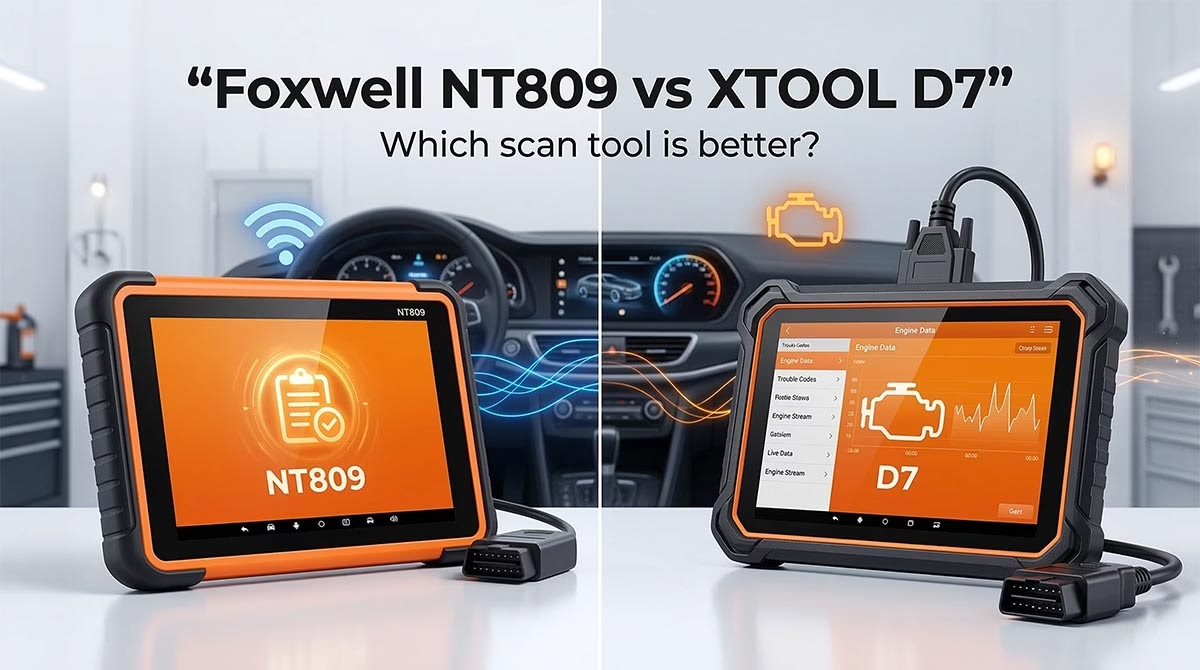
If you are stuck between foxwell nt809 vs xtool d7, you are not alone.
These two tools sit in the same sweet spot. They cost far less than high-end shop scanners. Yet they promise much more than a basic code reader. Both can scan all major systems. Both can run active tests. Both can handle common service jobs like oil resets, brake service, battery registration, and more.
So which one should you buy?
The short answer is this:
- Buy the Foxwell NT809BT if you want wireless freedom, easy everyday diagnostics, and a strong maintenance tool for home use or light shop work.
- Buy the XTOOL D7 if you want more advanced functions, deeper coding ability, key-related features, and better support for newer protocols.
At-a-glance overview


That is the fast answer.
But the real answer depends on how you work, what cars you touch, and how deep you want your scanner to go.
In this guide, I will break it all down in plain English. No fluff. No hype. Just the stuff that matters when your car throws a light, a module acts up, or you need a tool that saves real time and real money.
One quick note before we start: many people search for Foxwell NT809 vs XTOOL D7, but the Foxwell model most often compared with the D7 is the Foxwell NT809BT, the Bluetooth version. That is the version this comparison focuses on.
Quick Answer: Foxwell NT809 vs XTOOL D7
If you want the fastest takeaway, here it is:
Pick the Foxwell NT809BT if you want:
- Wireless Bluetooth connection
- A simple, solid tool for full-system scans
- Active tests without spending a lot
- A scanner mainly for maintenance and troubleshooting
- A better fit for DIY users who want less complexity
Pick the XTOOL D7 if you want:
- More advanced service and relearn functions
- Better support for ECU coding on select brands
- IMMO and key-related functions
- Newer protocol support like CAN FD and DoIP
- A stronger fit for advanced DIY work or small shop use
Now let’s go deeper.
At-a-Glance Specs Table
Here is the clean side-by-side view most buyers want first.
| Feature | Foxwell NT809BT | XTOOL D7 |
|---|---|---|
| Connection to vehicle | Wireless Bluetooth VCI | Wired cable |
| Operating system | Android 9 | Android 10 |
| Screen | 7-inch touchscreen | 7-inch touchscreen |
| Resolution | 1024 x 600 | 1024 x 600 |
| Memory / storage | Usually 1GB RAM + 32GB storage | Newer versions usually 2GB RAM + 64GB storage |
| Battery | Specs vary by version, commonly 4000mAh to 5000mAh | Specs vary by version, older and newer listings differ |
| Full-system diagnostics | Yes | Yes |
| Bi-directional active tests | Yes | Yes |
| Service functions | 30+ | 36+ |
| ECU coding | Limited, not true full coding tool | Yes, on select brands and functions |
| Key / IMMO functions | Very limited | Yes, on supported vehicles |
| CAN FD support | Not a major selling point | Yes |
| DoIP support | Not a major selling point | Yes |
| FCA AutoAuth | Supported on newer listings | Supported |
| Updates | 3 years free on current listings | 3 years free |
| Warranty | 1 year | 2 years |
| Best for | Wireless diagnostics, maintenance, everyday DIY work | Deeper diagnostics, coding, advanced DIY and shop use |
What this table really means
On paper, the XTOOL D7 offers more. It has more advanced features, more service functions, and broader modern protocol support.
But paper is not the whole story.
The Foxwell NT809BT fights back with one big advantage that many users love: wireless operation. And that changes the experience more than you might think.
Why This Comparison Matters
A lot of scan tool comparisons are useless.
They toss out feature lists. They repeat marketing claims. Then they stop.
But when you actually use a scanner, other things matter more:
- How fast can it connect?
- Is the menu easy to understand?
- Does it work on the cars you actually own?
- Can it do the one function you bought it for?
- Will it save you money or waste your weekend?
That is why this comparison looks at both specs and real use.
Because a scan tool is not just a gadget. It is a problem-solving tool. If it cannot help you solve problems faster, it is just another expensive screen in your toolbox.
Design and Hardware: Simple vs More Capable
Foxwell NT809BT feels more relaxed to use
The Foxwell NT809BT is built like a compact Android tablet with a wireless Bluetooth VCI dongle. You plug the dongle into the car’s OBD port, and you use the tablet from wherever you want around the vehicle.
That sounds small. It is not.
Wireless scanning makes active tests easier. You can stand outside the car and test windows, locks, wipers, fans, and lights without dragging a cable across the seat or leaning in through the door.
If you work alone, this feels great.
The Foxwell hardware is decent. Not flashy. Not ultra-fast. Just good enough. It usually comes with:
- 7-inch screen
- Android 9
- 1GB RAM
- 32GB storage
It is not a powerhouse tablet. But that is okay for this class of tool.
Where Foxwell loses ground
It is not the fastest unit in the segment. Some users report lag during heavier tasks like live data, exporting reports, and jumping between screens. It is not a deal breaker, but it is not premium either.
XTOOL D7 feels more serious
The XTOOL D7 feels more like a “work tool” than a convenience tool.
It uses a wired connection. That may sound old-school, but there is a tradeoff. Wired tools often feel a bit more direct and stable, especially during deeper functions. The D7 also brings stronger internals on newer versions, with more memory and more storage than the Foxwell.
That extra hardware helps when you:
- open more vehicle software packages
- use deeper menu trees
- work with reports
- run more advanced functions
- use coding or key-related tasks
The D7 is still compact. It still has a 7-inch screen. But the overall vibe is more “serious technician” and less “casual scan and go.”
Where XTOOL loses ground
The cable matters. If you do a lot of actuator testing while walking around the car, you will notice it. The D7 is less convenient in that very specific way.
So this part is simple:
- Foxwell wins on convenience
- XTOOL wins on technical headroom
Real Use Case: What It Feels Like in Daily Work
Let’s make this real.
Imagine four common situations.
Scenario 1: You are checking a bad door lock or stuck window
This is classic active-test territory.
With the Foxwell NT809BT, you plug the Bluetooth VCI into the car, step outside, and trigger the lock or window test from the tablet in your hand. That is smooth. No cable. No awkward body position. No back-and-forth guessing.
With the XTOOL D7, you can do the same test. But you do it with a cable attached. It still works. It just feels less free.
Winner here: Foxwell NT809BT
Scenario 2: You need to do battery registration, EPB service, and reset lights after a brake job
Both tools can handle this kind of maintenance well on supported cars.
This is where the two start to feel close.
If your main goal is:
- brake pad service
- electronic parking brake retract
- battery replacement reset
- oil service reset
- steering angle calibration
- basic ABS bleed
both tools make sense.
The difference is not “can they do it?”
The difference is “which one gives you more room to grow?”
If you only want these jobs, Foxwell is enough for many people. If you think you will go deeper later, XTOOL starts to look better.
Winner here: Tie, with a slight edge to XTOOL for long-term growth
Scenario 3: You want to do ECU coding or module matching
Now the gap gets wider.
The Foxwell NT809BT can do some useful functions like injector coding and reset-type tasks. But it is not a true ECU coding tool. It is more of a diagnostic and service tablet than a coding platform.
The XTOOL D7 is stronger here. It supports online and offline coding on select brands. It also supports more adaptation and module matching jobs than the Foxwell.
If you care about coding, this is not a close contest.
Winner here: XTOOL D7
Scenario 4: You want key programming or IMMO-related work
Again, this swings hard toward XTOOL.
The Foxwell NT809BT is not the scanner to buy for key work. That is not its lane.
The XTOOL D7 does include IMMO and key-related functions on supported cars. It is not a full locksmith platform. But for many advanced DIY users and small shops, it adds value that Foxwell simply does not offer.
Winner here: XTOOL D7
Diagnostics: Full-System Scan and Live Data
Both tools promise full-system diagnostics. In real life, both deliver useful all-system access on many vehicles.
That means both can usually scan:
- engine
- transmission
- ABS
- SRS / airbag
- body modules
- climate control
- electronic parking brake
- battery management
- and other onboard systems
This is a big step up from a cheap code reader.
Foxwell NT809BT in diagnostics
Foxwell does a good job as a broad scan tool. It reads and clears module codes. It shows live data. It supports freeze-frame and standard OBD2 functions. For a home user, that is already a major leap in capability.
It is especially strong if your goal is:
- finding the module with the fault
- reading module codes across the whole car
- confirming repairs
- running practical active tests
- handling routine reset jobs
XTOOL D7 in diagnostics
The D7 does all of that too. But it stretches farther.
It also brings:
- more service functions
- stronger modern protocol support
- more graphing options
- deeper menus on supported vehicles
- ECU coding and IMMO access on certain cars
Which one is more accurate?
This is the wrong question.
Most scan tools at this level are not about “accuracy” in the way people think. They are about coverage and depth. The real issue is whether the tool supports the system and function on your exact car.
That is why compatibility matters more than raw marketing claims.
Still, in broad terms:
- Foxwell is great for general diagnostics
- XTOOL is better for advanced diagnostics
Active Tests and Bi-Directional Control
This is one of the main reasons people upgrade from a cheap scanner.
A basic code reader only tells you that something might be wrong.
A bi-directional scanner helps you test the part.
That means you can command things like:
- radiator fans
- windows
- locks
- fuel pumps
- injectors
- relays
- A/C clutch
- throttle body
- ABS pump
- lights
- sunroof
- mirrors
This can save hours.
Foxwell NT809BT active test experience
Foxwell handles practical active tests very well for the price. This is one of its strongest features. If you want a scanner that helps you move past code reading and into actual troubleshooting, the NT809BT is a big upgrade.
Its wireless design makes active tests feel especially nice.
XTOOL D7 active test experience
The D7 is also very strong here. In fact, it is one of the reasons so many people recommend it in the mid-range bracket. It does a wide range of active tests and often goes deeper than cheaper tools.
Some sellers and reviewers even frame it as a scanner that does many of the jobs people expect only from much pricier tools.
Which one wins?
If you only care about normal actuator tests and general troubleshooting, both are strong.
If you care about the user experience while doing those tests, Foxwell’s wireless design gives it charm.
If you care about overall advanced capability, XTOOL still has the edge.
Service Functions: 30+ vs 36+
This is another major buying point.
Foxwell NT809BT service functions
The Foxwell usually lists 30+ service functions, including:
- oil reset
- EPB reset
- ABS bleed
- battery matching
- DPF regeneration
- SAS calibration
- injector coding
- TPMS reset
- throttle-related reset
- transmission adaptation
- clutch adaptation
- headlamp reset
- fuel pump prime
- and more
That is a strong list.
XTOOL D7 service functions
The D7 usually lists 36+ service functions. It includes all the big expected ones and adds more advanced jobs depending on the vehicle, such as:
- crank relearn
- more transmission adaptation options
- suspension calibration
- seat calibration
- yaw rate sensor calibration
- cam/crank related relearns
- and deeper resets on supported brands
The important truth
Do not buy either tool just because it says “30+” or “36+”.
The number sounds nice. But the real question is this:
Will it do the exact functions you need on your exact car?
That is what matters.
Still, if we compare the platforms overall, XTOOL D7 is the more ambitious service tool.
ECU Coding and Key Functions: This Is the Big Split
This section matters because it creates the clearest difference between these two products.
Foxwell NT809BT: not really a coding tool
The Foxwell NT809BT is best understood as:
- a full-system scanner
- a maintenance and reset tool
- an active test tool
It is not the scan tool you buy for deep ECU coding, advanced module adaptation, or key programming.
Yes, it can do some coding-type jobs like injector coding. But that is not the same as broad ECU coding support.
If that kind of work matters to you, Foxwell is the wrong fit.
XTOOL D7: much better for advanced work
The XTOOL D7 brings:
- online coding on select brands
- offline coding on some brands
- module matching
- adaptation work
- IMMO functions
- key-related support on supported cars
That does not make it a dealer replacement. It does not make it a full locksmith tablet. But it absolutely makes it more advanced than the Foxwell.
This is the core truth of this whole comparison:
If you want deeper electronic work, the D7 is the better tool.
Compatibility: The Most Important Buying Rule
Here is the mistake people make.
They see a long feature list and assume the scanner will do all those things on every car.
That is not how this market works.
Both of these tools have vehicle-dependent coverage.
That means:
- one function may work on Brand A but not Brand B
- one reset may work on a 2021 model but not a 2012 model
- one scanner may see more modules on one platform than another
- a menu item may appear, but the vehicle may not support it
This is true for both tools.
Foxwell compatibility reality
Foxwell has broad coverage. It supports many brands. It is useful across American, Asian, and European vehicles. But its deeper functions vary by model and year.
XTOOL compatibility reality
XTOOL also has broad coverage. It often reaches deeper than Foxwell. But it is not universal either. Some users still report gaps, especially on certain models or older vehicles.
Best buying advice
If you need one specific function, do not guess. Check before you buy.
Examples:
- ABS bleed on a specific Toyota
- battery registration on a BMW
- window initialization on a Dodge
- injector coding on a diesel
- key add on a Honda
- module coding on a Volkswagen
That one check can save you a lot of regret.
Foxwell NT809BT Pros vs Cons
Pros
- Wireless Bluetooth connection is genuinely useful
- Easy to use for a mid-range scanner
- Strong full-system diagnostic coverage
- Good active tests for the price
- Handles common reset and service jobs well
- Great fit for practical DIY work
- Usually cheaper than more advanced coding tools
Cons
- Not a real ECU coding platform
- Very limited for key and IMMO work
- Hardware is decent, not fast
- Some functions vary a lot by vehicle
- Less room to grow if you want advanced work later
- Warranty is usually shorter than XTOOL
XTOOL D7 Pros vs Cons
Pros
- More advanced overall feature set
- ECU coding support on select brands
- IMMO and key-related functions add value
- 36+ service functions
- Supports newer protocols like CAN FD and DoIP
- Good fit for advanced DIY and small shop use
- Better long-term ceiling than Foxwell
Cons
- Wired connection is less convenient
- Can feel more complex for beginners
- Coverage still varies by car
- Battery specs and versions can be confusing
- Some users report battery drain or update-related frustration
- It can tempt buyers into thinking it does more than their vehicle actually supports
Who Should Buy Which?
This is the section that matters most.
Buy the Foxwell NT809BT if you are:
- a home user who wants a serious upgrade from a basic code reader
- someone who works on a few family cars
- someone who values wireless freedom
- mostly focused on diagnostics, active tests, and service resets
- not interested in coding or key work
- looking for a tool that feels simpler and more relaxed to use
Best Foxwell buyer profile
You like practical tools. You want to read all modules, run tests, reset service lights, and solve real faults without drowning in advanced menus.
That is the Foxwell buyer.
Buy the XTOOL D7 if you are:
- an advanced DIY user
- a mobile mechanic
- a small independent shop
- someone who wants room to grow
- someone who cares about coding, adaptation, or IMMO functions
- someone who works on newer vehicles with newer protocols
- someone willing to accept a wired setup in exchange for more depth
Best XTOOL buyer profile
You do not just want to scan codes. You want a tool that can stretch into more advanced work and keep up as your jobs get harder.
That is the D7 buyer.
Best Choice by Use Case
Best for beginners: Foxwell NT809BT
It is easier to understand. It is less intimidating. It still does a lot.
Best for advanced DIY users: XTOOL D7
It gives you more room to grow and more functions to explore.
Best for wireless convenience: Foxwell NT809BT
No contest.
Best for coding and IMMO: XTOOL D7
Also no contest.
Best for everyday maintenance: Tie
Both are strong.
Best long-term investment for deeper work: XTOOL D7
It simply goes farther.
FAQs
Is the Foxwell NT809BT better than the XTOOL D7?
Not overall. It is better in one key area: wireless ease of use. If that matters most to you, Foxwell is the better buy. But if you want more advanced functions, the XTOOL D7 is stronger.
Does the XTOOL D7 do more than the Foxwell NT809BT?
Yes. In broad terms, yes. It offers more service functions, stronger support for coding on select brands, key-related functions, and newer protocol support.
Which one is easier for a beginner?
The Foxwell NT809BT is usually the easier starting point. It feels more straightforward. It is still powerful, but it is less likely to overwhelm a casual user.
Which one is better for a small repair shop?
The XTOOL D7 is usually the better pick for a small shop because it has more advanced capability and better long-term growth.
Can both tools do ABS bleeding?
They can, on supported vehicles. But you should always verify support for your exact make, model, and year before buying.
Can both tools do battery registration?
Yes, both support battery-related functions on supported vehicles.
Can the Foxwell NT809BT program keys?
It is not the right tool for that. If key work matters to you, look at the XTOOL D7 instead.
Can the XTOOL D7 replace dealer tools?
No. It can do a lot. Sometimes a surprising amount. But it is still not a full replacement for brand-specific dealer software in every case.
Are updates free?
Both are commonly sold with 3 years of free updates on current listings. After that, behavior may vary by version and seller, so read the current product terms before purchase.
Which tool is better for older cars?
This depends more on brand support than on brand name. In general, both can work well on older OBD2 vehicles, but deeper functions vary a lot. If your vehicle is older and you need one specific relearn or reset, always check compatibility first.
Final Verdict: Foxwell NT809 vs XTOOL D7
So, after all that, what is the real answer?
If you want the better everyday wireless diagnostic tool, buy the Foxwell NT809BT
It is practical. It is flexible. It is enjoyable to use. It is a strong pick for home garages and users who want a real all-system scanner without stepping into deeper coding territory.
It is the better scanner for people who say:
“I want to diagnose and maintain my cars better, but I don’t need to get crazy.”
If you want the better all-around advanced mid-range scan tool, buy the XTOOL D7
It does more. It reaches deeper. It gives you more advanced functions. It supports more serious jobs. It is the better fit if you want a tool that can grow with you.
It is the better scanner for people who say:
“I want one tool that can take me beyond resets and code reading into more advanced work.”
Final recommendation in one line
Choose Foxwell NT809BT for comfort and convenience.
Choose XTOOL D7 for capability and growth.
If I had to simplify the whole comparison into one sentence, that would be it.
Bottom Line for Buyers
Here is the plain truth:
- The Foxwell NT809BT is the smarter buy for users who value wireless convenience, easy diagnostics, and routine maintenance work.
- The XTOOL D7 is the smarter buy for users who want deeper features, more advanced repair support, and better long-term value.
Neither one is perfect.
Both can save you money.
Both are far more useful than a cheap code reader.
But they are built for slightly different people.