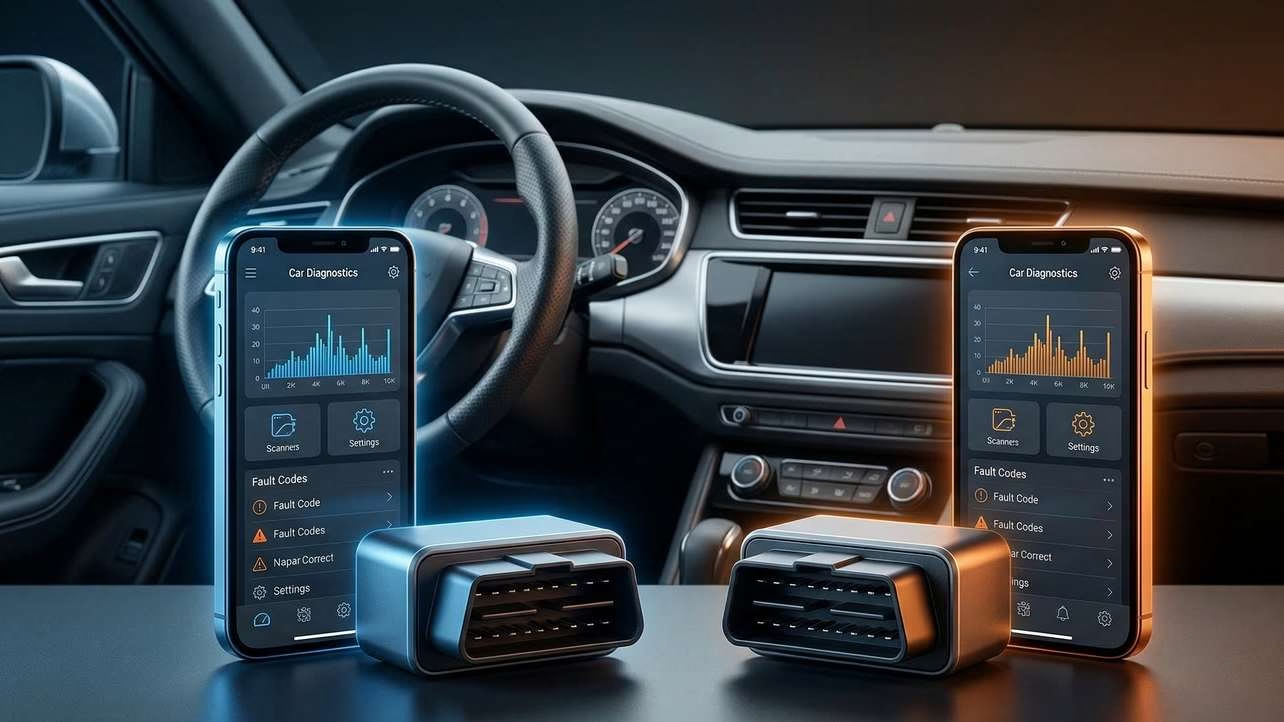
If you are stuck on carista vs obdeleven, you are asking the right question. Both tools promise more than basic code reading. They aim to help you check fault codes, watch live data, reset service items, and unlock extra vehicle settings from your phone. That sounds great. But the better choice depends on what you drive, how much control you want, and how much patience you have for learning the app and paying for extra features.
In this guide, I will break down the real differences in plain English. You will see how they compare on setup, app experience, diagnostics, coding, service functions, compatibility, pricing, and long-term value. By the end, you should know which one fits your car, your budget, and your comfort level.
⚡ At a Glance: OBDeleven 3 vs Carista EVO

OBDeleven 3
- Connectivity: Bluetooth, CAN FD, dual K-Line
- Processor: Multi-protocol support with improved performance
- Power: Smart sleep mode with minimal battery drain
- Design: Pocket-sized, rugged housing
✅ Key functions: Full system scans, live data, One-Click Apps (service resets, coding, feature activation), VIN decoding, hybrid battery diagnostics (Toyota/Lexus), health reports.
✅ Best for: VW Group (Audi, SEAT, Škoda, Cupra), BMW, Toyota/Lexus, Ford (US). Basic OBD-II support for most CAN-bus vehicles (2008+).
- Fast scans with stable connection
- Deep VAG customization
- Low standby power usage
- Advanced diagnostics and coding features
- Subscriptions and credits required for full access
- Functionality varies by vehicle
- Occasional app instability
- Limited support for newest secured systems (SFD)

Carista EVO
- Connectivity: Bluetooth 5.1, supports HS-CAN, MS-CAN, SW-CAN, K-Line
- Processor: 32-bit ARM architecture
- Power: Reduced standby power consumption with sleep mode
- Extras: Protective sleeve, manufacturer warranty
✅ Key functions: Read and clear codes (engine, ABS, SRS), live data, service resets (oil, EPB, battery), feature customization, emissions checks.
✅ Compatibility: Broad support including Audi, BMW, Ford, Hyundai, Kia, Lexus, Toyota, VW, Volvo, and more.
- Fast and stable Bluetooth connection
- Low power usage for long-term use
- Strong multi-brand compatibility
- Customizations apply permanently
- Subscription required for advanced features
- Feature depth varies by vehicle
- Limited advanced diagnostics compared to premium tools
- Some brand/model limitations
Quick Comparison Table
| Category | Carista EVO | OBDeleven 3 |
|---|---|---|
| Best for | Drivers who want an easy app-based tool for diagnostics, service tasks, and simple customizations on supported vehicles. | Users who want deeper access, stronger brand-focused features, and more enthusiast-style customization, especially on supported groups like VW. |
| Ease of use | Very friendly. Quick pairing and a simple app flow make it approachable for casual users. | Also phone-friendly, but it can feel more layered because of plans, credits, and broader feature depth. |
| Vehicle compatibility | Broad support across many brands, with especially strong results on VW Group and select Toyota/Lexus models. Feature depth varies by vehicle. | Advanced support is strongest for VW Group, BMW Group, Toyota/Lexus, and US Ford models. Basic OBD-II works on more CAN-bus cars from 2008 onward. |
| Diagnostics | Reads and clears codes across many modules. Advanced diagnostics need a paid subscription. | Full-system scans and module access on supported groups. Basic functions are free, but deeper work needs paid plans. |
| Coding and customization | Good for guided customizations and hidden feature changes. Strong appeal for users who want easy toggles. | Stronger for deeper coding, adaptations, and one-click apps, especially for Volkswagen Group vehicles. |
| Service functions | Offers oil reset, TPMS reset, EPB reset, battery registration, DPF regeneration, and more on supported cars. | Offers service resets and guided actions through one-click apps, plus more advanced actions on supported cars. |
| App experience | Simple and clean. Built around convenience and fast onboarding. | Feature-rich, but some users report app glitches and confusing navigation in some cases. |
| Hardware | Bluetooth 5.1, 32-bit ARM processor, compact housing, battery-saver sleep mode. | Upgraded Bluetooth, second-gen CAN-FD architecture, smart sleep mode, rugged compact design. |
| Subscription model | Free basic use. Most useful advanced features need a Pro subscription. | Free basic use. Advanced features depend on PRO or ULTIMATE plans, and some actions may use credits. |
| Price structure | Scanner is usually around $59.99 to $69.99, plus paid subscription for advanced features. | Scanner is often around €84.99 or roughly $80 to $100, with pricier bundles if you want plans or credits included. |
| Beginner friendliness | High. It is easier to grasp fast. | Good, but less simple once you move past the basics. |
| Advanced features | Useful, but still more guided and vehicle-dependent. | Better fit for users who want more control, more coding options, and richer vehicle-specific tools. |
| Main downside | Subscription cost can feel steep if you only use it once in a while. Some cars get limited features. | Paid plans and credits can feel expensive and confusing. Support depth also varies by car and region. |
| Overall value | Strong value for casual users who want convenience and simple customization. | Strong value for enthusiasts who will use the deeper feature set often enough to justify the cost. |
Carista vs OBDeleven: Quick Answer
If you want the short answer, here it is. Carista is usually the better fit for people who want a simpler, more beginner-friendly tool that handles common diagnostics, service resets, and guided customizations without much fuss. OBDeleven is usually the better fit for people who want more depth, more advanced access, and stronger enthusiast appeal, especially if they own a Volkswagen Group vehicle or another well-supported brand in its ecosystem.
The biggest difference is not just what they do. It is how they do it. Carista feels more like an easy everyday tool. OBDeleven feels more like a tool that can grow with you, but it may ask more from you in return. That extra depth can be worth it. It can also be overkill if you only want quick checks and a few simple tweaks.
What Is Carista?
Carista EVO is a Bluetooth OBD-II scanner that works with the Carista mobile app on iOS and Android. It turns your phone into a car diagnostic and customization tool. The main appeal is convenience. You plug it in, connect through the app, and use the phone you already carry. The hardware uses Bluetooth 5.1 and a 32-bit ARM processor, which helps with speed and stable connections compared with older versions.
Its feature set is broad enough for most regular drivers. Carista can read and clear fault codes across many systems, not just the engine. It can also show live data, help with maintenance tasks such as oil resets and TPMS resets, and unlock hidden factory settings on supported cars. That could mean changing lock behavior, lighting settings, warning sounds, or other comfort features. The free tier covers basic OBD-II tasks, but most of the more useful functions need a paid subscription.
Carista stands out because it tries to make these tasks feel easy. It is built for people who do not want to learn a lot of coding language or dig through a maze of menus. That makes it appealing for beginners, casual DIY owners, and anyone who wants quick wins. It is especially strong on Volkswagen Group vehicles and some Toyota or Lexus models, though support spans many brands. Still, the fine print matters. Feature depth changes by vehicle, and some makes or years may only get basic support.
The trade-off is clear. Carista is easy to like when it supports your car well. But it can feel less impressive if your model only gets a narrow set of features. The paid subscription also adds long-term cost, which matters if you only plan to use it now and then.
What Is OBDeleven?
OBDeleven 3 is also a Bluetooth OBD-II scanner that works through a phone app. Like Carista, it helps users diagnose faults, monitor live data, reset service items, and unlock extra settings. But its position is a little different. OBDeleven aims closer to professional-style access while still trying to stay friendly enough for phone users. It has upgraded Bluetooth, second-generation CAN-FD architecture, and broader channel support, which helps it reach more systems and scan faster on supported vehicles.
The app includes basic diagnostics on the free plan, but the real draw is the deeper feature set available through PRO or ULTIMATE plans and, in some cases, credits for one-click apps. Those one-click apps let users do common tweaks and service tasks without manual coding. For more advanced users, OBDeleven also offers long coding, adaptations, security access, and rich system-level work, mainly on Volkswagen Group vehicles. It also supports advanced use on BMW Group, Toyota/Lexus, and certain US Ford models.
That makes OBDeleven a stronger fit for enthusiasts, people who work on their own cars more often, and buyers who want more headroom. It can do simple jobs. But it also gives more room to go beyond the basics. It even adds extras like VIN and option decoding, inspection reports, and hybrid battery health checks for Toyota and Lexus models.
The downside is that more power often means more complexity. Users have noted that the app can feel less smooth in some situations. Some also dislike the mix of subscriptions and credits. So while OBDeleven may offer more depth, it may not feel as effortless for first-time buyers who just want a quick and simple tool.
Carista vs OBDeleven: Key Differences
Ease of setup
Both tools are built around a simple idea. Plug the adapter into the OBD port, connect with your phone, and use the app. Carista leans harder into this simple path. The provided information highlights quick pairing, an intuitive interface, and fast onboarding. That makes it easier for someone who wants to get moving in minutes.
OBDeleven is also portable and phone-based, and its hardware is designed for fast pairing and strong connections. Still, setup is only part of the story. Once you move past the first connection, the app structure, plan choices, and feature layers can make it feel a bit more involved than Carista.
Edge: Carista, for pure simplicity.
App interface and usability
Carista feels built for people who want the app to stay out of the way. It emphasizes quick access, a clean feel, and guided actions. That helps reduce the chance of confusion. For many users, that is a major selling point because the best tool is the one you will actually use.
OBDeleven offers a richer toolset. That is great when you want more options. But it also means more layers. The information provided even notes occasional reports of app instability, confusing navigation, and support issues. That does not make it bad. It just means the learning curve can be higher once you leave the basics behind.
Edge: Carista for ease. OBDeleven for depth.
Diagnostics capability
Both tools go beyond basic engine code reading. Carista can read and clear fault codes across multiple modules such as engine, ABS, airbag, transmission, TPMS, and HVAC. It also supports freeze-frame data and other deeper diagnostics on paid plans.
OBDeleven does very well here too. It offers full-system scans, code reading, code clearing, and shareable diagnostics on supported groups. On top of that, it offers basic OBD-II functions for all CAN-bus vehicles from 2008 onward. For buyers with supported brands, OBDeleven may feel more complete, especially if they want detailed system access rather than just common fault checks.
Edge: Slight lean to OBDeleven for deeper diagnostic potential on supported brands. Carista remains strong for mainstream DIY use.
Coding and customization
This is one of the biggest reasons people compare these tools. Carista is good at guided customizations. It can unlock hidden settings and let users adjust features such as lighting behavior, lock settings, chimes, display options, and similar comfort settings. The appeal is that these changes feel approachable. You are choosing from clear options instead of diving into deep coding screens.
OBDeleven also offers guided one-click apps, which help beginners. But it goes further. It adds long coding, adaptations, security access, and other advanced options, mainly for Volkswagen Group vehicles. That broader toolkit gives advanced users more freedom and more room to fine-tune things. It also makes OBDeleven feel more like a growth tool for enthusiasts.
Edge: OBDeleven for depth. Carista for easier guided tweaks.
Service and maintenance functions
Carista covers many routine maintenance jobs on supported vehicles. That includes oil resets, service interval resets, TPMS reset, EPB reset, battery registration, and DPF regeneration. For many owners, that is enough to save time and skip some dealer visits.
OBDeleven also handles common resets and service procedures through one-click apps, and it extends into more advanced actions depending on brand and plan level. It also adds useful extras like inspection tools and, for Toyota/Lexus, hybrid battery checks. That wider set can matter if you maintain multiple vehicles or want more than a simple reset tool.
Edge: Close call. Carista covers the main jobs well. OBDeleven has broader upside for supported vehicles.
Vehicle compatibility
Carista supports a long list of brands, including Audi, BMW, Ford, Hyundai, Kia, Lexus, Mazda, MINI, Nissan, Toyota, Volkswagen, Volvo, and many more. It seems especially strong on Volkswagen Group and select Toyota/Lexus platforms, though users should always confirm support for their exact vehicle. Not every module or feature is available on every car.
OBDeleven takes a more focused approach for its deeper features. It is strongest on Volkswagen Group, BMW Group, Toyota/Lexus, and US-built Ford models. For all other compatible CAN-bus vehicles from 2008 onward, it offers basic OBD-II support. That means its advanced side is more targeted, not equally deep across every brand.
Edge: Carista may suit more casual multi-brand shoppers. OBDeleven may win if your exact car sits in one of its stronger brand groups.
Hardware and device support
Carista uses Bluetooth 5.1, a 32-bit ARM processor, and a power-saving sleep mode. It is compact and built to stay convenient. It is designed to improve connection stability and speed over older models.
OBDeleven uses upgraded Bluetooth, smart sleep mode, and second-generation CAN-FD architecture with expanded channel support. In simple terms, that means it is built for faster, broader communication with supported systems. It also works with Android 8.0+ and iOS 16.6+ devices.
Edge: OBDeleven on paper for broader hardware capability. Carista still looks very solid for daily use.
Subscription model and credits
Carista keeps things simple. The hardware price is lower, the app has free basic functions, and advanced features require a Pro subscription. That is not cheap over time, but it is easier to understand.
OBDeleven is more layered. You can use the free plan for basic diagnostics. But advanced features may require PRO or ULTIMATE, and some one-click apps may also use credits. That gives buyers flexibility, but it also creates a more complex cost structure. Some users may like the options. Others may see it as a hassle.
Edge: Carista for pricing clarity. OBDeleven for feature flexibility, if you do not mind the system.
Learning curve
Carista feels more forgiving. It is built around guided actions and plain-language usability. That lowers the risk of feeling lost.
OBDeleven is still accessible, thanks to its one-click apps. But if you want to use the tool fully, you may need more time to understand plans, credits, brand-specific support, and advanced functions. That is not a flaw. It is the cost of extra capability.
Edge: Carista.
Value for money
Carista often makes more sense for people who want simple ownership. You buy the hardware at a lower price, then pay for advanced access only if you need it. That works well for casual users who want a clean, practical tool.
OBDeleven can offer stronger value for people who will really use the extra depth. If you own a supported vehicle and plan to do coding, customizations, service work, and frequent diagnostics, its broader feature set may justify the higher cost and added complexity.
Edge: Depends on your goals. Carista for simplicity. OBDeleven for long-term enthusiast use.
Features Comparison in Real-World Terms
Specs matter. Real life matters more. So what do these features actually mean when you are standing in your driveway with a warning light on?
First, diagnostics. If your check engine light comes on, both tools can help you read the code and clear it after the issue is fixed. That alone can save stress. For a beginner, that may be enough. But if you want to check multiple modules, compare deeper system data, or work beyond common faults, OBDeleven may have more headroom on supported vehicles. Carista still covers a lot, but it feels more tuned for practical, everyday use.
Next, customizations. This is where buyers often get excited. Coding and customization can let you change how your car behaves in small but useful ways. That might mean changing lighting behavior, locking logic, sounds, or display options. Carista makes these changes feel more guided. OBDeleven can do guided changes too, but it also gives more room for advanced users to go further with deeper access and manual adjustments.
Then there is service work. If you do your own oil changes, brake work, or battery replacement, a scanner that handles resets can pay for itself. Carista covers many popular maintenance actions on supported vehicles. OBDeleven does too, and in some cases it stretches further with more advanced workflows, one-click apps, and extra checks. If you only want the main service tasks, Carista may already be enough. If you want a wider toolbox, OBDeleven may feel more future-proof.
Finally, think about stress. Some buyers want the most powerful tool they can afford. Others want the tool they can trust without needing a learning session every time they open the app. That is why this comparison matters. The best feature list on paper is not always the best fit in the real world.
Which One Is Easier for Beginners?
For most beginners, Carista is the easier choice. The reasons are simple. Its app flow is more direct. Its feature set feels guided. Its pricing model is easier to understand. And its overall purpose is clear: make diagnostics and customizations accessible without asking the user to become an expert.
That does not mean OBDeleven is beginner-hostile. It is not. The one-click apps are clearly meant to lower the barrier. Basic diagnostics are easy enough to grasp. But as soon as a buyer wants more than the basics, OBDeleven starts asking more from them. They may need to think about plans, credits, brand-specific support, and more complex feature paths. For some users, that is exciting. For others, it is friction.
So if you are a first-time buyer, if you do not enjoy technical menus, or if you mainly want a tool that feels calm and straightforward, Carista has the safer beginner profile. If you are comfortable learning a more capable system, OBDeleven can still work well, but it may not feel as instantly friendly.
Which One Offers Better Value for Money?
Value is tricky because the cheapest tool is not always the best value. The better question is this: what are you paying for, and will you use it enough to justify the cost?
Carista starts with a lower hardware price. The scanner is usually around $59.99 to $69.99. That makes entry easier. The app offers free basic functions, but advanced diagnostics, service resets, and customizations need a paid Pro subscription. If you only need the tool once in a while, that setup can still make sense because the upfront cost is lower and the system is simple.
OBDeleven usually costs more up front. The scanner is often around €84.99 or roughly $80 to $100, and bundles with plans or credits can raise the total much more. On top of that, advanced features depend on PRO or ULTIMATE, and some actions may use credits. That can feel expensive. But if you own a well-supported vehicle and plan to use the tool often, the wider feature set may deliver better long-term value.
Here is the cleanest way to think about it:
Carista gives better value if…
- You want a lower entry price.
- You care more about ease than maximum depth.
- You mostly want common diagnostics, service resets, and simple customizations.
- You do not want to deal with credits or a more layered payment system.
OBDeleven gives better value if…
- Your car sits in one of its stronger support groups.
- You plan to use coding, advanced diagnostics, or deeper service functions often.
- You see the scanner as a long-term enthusiast tool, not just a quick fix device.
- You are willing to pay more for more room to grow.
So which one is cheaper long term? Carista can be cheaper for casual users. OBDeleven can be the smarter spend for active DIY owners who use its stronger feature set again and again.
Pros and Cons
Carista Pros and Cons
Pros
- Easier for beginners to understand and use.
- Strong Bluetooth stability and faster processing than older versions.
- Good mix of diagnostics, service functions, and customizations for supported vehicles.
- Broad multi-brand support with especially strong appeal for VW Group and some Toyota/Lexus owners.
- Lower hardware price than OBDeleven in typical pricing.
- Guided changes make it less intimidating for casual users.
- Applied customizations stay active.
Cons
- Most of the valuable features require a subscription.
- Feature depth depends heavily on the vehicle.
- It may feel too basic for users who want deeper brand-specific coding.
- Some owners may find the live data or advanced options limited on certain models.
- It relies fully on a smartphone, so there is no standalone screen.
OBDeleven Pros and Cons
Pros
- Stronger depth for coding, adaptations, and advanced functions on supported brands.
- Very appealing for Volkswagen Group owners and other supported ecosystems.
- Rich feature set that goes beyond common scanning tasks.
- One-click apps help bridge the gap for less experienced users.
- Smart sleep mode and broader CAN-FD support improve hardware flexibility.
- Adds extras such as inspection tools, VIN decoding, and hybrid battery checks for Toyota/Lexus.
Cons
- Higher upfront cost in many cases.
- Paid plans and credits can feel confusing or expensive.
- Some users report app glitches, navigation issues, or weak support experiences.
- Advanced support is not equally deep across all brands and regions.
- It can feel like too much tool for buyers who only want simple, occasional use.
Carista vs OBDeleven: Which Should You Choose?
Choose Carista if…
Choose Carista if you want the easiest path from plug-in to results. It makes the most sense for beginners, casual users, and drivers who want a reliable phone-based tool for fault reading, common service tasks, and guided comfort tweaks. It also makes sense if you care about a lower entry price and a cleaner learning curve.
Carista also feels right for the buyer who does not want to overthink the tool. If you want something that feels practical, clear, and approachable, Carista has the better personality.
Choose OBDeleven if…
Choose OBDeleven if you want more room to grow. It fits better if you own a vehicle in one of its stronger support groups and want deeper coding, richer service options, or more advanced diagnostic access. It also suits buyers who enjoy learning their tools and getting more control over the car’s systems.
If you are the kind of person who will use the scanner often, compare data, explore settings, and keep the tool for years, OBDeleven may reward that effort more than Carista.
Choose based on your skill level
- New to OBD tools: Carista is easier to recommend.
- Comfortable with advanced features: OBDeleven has more headroom.
- Want simple guided changes: Carista is safer.
- Want deeper manual control: OBDeleven is stronger.
Choose based on budget
- Watching upfront cost: Carista usually wins.
- Willing to invest more for more capability: OBDeleven may pay off.
- Hate layered payment systems: Carista is simpler.
Choose based on feature needs
- Need quick diagnostics and service tasks: Either can work, but Carista is easier.
- Need advanced coding and richer customization: OBDeleven has the edge.
- Need a practical glovebox tool: Carista feels more casual-user friendly.
- Need a tool that can grow with your skills: OBDeleven fits that better.
Final Verdict
In the carista vs obdeleven debate, there is no one perfect answer for every buyer. But there is a clear pattern.
Carista is the better pick for beginners, casual DIY owners, and drivers who want a simple app, easy setup, common service functions, and guided customizations without much friction. It is easier to understand. It costs less to get started. And it feels more approachable day to day.
OBDeleven is the better pick for enthusiasts and users who want more than the basics. It offers deeper coding, broader advanced access on supported brands, and more room to grow over time. If you own a vehicle that matches its strongest support areas, it can be the more capable long-term tool.
So here is the simplest takeaway. If convenience matters most, Carista is easier to recommend. If flexibility and depth matter most, OBDeleven is the stronger choice. The best tool depends on what you drive, what you want to do, and how much complexity you are willing to accept to get there.
FAQ
Is Carista better than OBDeleven?
Carista is better for users who want a simpler, more beginner-friendly experience. OBDeleven is better for users who want deeper features and more advanced control on supported vehicles.
Does Carista do coding?
Carista supports guided customizations and hidden feature changes on supported vehicles. It is less focused on deep manual coding than OBDeleven, but it still covers many useful personalization tasks.
Is OBDeleven good for beginners?
Yes, but with a warning. OBDeleven includes one-click apps and a phone-based setup that help new users. Still, it becomes more complex once you move into paid plans, credits, and advanced functions.
Which one is cheaper long term?
Carista can be cheaper for casual users because the hardware usually costs less and the pricing is easier to follow. OBDeleven may be better long-term value for enthusiasts who use its deeper features often enough to justify the higher cost.
Which tool is easier to use?
Carista is easier to use for most people. Its app flow is more direct, and it is designed to feel simple and guided.
Can both tools do diagnostics and service resets?
Yes. Both tools can read and clear codes and handle service-related tasks on supported vehicles. The exact depth depends on the car, the app plan, and the specific function you need.
Which tool is better for customization?
For easy, guided customizations, Carista is very appealing. For deeper coding and broader advanced customization, OBDeleven has the stronger profile, especially on Volkswagen Group vehicles.
Should I buy Carista or OBDeleven for a VW or Audi?
Both can work well, but the stronger enthusiast pick is usually OBDeleven because of its deeper access and coding options on Volkswagen Group vehicles. Carista is still a good choice if you want a simpler and more guided experience.