

Check engine light on but no codes? Look at the dash first. If the light flashes or your car shakes, pull over safely. If the light is steady and your car feels fine, park and read the scanner screen again. “No communication” means the tool never heard back from the car. “0 stored codes” means it got a result, but that screen may show only part of the picture.
You can sort those two cases out without buying parts. Start with how the car feels, then check which light you see and what your tool actually read.
No codes but my check engine light is on. Can I drive?
Use the light and the way your car drives to make that call. An empty code list tells you very little about whether you can finish your trip.
- The light flashes while you drive. Ease off the gas. Pull over as soon as you can do so safely, shut off the engine, and call roadside assistance. A flash can mean a misfire [a cylinder fails to fire]. Unburned fuel can damage the catalytic converter [the part that cleans exhaust].
- The light stays on and the car feels wrong. Stop safely if the car shakes hard, loses power, or starts to overheat. A steady light with any of those signs deserves help now.
- The light stays on and the car feels normal. If there are no other warnings and your manual allows it, a short, gentle drive to a nearby shop is usually reasonable. Skip the long trip or heavy load until you know more.
If the light flashed before it stayed on, here’s what to do after the flashing stops.
Check engine light on but no codes found? Read the scanner message
Your car has an OBD2 system [built-in checks for engine and emissions faults]. A reader asks that system for information. The useful question is simple: Did the car send back an empty list, or did the reader fail to reach it?
Does the light stay on after the engine starts?
While parked, watch the dash as you start the engine. The engine-shaped light usually comes on briefly so you can see that it works. If it goes out once the engine runs and stays out, you may have caught this normal check.
If the symbol stays lit, match it to the picture in your manual. A wrench or “maintenance due” message can point to scheduled service. Some cars use “service engine soon” for the actual check engine light, often called the CEL. The exact wording matters here.
Did the scanner say “0 stored codes” or “no communication”?
If you see “0 stored codes,” look at the name above the result. Did you open the engine menu? Did you check only one list? A screenshot that includes the menu name is worth more than a photo of the zero alone.
If you see “link error” or “no ECU response,” the reader could not reach the ECU [engine computer]. Start with the connection in step three. Even a lit screen or a blue Bluetooth icon can leave you with no data from the car.
Why an OBD2 scanner can show nothing
Think back to when you last saw the light. A warning that stayed on through the scan gives you a different clue from one that went out two days ago.
The reader checked only one code list or the wrong system
A stored code records a fault the car confirmed. A pending code means the car spotted a possible fault but may need another check. A permanent code is a record the car keeps until its own test verifies the fault has cleared.
A basic reader can usually read standard engine codes. Some tools skip certain lists or lack support for a particular model. A pending code alone usually leaves the light off. If the engine light stays on, make sure you read the engine menu before blaming the tool.
Someone recently cleared the codes or disconnected the battery
Did you have a battery fitted or a scan done just before this started? Clearing codes can wipe useful records and reset the car’s emissions checks. Your reader may show “not ready” while the car waits for the right conditions to run a test again.
A reset usually switches the light off at first. If it comes back, scan again and save the new result. A battery change last week is useful history, but it doesn’t explain away a light you can see today.
The fault comes and goes
Say the light came on as you climbed a hill. Two mornings later, it was off when you plugged in your reader. There may still be a record in memory, even though the fault hasn’t happened again on flat roads.
Write down when the light first appeared and when it went out. Include whether the engine was cold, warm, or under load. There’s no need to repeat a hard climb just to get the light back.
The dashboard light and engine computer disagree
Some readers show MIL status [whether the computer requests the engine light]. If it says “off” while the engine symbol stays lit with the engine running, photograph both. A shop can check the dash display, lamp circuit, and wiring.
If the tool loses contact with the computer, power and connections deserve a check first. A sensor or its wiring can trigger a real warning, but an empty list gives you no way to pick the faulty part. Hold off on buying a sensor or an engine computer.
How to troubleshoot the light in six steps
Park somewhere safe before you plug anything in. Keep these checks in order so you save the clues before you change anything.
1. Photograph the light and the scanner screen
Take one photo of the dash and one of the full scan result. Note the mileage and whether the engine was running. If the light flashed earlier, write that down too. A still photo won’t capture it.
Save any codes exactly as shown, including the letter and any leading zeros. Two codes with similar descriptions can send a technician down different paths.
2. Check the gas cap if the light followed a fill-up
With the engine off, remove the screw-on cap if your car has one. Look for a crooked fit or damaged seal. Refit the cap as your manual directs. If your car has a capless filler, skip the screw-cap check.
A loose cap can let fuel vapor escape and trigger the warning. The light may stay on for several trips after you fix the seal. That timing can explain the light after a fill-up. You still need to find out why the scan came back empty.
3. Confirm the scanner reached the engine computer
Seat the plug fully and follow the tool’s instructions for the ignition. Many readers ask you to turn the ignition on with the engine off. In the app, select your vehicle and open the engine or powertrain menu [engine and transmission systems].
With a phone setup, there are two connections. Your phone has to reach the adapter, and the adapter has to reach the car. If the first works but the second fails, here’s what to check when your scanner won’t connect.
4. Read stored, pending, and permanent codes
Open each list your tool and vehicle support. A missing menu means you haven’t checked that list. If all three show zero, save that result along with the MIL status, if available.
Look for freeze-frame data [engine readings when the fault was recorded]. Save it before you tap “erase.” Details such as engine speed and temperature can help a shop understand what happened, even if the car runs smoothly by the time you arrive.
5. Look for battery or connection clues
Did you need a jump-start this week? Has the engine been slow to crank? With the engine off, look for crust around the battery terminals or a clamp that looks loose. Leave the cables in place while you gather clues.
Tell the shop about a recent jump or slow start and ask for a battery and charging-system test. If those checks pass, the technician can move on to the diagnostic port and its wiring.
6. Repeat the scan with a compatible tool
Borrow a reader known to work with your model, or ask a shop for a second scan. If you use a phone, check adapter and app compatibility before buying another device. A different app may show menus your first one skipped.
If both tools reach the engine computer, compare their results. When the computer requests the light but neither tool finds a code, save both reports and book a diagnostic test. You’ve now given the shop a specific mismatch to investigate.
When to see a mechanic and what diagnosis costs
Book a visit if the light stays on after a good scan, keeps coming back, or two tools fail to connect. If the light flashes or you lose power on the way, pull over safely and call for help.
What to bring when two scans still show nothing
Bring the dash photo, both scan results, and a short account of the first trip. Mention any battery work or recent reset. If your fuel use changed too, note when it started. This guide to why your car is burning gas so fast can help you spot details worth reporting.
How much should you budget for diagnosis?
A rough U.S. budget is $125–$183 for diagnosis and testing, before tax, fees, or repairs. Prices vary by shop, car, and location. Ask what the fee covers if the technician plugs in a tool and finds no stored code.
Before you leave the keys, agree on when the shop should call you. For example, ask for a call before extra electrical testing or any parts order. That gives you a chance to hear what the technician found and what the next test costs.
How to make the next warning easier to diagnose
After each fill-up, seat the gas cap as your manual directs. If your car needs repeated jump-starts, have the battery and charging system checked. Those two habits address problems you can spot without a scanner.
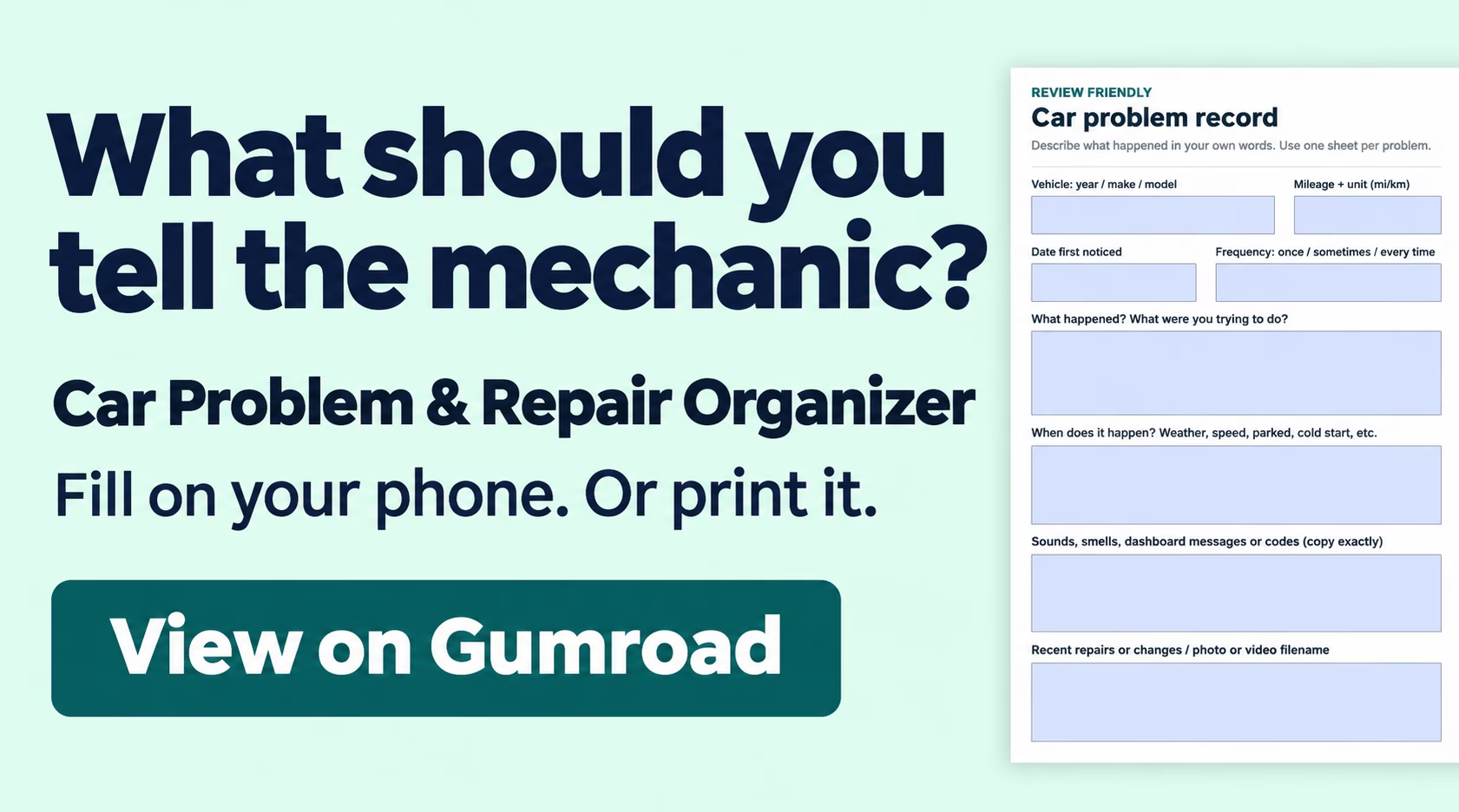
Keep a note on your phone for the next warning. Record the date, mileage, symptoms, and what you were doing when the light came on. “Steady light at idle after a cold start” gives a shop more to work with than “light came on again.” Add the scan photo to the same note.
Frequently asked questions
Why is the engine light on before I start the car?
It usually lights up as part of the dash check when you switch on the ignition. What matters is whether it stays lit once the engine runs. Check the symbol against your manual if you’re unsure which lamp you saw.
Can a cheap OBD2 scanner read check engine codes?
Yes. A compatible basic reader should read standard emissions codes. Check that it reached the engine computer and that you opened the stored-code menu. Price alone tells you little about which extra menus an app supports.
Does a pending code turn on the check engine light?
Usually, a pending code alone leaves the light off. It means the car spotted a possible fault. If the light stays on while you drive, check for confirmed codes and see whether the computer requests the lamp.
Can a permanent code remain after the light goes out?
Yes, if your vehicle supports permanent codes. The car keeps that record until its own check confirms the fault has cleared. Your scanner’s erase button won’t remove it, even after a successful repair.
How many miles should I drive after tightening the gas cap?
There’s no set mileage. The car needs the right conditions to check for a leak again. If the light stays steady, arrange a scan. If it flashes or the car starts to shake, pull over safely instead of trying to finish a test.
Should I disconnect the battery to reset the engine light?
Leave it connected while you investigate. A reset can erase clues and make the car repeat its emissions checks. Save the codes and symptoms first so you can track down what caused the warning.
What to do before you clear the warning
Check engine light on but no codes? The most useful thing you can bring to a shop is the exact mismatch you saw. If the lamp stays on after a second reader reaches the engine computer, book an inspection. Bring both screenshots and tell the technician whether the light was steady or flashing.