
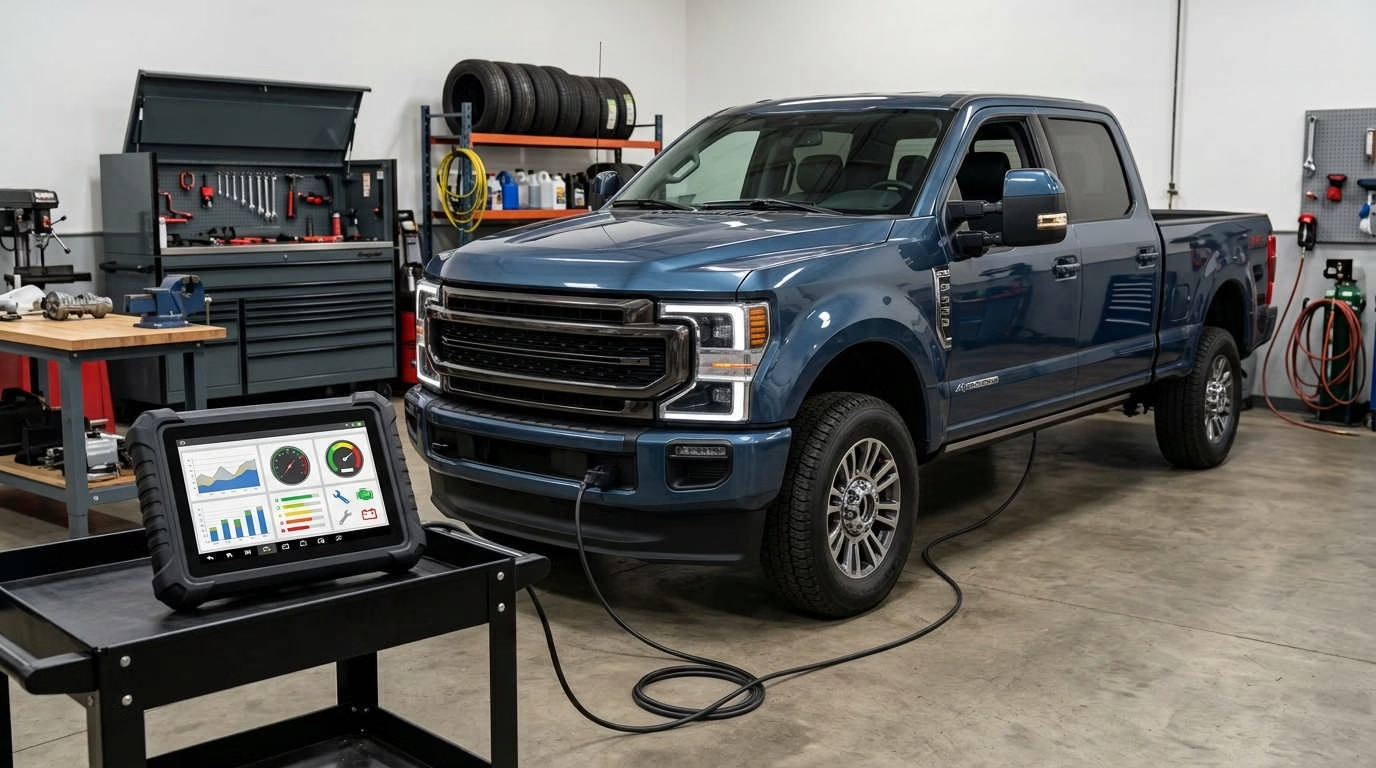
How these tools were ranked: I reviewed thousands of customer comments, owner reports, and mechanic discussions before ranking these scanners. The list reflects how the tools perform in real garages, not just what appears on product pages.
The best bidirectional scan tool for Duramax diesel trucks is the Autel MaxiCheck MX900 for most owners. It offers full-system scans, active tests, injector functions, and diesel service tools at a fair price.
However, your truck’s year matters. A scanner may support one test on an LMM but not an L5P. Always check the exact function you need before choosing a tool.
Best Bidirectional Scan Tools for Duramax at a Glance
The six scanners below cover a wide range of needs. Some fit home garages. Others suit full-time technicians.
OBD2 Scan Tool Comparison
Side-by-side feature breakdown — swipe to explore
 |  |  |  |  |  | |
|---|---|---|---|---|---|---|
| Product | Autel MaxiCheck MX900 Best Overall | Autel MaxiSYS MS906 Pro Best Premium | Autel MK808S Best Budget | Launch X431 PRO DYNO Best Autel Alternative | TOPDON Phoenix Smart Best Advanced | XTOOL D7S Best Value |
| Best For | Advanced home & light shop use | Professional repair work | Home mechanics | Multi-brand diagnosis | Electrical fault testing | Feature-focused DIY users |
| Connection | Wired | Wireless | Wired | Wireless | Wireless | Package-dependent |
| Update Period | One year | Check current package | Check current package | Check current package | Check current package | Three years |
| Main Limitation | No wireless VCI | High cost | Less processing power | Less Duramax owner data | Expensive & complex | Less long-term Duramax data |
| Active Tests | 3000+ | 3000+ | 3000+ | — | — | — |
| CAN FD / DoIP | Yes | Yes | — | Yes | Yes | — |
| Check Price | Check Price | Check Price | Check Price | Check Price | Check Price |
Feature support depends on the truck. Your year, engine, module, and software version can all change what works.
Our Top Pick for Most Duramax Owners
The Autel MaxiCheck MX900 is the best match for most readers.
It offers:
- Full-system code scanning
- Bidirectional active tests
- Injector-related functions
- DPF service tools
- Live-data graphs
- More than 40 service functions
- CAN FD support [new GM data network]
- DoIP support [diagnostics through Ethernet]
The MX900 sits between a basic home scanner and a costly shop tablet. It has enough depth for serious work without becoming hard to use.
Its main drawback is the cable. You must keep the tablet connected to the truck during a scan.
Quick verdict: Choose the MX900 if you want broad Duramax support without paying for a premium shop system.
Which Scanner Should You Choose?
Use this quick guide to narrow the list:
- You maintain one Duramax at home: Autel MK808S
- You want the best overall balance: Autel MX900
- You work on vehicles each day: Autel MS906 Pro
- You prefer Launch software: Launch X431 PRO DYNO
- You diagnose hard electrical faults: TOPDON Phoenix Smart
- You want long included updates: XTOOL D7S
Here is a simple decision path:
- Is this scanner for paid repair work?
- Consider the MS906 Pro or Phoenix Smart.
- Do you need waveform testing?
- Choose the Phoenix Smart.
- Is your budget limited?
- Compare the MK808S and D7S.
- Do you want wireless access?
- Look at the MS906 Pro or PRO DYNO.
- Do you want a safe middle choice?
- Start with the MX900.
Duramax Scan Tool Comparison Table
This chart focuses on functions that matter on a Duramax. It does not treat basic code reading as an advanced feature.
| Product | Active Tests | Injector Functions | DPF Service | Coding or Adaptation | CAN FD | Wireless VCI |
|---|---|---|---|---|---|---|
| Autel MX900 | Yes* | Yes* | Yes* | Yes* | Yes | No |
| Autel MS906 Pro | Yes* | Yes* | Yes* | Yes* | Package-dependent | Yes |
| Autel MK808S | Yes* | Yes* | Yes* | Yes* | Check version | Usually no |
| Launch X431 PRO DYNO | Yes* | Yes* | Yes* | Yes* | Yes | Yes |
| TOPDON Phoenix Smart | Yes* | Yes* | Yes* | Yes* | Check package | Yes |
| XTOOL D7S | Yes* | Yes* | Yes* | Yes* | Yes | Check package |
*Vehicle-dependent. Check support for your exact year, engine, and function.
Prices and software plans can change often. A low sale price may also come with a shorter warranty or an older software package.
Compatibility warning: Do not rely on a product title alone. Ask whether the scanner supports the exact test you need on your exact truck.
Best-For Summary Table
| Best For | Recommended Scanner | Why It Stands Out | What to Know |
|---|---|---|---|
| Most Duramax owners | Autel MX900 | Strong mix of price and function | Wired connection |
| Professional mechanics | Autel MS906 Pro | Deeper workflow and better hardware | Costs much more |
| Lower budgets | Autel MK808S | Strong Duramax owner feedback | Lower-tier tablet |
| Launch users | Launch X431 PRO DYNO | Broad coverage and wireless use | Check renewal costs |
| Electrical diagnosis | TOPDON Phoenix Smart | Built-in four-channel scope | Needs more skill |
| Long update value | XTOOL D7S | Three years of updates | Less owner history |
How We Chose the Best Duramax Bidirectional Scan Tools
A long feature list does not prove that a scanner works well on a Duramax. The testing standard must be more focused.
The tools were judged by:
- Duramax-specific function support
- Full-module access
- Active-test coverage
- Injector service options
- DPF and DEF tools
- Software update terms
- Ease of use
- Hardware quality
- Owner feedback
- Long-term cost
Official feature lists helped define each tool. Real owner reports showed which functions worked in the garage.
Duramax-Specific Function Coverage
Duramax diagnosis involves more than reading an engine code.
Useful functions may include:
- Injector balance-rate data
- Injector calibration entry
- Fuel pressure data
- Cylinder contribution tests
- DPF regeneration
- DEF system testing
- Reductant pump commands
- Turbo actuator tests
- EGR commands
- Module resets
- Transmission data
- ABS bleeding
Not every owner needs all these tools. Still, broad support gives you more room to handle future faults.
The MX900, MK808S, and MS906 Pro have the strongest owner record in this group. That does not mean they support every task.
Bidirectional Testing and Full-System Access
A basic code reader receives data. A bidirectional scanner can also send commands.
For example, you may command a cooling fan to run. If the fan works, the motor and part of the circuit may be fine. If it remains still, you have a clear place to begin testing.
A full-system scanner should also reach more than the engine module. Depending on the truck, it may access:
- Transmission
- ABS
- Airbag
- Body controls
- Instrument panel
- Transfer case
- Emissions modules
- Trailer brake systems
- Climate controls
All six scanners offer broad module access. The exact module list depends on the truck.
Real-World Evidence and Evidence Confidence
Not all evidence deserves the same weight.
The products fall into three confidence groups:
- High confidence: MX900, MS906 Pro, and MK808S
- Medium-high confidence: Launch X431 PRO DYNO
- Medium confidence: Phoenix Smart and D7S
The first three have more direct Duramax owner reports. The other tools have strong feature lists but fewer reports tied to GM diesel trucks.
This difference matters. A tool can be good while still having less proof for one engine family.
Price, Updates, and Long-Term Ownership Cost
The purchase price is only one part of the cost.
Check these items too:
- Free update period
- Yearly renewal price
- Warranty term
- Online coding access
- Paid vehicle packages
- Replacement cable cost
- VCI replacement cost
- Battery service options
- Features lost after expiration
The D7S stands out with three years of included updates. Several rivals include a shorter term.
A scanner may still work after updates end. Yet new coverage and online features may stop. Read the terms for the exact model before you rely on that rule.
Best Bidirectional Scan Tool for Duramax Reviews
Each review below uses the same basic test. It looks at the tool’s best use, key features, weak points, and likely buyer.
No scanner earns a free pass. Every option has limits.
1. Autel MaxiCheck MX900: Best Overall
The Autel MX900 offers the best balance for most Duramax owners. It has broad diagnostic access without a premium shop price.
The tablet scans all available systems. It can display live data and run active tests. It also supports many service tasks.
Key specifications
- Corded vehicle connection
- Full-system diagnostics
- Bidirectional active tests
- Injector-related service functions
- DPF regeneration support
- More than 40 service functions
- CAN FD support
- DoIP support
- Live-data graphs
- One year of updates in common packages
The MX900 works well for advanced home repairs. It also has enough depth for small shops and mobile work.
The tool has been used for injector data entry and reset tasks on several Duramax models. Those functions still vary by year.
Pros
- Strong Duramax owner record
- Broad system scans
- Good active-test coverage
- Modern GM network support
- Clear live-data display
- Fair mix of price and depth
Cons
- Uses a wired connection
- Updates cost extra after the free term
- Some functions vary by engine year
- Does not replace GM factory software
Expert verdict: The MX900 is the most balanced scanner here. It suits you if you want serious tools without a full shop platform.
2. Autel MaxiSYS MS906 Pro: Best Premium
The MS906 Pro builds on the same core strengths as the MX900. It adds better hardware, more storage, and wireless vehicle access.
That added power helps when you scan many cars each day. It also supports a deeper professional workflow.
Key specifications
- Eight-inch high-resolution display
- 128 GB of storage
- Wireless MaxiVCI V200
- Full-system scanning
- Bidirectional controls
- Coding and adaptations
- Live-data recording
- Vehicle scan reports
- Multi-brand coverage
- Professional tablet hardware
The wireless VCI is useful in a busy shop. You can step away from the driver’s seat while watching data.
The larger price makes less sense for light home use. You are paying for speed, workflow, and more advanced coverage.
Pros
- Strong professional feature set
- Wireless vehicle link
- Better display and storage
- Deep coding and adaptation tools
- Good multi-brand coverage
- Better fit for daily use
Cons
- High purchase cost
- More complex menu system
- Ongoing software costs
- May be too much for one truck
MX900 vs. MS906 Pro: The MX900 gives most owners the core tools they need. The MS906 Pro makes more sense if speed and wireless use help you earn money.
3. Autel MK808S: Best Budget Option
The MK808S is the sleeper pick on this list. It costs less than many shop tablets but still offers useful active tests.
Duramax owners have used it for injector work, DEF tests, and full-system diagnosis. That gives it a stronger owner record than many budget rivals.
Key specifications
- Full-system diagnostics
- Bidirectional controls
- Injector service functions
- DPF regeneration support
- Common service resets
- Coding and adaptations
- Live-data graphs
- Compact tablet design
- Multi-brand vehicle coverage
The MK808S suits a home mechanic who owns one or two vehicles. It can go far beyond a basic code reader.
The tablet is less powerful than the MS906 Pro. Some users also report a less polished touch response.
Pros
- Strong value for home use
- Good Duramax owner feedback
- Broad module access
- Useful diesel service tools
- Compact size
- Easier cost to justify
Cons
- Less professional headroom
- Lower-tier hardware
- Possible touch response issues
- Function lists vary by model year
Budget tip: Compare current MK808S and MX900 prices. A small price gap may make the newer MX900 a better long-term choice.
4. Launch X431 PRO DYNO: Best Autel Alternative
The Launch X431 PRO DYNO gives you another full-system platform. It has active tests, coding tools, and wireless access.
Launch software has a different layout from Autel. Some mechanics prefer its menus and data display.
Key specifications
- Full-system diagnostics
- Bidirectional active tests
- Wireless VCI
- ECU coding
- More than 37 service functions
- CAN FD support
- DoIP support
- Multi-brand coverage
- Live-data graphs
- Diagnostic reports
Its feature range competes well with mid-level Autel tools. It can suit a shop that already uses other Launch products.
The main concern is proof, not the feature list. There are fewer Duramax-specific owner reports for this model.
Pros
- Broad feature range
- Wireless connection
- Strong multi-brand support
- Modern protocol support
- Coding and service functions
- Good choice for Launch users
Cons
- Less Duramax-specific feedback
- Renewal costs need close review
- Coverage varies by truck
- Interface may take time to learn
Autel or Launch? Autel has more Duramax owner feedback. Launch remains a sound option if you prefer its workflow.
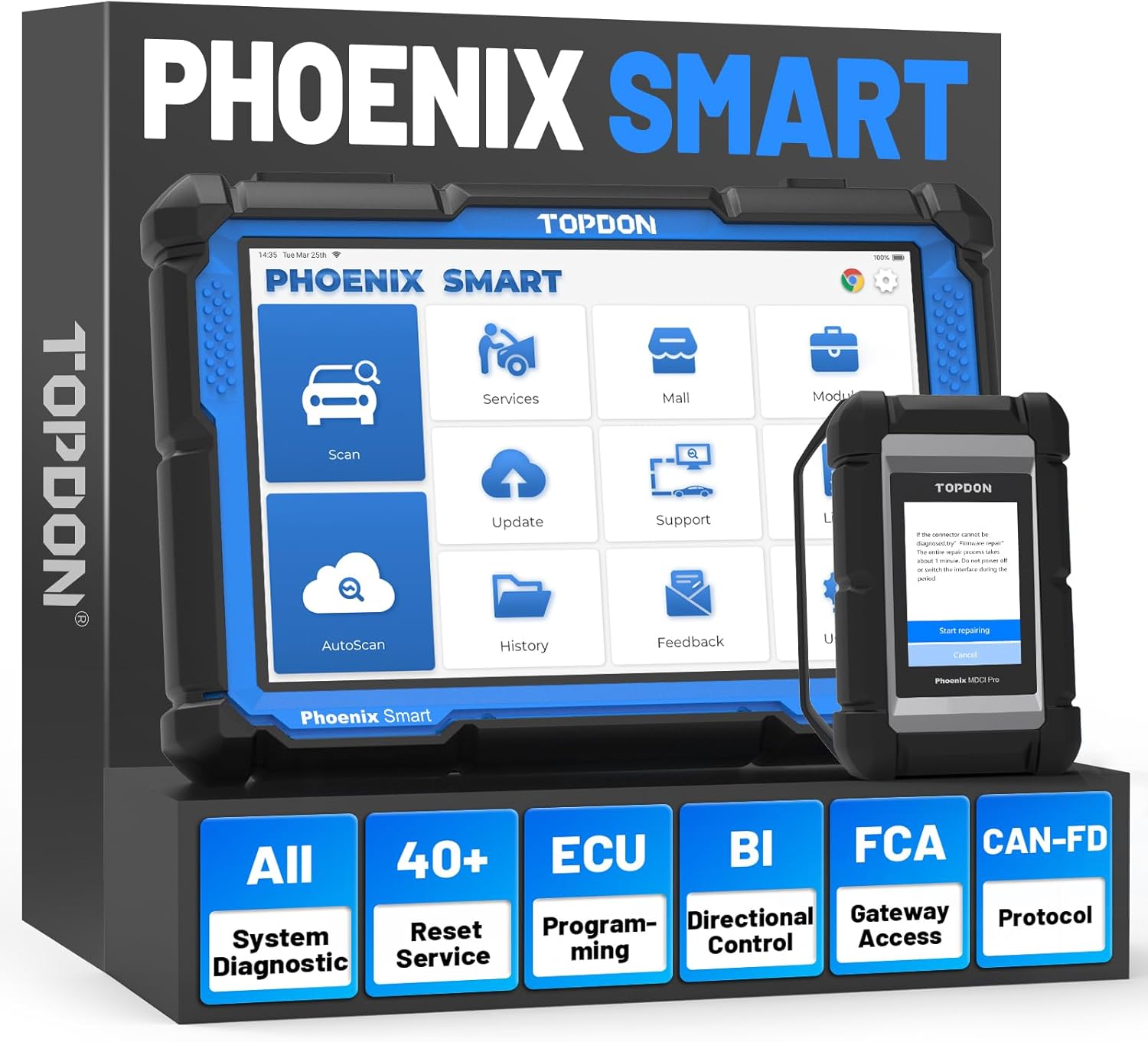
5. TOPDON Phoenix Smart: Best for Advanced Diagnostics
The TOPDON Phoenix Smart serves a different role. It combines scan functions with a four-channel oscilloscope.
An oscilloscope displays an electrical signal over time. It can show faults that a code or voltage reading may miss.
Key specifications
- Full-system diagnostics
- Bidirectional controls
- Coding and relearns
- Wireless vehicle link
- Four-channel oscilloscope
- Live-data recording
- Actuator tests
- Multi-brand support
- Advanced electrical testing
- Professional tablet format
The scope can help with sensor signals, network faults, injector control, and wiring issues. It may also catch brief signal drops.
Yet the scope has a steep learning curve. It offers little value if you do not know how to read a waveform.
Pros
- Built-in four-channel scope
- Strong electrical test options
- Wireless vehicle link
- Full-system active tests
- Useful for hard faults
- Can replace a separate scope
Cons
- High purchase cost
- More skill required
- Limited Duramax-specific feedback
- Too complex for basic maintenance
Electrical faults often need more than a scanner. A tool such as an automotive wire tracer for opens and shorts can help you track damaged wires after scan data points you toward a circuit.
Expert tip: A scope is only as useful as your test plan. Do not pay for it unless you plan to learn waveform testing.
6. XTOOL D7S: Best Value
The XTOOL D7S has one of the longest feature lists in its price range. It includes full-system scans, active tests, coding, and injector functions.
Its three-year update term also sets it apart. That can lower your first few years of ownership cost.
Key specifications
- Full-system diagnostics
- Bidirectional controls
- ECU coding
- Injector coding
- More than 39 service functions
- CAN FD support
- DoIP support
- Online and offline coding support
- Three years of updates
- Multi-brand coverage
The D7S looks strong on paper. There are also positive reports from some Duramax users.
However, it lacks the same depth of long-term owner feedback as Autel. That is why it ranks sixth rather than higher.
Pros
- Strong feature-to-cost mix
- Three years of updates
- Injector coding support
- Modern network support
- Broad service function list
- Good multi-brand use
Cons
- Less Duramax-specific evidence
- Shorter brand history in this market
- Package details can vary
- Coding terms need close checking
Value comparison: The D7S has a longer included update term. The MK808S has more direct Duramax owner feedback.
What Can a Bidirectional Scanner Do on a Duramax?
A bidirectional scanner can read information and send commands. That second action makes it useful for fault testing.
Still, the word “bidirectional” is broad. It does not promise every command on every Duramax.
Read and Clear Codes Across Multiple Modules
A cheap code reader often focuses on engine and emissions codes. A full-system tool can reach many more modules.
That may include:
- Engine
- Transmission
- ABS
- Airbag
- Body controls
- Climate system
- Transfer case
- Instrument panel
- Trailer brake system
- Emissions controls
A full scan can also reveal network faults. One weak module may cause warnings in several systems.
Save the first scan before clearing codes. That report may hold the best clue.
View Injector Balance Rates and Fuel-System Data
Injector balance rates show how the engine adjusts fuel by cylinder. Large changes may point to a fuel or engine fault.
Do not treat one reading as proof of a bad injector. Balance data can change with:
- Engine temperature
- Fuel quality
- Engine load
- Rail pressure
- Compression
- Return-flow issues
- Electrical faults
Take readings under the correct test state. Then compare them with other data.
The MX900, MK808S, MS906 Pro, and D7S can support useful injector data. Exact data labels may differ.
Perform Injector Coding and Related Resets
Some Duramax repairs require injector calibration data. The scanner enters that data into the truck’s control system.
Injector coding is not the same as viewing balance rates.
- Balance rates show live fuel corrections.
- Injector coding stores calibration data.
- Injector tests command or assess injector action.
Confirm the exact process before repair. Some engine years use different steps or terms.
Run DPF, DEF, and Emissions-System Tests
Later Duramax engines use more complex emissions systems. A capable scanner may show data or run tests for:
- DPF pressure
- Soot load
- Exhaust temperatures
- DEF quality
- Reductant pressure
- DEF pump action
- Heater circuits
- NOx sensor data
- Forced regeneration
A forced DPF regeneration is not a cure for every fault. The cause of the soot load must still be found.
If diesel emissions service is your main goal, compare these tools with the best heavy-duty truck scanners with DPF regeneration. Heavy-duty truck tools may use different plugs and software.
Command Components and Run Active Tests
Active tests help you check a part without waiting for the truck to turn it on.
Depending on support, you may command:
- Cooling fans
- Fuel pumps
- Relays
- Solenoids
- EGR controls
- Turbo-related actuators
- DEF system parts
- Warning lights
- Door locks
- ABS pump functions
Suppose a cooling fan will not run. Command it with the scanner.
If it runs, the motor and power path may be fine. If it does not, test the circuit before replacing parts.
Perform Relearns, Adaptations, and Service Resets
Some repairs are not complete until the control module learns the new part or setting.
Common terms include:
- Reset: Clears stored service data.
- Relearn: Teaches a module a new value.
- Adaptation: Adjusts stored control values.
- Coding: Changes supported module settings.
- Programming: Installs module software.
These terms are often mixed in product listings. They do not mean the same thing.
The MS906 Pro has more room for advanced work. Yet even that model cannot perform every GM programming task.
Duramax Compatibility by Engine Generation
Your Duramax generation helps define the functions you need. It also affects how the scanner talks to the truck.
The main 6.6L generations include:
- LB7
- LLY
- LBZ
- LMM
- LML
- L5P
- Newer GM diesel versions
A scanner may cover all these engines for basic codes. Advanced functions can still differ.
LB7, LLY, and LBZ Considerations
Older Duramax trucks need good access to engine and fuel data. Injector balance rates are a common concern.
Useful functions may include:
- Fuel rail data
- Injector balance rates
- Cylinder contribution data
- Transmission information
- ABS access
- Module code scanning
CAN FD is not a key reason to choose a scanner for these trucks. That protocol applies to newer vehicle networks.
The MK808S can make sense for one older truck. The MX900 gives you more room for newer vehicles too.
LMM and LML Considerations
The LMM and LML add more emissions service needs. DPF and DEF functions can become a key part of your choice.
Look for support for:
- DPF data
- Forced regeneration
- Exhaust gas temperatures
- DEF pressure
- Reductant tests
- Injector coding
- Fuel-system data
- Active component tests
The MX900, MS906 Pro, MK808S, and PRO DYNO fit this group well. Exact tests still need to be checked.
L5P and Newer GM Diesel Considerations
Late-model trucks need current software and newer network support. Secure access may also limit some functions.
Important points include:
- CAN FD support
- Current GM software coverage
- Secure module access
- Full-system scans
- Online functions
- New module coverage
- Update status
An older scanner may read basic codes but miss newer modules. Check the software release date before relying on an old unit.
Factory software may still be needed for some tasks.
How to Verify Compatibility Before Buying
Use this process before selecting any scanner:
- Record your truck’s year and model.
- Note the exact Duramax generation.
- Save the VIN.
- List each function you need.
- Check the maker’s coverage tool.
- Ask support about the exact test.
- Request the answer in writing.
- Ask whether a subscription is needed.
- Confirm the warranty terms.
- Check the return policy.
Do not ask, “Does it work on my Duramax?” That question is too broad.
Ask a clear question instead:
“Can this tool perform injector flow-rate programming on a 2015 Chevrolet Silverado 2500HD with the 6.6L LML?”
A specific question is more likely to get a useful answer.
How to Choose the Right Bidirectional Scanner for Your Duramax
The best scanner is not always the one with the most features. It is the tool that supports your work.
Start with your truck. Then consider other vehicles you may service.
Start With the Exact Functions You Need
Write down your likely jobs before comparing products.
Your checklist may include:
- Full-module code scan
- Injector balance rates
- Injector coding
- Forced DPF regeneration
- DEF system testing
- ABS bleeding
- Transmission data
- Turbo commands
- Cooling fan tests
- Battery registration
- Service resets
Mark each need as required or optional. This stops you from paying for tools you may never use.
It also protects you from a low-cost scanner that lacks one key task.
Do Not Confuse Active Tests, Coding, and Programming
These terms can make a scanner seem more capable than it is.
- Active test: Commands a part to operate.
- Coding: Changes supported module settings.
- Adaptation: Changes stored operating values.
- Programming: Installs new module software.
A tool may offer all four on one brand. It may only offer active tests on another.
“ECU coding” does not always mean GM module flashing. Check the exact task.
Wired vs. Wireless Connection
A wired scanner is simple and steady. You also know where the cable is at all times.
Wireless tools give you more freedom. You can stand near the engine while viewing data.
Wired advantages
- No Bluetooth pairing
- Lower risk of lost connection
- Fewer parts to misplace
- Often costs less
Wireless advantages
- Easier active testing
- Better movement around the truck
- Less cable strain
- Useful during road tests
Never leave a wireless VCI in the port for long storage. It may draw power or get damaged.
Hardware, Screen Size, Battery Life, and Storage
Better hardware does not add vehicle functions by itself. It can still improve daily use.
A faster tablet helps with:
- Full-vehicle scans
- Large data lists
- Graphing several sensors
- Saving reports
- Switching between tasks
- Loading repair data
The MS906 Pro and Phoenix Smart make sense for long workdays. The MK808S is easier to justify for weekend work.
Update Policy and Subscription Cost
Check what happens when the free update term ends.
Ask these questions:
- Does the scanner still work?
- Can you use saved vehicle coverage?
- Do online coding tools stop?
- Can you skip a year?
- Must you pay missed years?
- Does renewal add new brands?
- Are secure gateway fees separate?
A three-year cost table can reveal a different winner than the sale price.
| Cost Area | What to Check |
|---|---|
| Scanner price | Base unit and listed accessories |
| Updates | Free term and renewal price |
| Add-ons | Extra cables or software |
| Online access | Subscription needs |
| Warranty | Length and repair terms |
| Battery | Replacement options |
DIY Use vs. Professional Shop Use
Your work rate should guide your budget.
Home mechanic
You may need:
- Full-system scans
- Live data
- Common active tests
- Injector functions
- DPF service
- Basic relearns
The MK808S, MX900, and D7S fit this group.
Small shop or mobile mechanic
You may need:
- Faster full scans
- Wireless access
- Better reports
- Broad brand coverage
- Coding and adaptations
- Frequent updates
The MX900 and PRO DYNO can fit this role.
Full-time technician
You may need:
- Better hardware
- Daily reliability
- Deep module access
- Large storage
- Scope support
- Strong reporting
The MS906 Pro and Phoenix Smart are better matches.
Seller Reputation, Warranty, and Technical Support
Scan tools sold through unknown shops may be grey-market units. Some may have region limits or blocked updates.
Before choosing a seller, check:
- Authorized seller status
- Regional model number
- Serial number support
- Update eligibility
- Warranty location
- Return terms
- Included accessories
- Support contact details
A low price loses its appeal if the unit cannot update.
Counterfeit interfaces are another risk. Poor connectors can also harm the truck’s diagnostic port.
Common Mistakes to Avoid When Buying a Duramax Scanner
Most bad scanner purchases come from unclear needs. Buyers focus on the brand or feature count instead of one exact task.
Avoid the mistakes below.
Buying Based Only on the Word “Bidirectional”
Bidirectional does not mean unlimited access.
One tool may command the cooling fans but not the turbo actuator. Another may run a DEF test on an LML but lack it on an L5P.
Check function-level coverage. Do not settle for a general “yes.”
Assuming Injector Coding and Injector Data Are the Same
Injector data helps you assess engine operation. Injector coding stores calibration values after certain repairs.
A scanner may show balance rates but lack injector coding. The reverse can also occur.
Write down which task you need before you compare tools.
Ignoring Update and Renewal Costs
A cheap scanner may include only one year of updates. A higher-priced model may include three.
You should also check features tied to online access. Some may stop after the plan ends.
Estimate your total cost over three years. That gives you a fair comparison.
Expecting an Aftermarket Tool to Replace GM Factory Software
Aftermarket scanners aim to cover many brands. GM factory software focuses on GM vehicles.
That trade-off matters.
A universal scanner may handle most daily tests. Yet factory software may be required for:
- Module flashing
- Guided setup
- New module installation
- Rare relearns
- Software updates
- Some late-model functions
None of the six scanners should be treated as a full replacement for GM tools.
Buying More Scanner Than You Can Use
A four-channel scope sounds impressive. It will not help if you only read codes and view basic data.
The same rule applies to coding and advanced shop reports.
Choose based on the work you plan to do. You can move up later if your needs grow.
Money may be better spent on test gear or shop equipment. For example, a home garage upgrade such as a tire changer for low-profile tires may deliver more value than an unused scope.
How to Use a Bidirectional Scanner Safely on a Duramax
A scanner can command parts without warning. Fans, pumps, valves, and motors may start as soon as you tap the test button.
Prepare the truck before running any active test.
Before Connecting the Scanner
Use this checklist:
- Park on a firm, level surface.
- Set the parking brake.
- Place the transmission in Park.
- Check battery voltage.
- Use a suitable battery maintainer if needed.
- Keep the area well ventilated.
- Move tools away from belts and fans.
- Read the test steps first.
- Confirm the correct truck profile.
- Keep the cable clear of pedals.
Low voltage can cause false codes. It may also interrupt a relearn or coding task.
Save a Pre-Scan Report
Run a full scan before clearing any codes.
Save:
- Fault codes
- Freeze-frame data
- Module status
- Live-data values
- Scan date
- Truck mileage
- Battery voltage
Freeze-frame data captures conditions when a fault was set. It may show engine speed, temperature, load, or fuel pressure.
Once you clear the code, that data may be lost.
Use Active Tests Carefully
Know what will move or switch on before starting a test.
Keep clear of:
- Cooling fans
- Drive belts
- Pulleys
- Hot exhaust parts
- Electric motors
- Pressurized fuel parts
- Suspension parts
- Door locks and latches
Use active tests for short, planned checks. Do not command a part for longer than the service process allows.
Warning: Never place your hands near a fan during an active test. An electric fan can start without the engine running.
Take Extra Precautions During DPF Regeneration
A forced regeneration creates very high exhaust heat.
Before starting:
- Move the truck outdoors when possible.
- Keep it away from dry grass.
- Remove fuel and oil containers.
- Check for exhaust leaks.
- Keep people away from the tailpipe.
- Set the parking brake.
- Follow the scanner prompts.
- Watch engine and exhaust data.
- Keep a suitable fire extinguisher nearby.
Do not start a regeneration to hide a fault. Find the cause of the soot load first.
Record Results and Re-Scan After Repairs
Save a second scan after the repair.
Compare:
- Code status
- Live sensor data
- Module communication
- Fuel pressure
- Injector data
- Exhaust temperatures
- Relearn status
Some systems need a drive cycle before they complete all checks. A clear code screen right after repair does not prove the fault is gone.
Maintaining Your Scan Tool and Protecting Its Useful Life
A scan tablet lives in a harsh place. Heat, dust, drops, oil, and weak batteries can shorten its life.
Simple care can keep it useful for years.
Keep the Software Current When Coverage Matters
You may not need every update.
Updates matter most if you:
- Work on newer trucks
- Service many brands
- Need online functions
- Diagnose new modules
- Use secure access
- Depend on current coding data
If you own one older Duramax, your current software may already do what you need. You can renew later if a new task appears.
Save update files and account details. Record the serial number too.
Protect the Cable, VCI, and Diagnostic Connector
Do not pull a cable by the wire. Hold the plug body.
Follow these habits:
- Store cables without tight bends.
- Keep connector pins clean.
- Cap unused adapters.
- Check for bent pins.
- Keep oil away from plugs.
- Remove wireless VCIs after use.
- Use the supplied case.
A damaged plug can cause lost communication. It can also create false module faults.
Maintain the Tablet Battery and Store It Properly
Do not leave the tablet in a hot truck. Heat can harm the screen and battery.
For long storage:
- Charge the battery partway.
- Turn the tablet off.
- Store it in a dry place.
- Avoid extreme heat or cold.
- Recharge it every few months.
- Keep chemicals away from the screen.
Clean the display with a soft cloth. Avoid strong shop cleaners.
Your truck’s rubber parts need care too. A guide to the best car rubber seal restorers can help protect door and window seals.
When GM MDI2 and Factory Software Are the Better Choice
Aftermarket scanners offer broad vehicle coverage. GM factory tools offer deeper access to GM systems.
A factory setup may use GM MDI2 with GDS2 or Tech2Win. This route suits advanced work, not casual code checks.
Advantages of a Factory GM Diagnostic Setup
A factory setup may provide:
- Deeper GM module access
- Guided service steps
- Module setup functions
- Software programming
- New module installation
- GM-specific test labels
- More complete late-model support
It can also reduce guesswork during an uncommon procedure.
The MS906 Pro comes closest among the six for broad professional work. It still does not match factory coverage in every case.
Why Factory Software Is Not the Best Choice for Everyone
Factory access adds work and cost.
You may need:
- A compatible Windows computer
- The correct interface
- Paid software access
- Stable internet
- A battery support unit
- Time to learn the system
- Separate tools for other brands
A normal owner may find the MX900 easier. It boots as one unit and covers more than GM vehicles.
Other Upgrade Paths for Professional Users
Higher-tier options include:
- Snap-on TRITON-D10
- Snap-on ZEUS+
- Launch X431 PAD models
- Autel MaxiSYS flagship models
- Other advanced shop platforms
These tools may add guided testing, larger displays, repair data, or better shop reports.
Their prices are harder to justify for one Duramax. They make more sense when the scanner supports paid daily work.
Final Verdict: Which Duramax Bidirectional Scan Tool Should You Buy?
The best choice depends on how often you work and what your truck needs.
For most owners, the Autel MaxiCheck MX900 offers the best mix. It covers serious diagnosis without moving into top-tier shop pricing.
Use the MS906 Pro for frequent professional work. Choose the MK808S if you want lower-cost Duramax support.
The PRO DYNO, Phoenix Smart, and D7S serve more specific needs. Each brings a clear strength, but each also has less direct Duramax proof.
Best Choice for Most Owners
The Autel MX900 is the strongest general choice.
It offers:
- Broad module scans
- Useful active tests
- Injector functions
- Diesel service tools
- Modern GM network support
- A clear tablet layout
The wired link is the main trade-off. Its feature set also changes by model year.
Best Choice for Professional Technicians
The MS906 Pro suits technicians who work across many brands. Its wireless link, better hardware, and broader workflow save time during daily use.
The Phoenix Smart is more specialized. Choose it when waveform tests form a regular part of your work.
A scope adds little value if you only need codes and live data.
Best Choice for Budget-Conscious DIY Owners
The MK808S has the better Duramax owner record. It offers many key functions without a premium price.
The D7S offers more included update time. Its published feature set is also strong.
Your choice comes down to what you value more:
- Choose MK808S for stronger Duramax history.
- Choose D7S for longer included updates.
Verify your exact function before settling on either tool.
Frequently Asked Questions
These short answers cover the last common concerns about Duramax scan tools.
What Is the Best Bidirectional Scan Tool for a Duramax?
The Autel MaxiCheck MX900 is the best option for most owners. It balances price, active tests, full-system access, and diesel service functions.
Professional users may prefer the MS906 Pro. Budget-focused owners can consider the MK808S.
Can a Bidirectional Scanner Show Duramax Injector Balance Rates?
Many full-system scanners can show injector balance rates or related cylinder data.
Coverage depends on the engine year and software. The data label may also differ between tools.
The MX900, MK808S, MS906 Pro, and D7S are the main options from this list.
Which Scan Tools Can Code Duramax Injectors?
The MX900, MK808S, MS906 Pro, and D7S offer injector-related coding functions on supported vehicles.
Do not assume all years are covered. Confirm the exact engine and coding task first.
Can These Scanners Force a DPF Regeneration?
Several tools on this list support DPF service functions. This may include a forced regeneration on supported trucks.
The process may be blocked if:
- Fault conditions remain
- Fuel level is too low
- Engine temperature is wrong
- Soot load is unsafe
- A sensor has failed
- The software lacks support
Check the truck and scanner instructions before starting.
Does Bidirectional Mean the Scanner Can Program Modules?
No. Bidirectional control means the scanner can send certain commands.
Module programming installs or updates software. That often needs a factory interface, paid access, and stable power support.
A tool can offer active tests without full programming.
Will One Scanner Work on Every Duramax Generation?
No scanner should be assumed to support every function on every Duramax.
Basic code reading may work across many years. Injector, emissions, coding, and relearn tools vary more.
Check coverage for your LB7, LLY, LBZ, LMM, LML, L5P, or newer truck.
Do Autel Scanners Still Work After the Subscription Expires?
Autel scanners will often keep their installed software after updates end. However, online functions and new coverage may no longer be available.
Terms can differ by model and software package. Check the current policy for your exact unit.
Is the Autel MX900 Better Than the MK808S?
The MX900 is the better overall platform. It is newer and supports modern networks such as CAN FD.
The MK808S costs less and still handles many Duramax tasks. It remains a good option if the price gap is large.
Is the MS906 Pro Worth the Extra Money?
It can be worth the cost for a professional technician. You get wireless access, better hardware, more storage, and a deeper workflow.
For occasional home repairs, the MX900 offers better value.
Is a Cheap OBD-II Scanner Enough for a Duramax?
A cheap scanner can read basic engine codes. It may also show generic emissions data.
It usually cannot offer:
- Full-module scans
- Bidirectional tests
- Injector coding
- DPF service
- DEF tests
- Advanced relearns
- Coding and adaptations
A basic reader is fine for quick checks. It is not a full Duramax diagnostic tool.
When Do I Need GM GDS2 or Tech2Win?
You may need factory software for module programming, guided setup, or a GM-specific task missing from aftermarket tools.
GDS2 fits newer GM systems. Tech2Win supports many older GM applications.
The factory route makes sense when your scan tool reaches its limit. It may also be the better choice for repeat GM-only repair work.