
Research disclosure: Before I ranked these tools, I reviewed a large volume of buyer feedback, technician discussions, and long-term owner reports. The final picks reflect repeated real-use experiences, not product-page promises or first-day impressions.
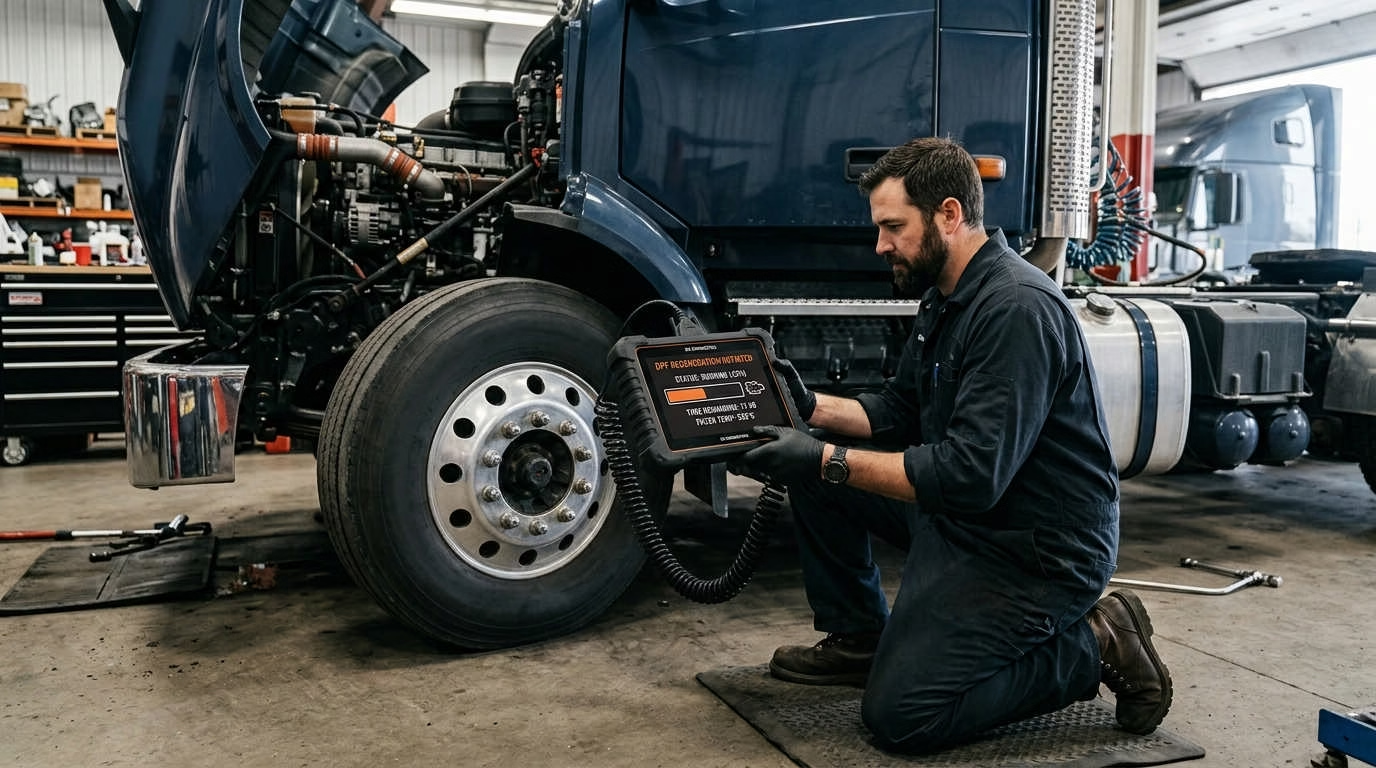
The best heavy duty truck scanner with DPF regen must do more than start a parked regen. It should identify why the filter became blocked, show live aftertreatment data, and work reliably with your truck.
For most professional mixed-brand shops, Cojali Jaltest CV is the best overall choice. JPRO Professional is a better fit for many North American fleets. If you want a complete wireless tablet, consider the Autel MaxiSYS MS908CV II.
Introduction: Choosing a Truck Scanner That Can Actually Perform a DPF Regen
A diesel particulate filter, or DPF, traps soot from the exhaust. The truck normally burns that soot during a regeneration cycle.
Short trips, long idle times, engine faults, and bad sensors can stop that cycle. Soot then builds until the truck loses power or requests service.
A suitable scanner can help you:
- Read active and stored fault codes
- Check soot load
- View exhaust temperatures
- Monitor differential pressure
- Start a supported forced regen
- Find faults that may block a regen
- Confirm the repair afterward
However, scanner listings can be misleading. “DPF service” may only mean a filter reset. It does not always mean the tool can command a parked regen.
Your truck’s make is also not enough. You must check the year, engine, control module, and software version.
Before you buy: Ask the seller to confirm forced DPF regeneration on your exact truck, engine, and model year. Get that answer in writing.
Best Heavy-Duty Truck Scanners With DPF Regen at a Glance
The six tools below serve different buyers. No single scanner is best for every fleet or shop.
Some focus on North American trucks. Others offer wider global or off-highway coverage.
Product Comparison Table
Best Heavy-Duty Truck Diagnostic Tools
Ranked comparison for professional fleet maintenance & repair shops
| Rank | Product | Award | Tool Format | Best Suited For | Main Limitation |
|---|---|---|---|---|---|
| 1 | Cojali Jaltest CV | Best Overall | Laptop-based platform | Mixed-brand professional shops | High total cost |
| 2 | Noregon JPRO Professional | Best for NA Fleets | Windows software + adapter | Fleets and truck repair shops | Annual subscription |
| 3 | Autel MaxiSYS MS908CV II | Best All-in-One Value | Wireless tablet | Mobile and independent shops | Costly updates |
| 4 | TEXA IDC6 Truck | Best Global Coverage | Software + vehicle interface | International truck workshops | Coverage depth can vary |
| 5 | CanDo HD Pro III | Best Budget Pro Tool | Wired tablet | Small shops and mobile techs | Older hardware design |
| 6 | Launch X-431 PRO3 LINK HD | Best Cars + Trucks | Wireless tablet | Mixed automotive shops | Confusing package options |
← Swipe to see all columns →
This page contains Amazon affiliate links. If you buy through them, I may earn a small commission at no additional cost to you.
Quick Recommendations by Type of Buyer
- You run a mixed-brand diesel shop: Choose Jaltest CV.
- You manage a North American fleet: Start with JPRO Professional.
- You want a complete wireless kit: Consider Autel MS908CV II.
- You service European or global trucks: Look at TEXA IDC6 Truck.
- You need professional functions for less: Consider CanDo HD Pro III.
- You work on cars and heavy trucks: Launch PRO3 LINK HD may fit best.
Your final choice should depend on actual vehicle coverage. Price and brand recognition should come second.
How We Selected and Ranked These Truck Scanners
This ranking gives more weight to consistent field performance than feature count. A long service menu means little if key commands fail.
Professional feedback also matters more than short retailer reviews. A technician who uses a scanner each week can reveal faults that a first-time buyer may miss.
Selection Criteria
Each scanner was judged using the following factors:
- Forced DPF regen support
- Heavy-duty vehicle coverage
- Live aftertreatment data
- Bidirectional controls
- Repair and troubleshooting information
- Communication stability
- Hardware quality
- Software update frequency
- Technical support
- Long-term ownership cost
- Feedback from working technicians
- Reported coverage gaps
DPF functions received extra weight. That is the main reason to buy a tool from this list.
A scanner also gained points for showing data before and during a regen. That data helps you find the real fault.
How We Evaluated User and Technician Feedback
Detailed reports received the most weight. These included comments about daily shop use, failed connections, update costs, and missing tests.
Repeated complaints mattered more than one bad review. The same rule applied to praise.
Feedback was treated with caution when it:
- Repeated sales-page language
- Lacked a truck or engine name
- Came from a new or inactive account
- Focused only on shipping
- Made broad claims without examples
- Included obvious seller promotion
Conflicting feedback was not ignored. Scanner coverage can change by year, engine, software version, and market.
One owner may have a great result on a Cummins engine. Another may fail on a different year using the same scanner.
Why Some Popular Budget Scanners Did Not Make the Final List
Several cheaper scanners offer code reading and selected DPF functions. These include models from ANCEL, Foxwell, Nexas, and Launch.
Some may work well on supported trucks. They can make sense for one known engine.
Still, the evidence was weaker in four areas:
- Consistent forced regen success
- Full aftertreatment data
- Long-term software support
- Advanced diagnostic depth
These tools were not rejected as useless. They simply carry more risk for a shop that services many trucks.
A failed service call can cost more than the scanner’s price difference. Professional users should place coverage proof ahead of savings.
Best Heavy-Duty Truck Scanner With DPF Regen Reviews
The following reviews use the same basic structure. This makes the main trade-offs easier to compare.
Always check current coverage before ordering. Software functions can change after an update.
1. Cojali Jaltest CV: Best Overall
Jaltest CV earns the top position because it combines wide coverage with deep diagnostic help. It supports trucks, buses, trailers, and light commercial vehicles.
Its DPF tools go beyond a basic start command. You can check live values, review fault data, and monitor the regen.
The system also provides:
- Wiring diagrams
- Component locations
- Guided fault checks
- Injector coding
- Cylinder cut-out tests
- Activations and calibrations
- Parameter changes on supported vehicles
This makes Jaltest useful during diagnosis, repair, and final testing.
The platform also supports add-on sectors. These may include farm, construction, marine, and material-handling equipment.
That flexibility is useful for a diesel shop with a varied workload. You do not need a new platform for each equipment type.
The main concern is cost. Jaltest is a professional investment, not a casual owner-operator tool.
You may need the correct software module, interface, and cable set. Ongoing software access also adds to the total cost.
Factory software may still be needed for some tasks. This can include secure access, module programming, and rare brand-specific commands.
Jaltest CV Key Specifications
| Item | Details |
|---|---|
| Format | Computer software with vehicle interface |
| Main coverage | Trucks, buses, trailers, and commercial vehicles |
| DPF functions | Regen, reset, replacement, and live data on supported vehicles |
| Advanced tests | Injector, cylinder, component, and calibration functions |
| Repair help | Diagrams, component data, and guided fault checks |
| Expansion | Off-highway, farm, marine, and material handling |
| Price level | Premium |
Jaltest CV Pros and Cons
| Pros | Cons |
|---|---|
| Wide mixed-brand coverage | High starting cost |
| Strong aftertreatment tools | Ongoing software costs |
| Useful repair information | Package selection can be complex |
| Good expansion options | Cannot replace every factory tool |
| Detailed live data | More tool than one-truck owners need |
Who Should Buy the Jaltest CV?
Jaltest makes sense if you run a professional diesel shop. It is also a strong fit for a large mixed fleet.
Choose it if you work on many truck makes. Its repair information may also reduce time spent switching between systems.
It is harder to justify for one truck or one engine family. A narrower tool may cost far less.
2. Noregon JPRO Professional: Best for North American Fleets
JPRO is a popular choice for North American commercial trucks. It can scan several vehicle systems from one screen.
That whole-truck view saves time. You can see engine, transmission, brake, and aftertreatment faults together.
JPRO supports forced regen functions on many common engines. Exact coverage still depends on the truck and software version.
Its strongest features include:
- Whole-vehicle health reports
- Active and stored fault codes
- Live-data graphing
- Data recording and playback
- DPF regeneration
- Component tests
- Guided repair steps
- Communication network checks
JPRO suits shops that need fast fault checks. Fleet teams may also value its reports and saved records.
The guided repair features can help newer technicians. They show likely tests and useful data for supported faults.
JPRO normally runs on a Windows computer. You also need a compatible data-link adapter.
That setup is less portable than one tablet. However, it gives you more choice over the laptop and screen size.
Annual software costs are the main drawback. You must include those fees in your long-term budget.
Older trucks may also get less useful coverage. The platform is strongest on modern electronic truck systems.
JPRO Professional Key Specifications
| Item | Details |
|---|---|
| Format | Windows software |
| Hardware needed | Laptop and compatible data-link adapter |
| Main coverage | North American heavy and medium trucks |
| DPF functions | Forced regen and related tests on supported engines |
| Repair help | Guided repair tools and health reports |
| Data tools | Recording, playback, charts, and reports |
| Price level | Premium with ongoing fees |
JPRO Professional Pros and Cons
| Pros | Cons |
|---|---|
| Strong North American coverage | Requires a computer and adapter |
| Fast whole-truck scans | Annual software cost |
| Clear vehicle health reports | Less convenient than one tablet |
| Good guided repair help | Weaker fit for many older trucks |
| Useful data recording | Factory software is still needed at times |
Who Should Buy JPRO Professional?
JPRO is best for North American fleets and repair shops. It fits work on Freightliner, Kenworth, Peterbilt, International, Mack, and Volvo trucks.
It also suits municipal garages. These teams often need quick health reports across many vehicle systems.
You may prefer Jaltest or TEXA if your fleet includes many European trucks. JPRO’s strongest advantage is its North American workflow.
3. Autel MaxiSYS MS908CV II: Best All-in-One Value
The Autel MS908CV II gives you a tablet, vehicle interface, and truck connectors in one kit. This removes much of the setup work.
It supports commercial vehicles across a wide weight range. It can also perform many active tests and service tasks.
Typical supported functions include:
- DPF regeneration
- Aftertreatment resets
- Injector coding
- Cylinder tests
- ABS service
- Live-data viewing
- Automatic vehicle scans
- Diagnostic reports
- Selected coding functions
The wireless interface helps in a large shop. You can watch live data while moving around the truck.
This is also useful during a regen. You do not need to stand beside the diagnostic port.
Autel includes pass-through hardware with this system. Pass-through means the interface can link factory software to the truck.
That does not include factory software or access. You may still need paid subscriptions and approved accounts.
Autel’s coverage is broad but not equal on every truck. A function shown in the menu may not work on every engine.
Update costs are another common concern. Build them into your ownership plan.
You should also buy from an approved seller. Wrong-region units may have software, support, or activation issues.
Autel MS908CV II Key Specifications
| Item | Details |
|---|---|
| Format | Wireless Android tablet |
| Vehicle range | Light through heavy commercial vehicles |
| DPF functions | Regen and service functions on supported vehicles |
| Controls | Bidirectional tests and adaptations |
| Interface | Wireless commercial-vehicle interface |
| Connectors | Heavy-duty and standard connector set |
| Extra hardware | Pass-through interface included |
| Price level | Upper mid-range |
Autel MS908CV II Pros and Cons
| Pros | Cons |
|---|---|
| Complete kit | Software updates can be costly |
| Wireless connection | Function depth varies |
| Broad truck coverage | Some tasks still need factory software |
| Good range of active tests | Regional versions can cause problems |
| Portable and simple to set up | Coverage must be checked carefully |
Who Should Buy the Autel MS908CV II?
Autel suits independent shops and mobile diesel technicians. It also works well for small fleets.
Choose it if you want one complete package. You avoid selecting a laptop and separate adapter.
It may not be the best tool for a brand specialist. Factory software can offer deeper control on one truck line.
4. TEXA IDC6 Truck: Best for Global and European Truck Coverage
TEXA IDC6 Truck has broad international coverage. It is well suited to European, Asian, and North American commercial vehicles.
That makes it useful for global fleets. Bus and coach workshops may also find its coverage helpful.
TEXA can provide:
- Fault-code scans
- DPF regeneration
- DPF resets
- Live-data dashboards
- Component activations
- Calibrations
- Wiring diagrams
- Technical sheets
- Protected diagnostic access
- Pass-through support
The software receives regular coverage updates. That helps with newer trucks and changing control systems.
Its wide coverage is also its main challenge. No universal platform offers full factory-level depth on every brand.
A factory program may display extra codes or tests. This is more likely during complex programming or rare service work.
Some users also report coverage changes after updates. Review release notes before updating your main shop tool.
Keep a backup when possible. An update should not stop work on a truck you service often.
TEXA IDC6 Truck Key Specifications
| Item | Details |
|---|---|
| Format | Computer software with TEXA interface |
| Main strength | European and global vehicle coverage |
| DPF functions | Regen, reset, and live data where supported |
| Repair help | Diagrams, technical sheets, and dashboards |
| Advanced access | Protected and pass-through functions |
| Updates | Active software plan required for new releases |
| Price level | Premium |
TEXA IDC6 Truck Pros and Cons
| Pros | Cons |
|---|---|
| Strong global coverage | Premium total cost |
| Good European truck support | Some factory functions may be absent |
| Frequent software updates | Update changes can affect coverage |
| Useful diagrams and technical data | Requires careful package selection |
| Good active-test range | May be excessive for one-truck owners |
Who Should Buy TEXA IDC6 Truck?
TEXA fits shops that service many global truck brands. It is especially useful for European trucks and buses.
It also suits fleets that import vehicles or equipment. Its international range may fill gaps left by North American tools.
JPRO may feel simpler for a mostly US fleet. Your local truck mix should drive the choice.
5. CanDo HD Pro III: Best Budget Professional Scanner
The CanDo HD Pro III aims to provide shop-level functions at a lower cost. It covers many Class 4 through Class 8 trucks.
It also offers selected off-highway support. This can help shops that service farm, construction, or industrial machines.
Its service functions may include:
- DPF regeneration
- DPF reset
- Injector coding
- Injector cut-out
- SCR and DEF tests
- Turbo actuator calibration
- Fan override
- Cylinder tests
- Parameter changes
- Trailer brake diagnosis
The wired connection is simple and stable. It also means you cannot walk around as freely.
The tablet uses an easy menu system. New users may learn it faster than some laptop programs.
Its hardware is not as modern as some rivals. Older tablet software may also feel slow beside a newer Autel or Launch.
Long-term feedback is less common than it is for JPRO or Autel. That lowers confidence in very broad coverage claims.
Still, the CanDo deserves a place here. It offers a strong set of service tools for its price class.
CanDo HD Pro III Key Specifications
| Item | Details |
|---|---|
| Format | Wired Android tablet |
| Main coverage | Class 4–8 and selected off-highway equipment |
| DPF functions | Regeneration, reset, and related service functions |
| Advanced tests | Injector, turbo, SCR, cylinder, and fan tests |
| Connection | Wired |
| Included hardware | Commercial-vehicle connector set |
| Price level | Mid-range professional |
CanDo HD Pro III Pros and Cons
| Pros | Cons |
|---|---|
| Good professional value | Wired connection |
| Broad service menu | Short cable may limit movement |
| Off-highway support | Older tablet design |
| Easy tablet controls | Fewer long-term user reports |
| Stable vehicle link | Reporting tools may feel limited |
Who Should Buy the CanDo HD Pro III?
CanDo fits small repair shops and mobile mechanics. It also suits fleets with a set group of supported vehicles.
It makes sense if wireless use is not important. A stable cable can be useful during long service procedures.
Check your engine coverage before buying. This matters even more with a lower-cost professional tool.
A comfortable seat also helps during long diagnostic jobs. See our guide to the best mechanic stools with wheels for shop-friendly options.
6. Launch X-431 PRO3 LINK HD: Best for Cars and Heavy Trucks
The Launch PRO3 LINK HD covers 12-volt and 24-volt vehicles. That may include cars, pickups, buses, and heavy trucks.
This wide range is its main selling point. A general repair shop can use one tablet across several vehicle types.
Its heavy-duty functions may include:
- DPF regeneration
- Aftertreatment service
- Injector coding
- Cylinder tests
- Speed settings
- Idle adjustments
- DEF functions
- Brake service
- Bidirectional tests
- Remote diagnosis
The SmartLink interface supports several connection methods. Some versions also support newer communication systems.
Launch sells many similar packages. Names, included modules, update terms, and region limits can differ.
This makes seller choice important. Confirm the exact model number and included software before paying.
Do not assume the passenger-car package includes full truck access. Some kits need a separate heavy-duty module.
Independent long-term truck feedback is also thinner than the feedback for JPRO. Launch offers good value, but coverage proof matters.
Launch X-431 PRO3 LINK HD Key Specifications
| Item | Details |
|---|---|
| Format | Wireless Android tablet |
| Voltage support | 12V and 24V vehicles |
| Main coverage | Cars, pickups, commercial trucks, and buses |
| DPF functions | Regen and aftertreatment functions where supported |
| Advanced tools | Coding, active tests, and parameter functions |
| Interface | SmartLink commercial-vehicle module |
| Updates | Package and region dependent |
| Price level | Mid to upper mid-range |
Launch X-431 PRO3 LINK HD Pros and Cons
| Pros | Cons |
|---|---|
| Covers cars and trucks | Too many similar versions |
| Strong features for the price | Seller support varies |
| Wireless connection | Regional restrictions may apply |
| Good active-test menu | Coverage depth is inconsistent |
| Useful remote options | Less long-term truck feedback |
Who Should Buy the Launch X-431 PRO3 LINK HD?
Launch suits a general repair shop with a mixed workload. It can reduce the need for separate car and truck tablets.
It may also fit a mobile mechanic who works on pickups and commercial vehicles.
A heavy-truck specialist may prefer Jaltest or JPRO. Those platforms focus more on commercial work.
Which Scanner Should You Buy? A Decision Guide
Start with the trucks you service most. Then list the exact functions you need.
Do not start with a product name. That approach often leads to paying for features you cannot use.
Choose Jaltest CV if You Run a Mixed-Brand Professional Shop
Choose Jaltest if you see many truck brands each week. It offers broad coverage and strong repair help.
It also works well if your shop services trailers or off-highway equipment. Expansion modules can keep those jobs on one platform.
Jaltest costs more. Its value improves as your vehicle range and work volume grow.
Choose JPRO if You Manage a North American Fleet
JPRO fits fleets with common North American trucks. Its whole-vehicle scan can speed up fault checks.
Saved reports also help with fleet records. You can compare data before and after a repair.
Choose something else if global coverage is your main need. TEXA or Jaltest may offer a better fit.
Choose Autel if You Want a Complete Wireless Tablet
Autel is easier to set up than many laptop systems. The tablet, interface, and connectors arrive as one package.
Its wireless link works well in a busy shop. It also suits field work.
Choose it if you need good general coverage. Do not expect it to replace every factory tool.
Choose TEXA if You Service International Truck Brands
TEXA is a strong option for European and global fleets. It also supports a wide range of parts and control systems.
Its software and hardware cost more than basic tablets. That cost makes sense only if you use the extra coverage.
Choose CanDo if Value Matters More Than Wireless Convenience
CanDo provides many useful service functions in a wired tablet. It may cover the main needs of a small diesel shop.
The cable limits movement. It can also provide a stable link during a long regen.
Check the current tablet and update terms. Older listings may not reflect the newest package.
Choose Launch if Your Shop Works on Cars and Trucks
Launch offers broad coverage across vehicle types. That can save space and reduce duplicate tool costs.
It fits shops with mixed work better than truck-only fleets. Heavy-duty depth still varies by application.
Confirm that the kit includes the correct truck module. Similar names can hide major package differences.
Heavy-Duty Truck Scanner Buying Guide
The best scanner is one that supports your trucks today. It should also cover likely additions to your fleet.
Use the points below before you compare prices.
Confirm Exact DPF Regen Coverage Before Buying
Create a vehicle list with these details:
- Make
- Model
- Model year
- Engine brand
- Engine model
- Engine serial number
- Transmission brand
- Brake system
- Diagnostic connector
- Required service function
Then ask one direct question:
Can this exact package start and monitor a forced parked DPF regen on this vehicle?
“Supports DPF” is not a clear answer. Ask whether it can initiate the full cycle.
Also ask whether it can view:
- Soot load
- Ash load, if available
- Exhaust temperatures
- DPF pressure
- Regen status
- Abort reasons
- Stored aftertreatment faults
These values help you find the reason for the blockage.
Check the Truck’s Diagnostic Connector and Protocol
Many heavy trucks use 6-pin or 9-pin connectors. Some newer vehicles use a 16-pin port.
A physical adapter does not guarantee full access. The scanner must also support the truck’s data system.
Common terms include:
- J1939: A common network for modern trucks
- J1708: An older heavy-truck data system
- OBD-II: The standard passenger-vehicle system
- DoIP: Diagnostic data sent through internet-style links
- CAN FD: A faster modern vehicle network
You do not need to master these terms. You do need the right scanner and cable.
Look Beyond Basic Code Reading
A basic reader may show an engine fault. A professional scanner should help you test the cause.
Look for these functions:
- Read and erase faults
- Show live engine data
- Show aftertreatment data
- Start supported regens
- Run active component tests
- Save diagnostic reports
- Graph sensor values
- Record data during a road test
Code reading is useful. It is not enough for serious diesel diagnosis.
Evaluate Aftertreatment Live Data
Live data helps explain why a regen does not start. It can also show whether the filter is truly restricted.
Useful values may include:
- DPF inlet temperature
- DPF outlet temperature
- Exhaust pressure
- Differential pressure
- Estimated soot load
- Regen request status
- DEF pressure
- NOx sensor readings
- Engine coolant temperature
- Fuel level
- Engine speed
The tool should present these values clearly. A crowded screen can slow down fault finding.
Consider Bidirectional Controls and Advanced Tests
A bidirectional scanner can send commands to the truck. This lets you test a part instead of waiting for it to operate.
Useful tests include:
- Cooling fan command
- Injector cut-out
- Cylinder balance
- Turbo actuator movement
- DEF dosing test
- EGR command
- Fuel pump activation
- Brake component tests
- Remote throttle
- DPF service commands
These functions save time. They also require more skill.
Do not change a parameter unless you know its effect. A wrong setting may cause poor performance or new faults.
Compare Repair Information and Guided Diagnostics
Fault codes rarely tell the whole story. Good repair information shows what to test next.
Useful support may include:
- Wiring diagrams
- Connector views
- Component locations
- Test values
- Fault trees
- Service steps
- Technical bulletins
- Common repair paths
Jaltest, JPRO, and TEXA stand out here. Their added information can reduce time spent searching elsewhere.
Calculate the Real Cost of Ownership
The scanner’s price is only the first cost.
Your full budget may include:
- Hardware
- Software updates
- Annual subscriptions
- Extra cable kits
- Repair information
- Factory access fees
- Replacement batteries
- Training
- Technical support
- A suitable laptop
Compare costs across three years. A cheaper scanner may become costly after several paid add-ons.
A premium tool may save money if it reduces dealer visits. That depends on your work volume.
Decide Between a Tablet and Laptop-Based Scanner
Tablets offer fast setup and easy movement. They suit mobile work and quick checks.
Laptop systems offer more flexibility. You can often replace the computer without replacing the vehicle interface.
| Tablet scanner | Laptop-based scanner |
|---|---|
| Easy to carry | Larger screen options |
| Faster setup | Easier hardware upgrades |
| Fewer separate parts | Better for several programs |
| Good for mobile work | Better for deep repair research |
| Battery has limited service life | Requires more setup |
Choose the format that fits your work habits.
If you spend long periods below trucks, comfort matters too. Our guide to the best automotive creepers for big guys covers stronger, roomier shop options.
Check Technical Support and Authorized Seller Status
Software support matters during a failed connection. It also matters after a major update.
Before buying, check:
- Seller authorization
- Warranty length
- Phone support
- Remote support
- Regional activation
- Update terms
- Return policy
- Training options
- Replacement cable access
Be careful with imported Autel and Launch units. A lower price may come with region limits or weak support.
Common Mistakes to Avoid When Buying a Truck Scanner
Most scanner problems begin before the package arrives. Buyers often rely on a brand list instead of exact coverage.
Avoid the mistakes below.
Assuming Every Listed Function Works on Every Truck
Scanner menus can show functions that remain inactive on your vehicle. This is common with universal tools.
Coverage can change due to:
- Model year
- Engine version
- Control module
- Truck software
- Local market
- Scanner update version
Confirm the function, not just the brand.
Confusing DPF Reset With Forced Regeneration
A DPF reset may clear learned filter values. Shops often use it after filter cleaning or replacement.
A forced regen commands the truck to burn stored soot. These are different tasks.
Some low-cost tools support one but not the other. Read the coverage wording with care.
Buying Based Only on the Number of Supported Brands
“Over 100 brands” sounds useful. It tells you little about diagnostic depth.
One scanner may only read codes on a brand. Another may perform active tests and regens.
Focus on the trucks you see most. Deep support for ten useful brands beats shallow support for one hundred.
Ignoring Update and Subscription Costs
A scanner may work after its update plan ends. However, you may lose new coverage and software fixes.
Ask these questions:
- How long are updates included?
- What does renewal cost?
- Does the tool stop working without renewal?
- Can you skip a year?
- Is repair information included?
- Are truck modules priced separately?
Use the answers to estimate your real ownership cost.
Buying an Imported or Wrong-Region Scanner
Some diagnostic tablets have regional software. An imported tool may not include your local truck coverage.
You may also face:
- Failed activation
- Missing updates
- No warranty
- Limited local support
- Language issues
- Locked functions
Buy from an approved seller when possible.
Expecting an Aftermarket Scanner to Replace All OEM Software
Universal scanners cover many daily jobs. They do not replace every factory program.
You may still need OEM software for:
- Module programming
- Secure access
- Deep parameter changes
- New vehicle systems
- Rare calibrations
- Warranty procedures
A strong universal scanner handles most first-line work. Factory tools fill the gaps.
How to Safely Perform a Forced DPF Regen
A forced regen creates very high exhaust heat. It can start a fire if the truck sits near dry grass, fuel, oil, or other flammable items.
Follow the truck maker’s service steps. Scanner menus do not replace safe work rules.
Warning: Run a forced regen outdoors or in a rated service area. Keep people, fuel, oil, and flammable items away from the exhaust.
Before Starting the Regen
Use this checklist:
- Park on a level, nonflammable surface
- Move the truck outdoors or use proper exhaust removal
- Apply the parking brake
- Chock the wheels
- Place the transmission in neutral or park
- Check engine oil
- Check coolant
- Confirm safe fuel level
- Connect battery support if required
- Inspect for fuel or oil leaks
- Keep the exhaust area clear
- Read all active fault codes
Do not leave the truck alone. Monitor it through the whole process.
Diagnose the Cause Before Forcing a Regen
A blocked filter is often a result, not the first fault.
Check for:
- Bad exhaust-temperature sensors
- Failed pressure sensors
- DEF system faults
- EGR faults
- Boost leaks
- Fuel injector problems
- Exhaust leaks
- Low coolant temperature
- Excessive idle time
- High ash load
A regen may fail if one of these conditions remains active.
Monitor the Regen While It Is Running
Watch the scanner and the truck.
Key values may include:
- Engine speed
- Coolant temperature
- Exhaust temperature
- DPF pressure
- Soot load
- Regen stage
- Active fault codes
- Abort messages
Stop if you see smoke from the wrong area. Also stop for a fluid leak, fire risk, or unsafe condition.
Do not touch the exhaust. It stays hot after the cycle ends.
Verify the Repair After the Regen
Do not assume the repair worked because the regen finished.
Complete these checks:
- Scan all systems again.
- Review active and stored faults.
- Check the new soot estimate.
- Compare DPF pressure.
- Confirm warning lights are off.
- Check for exhaust leaks.
- Save a final report.
- Road-test the truck if safe.
If the soot level returns fast, find the engine fault. Repeated regens will not solve it.
When a Forced Regen Will Not Fix the Problem
A regen only burns soot. It does not repair sensors, remove ash, or fix a damaged filter.
Knowing this can prevent wasted time and fuel.
The DPF Is Loaded With Ash Rather Than Soot
Soot can burn during regeneration. Ash cannot.
Ash comes from engine oil, fuel additives, and normal wear. It builds slowly inside the filter.
A high ash load may require:
- Filter removal
- Professional cleaning
- Flow testing
- Filter replacement
Reset filter values only after the correct service. A software reset does not clean the filter.
An Active Fault Is Blocking Regeneration
The engine control system checks several conditions before starting a regen.
It may refuse if it detects:
- Sensor faults
- Low fuel
- Low engine temperature
- DEF faults
- Turbo faults
- EGR faults
- High soot load
- Unsafe operating conditions
Read the abort reason when available. Do not keep pressing the regen command.
The Filter Is Damaged or Severely Restricted
A cracked filter may let soot pass through. A melted filter may block exhaust flow.
Warning signs include:
- Black smoke from the tailpipe
- Very high back pressure
- Fast soot buildup
- Repeated failed regens
- Unusual exhaust temperatures
- Rattling inside the filter
The filter may need removal and testing. A scanner cannot repair physical damage.
Excessive Soot Is a Symptom of Another Engine Problem
Poor combustion creates more soot. The DPF then blocks again.
Possible causes include:
- Worn injectors
- Low boost
- Air leaks
- EGR faults
- Poor fuel quality
- Oil consumption
- Long idle periods
- Low engine temperature
Fix the engine fault first. Then service the aftertreatment system.
Maintaining a Heavy-Duty Diagnostic Scanner
A professional scanner is a shop tool. Treat it like a meter, not a phone.
Clean storage and regular updates can add years to its life.
Keep the Software and Coverage Data Current
Updates add vehicle coverage and fix known faults. They can also change menus.
Read update notes before installing a major release. This matters if you rely on one tool each day.
Keep a record of:
- Current software version
- Update date
- Coverage changes
- Known issues
- Login details
- Subscription renewal date
Avoid updates during a busy repair. Give yourself time to test the system afterward.
Inspect and Store Cables Properly
Communication faults often come from damaged cables.
Check for:
- Bent pins
- Loose plugs
- Cracked insulation
- Corrosion
- Oil contamination
- Cable strain
- Broken locking tabs
Keep each adapter in a marked slot. This prevents damage and saves setup time.
Maintain the Tablet or Laptop Battery
Extreme heat and cold shorten battery life. Service trucks often expose tools to both.
Store the scanner in a dry place. Do not leave it in direct sun.
Charge it before a long regen. A power loss during service can cause delays or other problems.
Save Diagnostic Reports and Vehicle Records
Save a report before clearing codes. Then save another after the repair.
Those reports can show:
- Original fault codes
- Vehicle details
- Soot load
- Live-data readings
- Tests performed
- Cleared faults
- Final system status
Records help with repeat faults. They also improve communication with fleet managers and customers.
While planning general shop care, inspect vehicle seals too. Our guide to the best car rubber seal restorers explains where restoration products help and where replacement makes more sense.
Lower-Cost Alternatives for Limited DPF Service
You may not need a premium system for one truck. A lower-cost scanner can work if it clearly supports your engine.
These alternatives have less proven depth than the main six. Treat them as focused tools, not full shop platforms.
ANCEL HD3400 Pro
The ANCEL HD3400 Pro targets diesel owners who need code reading, live data, and selected DPF functions.
It may suit a small fleet with known compatible engines. Its lower cost also helps occasional users.
Its largest weakness is independent evidence. Long-term professional reports are less common than they are for JPRO or Autel.
Confirm three things before buying:
- Exact engine coverage
- Forced regen support
- Update and support terms
Do not rely on a broad brand list.
Foxwell HD500
The Foxwell HD500 offers diesel engine diagnosis and selected DPF service. It may also provide injector-related tests on supported vehicles.
Its handheld design is easy to carry. This suits basic field checks.
It lacks the full depth of premium bidirectional platforms. Some vehicles may only receive basic engine access.
Choose it only after checking your exact truck and required function.
Launch CRP129HD
The Launch CRP129HD sits below the PRO3 LINK HD. It focuses on common commercial-truck service tasks.
It may appeal to owner-operators and small shops. The simpler design also takes less time to learn.
However, it does not offer the same wide function set as Launch’s professional platform.
Check whether your package includes:
- Correct truck cables
- Forced regen for your engine
- Required software
- Local support
- Update coverage
When an OEM Scanner Is the Better Upgrade
A factory tool may be better if you service one truck brand. It often provides deeper access than a universal scanner.
OEM software may offer:
- Full programming
- Brand-specific tests
- Detailed parameter changes
- Secure functions
- Current factory procedures
- Better new-model coverage
The downside is narrow coverage. You may need several factory systems for a mixed fleet.
A common shop setup uses both. The universal scanner handles quick checks, while factory software handles deep work.
Frequently Asked Questions
These questions cover the biggest concerns raised by truck owners, fleet staff, and diesel technicians.
What Is the Best Heavy-Duty Truck Scanner With DPF Regen?
Jaltest CV is the best overall choice for a mixed-brand professional shop. It combines DPF service, live data, tests, and repair information.
JPRO Professional is a better fit for many North American fleets. Autel MS908CV II offers stronger value if you want an all-in-one tablet.
Can Every Heavy-Duty Scanner Force a DPF Regen?
No. Some scanners only read codes or show basic DPF data.
Others may reset filter values but cannot start a forced regen. Confirm the exact function before buying.
Will One Scanner Perform a Regen on Cummins, Detroit, PACCAR, Mack, and Volvo Engines?
Some professional scanners support regens across these engine families. Support still varies by year and control system.
Check the scanner’s current coverage list. Then ask the seller to confirm your exact vehicle.
What Is the Difference Between DPF Regen and DPF Reset?
A DPF regen burns soot trapped inside the filter. It raises exhaust heat to complete that process.
A DPF reset clears or relearns stored filter values. Shops may use it after cleaning or replacing the filter.
One function does not guarantee the other.
Can a Scanner Fix a Clogged DPF?
A scanner can start a supported regen. It can also help find faults that caused the blockage.
It cannot remove ash or repair a damaged filter. Physical cleaning or replacement may still be needed.
How Much Should a Professional Truck Scanner Cost?
Basic readers cost far less than full professional systems. They also offer fewer tests and less coverage.
Professional tablets sit in the middle. Premium platforms cost more due to repair data, support, and wider coverage.
Focus on total cost over three years. Include software, adapters, training, and repair information.
Do Heavy-Duty Truck Scanners Require Annual Subscriptions?
Some do. JPRO and several premium systems use ongoing software plans.
Other tools may keep working after updates end. You may lose new coverage and software fixes.
Check whether the scanner stops, freezes its current coverage, or limits support.
Can a Heavy-Duty Scanner Also Diagnose Cars and Diesel Pickups?
Some can. Launch PRO3 LINK HD is designed for both 12V and 24V vehicles.
Autel also offers broad commercial coverage. Exact passenger-car access depends on the package.
Truck-focused systems may require extra software modules.
Can I Use a Heavy-Duty Scanner Without Professional Training?
You can often read codes and view basic data. Advanced commands require more skill.
A forced regen creates extreme heat. Parameter changes can also affect how the truck runs.
Follow the truck maker’s steps. Get training before using advanced controls.
Why Does a Forced Regen Fail or Abort?
Common reasons include:
- Active engine faults
- Failed temperature sensors
- High soot load
- Low fuel
- Low coolant temperature
- DEF system faults
- Unsafe truck conditions
- Excessive filter restriction
- Faulty pressure readings
Read the stored fault and abort reason. Fix the cause before trying again.
Is JPRO Better Than Jaltest?
JPRO may be better for North American fleets. It offers fast whole-truck scans and a familiar fleet workflow.
Jaltest may be better for mixed-brand shops. It also offers wider sector coverage and detailed repair help.
Neither is best in every case. Your fleet mix should decide.
Is Autel Good Enough for a Professional Diesel Shop?
Yes, for many routine jobs. It can handle code scans, active tests, live data, and supported aftertreatment service.
It may not replace factory software for programming or rare procedures. Most professional shops use more than one tool.
Final Verdict
The best heavy duty truck scanner with DPF regen depends on your fleet, not the longest feature list.
Choose Cojali Jaltest CV for broad professional coverage and strong repair help. Choose Noregon JPRO Professional for a North American fleet workflow.
The Autel MaxiSYS MS908CV II offers the best balance for many independent shops. Its complete wireless kit is easier to set up and carry.
TEXA IDC6 Truck is the better fit for many global fleets. CanDo HD Pro III offers a lower-cost path to professional functions. Launch PRO3 LINK HD makes sense if you repair both cars and trucks.
Before making the final choice, verify:
- Exact truck and engine support
- Forced regen capability
- Required cables
- Live aftertreatment data
- Update costs
- Regional software
- Local technical support
That final compatibility check matters more than rank. The right scanner should fit the trucks you service, the work you perform, and the support you need.