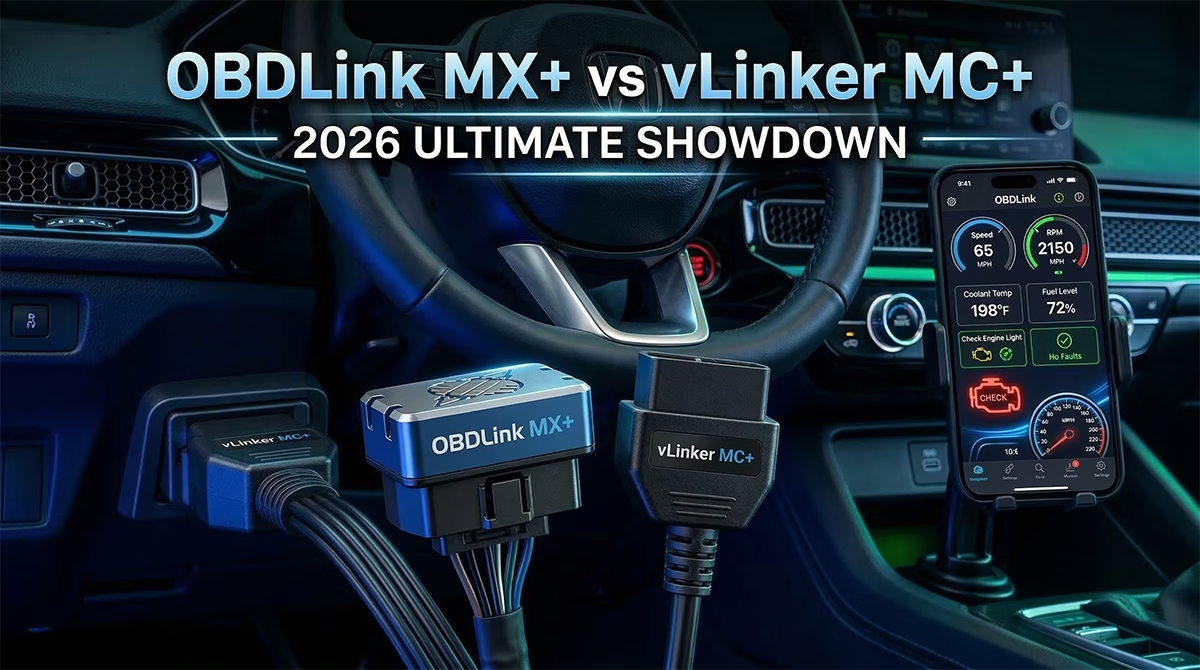
Hey there, car enthusiast! If you’ve ever stared at a check engine light and wondered what’s going on under the hood, you’re in the right place. Today, we’re diving into a head-to-head battle between two popular Bluetooth OBD2 scanners: the OBDLink MX+ vs vLinker MC+. These gadgets turn your phone into a powerful diagnostic tool. But which one deserves a spot in your glovebox? Let’s find out.
Quick Overview

OBDLink MX+
Compact, Bluetooth-enabled OBD-II scan tool designed for vehicle diagnostics. Transforms smartphones, tablets, or computers into diagnostic devices.
- Connectivity: Bluetooth v3.0 + BLE for iOS
- Data Rate: Up to 100 PIDs per second
- Security: 128-bit encryption, MITM protection
- Warranty: 3-year warranty
- Compatibility: iOS, Android, Windows
Pros: Exceptional speed, broad vehicle compatibility (Ford/GM), no subscription fees, strong security.
Cons: Higher price point, companion app UI criticized as outdated, limited bidirectional capabilities without extra software.
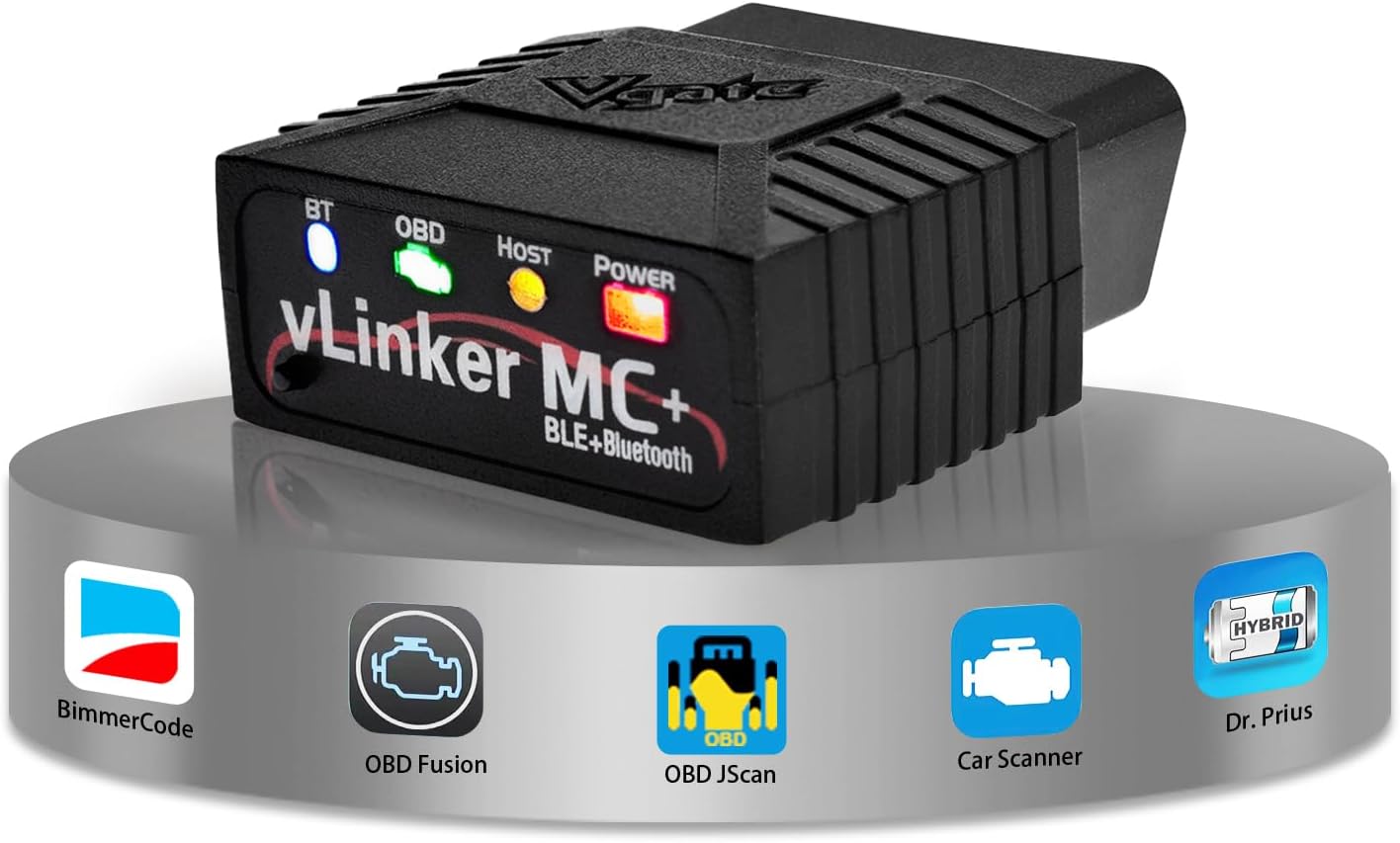
Vgate vLinker MC+
High-speed Bluetooth OBD-II diagnostic adapter. Designed as a faster alternative to generic ELM327 adapters with broader protocol support.
- Connectivity: Bluetooth 4.0 BLE
- Data Rate: Up to 500 Kbps UART baud rate
- Power: Sleep current ~3 mA
- Updates: Firmware upgradeable
- Compatibility: iOS, Android, Windows, Mac
Pros: Faster than generic adapters, supports MS-CAN/SW-CAN, affordable price, compact design.
Cons: App-dependent experience, occasional compatibility problems, rare battery drain cases, not professional-grade hardware.
Quick Comparison Table
Let’s kick things off with a side-by-side look. This table highlights the key differences and similarities. It pulls from real specs and user feedback.
| Feature | OBDLink MX+ | vLinker MC+ |
|---|---|---|
| Price Range | $100 – $120 | $35 – $50 |
| Connectivity | Bluetooth v3.0 with Low Energy for iOS | Bluetooth 4.0 BLE |
| Protocol Support | All OBD-II, plus SW-CAN and MS-CAN for Ford/GM | All OBD-II, plus SW-CAN, MS-CAN, SAE J1939, ISO-11898 Raw CAN |
| Data Speed | Up to 100 PIDs per second on PC/Android; slightly lower on iOS | Up to 500 Kbps UART baud rate; faster than generic ELM327 clones |
| Compatibility | iOS, Android, Windows; works with Torque, AlfaOBD, BimmerCode | iOS, Android, Windows, Mac; works with FORScan, Torque, BimmerCode |
| Security | 128-bit encryption, physical ‘Connect’ button, MITM protection | Stable Bluetooth, but no advanced encryption mentioned |
| Power Management | Auto sleep/wake; <10 mA in sleep mode | Auto sleep; ~3 mA in sleep mode |
| Warranty | 3-year warranty | Varies by retailer; typically 1-year |
| Best For | Advanced diagnostics, security-focused users | Budget DIYers, EV telemetry |
| User Rating (Avg) | 4.5/5 from reviews | 4.3/5 from forums and Reddit |
This table gives you a snapshot. But there’s more to the story. Let’s explore each device in depth.
OBDLink MX+: The Professional Choice
The OBDLink MX+ feels like a premium tool right out of the box. It’s compact, reliable, and packed with features that make diagnostics a breeze.
Built to Last
You get a sturdy build here. It measures just 1.97 x 1.77 x 0.91 inches and weighs only 1.2 ounces. That means it fits snugly in your OBD port without getting in the way. Users love how it handles tough conditions, from -4°F to 131°F. Plus, the 3-year warranty gives you peace of mind. No worries about it failing when you need it most.
Safety First
Security sets this one apart. It uses 128-bit military-grade encryption. There’s also a physical ‘Connect’ button. You have to press it to pair, which stops hackers in their tracks. In a world where car hacks make headlines, this feature shines. It’s like having a bodyguard for your vehicle’s data.
The “All-In” Software
The free OBDLink app is a standout. It lets you read codes, monitor performance, and even get OEM-specific data add-ons at no extra cost. Pair it with apps like Torque or BimmerCode, and you’re golden. Firmware updates keep it fresh. It’s not just a scanner—it’s a full diagnostic suite.
Best For
Pros and serious DIYers pick this one. If you own a Ford or GM vehicle, the enhanced protocols make it essential. Long-term owners appreciate the “set it and forget it” vibe. It’s perfect for those who value reliability over rock-bottom prices.
In real use cases, picture this: A mechanic uses it to compare data with a high-end scanner. It holds up, pulling raw data without lag. Or a Lotus owner diagnoses a MAF sensor issue on the spot. It saves trips to the shop and hundreds in repair costs.
Pros:
- Lightning-fast data retrieval.
- Broad compatibility, especially for Ford and GM.
- Strong security and no subscription fees.
- Compact and battery-friendly.
Cons:
- Higher price tag.
- App UI feels outdated to some.
- Limited bidirectional controls without extra software.
- Occasional connectivity hiccups.
vLinker MC+: The Best Value Challenger
Now, let’s talk about the underdog. The vLinker MC+ punches above its weight. It’s affordable but doesn’t skimp on performance.
Performance on a Budget
At $35 to $50, it’s a steal. It supports all standard OBD-II protocols plus extras like MS-CAN and SW-CAN. That means it handles Ford and GM vehicles just like pricier options. The data buffer holds up to 2 KB, and the UART baud rate hits 500 Kbps. Users say it’s way faster than cheap ELM327 clones.
Firmware Flexibility
You can update the firmware easily through a mobile app. This keeps it compatible with new software. It’s a smart touch that extends its life. No getting stuck with outdated tech.
BimmerCode & FORScan Hero
This adapter shines with popular apps. It’s officially recommended for FORScan on Ford vehicles. BimmerCode users love it for BMW tweaks. It works flawlessly with Car Scanner, Torque, and even EV apps like ABRP. For coding and diagnostics, it’s a budget champ.
Best For
DIY hobbyists and EV owners flock to this one. If you’re into vehicle coding or monitoring battery stats, it’s ideal. Those who rely on third-party apps will find it seamless.
Real use cases abound. One Reddit user pairs it with ABRP for EV telemetry—it tracks battery charge in real time. Another uses FORScan to sync keys after a module swap on a Ford. It starts reading data right away, no fuss. For track days, it logs RPM and temps smoothly.
Pros:
- Excellent value with strong protocol support.
- Fast polling for live data.
- Compact and low power draw.
- Works with a huge app ecosystem.
Cons:
- App-dependent; performance varies.
- Some connection setup confusion.
- Rare battery drain issues.
- Firmware updates can be tricky.
Deep Dive: Protocol Support & Speed
Both scanners cover the basics. They handle all OBD-II protocols for vehicles from 1996 onward. But the magic happens with extras.
The OBDLink MX+ excels in SW-CAN and MS-CAN. This unlocks advanced Ford and GM features. You get up to 100 PIDs per second on Android or PC. That’s real-time monitoring without delays. iOS is a bit slower, but still solid.
The vLinker MC+ matches with MS-CAN, SW-CAN, and even SAE J1939 for trucks. Its 500 Kbps speed beats generics. Users report smoother dashboards and quicker updates.
In speed tests from forums, the MX+ edges out for raw power. But the MC+ holds its own, especially at the price. For everyday diagnostics, both deliver. If you’re coding a BMW with BimmerCode, either works. But for heavy Ford use with FORScan, they’re neck and neck.
Real use case: A GM owner needs proprietary PIDs. Cheaper adapters fail, but both these shine. The MX+ feels snappier, while the MC+ saves cash.
Compatibility: iOS, Android, and Windows
No one wants a scanner that doesn’t play nice with their device.
The OBDLink MX+ nails iOS with Bluetooth Low Energy. Android and Windows? Seamless. It pairs with apps like AlfaOBD for deeper dives. Users on Reddit praise the iPhone setup—quick and reliable.
The vLinker MC+ goes further. It supports Mac too. BLE ensures stable iOS connections. Android users love the fast pairing. Windows works via compatible software.
Both handle most vehicles: gas from 1996, diesel from 2004, many EVs. But check your model. For OBD2 adapter for iPhone seekers, both fit the bill.
In practice, an iOS user upgrades to MX+ for better Bluetooth. A Windows mechanic uses MC+ with FORScan—no issues.
The Verdict: Which Should You Buy?
It boils down to your needs.
Go for the OBDLink MX+ if you want top-tier reliability. Its security, speed, and warranty make it the pro choice. If you’re a mechanic or plan long-term use, it’s worth the extra dough. It’s the best Bluetooth OBD2 scanner in 2026 for those who hate headaches.
Pick the vLinker MC+ for smart savings. It mimics the MX+ in key areas like protocol support. Ideal for hobbyists or EV fans. If budget matters most, this challenger wins.
Who should buy which?
- OBDLink MX+: Professionals, security-conscious drivers, Ford/GM owners needing advanced diagnostics.
- vLinker MC+: DIYers, budget buyers, those focused on apps like BimmerCode or FORScan.
Both are FORScan compatible scanners. But the MX+ feels more polished.
FAQ Section
Here are some common questions to clear things up.
1. Is the OBDLink MX+ worth the higher price?
Yes, if you value security and speed. It’s built to last and saves money on shop visits.
2. Does the vLinker MC+ work with BimmerCode?
Absolutely. It’s a recommended BimmerCode adapter for BMW coding.
3. Can either scanner drain my car’s battery?
Both have sleep modes. The MX+ draws under 10 mA; the MC+ about 3 mA. Rare issues happen, but unplug if worried.
4. Are they compatible with iPhones?
Yes! Both use Bluetooth Low Energy for seamless iOS pairing.
5. What about EVs and hybrids?
The vLinker MC+ shines for EV telemetry with apps like ABRP. The MX+ works but skips some hybrid functions.
6. Do I need a subscription?
No. Both offer free apps and add-ons. No hidden fees.
7. How do they handle firmware updates?
The MX+ gets regular updates. The MC+ lets you update via app, though some report glitches.
8. Which is better for Ford vehicles?
Both support FORScan well. The MX+ feels more reliable for pros.
9. Can they clear check engine lights?
Yes, with compatible apps. They read and clear codes easily.
10. What’s the range?
The MX+ reaches 250 feet. The MC+ is solid but not specified—expect typical Bluetooth range.
Conclusion
In the OBDLink MX+ vs vLinker MC+ showdown, both impress. The MX+ reigns for reliability and features. It’s the gold standard. But the vLinker MC+ steals the show on value. It delivers pro-level performance at a fraction of the cost.
Your pick depends on budget and use. Either way, you’ll unlock your car’s secrets.
Ready to start coding? Check the latest price for the OBDLink MX+ and vLinker MC+ here. Grab one today and take control of your ride!