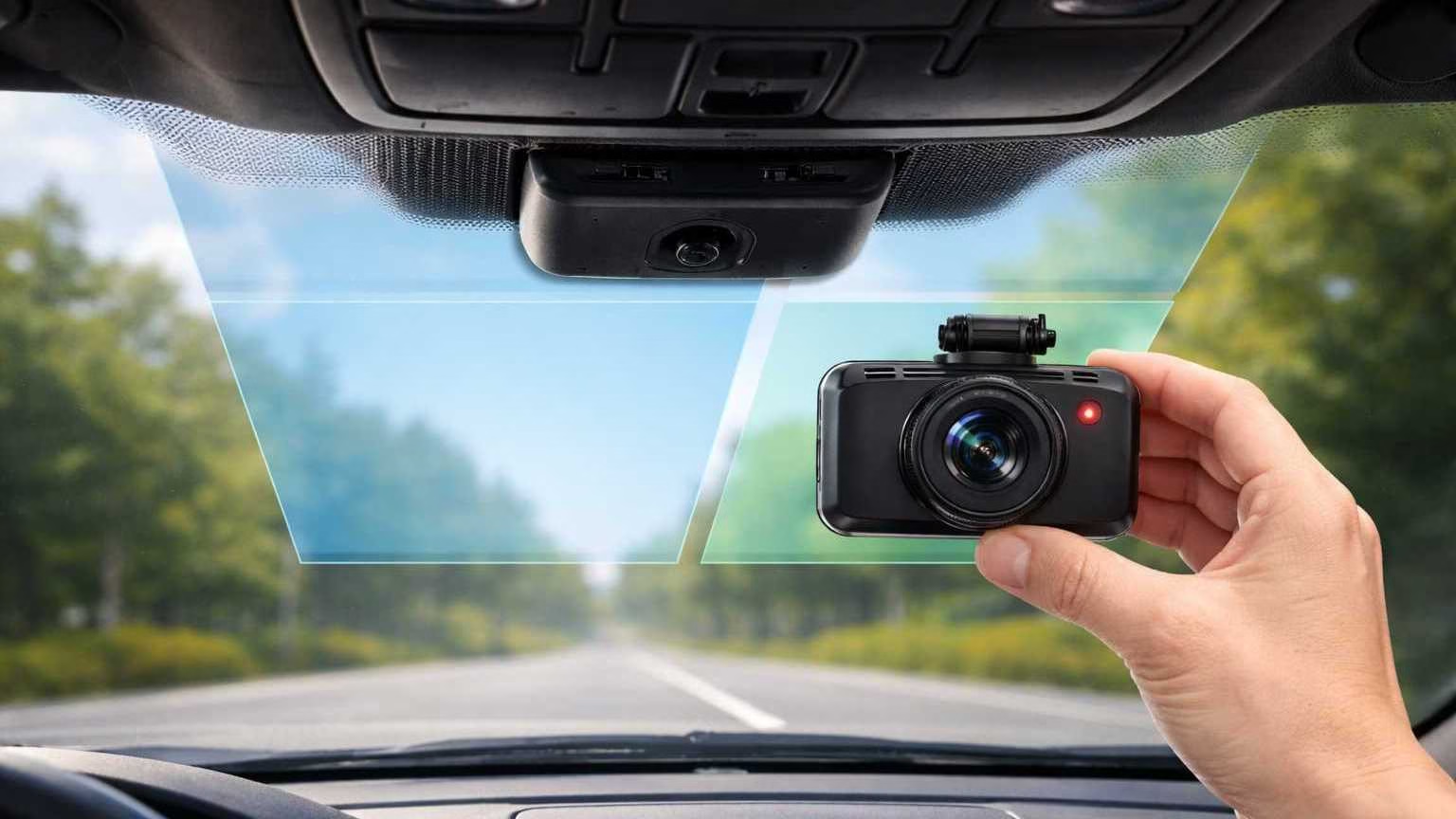
ADAS stands for Advanced Driver Assistance Systems. It’s the set of forward-looking safety features that help with lane guidance, braking support, and speed control.
Here’s the catch: many ADAS-equipped cars rely on windshield-mounted cameras and sensors. If you mount a dash cam in the wrong spot, you can interfere with what those systems “see.”
Incorrect mounting can lead to:
- Warning lights or alerts
- Features temporarily disabled (lane assist, braking support, sign recognition)
- Camera calibration errors after changes to the windshield area
This guide explains dash cam mounting ADAS windshield placement in plain language. You’ll get sensor-safe zones, frit-dot fixes, and a simple way to verify your setup without guesswork.
What Makes ADAS Windshields Different
ADAS windshields aren’t just glass. They often include sensor-related elements that make the center upper windshield more sensitive than older cars.
Common differences include:
- Forward-facing camera module near the rearview mirror (usually behind a plastic housing)
- Windshield-integrated brackets or shrouds that keep sensors aligned
- Special coatings that can change reflections and glare
- Radar/lidar-assisted systems (often mounted elsewhere) that still rely on camera confirmation in many driving situations
You don’t need to know the engineering. The practical takeaway is simple:
The area around the mirror and the ADAS housing is “active space.”
Anything you stick there can block, reflect, or confuse the camera’s view.
Common ADAS Features Affected by Bad Placement
If your dash cam placement is wrong, these features are the first to complain—either with alerts or inconsistent behavior.
Lane Keep Assist
Lane assist depends on clear lane-line detection.
What goes wrong with bad placement:
- A dash cam body intrudes into the camera’s view
- The mount creates a dark edge or blur
- Reflection from a glossy mount causes false edges
Result: lane centering gets “jittery,” or the system disables in bright sun or rain.
Automatic Emergency Braking (AEB)
AEB systems often use a forward camera (sometimes combined with radar) to detect vehicles and objects.
What goes wrong:
- Partial blockage reduces detection confidence
- Reflections create phantom shapes
- A mispositioned cam interferes during certain angles (hills, dips)
Result: warning messages, “sensor blocked” alerts, or reduced availability.
Adaptive Cruise Control (camera-assisted)
Even when radar does most of the ranging, the camera can influence classification and lane context.
What goes wrong:
- The camera view is partially obstructed
- Glare increases from a mis-mounted device
Result: ACC behaves inconsistently or shows limited function warnings.
Traffic Sign Recognition
This is camera-dependent and sensitive to clarity.
What goes wrong:
- A dash cam blocks the upper field
- A suction cup ring or adhesive edge distorts view
- Light reflections reduce contrast
Result: missed or incorrect sign reads, or “camera visibility reduced” messages.
Safe Dash Cam Mounting Zones (Core Section)
The goal is straightforward:
Mount the dash cam where it records the road well, but stays out of ADAS sightlines.
Because vehicles vary, think in zones—not exact millimeters.
Primary Safe Zone (Best Starting Point)
Behind the rearview mirror—BUT offset from the ADAS camera’s viewing area.
This sounds contradictory, so here’s the key detail:
- Many cars have an ADAS camera centered behind the mirror area.
- Your dash cam should be tucked behind the mirror from the driver’s viewpoint without occupying the same central patch of glass used by the ADAS camera.
In practice, that often means mounting:
- High on the windshield
- Just to the passenger side of the mirror stem, or
- Just to the driver side, depending on where the ADAS camera housing sits
If you can’t clearly identify the ADAS camera location, use the rule below.
The simplest rule that prevents most problems
Do not mount directly in front of any factory sensor housing or the dotted/boxed “camera window” area.
Place the dash cam so the mirror hides it from your eyes, but the ADAS camera still has a clear view through its dedicated area.
Secondary Acceptable Zones (Vehicle-dependent)
Upper passenger-side windshield can work when:
- The ADAS camera housing is large and centered
- The dash cam would otherwise overlap the sensor’s window
- Your dash cam has a wide enough field of view even when offset
This option is common in DIY installs because it keeps the dash cam away from the center sensor region. But it’s not universal—some vehicles have broader camera sightlines than you’d expect.
Text-Based Placement Diagrams (Use These as a Visual Guide)
Think of the windshield top area like a grid:
[Driver Side]         [Center / Mirror Area]          [Passenger Side]
+----------------+-------------------------------+--------------------+
|  OK sometimes  |  NO: ADAS housing / camera    |  OK often          |
|  (depends)     |  window must stay clear       |  (vehicle-dependent)|
+----------------+-------------------------------+--------------------+
A more specific “top edge” view:
Top of windshield (inside view)
|---------------------------------------------------------------|
|  Driver upper     |  ADAS camera zone (keep clear) | Passenger upper |
|  (maybe)          |  behind mirror housing         | (good option)   |
|---------------------------------------------------------------|
“What NOT to Block” Callouts
Avoid putting your dash cam or mount in these areas:
- Directly over the ADAS camera window (often a clear area behind a shroud)
- Directly below the ADAS housing where the camera looks down the road
- Any dotted/boxed region marked on the windshield for sensors
- The mirror-adjacent center patch if it overlaps the factory camera’s line of sight
When in doubt, prioritize the OEM system:
If you must choose between perfect video symmetry and ADAS visibility, choose ADAS visibility.
Quick Table: Safe vs Unsafe Zones
Frit Dot (Black Dot) Issues Explained
Those black dots (or a black band with dots) near the top edges of many windshields are called frit dots.
What frit dots are for
They’re part of how windshields are made and finished. In practical terms, they:
- Help manage heat and UV at the glass edge
- Provide a transition area around black ceramic borders
- Improve cosmetics by hiding adhesives and edges
Why suction cups and adhesives fail on frit dots
Frit dots are not smooth glass. They create a textured surface that causes:
- Suction cups to leak (no airtight seal)
- Adhesives to bond weakly (less surface contact)
- Mounts to shift over time, especially in heat
Optical distortion risk
Mounting a lens through heavy dot patterns can sometimes introduce:
- Slight blur or uneven focus at the edges
- Tiny glare points in certain lighting
Not every camera will show this, but it’s common enough to plan around.
Heat-related adhesion problems
The frit area tends to run warmer and can accelerate:
- adhesive softening
- mount creep (slow sliding)
- sudden detachment on very hot days
Mounting Workarounds That Actually Help
If your “best” location lands on frit dots, use one of these sensor-safe workarounds:
- Offset mounting
- Move the mount a few centimeters onto clear glass
- Keep the camera body tucked behind the mirror if possible
- Static cling pads
- A clear cling pad can create a smooth surface for suction mounts
- Helpful for reducing seal leaks on textured frit areas
- Clear adhesive bases
- Use a proper clear base that bonds to smooth glass
- Then attach the dash cam mount to that base
- This reduces failure caused by textured dots
Aim for the lens to look through clear glass, not through dense dot patterns.
Placement Mistakes That Trigger Warnings
These are the most common errors that lead to “dash cam causes ADAS warning” complaints.
1) Mounting directly below the ADAS housing
Even if you’re not covering the housing, the camera’s view cone may extend downward.
Why it matters: the dash cam body becomes a permanent “object” in the camera’s foreground.
2) Partial sensor obstruction
Small overlaps can still matter:
- corner of the dash cam
- edge of a mount arm
- thick power cable routed across the sensor window
Why it matters: the system may detect reduced visibility and disable features.
3) Reflection into the camera lens (yours or the car’s)
Common causes:
- glossy dash cam body
- shiny mount plates
- bright screens facing inward
- poorly routed cables reflecting in the windshield
Why it matters: reflections can look like ghost objects or reduce contrast.
4) Oversized dash cam bodies
Large cameras can intrude even when mounted “high.”
Why it matters: the ADAS camera doesn’t need a full blockage—just enough intrusion to confuse edge detection.
5) Micro-shifts over time
Heat can slowly move mounts.
Why it matters: your setup might be fine on day one, then drift into the sensor area later.
How to Verify Safe Placement (Step-by-Step)
You don’t need special tools. You need a systematic check.
Step 1: Engine-on system check (stationary)
- Start the car and let it idle for a minute
- Confirm ADAS-related indicators behave normally
- Look for any immediate messages like:
- “Front camera blocked”
- “Driver assist unavailable”
- “Sensor obstructed”
If a warning appears right after mounting, treat placement as the first suspect.
Step 2: Confirm dash cam view and stability
- Verify the dash cam sees the road clearly
- Ensure the lens isn’t looking through dense frit dots
- Make sure the mount doesn’t wobble when you close doors
Step 3: Short test drive (10–15 minutes)
Choose a simple route with clear lane lines.
- Check lane assist engages normally (if your car supports it)
- Watch for intermittent warnings when:
- driving into sun
- going under shade changes
- cresting hills
Step 4: Monitor ADAS alerts
If alerts appear only after mounting, placement is a likely cause.
Step 5: Interpret warnings: interference vs unrelated
Placement-related warnings often:
- mention camera visibility/obstruction
- appear soon after install
- change with lighting (sun glare) or when the mount shifts
Unrelated issues may:
- appear before the install
- persist even when the dash cam is removed
- involve other systems (wheel speed sensors, radar issues, etc.)
If in doubt, remove the dash cam temporarily and retest. If warnings disappear, you’ve confirmed interference risk.
Vehicle-Specific Considerations
ADAS layouts vary a lot between manufacturers and even between trims of the same model.
OEM differences you should expect
- Some vehicles use a compact camera with a narrow “window”
- Others use a large housing and broader sightlines
- Some have additional sensors near the mirror area (light/rain sensors)
- Windshields may have coatings that change how mounts adhere and how glare behaves
That’s why ADAS windshield dash cam placement isn’t one-size-fits-all.
Check the owner’s manual (worth the minute)
Look for sections covering:
- forward-facing camera location
- windshield “no-go zones”
- notes about accessories, stickers, toll tags, or mounts near sensors
If the manual shows a diagram, follow it.
When professional calibration is required
Certain events can require recalibration of the forward camera system, such as:
- windshield replacement
- ADAS camera removal or housing service
- significant changes near the camera area that affect alignment
If your car requests calibration or shows persistent camera warnings after adjustments, don’t “work around” it with mounting tricks. Put the OEM system first.
Closing: Safety-First Installation That Stays Sensor-Safe
A dash cam is useful only if it doesn’t compromise the car’s built-in safety systems.
Use this best placement rule:
Mount the dash cam out of sensor sightlines—especially away from the ADAS camera window and housing zone.
High and tucked is good. High and centered over sensors is not.
Choose a mount strategy that avoids frit-dot failures, keep cables out of the sensor area, and recheck for drift after hot weather.
Finally, revisit placement after any windshield replacement. Sensor alignment and “safe zones” can change with new glass, new brackets, or reinstalled housings.
Prevention beats correction. A clean install today saves warnings, feature dropouts, and calibration headaches later.
If you’re mounting a dash cam on an ADAS windshield, placement is only half the battle—power, parking mode, and storage reliability determine whether the setup stays “set-and-forget” without triggering issues later.
For a clean install, start with The Correct Way to Hardwire Any Dash Cam (Fuse Box vs OBD vs mirror power) and, if you want the simplest OEM-style approach, see Best Fuse-Free Dash Cam for Easy Installation (2026) using mirror power/Dongar-style adapters.
Then lock in safe parking recording with Dash Cam Parking Mode Explained, choose hardware that survives windshield heat with Capacitor vs. Battery Dash Cams: Fire Hazard You Should Know, and avoid the most common “not recording” failure with the Dash Cam SD Card Guide: Endurance vs Regular.
If you drive an ADAS-heavy model, the placement details can be even tighter—these vehicle-specific guides help you avoid sensor conflicts: Best Dash Cam for Subaru EyeSight (2026) and Best Dash Cam for Honda Sensing (2026).