Dash cam parking mode allows your camera to keep recording when the engine is off.
It captures incidents like hit-and-runs, vandalism, or suspicious movement while your car is parked.
The problem is simple: the dash cam keeps drawing power from your car battery.
To prevent a dead battery, hardwire kits use a voltage cutoff.
This shuts the dash cam off once battery voltage drops too low.
The critical question is where to set that cutoff.
This guide explains the real-world difference between 11.8V and 12.2V, and why the wrong choice leads to no-start mornings.
How Dash Cam Parking Mode Drains Car Batteries
When the engine is off, the alternator is no longer charging the battery.
Any power draw becomes a parasitic load.
In parking mode, that load comes from:
- Motion detection
The camera stays partially awake, scanning for movement. - Impact detection (G-sensor)
The dash cam monitors vibrations continuously. - Time-lapse or continuous parking recording
This is the highest drain and the most dangerous for batteries.
Battery drain increases:
- Overnight (longer duration)
- In cold weather (lower battery efficiency)
- With older or partially degraded batteries
Even a small constant draw can discharge a car battery faster than most drivers expect.
Car Battery Voltage Basics (Critical to Understand)
Car batteries are measured in voltage, but voltage is not a simple fuel gauge.
Here are realistic resting voltage levels:
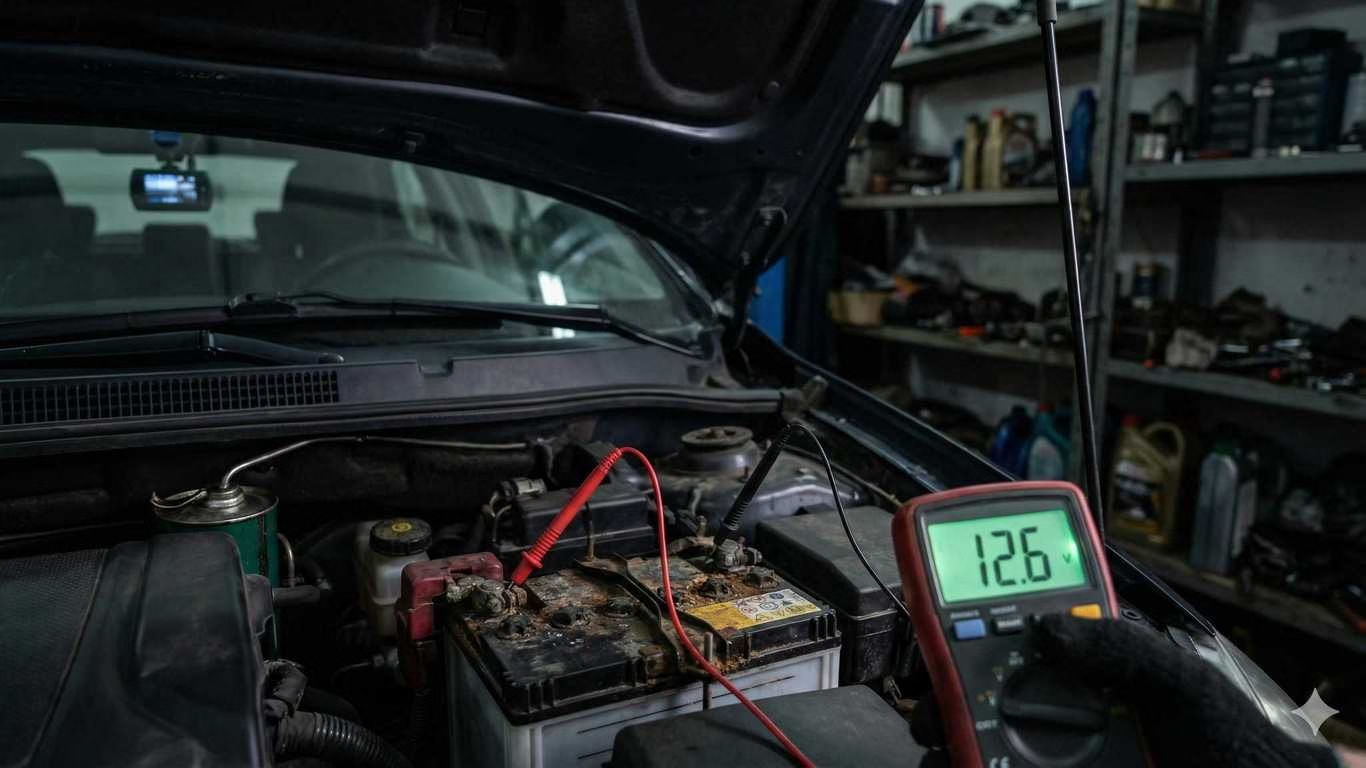
- ~12.6V – Fully charged, healthy battery
- ~12.2V – Partially discharged (~50%)
- ~11.8V – Heavily discharged
- ~11.6V – Dangerous zone
Below 12.2V, battery stress increases rapidly.
Below 11.8V, starting reliability drops sharply.
This is why voltage cutoff choice matters more than parking mode duration.
Voltage Cutoff Comparison: 11.6V vs 11.8V vs 12.2V
Quick Comparison Table
11.6V Cutoff
- Extremely high risk of no-start
- Deep discharge damages the battery
- Accelerates sulfation
- Unsafe for daily drivers
This setting prioritizes footage over battery health.
Repeated use leads to premature battery failure.
11.8V Cutoff
- Borderline safe
- Battery stress accumulates over time
- Starting reliability depends on battery age and temperature
- Acceptable only for short parking durations
Many users who select 11.8V experience “random” dead batteries weeks later.
12.0V Cutoff (Optional Middle Ground)
- Reasonable balance between coverage and protection
- Less overnight drain
- Suitable for newer batteries in mild climates
This is often the minimum safe setting for cautious users.
12.2V Cutoff (Recommended)
- Best long-term battery protection
- Safest option for overnight parking
- Ideal for cold climates
- Strongly recommended for older batteries
You lose some parking coverage, but you keep a reliable vehicle.
Why 11.6V Is Risky (This Cannot Be Ignored)
At 11.6V, a lead-acid battery is deeply discharged.
This causes:
- Sulfation
Hard sulfate crystals form on battery plates and do not fully dissolve. - Permanent capacity loss
The battery holds less charge after each deep discharge. - Shortened lifespan
Repeated deep discharge can cut battery life in half.
This is why many drivers believe their dash cam “suddenly” kills batteries.
The damage happens gradually, then fails without warning.
How to Choose the Right Voltage Cutoff Setting
Choose your cutoff based on real-world conditions, not maximum footage.
Battery Age
- New battery (under 1 year): 12.0V minimum
- 2–3 years old: 12.2V recommended
- Older than 3 years: 12.2V strongly advised
Climate
- Cold climates: Always use 12.2V
- Hot climates: 12.0V–12.2V depending on battery condition
Driving Frequency
- Daily driving: 12.2V
- Occasional driving: 12.2V or higher
- Parked multiple days: Parking mode should be limited or disabled
Parking Duration
- Short stops (1–2 hours): 11.8V acceptable
- Overnight: 12.2V
- Multi-day parking: Use external power or disable parking mode
How to Stop Overnight Battery Drain
Practical steps that actually work:
- Set a higher voltage cutoff (12.2V)
- Limit parking mode recording duration
- Disable continuous recording if possible
- Use motion-only or impact-only modes
- Consider an external dash cam battery pack
- Periodically test your car battery’s health
Voltage cutoff reduces risk, but it does not eliminate all drain.
Key Takeaway: Battery Health Comes First
Dash cam parking mode is valuable, but battery health matters more than footage length.
For most drivers:
- 12.2V is the safest voltage cutoff
- 11.8V should be used cautiously and briefly
- 11.6V should be avoided for daily vehicles
Protect the battery first.
A dash cam is useless if your car will not start.
If you want to go deeper into protecting your battery while still using parking mode, a few related guides are worth reviewing. Our breakdown of dash cam parking mode voltage cut-off explains the 3-wire hardwire logic and why certain kits behave unpredictably at low voltage.
Cold weather drivers should also read our extreme cold dash cam guide, which shows why capacitor-based cameras reduce cold-start failures and overnight drain.
Finally, if you are still experiencing dead batteries despite correct cutoff settings, our guide on why short trips kill car batteries explains how modern smart alternators fail to recharge fully—and what to do about it.