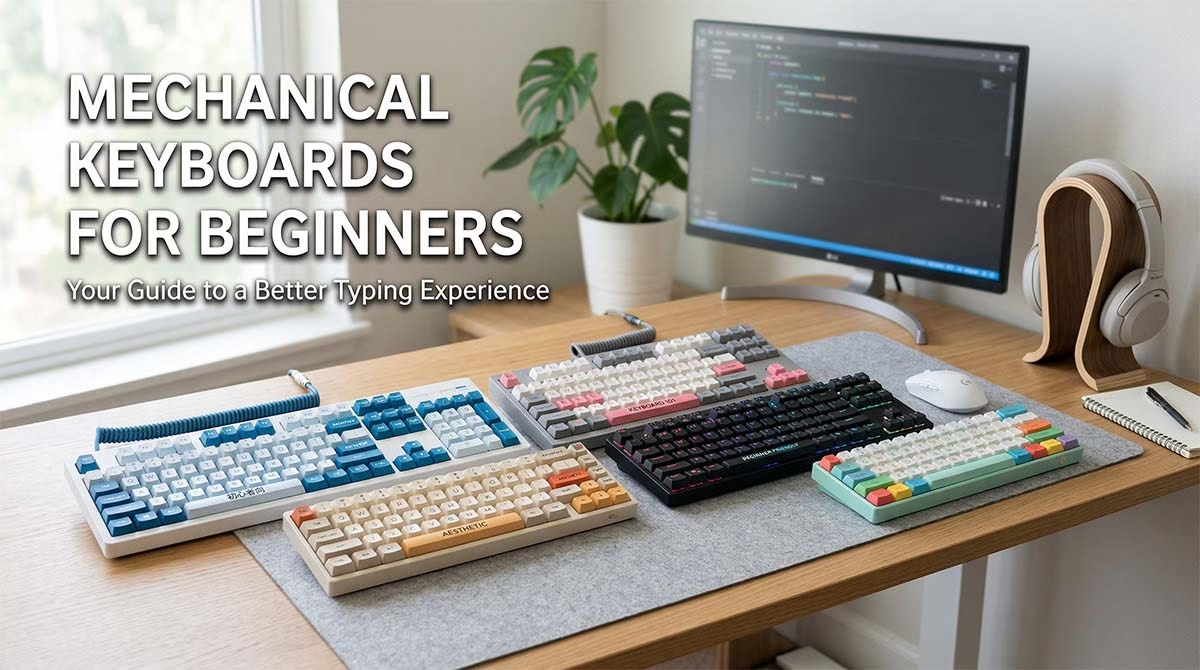
Choosing your first mechanical keyboard can feel overwhelming. You see dozens of switch types. You notice strange layout names. You wonder about wireless options. The good news is simple. You only need a few facts to make a smart choice for Mechanical Keyboards for Beginners.
This guide cuts through the noise. I will explain what actually matters. I will share five easy starter picks. You will find a beginner-friendly mechanical keyboard that fits your desk, your budget, and your daily routine. Let us start.
Top 5 Beginner Mechanical Keyboards
Quickly compare features, layouts, and value before you buy



Quick Comparison Table of the 5 Best Mechanical Keyboards for Beginners
| Keyboard | Best For | Layout | Switch Options | Wired/Wireless | Hot-Swappable | Price Range | Beginner Rating |
|---|---|---|---|---|---|---|---|
| Keychron C3 Pro | Office & typing starters | TKL (87) | Gateron Red/Brown | Wired | Yes (select variants) | $35–$45 | ★★★★★ |
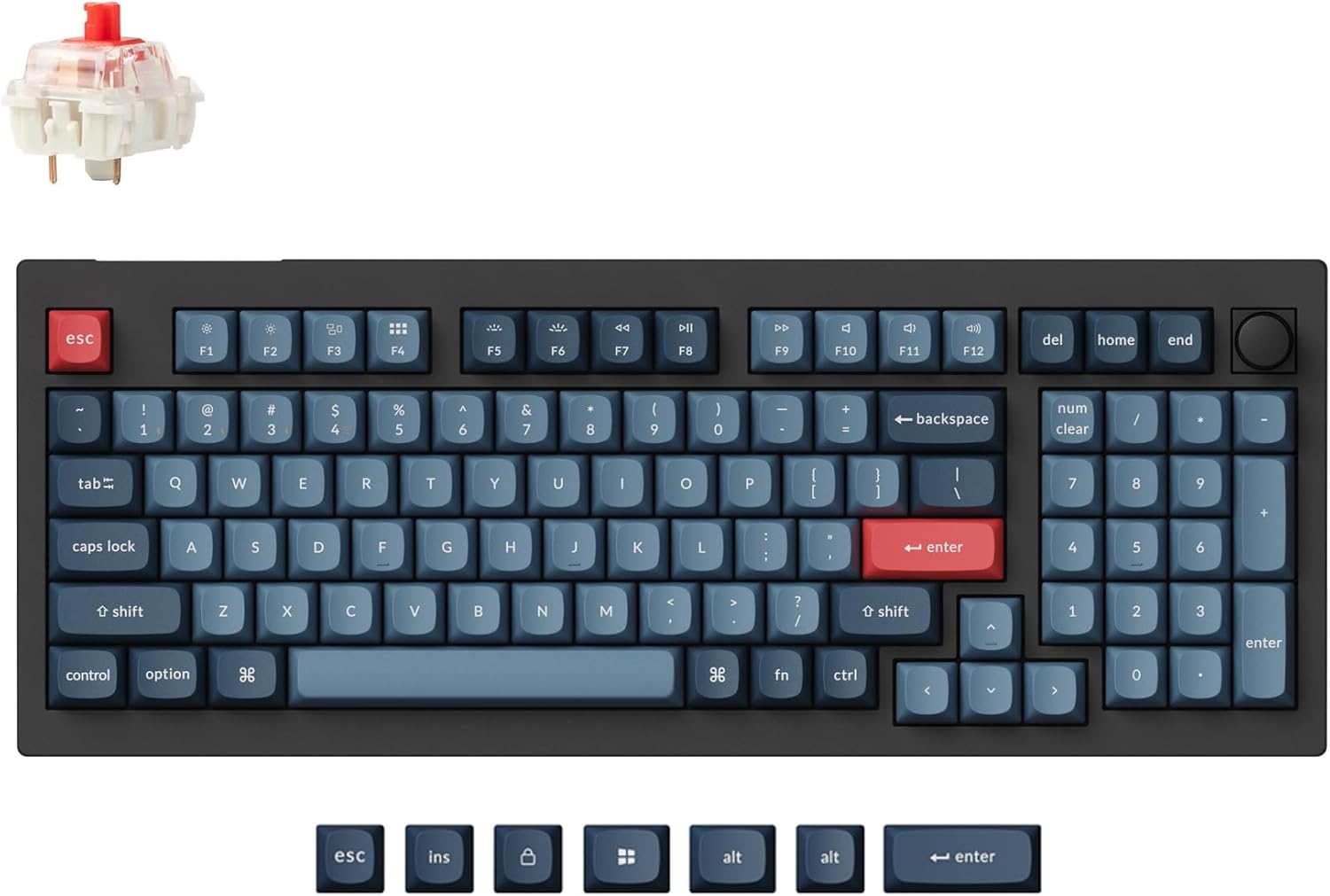
| Keychron V5 Max | Versatile daily drivers | 96% | Gateron Red/Brown | Tri-mode | Yes | $95–$120 | ★★★★★ |
| AULA F99 | Budget wireless pick | 98% | Pre-lubed Linear | Tri-mode | Yes | $50–$70 | ★★★★☆ |
| RK Royal Kludge RK61 | Compact desk setups | 60% | Multiple options | Wired/Wireless | Yes (QMK versions) | $35–$55 | ★★★★☆ |
| Redragon K552 | Gaming & rugged use | TKL (87) | Outemu Blue/Red/Brown | Wired | No | $30–$45 | ★★★★☆ |
What Is a Mechanical Keyboard?
How it differs from a regular keyboard
Regular keyboards use a flat rubber membrane. You press down. A soft dome touches a circuit. The key registers. Mechanical keyboards work differently. Each key sits on its own tiny switch. That switch sends a direct signal the moment you press it. You feel a clear response. The keys last much longer. You also get better feedback with every tap.
Why beginners are switching to mechanical keyboards
People want a better typing experience. They want a satisfying key feel. They want a board that lasts for years. A mechanical keyboard delivers all three. You can pick switches that match your hands. You can upgrade parts later. You can use the same board for work and gaming. The shift makes total sense.
Are Mechanical Keyboards Good for Beginners?
Benefits for first-time users
You will type faster. You will make fewer mistakes. Your hands will feel less tired. The sturdy build survives daily use. You also gain room to grow. You can swap parts. You can adjust sound. You can change the layout. The learning curve stays short. The payoff starts day one.
Possible downsides to know before buying
They cost more than basic boards. Some switches make loud sounds. Compact layouts remove keys you might miss. You need a moment to adjust. You also need to check your space. A full-size board takes room. A wireless model needs battery care. These points matter. You should plan ahead.
What to Look for in Mechanical Keyboards for Beginners
Switch type
Switches control how the key feels. Red switches feel smooth and quiet. They work well for gaming. Brown switches give a gentle bump. They suit both typing and play. Blue switches click loudly. They only fit quiet-free spaces. Pick the one that matches your room and your tasks.
Keyboard size
Full-size boards include every key. TKL models drop the number pad. Seventy-five percent keeps arrows and saves space. Sixty-five percent stays compact and light. Most beginners prefer TKL or seventy-five percent. They keep arrow keys. They leave room for your mouse. Choose based on your desk and your workflow.
Wired vs wireless
Wired models plug in. They deliver instant response. They never need charging. Wireless models clean your desk. They move with you. They cost a bit more. Battery life varies. Pick wired for rock-solid reliability. Pick wireless for a tidy workspace.
Hot-swappable vs non-hot-swappable
Hot-swappable boards let you change switches. You pull the old switch out. You push a new one in. You test different feels without soldering. Non-hot-swappable boards lock the switches. They work fine. You just cannot change them later. Beginners should lean toward hot-swap. It saves money. It reduces risk.
Build quality and keycaps
Plastic cases stay light. Aluminum frames feel solid. Keycaps matter too. PBT plastic resists shine. It stays crisp. ABS plastic gets shiny fast. It feels cheap over time. A sturdy frame and PBT keycaps last years. They protect your investment.
Noise level
Think about your environment. Shared offices hate loud clicks. Dorm rooms need quiet boards. Home setups allow more freedom. Red or brown switches stay calm. Blue switches fill the room. Match the sound to your space.
Price
You do not need to spend a fortune. Budget options start around forty dollars. Mid-range models sit near ninety dollars. Premium beginner picks reach one hundred twenty dollars. You get better parts as you spend more. Set a clear range first. Then pick the board that fits.
5 Best Mechanical Keyboards for Beginners
Keychron C3 Pro – Best for office beginners
This wired TKL board delivers a clean typing rhythm. It uses gasket mounting to soften each press. The shine-through PBT keycaps stay crisp. Red LED lighting keeps your desk calm. You get QMK and VIA support for easy tweaks. The stabilizers feel solid. Mac and Windows users get full compatibility. You can find it for under forty dollars.
Key Features:
- TKL layout
- Gateron switches
- Wired connection
- Hot-swappable on select variants
- Red backlighting
- Sturdy plastic frame
Pros:
- Smooth setup
- Strong value
- Comfortable typing rhythm
- Widely available
- Simple plug-and-play
Cons:
- Wired only
- Limited to red LED
- No wireless option
- Basic aluminum frame
Best For: Office workers, students, and writers who want a calm desk setup.
Keychron V5 Max – Best wireless pick
This board handles every task you throw at it. It connects through Bluetooth, twenty-four gigahertz, or USB-C. Gasket mounting keeps the key feel soft. Hot-swappable Gateron switches let you experiment. RGB lighting adds style. Sound-dampening foam lowers harsh echoes. The build feels premium. The price stays fair.
Key Features:
- Ninety-six percent layout
- Gateron linear or tactile switches
- Tri-mode connectivity
- Full hot-swap support
- RGB backlighting
- Foam damping
Pros:
- Flexible connection options
- Comfortable ergonomics
- Refined sound profile
- Easy software control
- Strong community support
Cons:
- Takes more desk space
- Slightly heavier
- RGB drains battery faster
- Mid-range price
Best For: Remote workers and multitaskers who want wireless freedom and premium feel.
AULA F99 – Best budget mechanical keyboard
You get wireless freedom without the premium tag. This ninety-eight key board connects three ways. Pre-lubed linear switches feel smooth from day one. The gasket structure keeps typing soft. RGB lighting adds fun. Multi-device pairing works fast. The sound stays balanced. You pay less. You gain more.
Key Features:
- Ninety-eight key layout
- Pre-lubed linear switches
- Tri-mode wireless
- Hot-swappable sockets
- RGB backlighting
- Gasket structure
Pros:
- Excellent value
- Smooth out-of-box feel
- Clean wireless setup
- Easy device switching
- Quiet typing rhythm
Cons:
- Plastic build
- Basic software
- Stock stabilizers may rattle
- Limited switch variety
Best For: Budget buyers who want wireless flexibility and a comfortable daily board.
RK Royal Kludge RK61 – Best compact mechanical keyboard for beginners
This sixty percent board saves serious desk space. Wired and wireless variants exist. Hot-swappable switches let you test new feels. RGB lighting adds energy. Programmable software handles key changes. Recent models ship with pre-lubed switches and solid stabilizers. The compact layout takes one day to learn. After that, you never go back.
Key Features:
- Sixty percent layout
- Hot-swappable switches (QMK variants recommended)
- Wired or wireless
- RGB backlighting
- Custom software support
- Pre-lubed components
Pros:
- Highly portable
- Low entry price
- Strong modding potential
- Clean desk setup
- Fast typing flow
Cons:
- Missing number pad
- Missing dedicated arrows
- Learning curve for shortcuts
- Wireless battery varies
Best For: Students, travelers, and gamers who value portability and compact setups.
Redragon K552 – Best gaming keyboard for beginners
This wired TKL board focuses on raw reliability. A metal frame keeps it stable during intense sessions. Anti-ghosting ensures every press registers. RGB lighting looks sharp. Outemu switches deliver consistent feedback. The design stays simple. You plug it in. You play. You win.
Key Features:
- TKL layout
- Outemu switch options
- Wired USB connection
- RGB backlighting
- Metal frame
- Anti-ghosting support
Pros:
- Rock-solid build
- Low cost
- Gaming ready
- Easy setup
- Durable switches
Cons:
- No wireless option
- Not hot-swappable
- Clicky options get loud
- Basic keycaps
Best For: New gamers and budget builders who want a tough, no-frills board.
Which Mechanical Keyboard Switch Is Best for Beginners?
Best switch for most beginners
Brown switches strike a perfect balance. They give a soft bump. They stay quiet enough for shared rooms. They handle typing and gaming with ease. Most first-time users feel right at home with them.
Best switch for gaming beginners
Red switches glide smoothly. They require light pressure. They register fast. You press them down. The key fires instantly. Gamers love the quick response. You keep your fingers fresh during long sessions.
Best switch for typing enthusiasts
Brown switches work well for writers. Blue switches also please many typists. They deliver a sharp click. You hear every word you type. Just check your room first. Loud switches bother nearby people.
Best quiet option for shared spaces
Silent red switches remove the sharp bottom-out sound. They keep the smooth linear feel. They drop the noise floor. Your roommates stay happy. Your focus stays sharp.
Should Beginners Choose Hot-Swappable Keyboards?
Yes. Hot-swap sockets remove the guesswork. You buy one board. You try three switch types. You pull the old switch. You plug in the new one. No soldering. No stress. You find your perfect key feel without spending extra money. You also save time. You skip the learning curve of switch replacement. Beginners gain freedom. You can upgrade slowly. You can fix a single dead key instead of replacing the whole board. This feature cuts risk. It boosts long-term value.
Common Mistakes Beginners Make When Buying a Mechanical Keyboard
Buying the wrong size
Many buyers grab a full-size board. They run out of mouse space. They regret the choice. Measure your desk first. Pick a size that matches your workflow.
Ignoring switch noise
Loud switches sound fun in videos. They sound harsh in quiet rooms. Check the switch type. Match the sound to your environment.
Focusing only on RGB
Lights look great. They do not fix bad key feel. Prioritize switches and build quality first. Add lighting later.
Choosing the cheapest option without checking build quality
Ultra-cheap boards wobble. They develop shiny keycaps. They fail within months. Spend a little more. Get PBT keycaps and a solid frame.
Not checking compatibility and layout preference
Mac users need specific key mapping. Windows users need standard shortcuts. Check the layout before you buy. Avoid missing arrow keys if you edit spreadsheets daily.
How to Choose the Right Mechanical Keyboard for Your Needs
For gaming
Pick red or silent red switches. Choose TKL or sixty-five percent layouts. Keep your mouse space wide. Wireless works if latency stays low. Wired delivers the fastest response.
For office work
Pick brown or silent switches. Choose seventy-five percent or full-size boards. You need arrow keys and a number pad. Quiet sound keeps coworkers happy. PBT keycaps handle daily wear.
For casual everyday use
Pick brown switches. Choose a mid-range price. A TKL board covers most tasks. You get balance without bulk. Simple RGB adds style without distraction.
For small desk setups
Choose sixty-five percent or seventy-five percent layouts. Drop the number pad. Keep your mouse close. Wireless models hide cables. Your desk stays clean.
For future customization
Choose hot-swappable sockets. Pick boards with QMK or VIA support. You will tweak keymaps later. You will test new switches. You will upgrade keycaps. Start with a flexible base.
Recommended Reading

Best Office Chair for Sciatica (Reddit’s Top Picks)
- Targeted Relief: Discover chairs specifically engineered to reduce pressure on the sciatic nerve and lower back.
- Ergonomic Adjustability: Learn which features matter most, from customizable lumbar support to dynamic seat tilting.
- Real User Feedback: We compiled the most highly recommended models based on verified experiences from the Reddit community.
Recommended Reading

Best Mechanical Keyboards for Typing
- Ultimate Typing Feel: Find the perfect switches (tactile, clicky, or linear) to maximize your typing speed and accuracy.
- Ergonomic Comfort: Discover boards designed to reduce wrist strain and fatigue during long working sessions.
- Premium Build Quality: High-end keycaps, robust frames, and customizable layouts built to last for millions of keystrokes.
Final Verdict: Best Mechanical Keyboards for Beginners
Your best overall pick depends on your routine. The Keychron V5 Max wins for versatility. It handles work, play, and travel. The AULA F99 takes the budget crown. It delivers wireless comfort at a low cost. The RK Royal Kludge RK61 wins for compact setups. It saves space and travels well. The Redragon K552 stays tough for new gamers. The Keychron C3 Pro keeps typing smooth for office users. Pick based on your daily tasks. Match the switch to your room. Set your budget first. Then grab your board. You will never look back.
FAQs About Mechanical Keyboards for Beginners
What is the best mechanical keyboard for beginners?
The best choice matches your desk and your habits. Most users love brown switches. They want a TKL layout. They prefer hot-swap support. The Keychron C3 Pro and V5 Max hit those marks consistently.
Are mechanical keyboards worth it for beginners?
Yes. You get better comfort. You gain faster typing. You build a setup that lasts years. The upfront cost pays off quickly. You avoid replacing cheap boards every season.
Which switch is best for beginners?
Brown switches lead the pack. They give a gentle bump. They stay calm in shared rooms. They handle typing and gaming with ease. Start there. Move later if you want something different.
Are mechanical keyboards good for typing?
Absolutely. The independent switches register each press cleanly. You type with confidence. Your fingers stay relaxed. You finish tasks faster. Writers and coders notice the difference immediately.
Are mechanical keyboards too loud?
Not if you choose the right switch. Red and brown switches stay quiet. Silent red drops noise even further. Blue switches click loudly. Check your space before picking a clicky switch.
Should a beginner buy a hot-swappable keyboard?
Yes. It removes the risk of buying the wrong switch. You test different feels later. You fix dead keys easily. You save money over time. Hot-swap support pays for itself.
What keyboard size is best for beginners?
TKL or seventy-five percent layouts win most of the time. You keep arrow keys. You drop the bulky number pad. You save desk space. You maintain a comfortable typing flow.
Can beginners use a mechanical keyboard for both work and gaming?
Yes. Modern boards handle both tasks well. Brown switches bridge the gap. Wireless models keep your desk tidy. You type reports by day. You play games by night. One board does both.