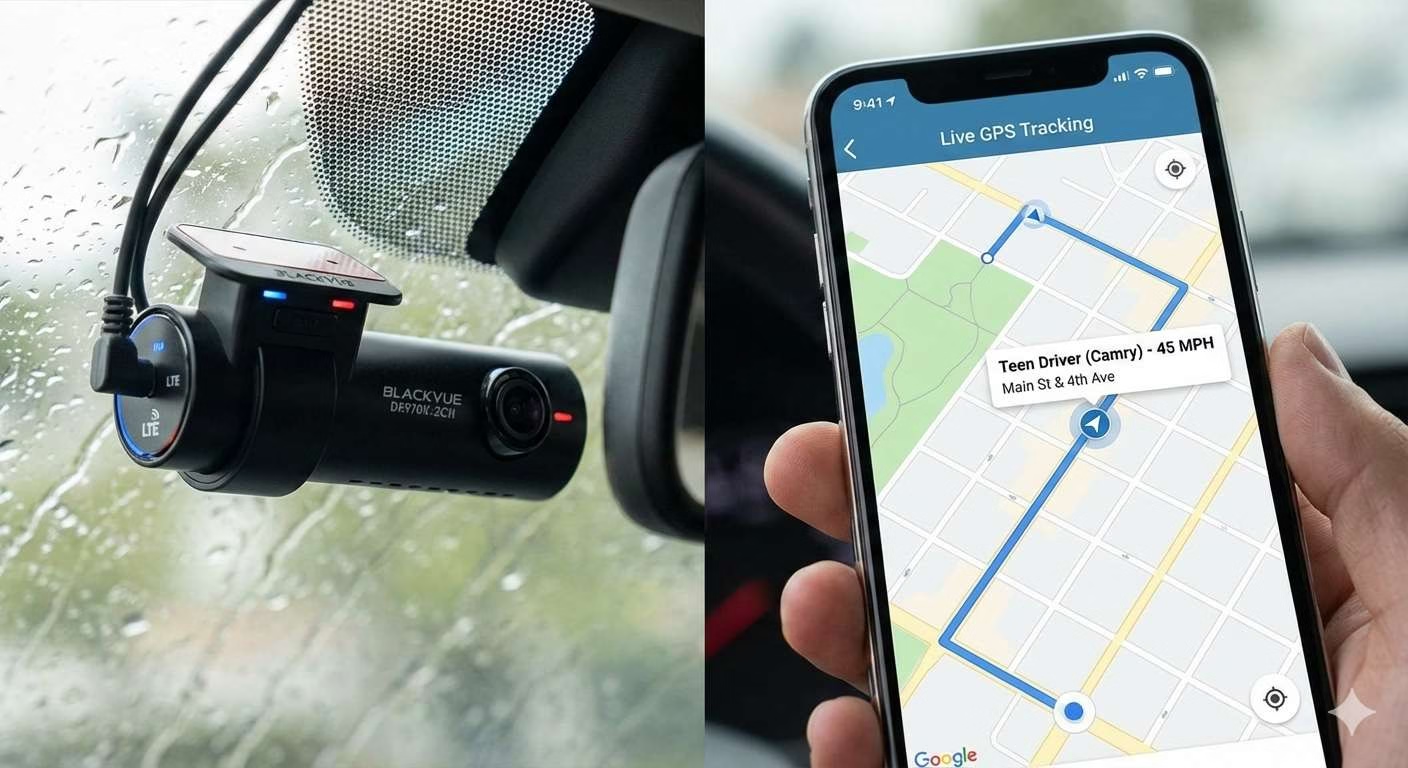
Handing the car keys to your teenager is terrifying.
You aren’t worried about the car; you are worried about the phone call at 2 AM. You want to know: Are they speeding? Are they texting? Where are they right now?
A standard $80 dash cam is useless for this. It records to an SD card that your teen can easily format, hide, or “accidentally” lose. To actually protect them (and your peace of mind), you need a Cloud Dash Cam with Native LTE.
This means the camera has its own SIM card and data plan, just like a smartphone. It uploads footage instantly and lets you watch a Live View from your desk, miles away.
I analyzed the top “Connected” cameras for 2026 to find the ones that actually work without needing an IT degree to set up.
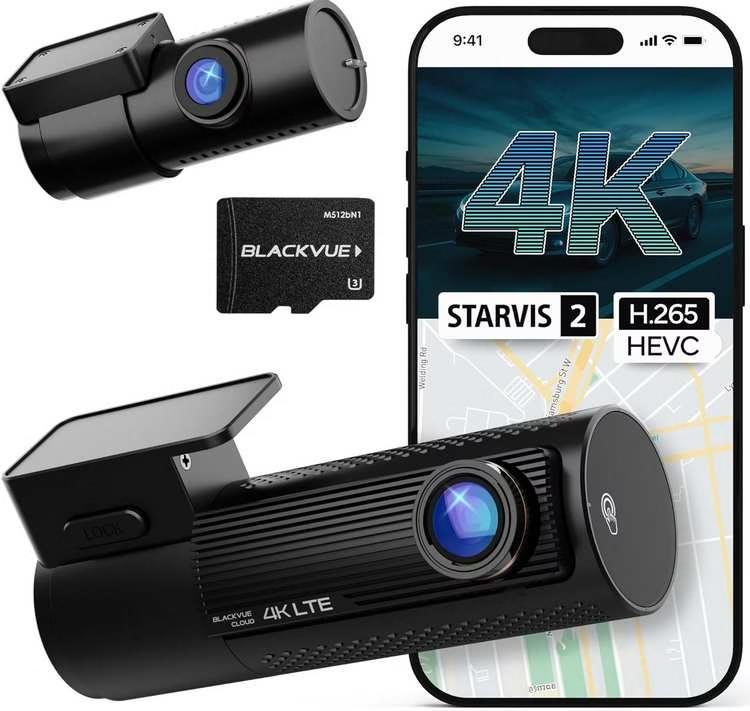
1. BlackVue DR970X LTE Plus II
The Brutal Verdict: The best pure tracker. It has a built-in SIM slot (no hotspot needed) and auto-uploads “Event” files to the cloud instantly. Buy this if you want to know exactly where the car is 24/7.
Check Price on Amazon →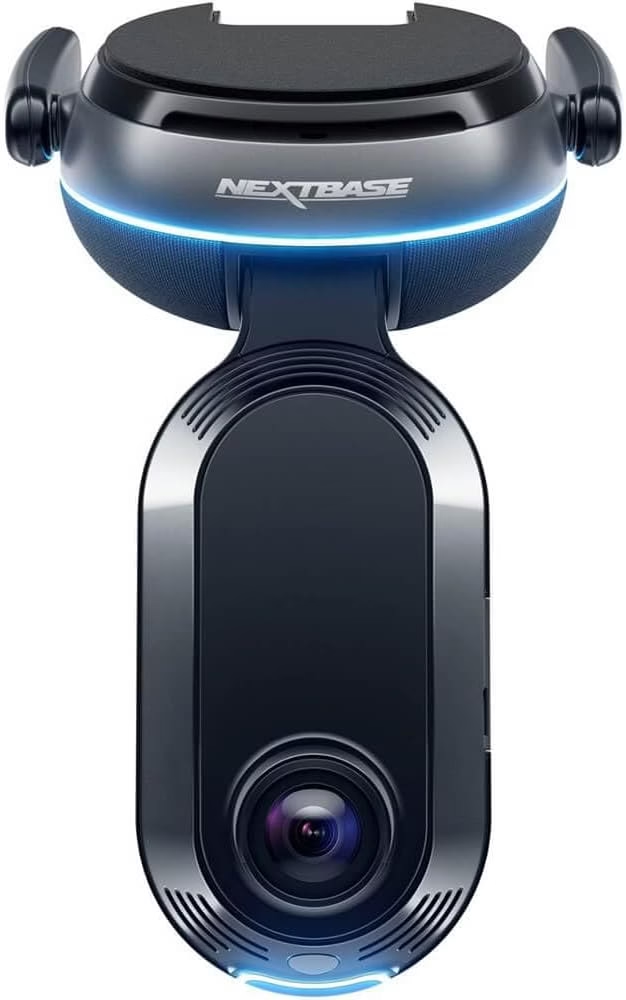
2. Nextbase iQ
The Brutal Verdict: It feels like an Apple product. It has “Witness Mode” (voice-activated recording) and “Smart Sense.” Buy this if you want safety features, but be ready for the expensive monthly subscription.
Check Price on Amazon →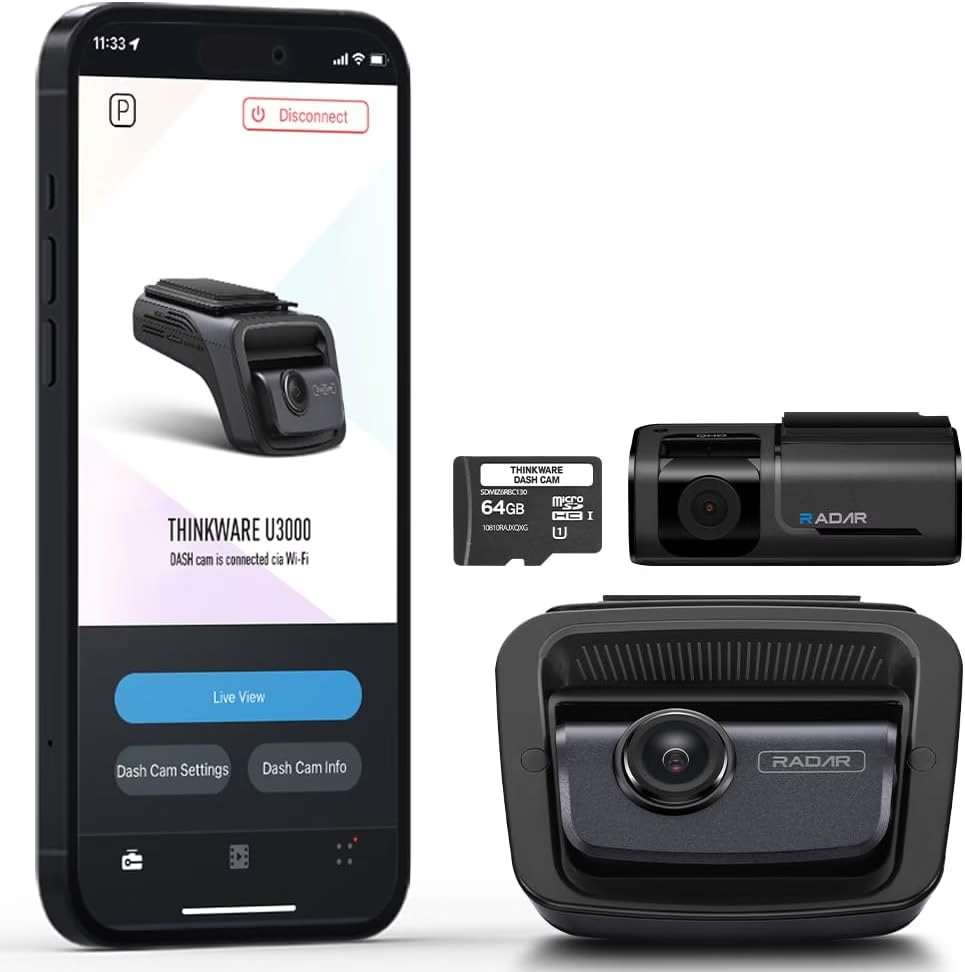
3. Thinkware U3000
The Brutal Verdict: The only cloud cam that won’t kill the car battery if parked for 5 days on campus. The app is clunky, but the Radar Parking mode is a miracle for college students.
Check Price on Amazon →A dash cam for teen drivers isn’t about “gotcha” moments. It’s about confidence. It helps new drivers learn faster, reduces disputes, and keeps everyone calmer. If you’ve been wondering what is the best dash cam for young drivers, start here: pick a camera that’s easy to use, then build a simple family routine around it. That’s where cloud features really shine.
Teen-friendly checklist: what “best” actually means for new drivers
When parents ask what is the best dash cam for a new teen driver, they usually mean: “Which one will record reliably, be easy to use, and not become a daily headache?” Good news: the best dash cam for teenager setups follow the same simple rules.
- Auto-record every drive: No buttons. No forgetting. No “it wasn’t on.”
- Simple clip saving: One tap to lock a moment. Easy wins.
- Clear day + night footage: Teens drive in mixed lighting. You want consistency.
- Clean, distraction-free install: High and centered, tucked behind the mirror.
- Calm app experience: The best dash cam for young drivers is the one that doesn’t fight the phone.
- Privacy controls: Clear settings and predictable sharing rules.
Why cloud features fit teen drivers so well
Cloud tools can reduce panic in the moments that matter: quick access to a clip, an easy way to share proof, and a smoother “what happened?” conversation. It’s not about constant monitoring. It’s about having a backup plan.
If the camera is damaged or removed, the key clip can still exist.
Short reviews of real situations help teens build better habits quickly.
This is why “dash cam for teenage drivers” searches often mention cloud—because backup and easy sharing reduce stress for everyone.
Three cloud essentials to look for (the “pick smarter” shortcut)
Your blog already has the “cloud picks” angle, so here’s the clean framework that helps readers understand why those picks make sense. These are the three cloud traits that matter most for a dash cam for teen drivers. Simple. Practical. Parent-approved.
Look for automatic saving when something unusual happens. For teen drivers, this matters because the moment after an incident is chaotic. A cloud backup can remove the “did we save it?” anxiety.
You want a workflow that’s quick and clear: open app, find clip, share. If the app feels complicated, teens won’t use it and parents will hate it.
Set expectations early: who can view clips, when clips are shared, and what gets stored. The best dash cam for teenage drivers builds trust, not tension.
Alerts should help, not overwhelm. Too many alerts become background noise. The goal is meaningful events, not constant pings.
How to set up a dash cam for teen drivers (fast, friendly, and effective)
Setup is where most frustration happens. So keep it light. The easiest dash cam to use is the one that’s configured once, then mostly forgotten. Here’s a teen-friendly setup flow that works.
- Mount it high and centered. Tuck it behind the mirror so it’s not distracting.
- Route the cable neatly. Hidden cables feel “factory” and reduce temptation to fiddle.
- Set auto-record and loop recording. Make it automatic. Always.
- Turn on one-tap clip lock. Teach the teen one simple action: “Tap to save.”
- Do a 30-second test. Check day and night. Confirm audio settings match your house rules.
- Set cloud sharing rules. Decide what gets uploaded and who can access it.
Coaching without conflict (use the “two-minute review” rule)
The fastest way to make a teen hate a dash cam is turning every drive into a lecture. Instead, do a quick, calm review. Two minutes. One lesson. Done.
- What surprised you on that drive?
- What would you do differently next time?
- Was there anything you handled well?
- Replaying the same moment repeatedly
- Critiquing tone, not behavior
- Using clips as “punishment”
This is why a dash cam for teenage drivers can be powerful: it turns “you always…” arguments into clear, specific moments that are easier to learn from.
Family driving agreement: set expectations before the first clip exists
A dash cam for teen drivers works best when everyone knows the rules. Keep it simple. Keep it fair. And yes—write it down. That tiny step prevents huge misunderstandings later.
- Who can view clips?
- When are clips reviewed?
- How long are clips kept?
- Incidents and near-misses
- Insurance or disputes
- Skill-building moments (short and positive)
Budget questions: cheap, inexpensive, and still reliable
It’s normal to ask what is the best cheapest dash cam, especially when you’re buying for a new teen driver. But “cheapest” shouldn’t mean “unreliable.” If it misses recordings, it’s not saving money. It’s wasting it.
What is a good inexpensive dash cam in real life?
- Reliable auto-record: no manual steps every trip
- Clear enough to tell the story: consistent footage beats fancy claims
- Simple clip retrieval: fast access matters more than extra menus
- Return-friendly purchase: test it on your roads and keep the winner
Teen driver vs rideshare vs work trucks (same goal, different pressure)
You’ll see people compare categories like the best dash cam for uber drivers or the best dash cam for truckers. The needs overlap: reliability, easy clip access, and low-maintenance operation. The difference is intensity.
Prioritize ease, coaching-friendly workflow, and clear sharing rules.
Prioritize stability under vibration and long recording routines.
If you’re buying for a teen, choose the setup that feels calm and simple day-to-day. That’s what keeps it used.
Easiest dash cam to use: what “simple” really looks like (including UK searches)
“Easiest dash cam to use” is not a gimmick. It’s a real need—especially for young drivers. The easiest dash cam to use uk searches often point to the same core desire: minimal steps, clear buttons, and an app that doesn’t confuse anyone.
- Auto-start recording every drive
- One-button clip lock
- Mount that doesn’t drift
- Clear indicator that it’s recording
- Fast pairing to the phone
- Easy clip search (events are labeled)
- Sharing in a few taps
- Predictable cloud access rules
Frequently asked questions (teen drivers + cloud)
What is the best dash cam for teenage drivers?
What is the best dash cam for young drivers who get overwhelmed by settings?
What is the best cheapest dash cam that still feels dependable?
Do teens find dash cams distracting?
How do we use clips without turning this into constant surveillance?
Is cloud storage necessary for teen drivers?
How does this compare to the best dash cam for trucks, truckers, or uber drivers?
What is the best dash cam for a new teen driver if we want front and rear coverage?
Bottom line: the best dash cam for teen drivers is the one that supports safer habits without creating constant tension. Keep the install clean, keep the rules clear, and keep the reviews short. That’s how “best dash cam for young drivers” turns from a search into a real, everyday win.
1. BlackVue DR970X LTE Plus II: The “Eye of Sauron”
BlackVue DR970X LTE Plus II
- Built-In LTE: Simpler setup than any competitor.
- Instant Upload: Automatically saves “Impact” clips to the cloud.
- Mobile App: The best Live View interface in the market.
The Consensus Strength: BlackVue understands that if the cloud feature is hard to use, you won’t use it. The Native LTE is the killer feature here. You pop in a SIM card (T-Mobile or BlackVue’s own), and the camera is online. No pairing with the teen’s phone. No portable hotspots running out of battery.
Marketing vs. Reality:
- The “Easy” Setup: BlackVue markets it as plug-and-play.
- The Reality: It is “Plug-and-Pay.” You need a monthly data plan (approx $10-$15/month). Also, older models suffered from overheating. The “Plus II” version has improved heat dissipation, but if you live in Arizona, don’t leave it running in parking mode in direct sunlight for 8 hours.
The Verdict: Buy this if you want the most reliable “Where are they?” answer. It is the best pure tracker on the market. Avoid if you refuse to pay a monthly data subscription.
2. Nextbase iQ: The “Nanny Cam”
The Consensus Strength: This is the most advanced “Smart” camera ever built. It features Witness Mode: if your teen feels unsafe (e.g., road rage or being pulled over), they can say “Hey Nextbase, Witness Mode,” and it instantly starts live-streaming to your phone and saves the footage to the cloud so it can’t be deleted.
Marketing vs. Reality:
- The “AI” Features: It claims to detect drowsy driving and intruders.
- The Reality: The hardware is amazing, but the Subscription Cost is brutal. To use the best features (like Guardian Mode with speed alerts), you need the higher-tier subscription which can cost upwards of $20/month. Without the sub, it’s just a very expensive paperweight.
- The Heat: Like a high-end smartphone, it runs hot. Very hot.
The Verdict: Buy this if you want safety features (Witness Mode/SOS) more than just tracking. Avoid if you are on a budget. The recurring costs are high.
3. Thinkware U3000: The Battery Saver
The Consensus Strength: If your teen takes the car to college and leaves it parked in a campus lot for 5 days straight, the BlackVue and Nextbase will kill the car battery in 24 hours. The Thinkware U3000 won’t. It uses Radar to stay in a deep sleep, waking up only when a car or person physically approaches. It can last for days in parking mode.
Marketing vs. Reality:
- The “Cloud” Experience: Thinkware advertises full cloud connectivity.
- The Reality: The app is clunky. It feels like software from 2018 compared to the BlackVue or Nextbase apps. Connecting to the live view can be slow.
- The Connection: It does NOT have a SIM slot built-in. You often need to buy a separate “LTE Module” accessory or connect it to a hotspot, which adds clutter to the windshield.
The Verdict: Buy this if parking surveillance (hit-and-runs in college lots) is your #1 fear. Avoid if you want a seamless, Apple-like app experience.
Summary: Which One Fits Your Fear?
- Fear of “Where are they?”: Get the BlackVue DR970X LTE. It is the best tracker.
- Fear of “Are they safe?”: Get the Nextbase iQ. The Witness Mode is a lifesaver.
- Fear of Dead Battery/Hit-and-Runs: Get the Thinkware U3000. It monitors the car for days without killing the battery.
How to Save Data & Battery on Cloud Cams
Cloud dash cams (like BlackVue) are notorious for killing car batteries and using 10GB of data a month if configured wrong. Fix it with these settings.