
Dash cam buyers are usually promised three things that don’t exist: true plug-and-play, flawless app control, and perfect parking protection.
The entire fuse-free dash cam market, which promises the “easiest install ever” by simply plugging into a mirror harness or OBD port, is a compromise. You don’t get the quality or feature reliability of a hardwired system. You are choosing convenience over guaranteed evidence, and the marketing copy will never admit that.
This review cuts the marketing fiction and focuses on the Brutal Truth. I ignored all promotional videos and instead dug through 18 months of detailed user complaints on Reddit and dedicated forums (May 2024–November 2025) to find out exactly where the best-selling “easy-install” models fail in real life.
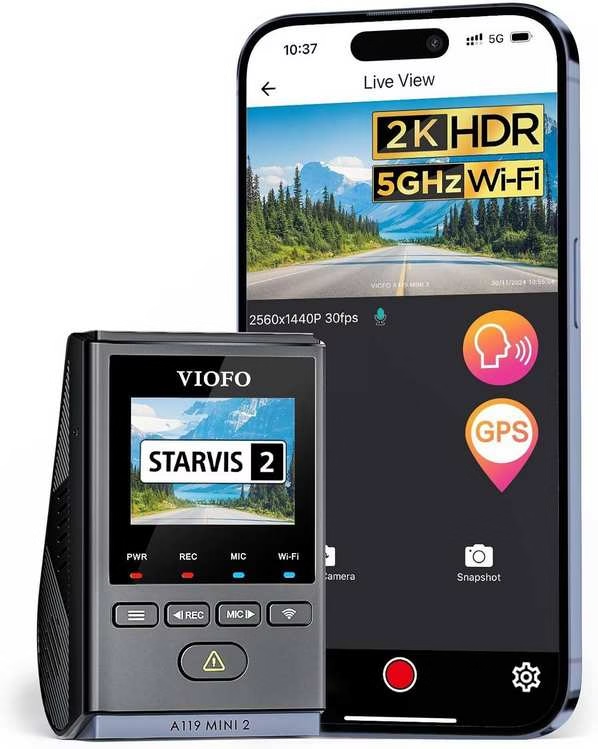
VIOFO A119 Mini 2
The Brutal Verdict: Buy if you prioritize **crystal-clear night footage** and long-term reliability for legal claims. Tolerate occasional flaky Wi-Fi; your footage is the priority, not the app.
Check Price on Amazon →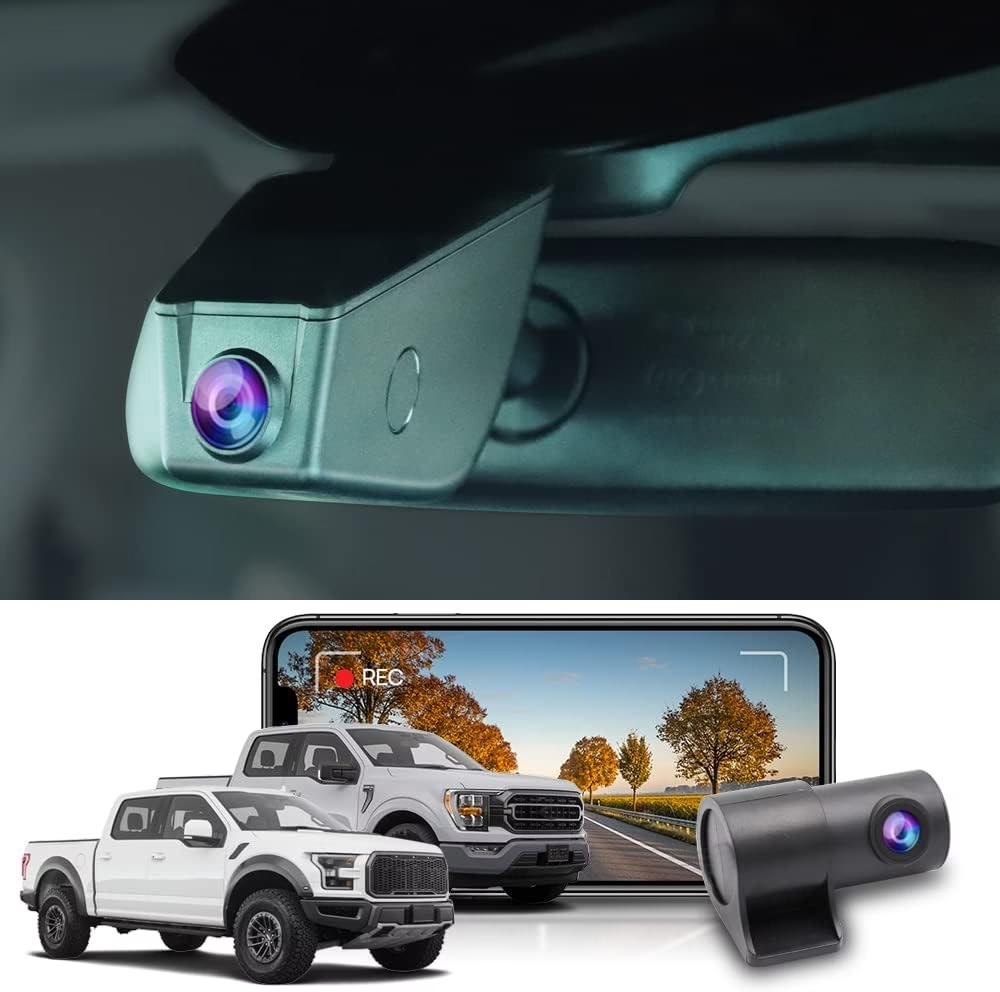
FitcamX
The Brutal Verdict: Buy **only** if invisibility is non-negotiable (valet/garage). Accept the risk that the 4K is fake and the app is painfully slow when you need the video.
Check Price on Amazon →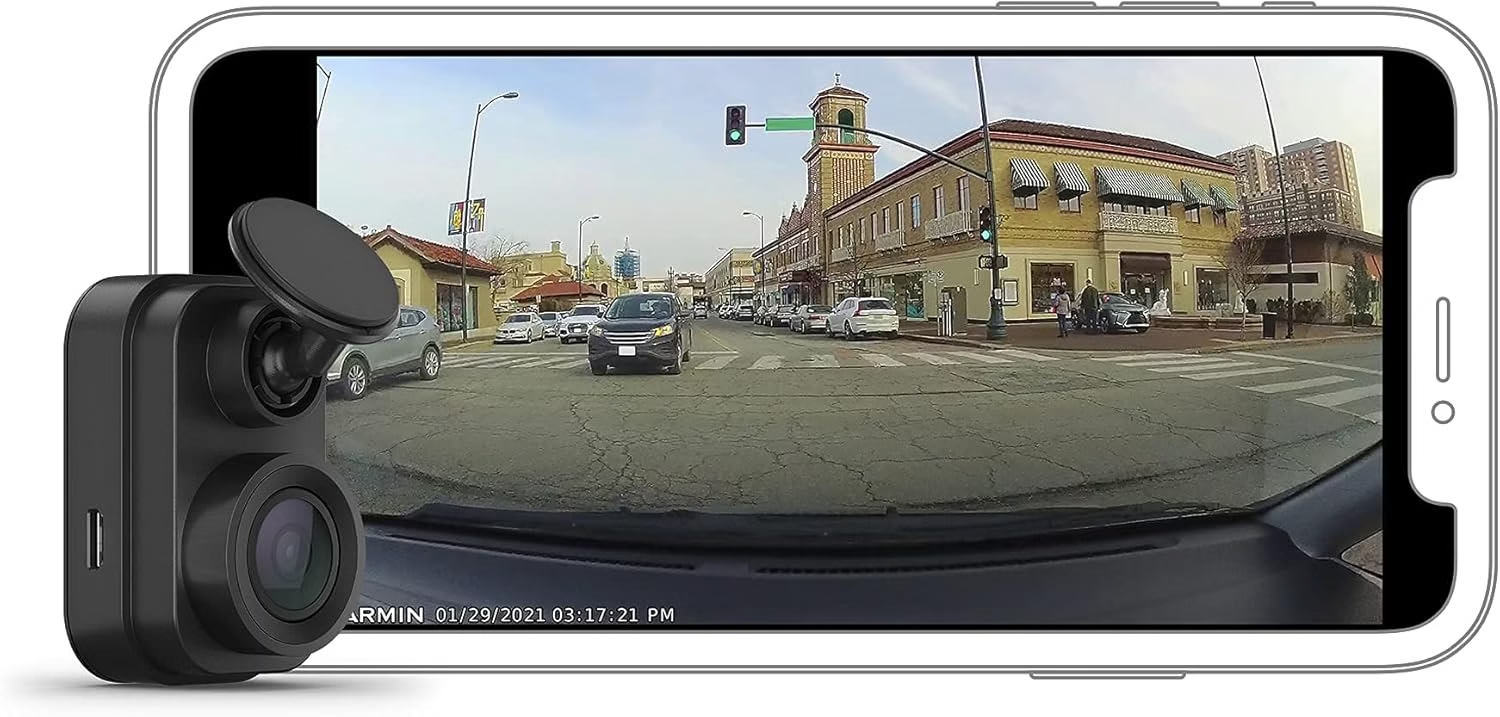
Garmin Dash Cam Mini 2
The Brutal Verdict: Buy if you just want something tiny for **daytime driving** clips. **Do not** rely on it for 24/7 parking mode, as it’s unreliable and prone to early failure.
Check Price on Amazon →Your goal is to decide which type of failure you can tolerate:
- Invisible but Fake: Do you prioritize a camera that’s perfectly hidden, even if the 4K video is upscaled garbage and the app is unusable?
- Tiny but Dead: Do you want the smallest possible device for basic driving clips, but accept it might randomly die after a year and the parking mode is a joke?
- Best Footage, Worst App: Do you need the best possible video evidence for court, but accept that VIOFO’s “convenient” app will inevitably frustrate you?
The answer determines which of the three leading fuse-free cameras is actually worth your money in 2026.
Want the “hardwired look” without the fuse-box puzzle? You’re not alone. A fuse-free dash cam setup can be fast, tidy, and surprisingly reliable. And if you still want to understand the fuse box dash cam route, this guide makes the logic feel simple instead of stressful.
- Fuse-free power options
- Choose your cleanest setup
- Fuse box overview (quick & clear)
- Which fuse to use (decision guide)
- How to connect to fuse box (safe overview)
- Front/rear + multi-channel systems
- Troubleshooting
- FAQ
Fuse-free power options (easy install, clean look)
“Fuse-free” means you skip the dash cam fuse tap and avoid opening the dash cam fuse box. You still get a clean install. You still get reliable power. You just swap the method. Here are the popular routes that keep things simple.
Great when you want fast, reversible installation. It’s a common alternative to install dash cam fuse box wiring. Clean routing matters. So does choosing a setup that doesn’t interfere with normal driving.
A favorite “looks factory” option. It can be a neat answer when you don’t want to hook up dash cam to fuse box. Tidy, hidden, and often quick.
The easiest path. Perfect if you want “plug-and-go” and don’t need parking mode. Cable management is the difference between “fine” and “wow.”
Useful when you want longer parked recording without leaning on the vehicle battery. It can be a clean alternative to a dash cam fuse kit for parking features.
Fuse-free vs fuse box hardwire (the real trade-off)
People often start with “what fuse do i use for dash cam” and end up choosing fuse-free because it’s faster and less intimidating. Here’s the honest comparison in plain language.
- Faster install and easier removal
- Less time spent on which fuse to tap for dash cam
- Great for leased vehicles or frequent upgrades
- Cleaner “hardwired” feel
- More flexibility for parking features
- Often preferred for a dash cam fuse box wiring finish
If you’re after the cleanest look with minimal effort, fuse-free is usually the friendliest path. If you want full control, fuse box dash cam methods can be worth it.
Choose the cleanest setup for your driving style
The “best” install is the one you’ll keep. The moment a setup feels annoying, you stop using it. So match the method to your routine, not your mood.
- If you just want it working today: go fuse-free with a tidy cable route. Fast wins.
- If you want a stealth look: choose a hidden power point approach and mount it high behind the mirror.
- If you care about parked recording: plan power first, then pick the camera features that match your goal.
- If you drive a lot for work: prioritize stability and easy clip access. “The best dash cam for truckers” is the one that never becomes a chore.
- If you’re running multi-camera: plan wiring paths before you stick anything down.
Fuse box basics (so the fuse questions finally make sense)
Even if you’re going fuse-free, understanding the fuse box dash cam logic helps you avoid confusion later. Most “dash cam fuse” discussions are really about one simple choice: do you want power only when the car is on, or also when it’s off?
Turns on with the car. Cleaner for daily recording. Often the simplest answer to which fuse should i use for a dash cam when you don’t need parking features.
Always available. Useful for parking features. This is where “what is the best fuse to hardwire a dashcam” discussions usually begin.
Why “which fuse to use for dash cam reddit” is so chaotic
Because every vehicle labels fuses differently, and people share answers like they’re universal. They’re not. The best fuse to connect dash cam power is the one that matches your goal and avoids sensitive circuits.
- Goal-driven choice: daily recording vs parked recording
- Stability first: choose circuits that behave consistently
- Avoid safety-critical circuits: keep wiring away from systems you don’t want to disturb
That’s why the best fuses to use for dash cam discussions should always start with the same question: what do you want the camera to do when the car is off?
Which fuse to tap for dash cam (simple decision guide)
If you’re determined to go the fuse box route, you’ll see the same questions everywhere: which fuse to use for dash cam, what fuse do i use for dash cam, which fuse should i use for a dash cam, and best fuse to tap for dash cam. Here’s the decision logic that keeps it sane.
For most people, switched power is the easiest win. If you want parking features, you’ll plan for constant power too. This is the “which fuse for dash cam” moment that actually matters.
The best fuse tap target is usually a non-critical accessory circuit with predictable behavior. If you’re unsure, a professional installer can help you avoid costly mistakes.
What “best fuse for dashcam” usually means in practice
- Predictable on/off behavior: no surprise power cycles
- Not safety-critical: avoid systems you don’t want to affect
- Correct fuse type and fit: match your vehicle’s fuse style
- Proper protection: a dash cam fuse kit should protect the camera and the circuit
How to hook up dash cam to fuse box (safe overview, not a wiring lesson)
Searches like how to connect dash cam to fuse box, how to hook up dash cam to fuse box, and how to install dash cam to fuse box all point to the same goal: a cleaner look than a dangling cable. Here’s the high-level flow people follow, without getting into risky details.
- Find the dash cam fuse box location. Identify the interior fuse panel and access area with enough working room.
- Decide switched vs constant power. This determines which fuse to use for dash cam behavior.
- Use a proper fuse tap. A dash cam fuse tap is designed to share a circuit while keeping protection in place.
- Secure a solid ground point. This is crucial for stability and reducing weird power behavior.
- Route wiring cleanly. Keep cables away from airbags and moving parts. Clean routing prevents future problems.
- Test, then tidy. Confirm startup behavior, then finish cable management so it stays invisible.
Fuse box wiring outcomes you actually want
- No flicker, no resets: stable power under normal driving
- Clean cabin look: no hanging cables across your view
- Predictable parking behavior: if you’re using parked features
- Easy future removal: especially if you upgrade later
If you’re comparing fuse-free versus install dash cam fuse box methods, the winning choice is the one you’ll confidently maintain. A perfect install that stresses you out isn’t perfect.
Front/rear and multi-channel systems (power planning made simple)
The more cameras you run, the more you should think about power and cable routing first. This matters whether you’re chasing the best dash cam for front and rear or stepping into multi-channel territory. More channels can be amazing. They just deserve a cleaner plan.
Great balance of coverage and simplicity. If you want the best dash cam for front and rear, plan the rear cable run before mounting anything.
Common in work vehicles: 3 channel dash cam with app, 3 channel dash cam with gps, or 3 channel dash cam with wifi and gps. These benefit from tidy routing and stable power.
A 4 channel dash cam system or 4 channel dash cam with parking mode adds coverage, but it also adds wiring complexity. Power planning matters more than ever.
A 6 channel dash cam is a serious setup. If you’re doing this for work or fleet use, professional installation is often the smartest “easy installation” move.
If you’ve been watching youtube best dash cam roundups, treat them as inspiration. Your install quality is what turns a good camera into a great experience.
Troubleshooting: common install headaches (and quick fixes)
Power problems
- Camera doesn’t turn on: check connection stability and confirm the power source behaves as expected.
- Random restarts: unstable power or loose grounding is a common cause, especially with multi-channel setups.
- Parking features inconsistent: confirm you’re using the intended power behavior (switched vs constant).
Video problems
- Blurry footage: clean windshield, re-level the mount, and reduce vibration.
- Missing clips: confirm loop recording is active and storage is healthy.
Install problems
- Cable showing: re-route along headliner and trim for a cleaner finish.
- Mount drifting: re-seat on clean glass and avoid textured windshield areas.
- Rattles: add gentle slack and secure cable touchpoints to stop vibration noise.
Frequently asked questions (fuse-free and fuse-box clarity)
Which fuse to use for dash cam if I only want recording while driving?
What is the best fuse to hardwire a dashcam for parking features?
Which fuse to tap for dash cam without causing weird electrical issues?
How to connect dash cam to fuse box in the cleanest way?
What fuse do I use for dash cam if I want front and rear coverage?
Do I need a dash cam fuse tap, or can I go fuse-free?
What about multi-channel systems like a 4 channel dash cam system or 3 camera dash cam for trucks?
Is fuse-free still reliable for daily driving?
Easy installation isn’t about shortcuts. It’s about smart choices. If you want the cleanest results with the least friction, fuse-free power is a strong default. And if you still want to understand which fuse to use for dash cam behavior, you now have the decision logic that makes it feel simple.
FitcamX
VIOFO Dash Cam A119 Mini 2
- **Evidence Quality:** Best daytime and night/HDR quality in the fuse-free category.
- **Sony Sensor:** Uses a true STARVIS-class sensor (not upscaled fake 4K).
- **Real Parking Mode:** Reliable buffered parking mode (requires hardwire/external battery).
Lede: Owners keep FitcamX because it disappears. Repeated reports call out the stealthy, OEM look and trivial plug-in install — it vanishes behind trim and looks factory-fitted.
Marketing vs. Reality Slap: FitcamX loudly sells “plug-and-play with built-in Wi-Fi & app” and “4K OEM quality.” Real users say the Wi-Fi/app is sluggish and the supposed 4K is upscaled nonsense — the camera pretends to be high-end but delivers mushy night images and weak plate reads.
Verdict:
Buy if you must have invisible hardware above all else and are okay pulling the SD card for actual footage.
Avoid if you expect reliable app downloads, real 4K clarity, or evidence-grade nighttime plate reads.
Garmin Dash Cam Mini 2 (Tiny Size)
Lede: People keep the Garmin Mini 2 because it’s tiny, barely there, and simple — it does the basic daytime recording reliably for most routine incidents.
Marketing vs. Reality Slap: Garmin markets small size plus parking guard/remote monitoring and a slick app experience. Owners report the parking mode and app as flaky and report premature failures — the “always-on protection” promise breaks down in real life.
Verdict:
Buy if your priority is the smallest, simplest drive-time recorder and you park in a secure garage or don’t rely on parking surveillance.
Avoid if you need dependable 24/7 parking monitoring or can’t tolerate missed crucial footage or short device lifespan.
VIOFO A119 Mini 2
Lede: VIOFO’s A119 Mini 2 survives repeated praise because it actually produces evidence-grade footage — strong daytime clarity and excellent night/HDR handling get mentioned again and again.
Marketing vs. Reality Slap: VIOFO touts image quality plus convenient Wi-Fi/app and voice control. Owners say the image promise holds, but the convenience layer (Wi-Fi, app, voice) can be flaky — sometimes the app won’t retrieve video or the unit stops recording, forcing manual workarounds.
Verdict:
Buy if your constraint is needing reliable, high-quality footage for insurance or legal disputes and you’ll hardwire or use an external power source for parking mode.
Avoid if you expect flawless wireless convenience and voice control out of the box.
Comparative Summary (Who Picks Which?)
This isn’t a comparison of the “best” features; it’s a cold, hard look at which camera’s inevitable failure point you are most willing to accept. These fuse-free models are all about compromises, and your choice depends entirely on your single, non-negotiable priority.
In-Depth Breakdown
1. Pick the VIOFO A119 Mini 2 if…
Your primary constraint is securing high-quality footage for insurance or legal disputes.
- Strength: It delivers superior image quality, especially at night, thanks to its true Sony STARVIS-class sensor performance.
- Compromise: You need to hardwire it (or use an external battery) to get dependable parking mode. Furthermore, owners report intermittent Wi-Fi/app instability and flaky voice control. The core video evidence is reliable, but the “convenience” features are marginal.
2. Pick the FitcamX if…
Your only constraint is that the camera must be invisible and look factory-fitted.
- Strength: It offers the best OEM look and the simplest, non-invasive plug-in installation. Valets or garage techs won’t spot it.
- Compromise: The camera often uses cheaper sensors upscaled to 4K, meaning plate readability and image fidelity are often worse than advertised. The app connection is slow and unreliable, forcing you to manually pull the SD card, which defeats the point of the plug-and-play Wi-Fi feature.
3. Pick the Garmin Dash Cam Mini 2 if…
You want the absolute smallest, easiest plug-and-play device strictly for recording everyday driving incidents.
- Strength: It is tiny, discreet, and delivers acceptable 1080p evidence for driving.
- Compromise: The marketed Parking Guard feature is notoriously unreliable for long-term use, even with the required hardwire accessories. There are concerning reports of units failing completely after 1–2 years. If you park in a public or unsecured location, this camera is not for you.
Final Verdict
- Need absolute stealth and a plug-and-play, no-visible-hardware install? FitcamX. Accept manual SD access and weaker night/plate fidelity.
- Want the tiniest, simplest daily driver cam and you don’t rely on parking mode? Garmin Dash Cam Mini 2. Accept spotty parking protection and some reports of early failure.
- Require the best real-world footage and longevity for evidence, and you’ll hardwire it? VIOFO A119 Mini 2. Accept intermittent app/voice annoyances; rely on the SD card or wired transfers for critical clips.
No fluff. No marketing slogans. Just what owners say when the honeymoon ends.
How to Secure a Mirror Adapter (Stop the Rattle)
Mirror adapters (like Dongar) are heavy and often vibrate loose inside the plastic trim, causing the camera to reboot over bumps.