
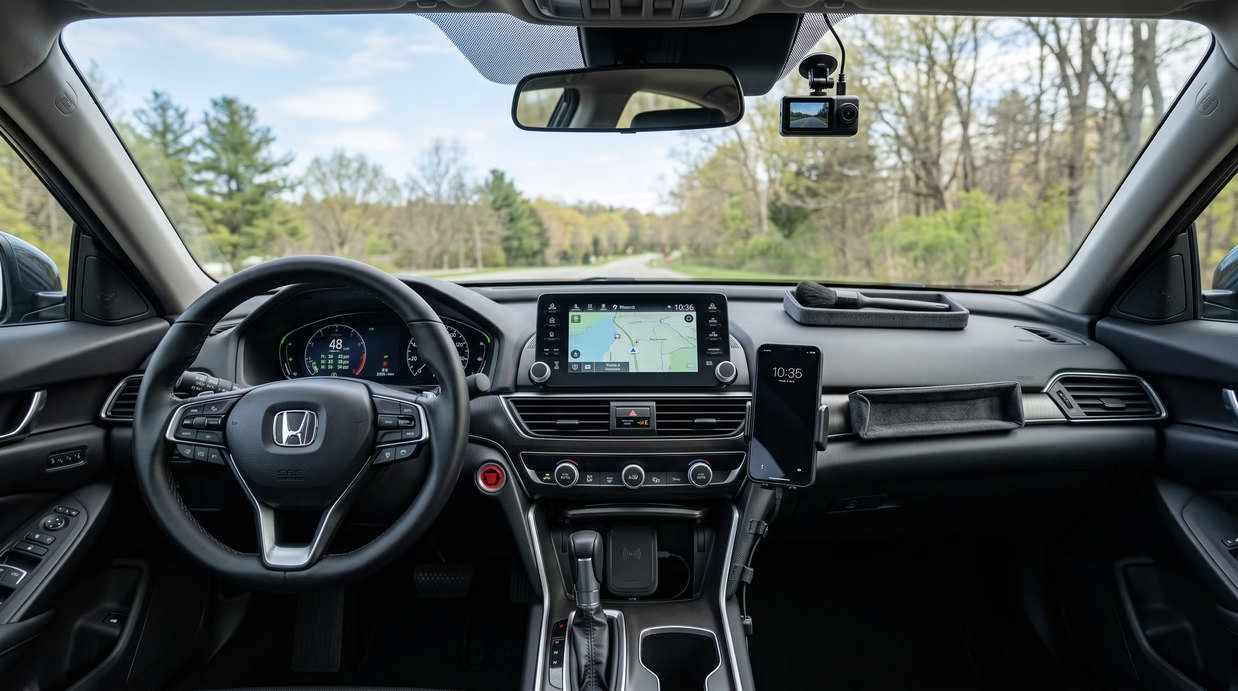
The best car dashboard accessories solve real problems without adding clutter. They can hold your phone, record road events, manage cables, store small items, or protect the dash from sun.
Yet not every accessory deserves space in your car. Some block your view, reflect light, or come loose on rough roads. This guide will help you choose practical products that suit your car and driving habits.
This page contains Amazon affiliate links. If you buy through them, I may earn a small commission at no additional cost to you.
Quick List of the Best Car Dashboard Accessories
Here is a quick look at the products covered below.
| 🚗 Dashboard Accessory | 👤 Best For | ⭐ Key Feature |
|---|---|---|
| Dashboard Phone Mount | Maps and hands-free calls | Firm grip |
| Magnetic Phone Holder | Small dashboard spaces | Magnet strength |
| Wireless Charging Mount | Charging while driving | Phone support |
| Dash Cam | Recording road events | Clear night video |
| Dashboard Storage Tray | Small-item storage | Vehicle fit |
| Anti-Slip Dashboard Mat | Holding light items | Heat-resistant material |
| Sunglasses Holder | Fast access to glasses | Soft inner lining |
| Dashboard Cover | Sun and surface protection | Exact vehicle fit |
| Cleaning Kit | Removing dust and grime | Soft brushes |
| Interior Protectant | Reducing fading and glare | Low-gloss finish |
| Multi-Port USB Charger | Charging several devices | Port output |
| Cable Organizer | Managing loose wires | Heat-resistant adhesive |
| 12-Volt Socket Splitter | Powering several devices | Safe load limit |
| Heads-Up Display | Easy speed checks | Daylight visibility |
| Tire-Pressure Display | Viewing tire readings | Sensor quality |
| Digital Inclinometer | Off-road travel | Clear display |
| Compact Air Freshener | Odor control | Adjustable scent |
Start with the issue that bothers you most. One well-chosen product often helps more than five random dashboard gadgets.
What Counts as a Car Dashboard Accessory?
A dashboard accessory is any add-on used on or near your car’s dash. It may sit on the dashboard, attach to a vent, or mount near the windshield.
These products tend to fall into five groups:
- Phone accessories: Phone holders and charging mounts
- Storage products: Trays, mats, and glasses holders
- Recording devices: Front or dual-camera dash cams
- Driving displays: Speed, tire pressure, and angle displays
- Care products: Covers, cleaners, brushes, and protectants
Style products also fit this group. These include ornaments, scent diffusers, trim pieces, and other car dashboard accessories ideas.
Not every interior product belongs on the dash. A seat organizer, floor mat, or trunk box serves a different area. Still, these items may work well beside your dashboard setup.
Placement matters as much as purpose. A useful product can become a problem if it blocks your view or covers a vent.
Keep your main sightline clear. You should also avoid airbag panels, screens, sensors, and warning lights.
Best Car Dashboard Accessories for Everyday Driving
The following products suit a wide mix of drivers. You may not need every one. Pick the items that solve a clear problem in your car.
1. Dashboard Phone Mount
![[True Military-Grade] Car Phone Holder VANMASS [Upgraded Strongest Suction&Clip] Cell Phone Mount for Dashboard](https://m.media-amazon.com/images/I/81p1uVT98KL._AC_SL1500_.jpg)
A dashboard phone mount keeps your phone within easy view. This helps when you use maps or take a hands-free call.
A good mount should hold your phone through turns and rough roads. It should also let you remove the phone with one hand.
Look for these features:
- A firm suction base or vehicle-specific bracket
- A one-hand release button
- An adjustable arm
- Full access to charging ports
- Support for your phone and case
- A ball joint for angle changes
Long arms offer more reach. However, they may shake more than short arms. A short, firm mount often works better on rough roads.
Check your dash before you buy. A suction cup may not stick well to a deep grain or curved panel.
You should also test the phone’s position from your normal seat. The screen must not hide the road, mirrors, or car controls.
Check PriceRecommended Dashboard Phone Mount: Choose a model with a stable base, one-handed controls, and an adjustable viewing angle.
2. Magnetic Phone Holder
![LISEN 2 Pack for MagSafe Car Mount [3800gf Strong Magnet&90+LBS Suction] 360° Adjustable Vacuum Magnetic Phone Holders for Your Car](https://m.media-amazon.com/images/I/81UnWkG1IUL._AC_SL1500_.jpg)
A magnetic phone holder offers a clean and simple setup. You place your phone against the mount, and the magnet holds it.
This type works well on small dashboards. It also takes less space than a full phone cradle.
Common designs include:
- Adhesive dashboard mounts
- Vent-mounted magnetic holders
- Suction-cup magnetic mounts
- Holders made for magnetic phone cases
A standard magnetic holder may need a thin metal plate. You place the plate inside your case or attach it to the back.
That plate may affect some wireless chargers. Check the product details before you pair both systems.
Heat is another concern. Weak adhesive may soften inside a hot parked car. Look for automotive-grade adhesive made for high heat.
A magnetic mount should hold your phone without slipping. Yet it should not need so much force that the base pulls free.
Check PriceRecommended Magnetic Mount: Look for a compact mount with heat-resistant adhesive and a strong magnetic hold.
3. Wireless Charging Phone Mount

A wireless charging mount holds and charges your phone at once. It can reduce loose cables around the dash.
Some models use powered arms that open and close by touch. Others use a simple clamp with a charging pad inside.
Before buying, check:
- Whether your phone supports wireless charging
- The mount’s charging speed
- Case thickness limits
- The power adapter needed
- The charging cable length
- Heat control
- Arm grip and stability
Wireless charging can create heat. Direct sun may add even more. Place the mount away from strong sunlight when possible.
A thick case can also slow or stop charging. Metal plates, wallets, and pop-out grips may cause the same issue.
This product is useful on long drives. It also suits drivers who use maps for much of the day.
Check PriceRecommended Wireless Charging Mount: Choose a model that holds your phone firmly on rough roads.
4. Front or Dual-Channel Dash Cam
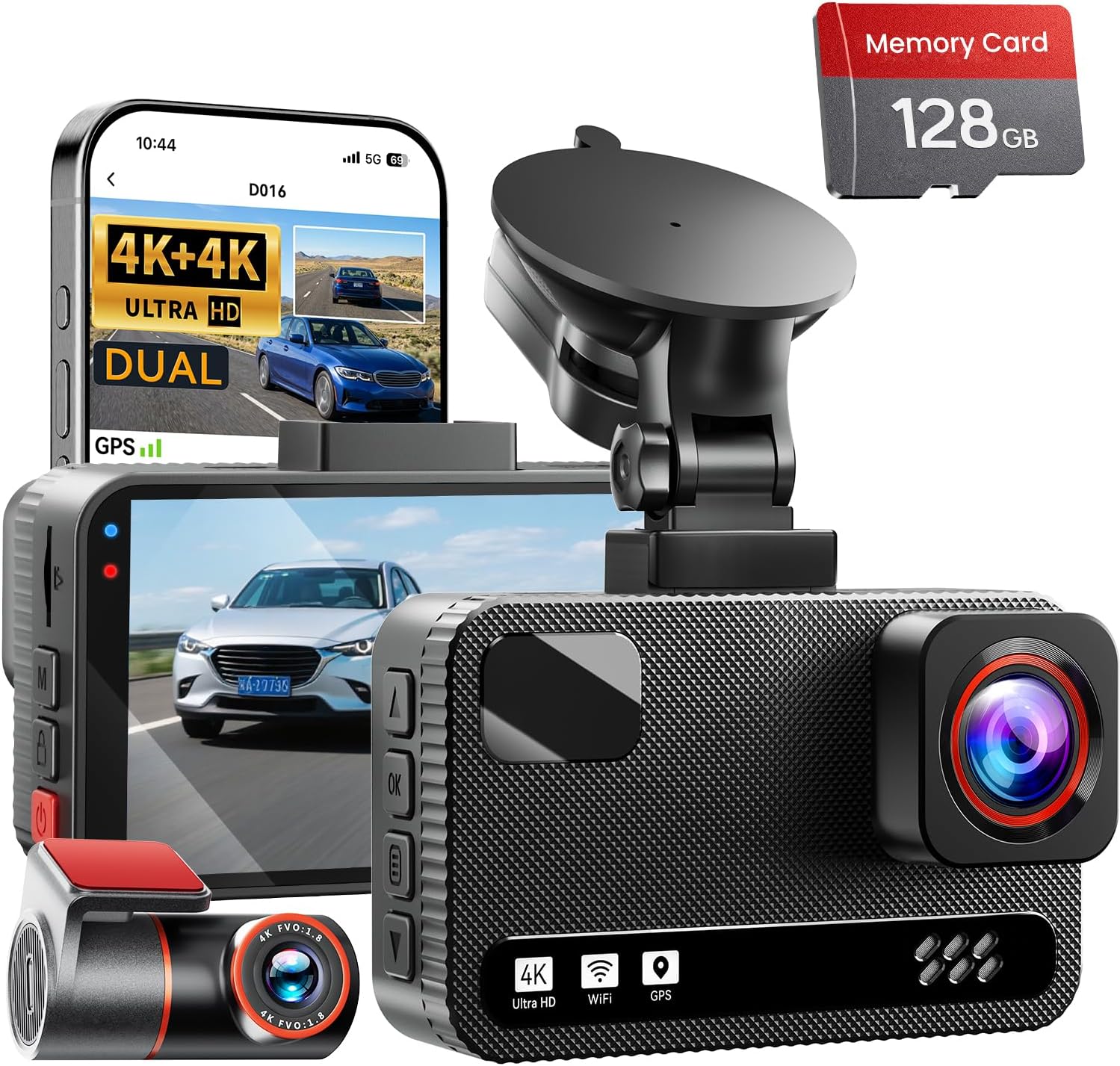
A dash cam records the road while you drive. It can save video of sudden stops, impacts, or unusual events.
A front camera records what happens ahead. A dual-channel system also records behind you or inside the cabin.
Useful dash cam features include:
- Loop recording
- Clear night footage
- A wide camera view
- Impact detection
- Parking mode
- Date and time stamps
- Phone app support
- Easy video downloads
Loop recording means the camera replaces old clips when storage fills. Important clips may be locked after a detected impact.
Parking mode can record while the car is off. It may need a special power kit or battery pack. Check the setup before you buy.
Video quality matters, but resolution is not the whole story. A camera also needs good exposure, clear night footage, and readable detail.
Check whether the camera includes a memory card. Many models require you to buy one separately. Use a card made for frequent video recording.
Cable length also matters. A rear camera needs enough cable to reach the back window without hanging loose.
Best Budget Dash Cam: A compact front-facing model suits drivers who want basic road recording.
Check Price
Best Front-and-Rear Dash Cam: A dual-camera system offers wider coverage for frequent drivers. Check Price
5. Dashboard Storage Tray

A storage tray turns an open dash area into a set place for small items. It can hold coins, cards, glasses, or a garage remote.
Vehicle-specific trays often look cleaner. They follow the shape of one car model and may fit without drilling.
Universal trays cost less and fit more cars. However, they may slide, block a vent, or sit poorly on a curved dash.
Check these points first:
- Your car’s year, make, and model
- The tray’s base shape
- Sidewall height
- Non-slip lining
- Heat resistance
- Access to vents and screens
- How the tray attaches
Do not fill the tray with heavy or sharp items. Loose items may fly forward during a hard stop.
A tray works best for light objects you use while parked. It should not tempt you to reach for items while driving.
Check PriceRecommended Dashboard Storage Tray: Vehicle-specific trays often provide a cleaner fit than universal choices.
6. Anti-Slip Dashboard Mat

An anti-slip mat gives light objects more grip. It is cheap, easy to move, and needs little setup.
Most mats use silicone or soft rubber. Their surface helps stop cards and glasses from sliding during normal driving.
A good mat should be:
- Easy to wash
- Free from strong odors
- Made for high cabin heat
- Gentle on dash material
- Thick enough to stay flat
- Free from oily residue
Do not place a heavy phone on the mat during a drive. A mat is not as secure as a proper phone mount.
You should also avoid sharp tools and glass objects. They can become a risk during a sudden stop.
Some mats may mark soft dashboard panels. Test the mat in a hidden spot before long-term use.
Check PriceRecommended Anti-Slip Mat: Look for a washable mat that will not leave residue or stain the dash.
7. Dashboard-Mounted Sunglasses Holder
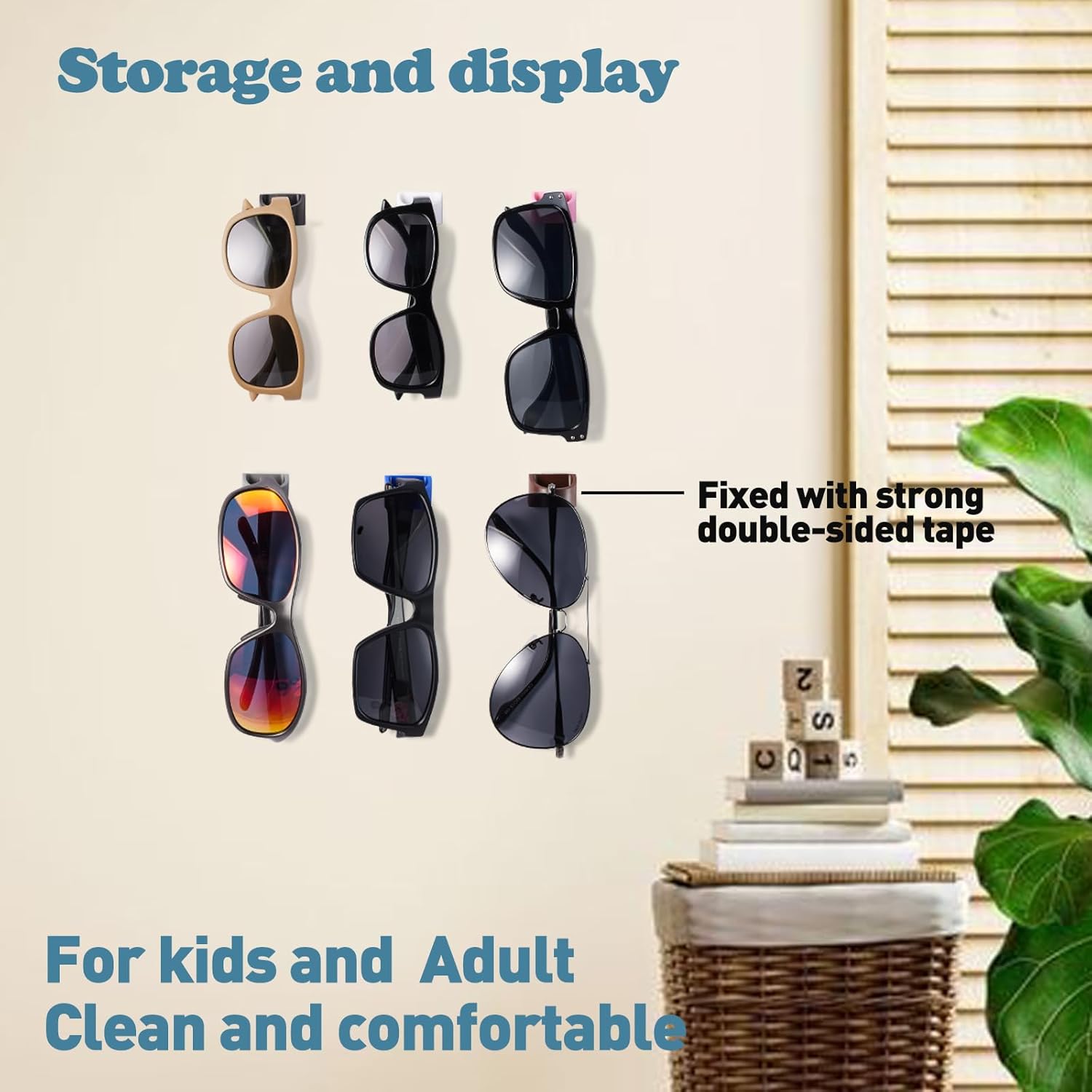
A sunglasses holder gives your glasses a fixed home. You can reach them without searching through a storage box.
Most holders use a clip, adhesive pad, or spring latch. Some attach near the dashboard. Others fit on the sun visor or an air vent.
Look for:
- A soft inner lining
- One-hand access
- Enough room for thick frames
- A firm grip over rough roads
- A low-profile design
- Heat-resistant parts
Hard plastic may scratch lenses. A soft lining helps protect both the frame and the lens.
Check how the holder opens. It should not release your glasses during a sharp turn.
Place it where you can reach it while parked. It should not hide a warning light or sit over an airbag panel.
Check PriceRecommended Sunglasses Holder: Select a soft-lined holder that will not scratch lenses or loosen on rough roads.
Dashboard Accessories for Protection and Maintenance
Your dashboard faces heat, dust, sunlight, and daily contact. The right care products can help it stay clean and neat.
These items also tend to cost less than electronic upgrades. That makes them a good starting point for a new car owner.
8. Vehicle-Specific Dashboard Cover

A dashboard cover sits over the upper dash surface. It may help reduce glare and shield the panel from direct sun.
Fit matters more than style. A poor cover may block a vent, sensor, or speaker. It may also slide if the base lacks grip.
Check for openings around:
- Defroster vents
- Light sensors
- Audio speakers
- Factory displays
- Passenger airbag panels
- Heads-up display units
Never cover an airbag panel. Check your owner’s manual if you cannot find its location.
Fabric covers tend to feel soft and reduce glare. Molded covers may fit more closely but can cost more.
Color also makes a difference. Dark, matte shades often reflect less light onto the windshield.
Some covers use adhesive tabs. Others use a shaped base. If you lease your car, choose a setup that leaves no marks.
Check PriceRecommended Dashboard Cover: Choose a vehicle-specific cover with correct openings for vents, sensors, and safety parts.
9. Dashboard Cleaning Gel and Detailing Brush Set

Dust collects around buttons, vents, seams, and screen edges. A normal cloth may not reach these tight spots.
A detailing kit gives you tools for each surface. A useful set may include:
- A soft round brush
- A narrow vent brush
- Microfiber cloths
- Cleaning gel
- A small crevice tool
- A soft screen cloth
Use brushes with light pressure. Hard bristles may mark glossy trim or soft plastic.
Cleaning gel can lift crumbs and dust from small gaps. Do not press it into electrical ports or deep openings.
Check the gel before each use. Throw it away if it becomes sticky, wet, or starts leaving bits behind.
A microfiber cloth works best for broad surfaces. Spray cleaner onto the cloth, not straight onto switches or screens.
Check PriceRecommended Dashboard Cleaning Kit: A set with soft brushes and microfiber cloths gives you more control than gel alone.
10. Interior UV-Protectant Cleaner
An interior protectant helps care for plastic, vinyl, and rubber. Some products also clean light dust and marks.
Choose a low-gloss finish. A shiny dashboard can cast bright light onto the windshield.
Look for a product that is:
- Safe for your dash material
- Low in shine
- Easy to wipe away
- Free from greasy residue
- Mild in scent
- Clear about screen use
Do not use one cleaner on every surface. Touchscreens, clear gauge covers, leather, and soft trim may need separate care.
Test the product in a hidden area first. This helps you spot color changes or unwanted shine.
Apply a small amount to a cloth. Spread it in a thin layer, then buff away any extra.
Check PriceRecommended Interior Protectant: Favor a low-gloss formula to limit distracting windshield reflections.
Dashboard Accessories for Charging and Cable Control
Loose wires make a dashboard look messy. They may also hang near controls or catch on your hand.
A few small charging tools can clean up the setup. Just make sure your car can support the total power load.
11. Multi-Port USB Car Charger

A multi-port charger plugs into your car’s 12-volt socket. It can charge phones, tablets, cameras, and other small devices.
Modern chargers often include both USB-A and USB-C ports. USB-C is the smaller oval port used by many new devices.
Check these details:
- The number of ports
- Output from each port
- Total shared output
- Fast-charge support
- Plug depth
- Heat protection
- Fit inside your car’s socket
A charger may list high total power. Yet it may split that power between ports. Read the per-port rating before buying.
A short plug looks neat. A longer body may be easier to remove from a deep socket.
Do not force a loose or poorly fitting charger. Stop using it if it becomes very hot, smells burnt, or cuts power often.
Check PriceRecommended Multi-Port Charger: Choose a compact charger that supports the charging needs of your devices.
12. Adhesive Cable Clips or Cable Organizer

Cable clips guide wires along the dash or center area. They can stop a charging cable from falling near your feet.
Small clips work best for one wire. Larger clips may hold a group of thin cables.
Before you buy, check:
- Cable thickness
- Clip opening size
- Adhesive type
- Surface support
- Heat rating
- Removal method
Clean the mounting area before applying the clip. Dust and interior polish can weaken the bond.
Let the adhesive set before adding a cable. The product may list a wait time.
Avoid placing clips on leather or soft-touch trim. Strong adhesive may pull away the top layer.
You can also use reusable hook-and-loop straps in hidden areas. They hold several cords and leave less residue.
Check PriceRecommended Cable Clips: Small, heat-resistant clips can create a cleaner setup without permanent changes.
13. 12-Volt Socket Splitter

A socket splitter turns one 12-volt outlet into two or more. It helps if you use a dash cam, charger, and display at once.
Some models also include USB ports and an input voltage screen. Others have separate power switches for each socket.
Useful features include:
- A built-in fuse
- Clear power limits
- Short-circuit protection
- Heat protection
- Individual switches
- A firm socket connection
- Clear port labels
Add the power needs of all connected devices. Keep the total below the splitter and vehicle outlet limits.
High-power items may not suit a basic splitter. These can include heaters, large coolers, and air pumps.
Place the unit where it cannot block the gear lever or car controls. Secure any long cable so it cannot reach the pedals.
Check PriceRecommended 12-Volt Splitter: Choose a fused model with clear power ratings and heat protection.
Dashboard Displays and Driving Information
Older cars may not show every detail you want. An add-on display can show speed, tire pressure, direction, or vehicle angle.
These tools work best when they stay easy to read. Too much data can become a distraction.
14. Heads-Up Display

A heads-up display shows basic vehicle data near your normal line of sight. Many units show speed, voltage, or trip details.
There are two common types:
- Vehicle-data units: Read data from the car
- GPS units: Find speed through satellite signals
A vehicle-data unit may show more details. Yet it may not work with every car.
GPS units support more vehicles. However, they may take time to find a signal after startup.
Check for:
- Car support
- Screen brightness
- Auto-dimming
- Clear daytime text
- Low glare at night
- Speed unit choices
- Easy setup
The display should stay below your main view of the road. Bright graphics can be hard on your eyes at night.
Check PriceSome models reflect data onto the windshield. Others use a small built-in screen. A built-in screen often gives a cleaner image.
Recommended Heads-Up Display: Check vehicle support before choosing a unit that connects to the car’s data port.
15. Tire-Pressure Monitoring Display
A tire-pressure display shows pressure from each tire. It can help older cars that lack individual readings.
Most add-on kits use small sensors. These screw onto each tire valve and send data to a dash display.
Some systems also track tire heat. This offers an extra clue when a tire starts to act in an odd way.
Look for:
- Clear pressure readings
- Adjustable warning levels
- Replaceable sensor batteries
- Weather-resistant sensors
- A theft-resistant sensor design
- Easy sensor pairing
- Pressure unit choices
- A screen you can read in sunlight
External sensors are easy to fit. They may need anti-theft nuts and regular battery checks.
A tire display does not replace manual checks. Use a good tire gauge to confirm an odd reading.
You also need the correct pressure for your car. Check the label inside the driver’s door area, not the number on the tire wall.
Check PriceRecommended Tire-Pressure Display: Select a system with replaceable batteries and adjustable warning levels.
16. Digital Inclinometer or Compass

A digital inclinometer shows the car’s tilt and slope. Some models also include a compass, clock, or voltage screen.
This is a niche tool. It makes more sense for trail use, camping, and rough-road travel than normal city driving.
Check these points:
- Screen clarity
- Night brightness
- Angle range
- Calibration steps
- Mount stability
- Power cable length
- Compass support
- Screen size
Treat the angle display as a handy guide. Do not treat it as proof that a path is safe.
Mount the unit low on the dash. A large screen may block too much of the windshield.
A simple compass may be enough for many drivers. Extra data has little value if you never use it.
Check PriceRecommended Digital Inclinometer: Look for a clear display and a secure, low-profile mounting system.
Dashboard Accessories for Comfort and Personalization
Not every dashboard upgrade needs a technical purpose. Scent and style can make your car feel more personal.
Still, keep each item small and secure. Comfort should not come at the cost of a clear view.
17. Compact Car Air Freshener

A compact air freshener can make the cabin feel more pleasant. Small vent units also take up less dash space.
Common forms include:
- Solid scent blocks
- Vent clips
- Refillable diffusers
- Scented wood pieces
- Gel containers
Choose a design that lets you control the scent. Strong fragrance can bother you or your passengers.
Avoid open liquids on the dashboard. Heat may cause leaks, and spilled oils can mark plastic.
Check refill costs before you buy a diffuser. A cheap unit may cost more over time if it needs special refills.
If you or a passenger gets headaches from scent, use a mild option. Odor removal may work better than adding fragrance.
Check PriceRecommended Car Air Freshener: A refillable model with scent control gives you more choice over fragrance strength.
Optional Minimal Dashboard Decoration
Car dashboard accessories cute enough to add personality are easy to find. Small animals, plants, figures, and moving ornaments remain popular choices.
You may also want car dashboard accessories unique to your taste. These can include custom name plates, simple trim pieces, or handmade accents.

Choose style items with care. The best ornament is small, light, and firmly attached.
Avoid decorations that:
- Block part of the windshield
- Reflect sunlight
- Flash or glow while driving
- Sit above an airbag
- Have sharp edges
- Use weak adhesive
- Move enough to draw your eyes
You may also see car dashboard hanging accessories. These often hang from the mirror or another upper point.
A hanging item can swing during turns. It may block part of your view or draw your attention. Keep it very small, or place it elsewhere.
Local rules on hanging objects can differ. Check the rules that apply where you drive.
Check PriceRecommended Minimal Dashboard Decoration: Choose something light, secure, and small enough to keep your view clear.
How to Choose the Right Car Dashboard Accessories
A product can look useful online but fit poorly in your car. Check size, placement, surface type, and power needs first.
The following checks will help you avoid wasted money and a cluttered dash.
Check Vehicle Compatibility
Start with your car’s year, make, and model. Small changes between model years can affect fit.
Vehicle-specific products may need an exact match. This applies to:
- Dashboard covers
- Molded storage trays
- Custom brackets
- Display mounts
- Trim pieces
- Cable kits
Universal products still need enough space. Measure the area before ordering.
Check the dashboard surface too. A suction mount may fail on deep texture. Strong adhesive may harm soft-touch material.
Your steering position also matters. A right-hand-drive car may need a different mount spot than a left-hand-drive car.
Read the full size details. Product photos can make a mount or display look smaller than it is.
Avoid Blocking the Driver’s View
Sit in your normal driving position before picking a mount spot. Look at the road, mirrors, and corners of the windshield.
An accessory should not hide:
- People near a crossing
- Other vehicles
- Road signs
- Traffic lights
- The edge of a curve
- Your mirrors
- Warning lights
A phone should sit close enough to glance at without covering the road. Keep it lower rather than placing it near the center of the windshield.
Test the setup in daylight and at night. A screen that looks fine by day may feel too bright after dark.
If an item blocks even a small but useful part of your view, move it.
Keep Clear of Airbags and Safety Equipment
Modern cars have airbags in several cabin areas. The dashboard may contain one for the front passenger.
Do not attach a tray, cover, mount, or ornament over an airbag panel. The item may block the panel or move with force during an airbag release.
Keep accessories away from:
- Airbag labels and panel lines
- Driver-assist cameras
- Light sensors
- Defroster vents
- Audio speakers
- Factory screens
- Warning lights
- Climate controls
Your owner’s manual can show the airbag areas. Check it before you attach any broad dashboard product.
When in doubt, choose another spot.
Consider Heat Resistance
A parked car can become very hot. Sunlight also hits the top of the dash for hours.
Low-grade materials may warp, fade, melt, or smell. Weak adhesive may release without warning.
Look for:
- Heat-rated adhesive
- Sun-resistant plastic
- Automotive-grade silicone
- Heat protection in chargers
- Non-melting cable clips
- Fade-resistant fabric
Dark products may absorb more heat. Electronics placed in direct sun may run hotter than expected.
Remove battery-powered devices if their maker warns against cabin heat. Do not leave loose batteries on the dash.
Check mounts more often during hot months. Replace any pad that starts to lift.
Check Mounting Method
Each mounting method has a clear tradeoff.
Suction Cups
Suction cups are easy to move. They work best on smooth glass or smooth mounting pads.
They may struggle on curved or textured dashboards. Heat can also weaken the seal.
Adhesive Pads
Adhesive pads create a neat, firm setup. They work well for small mounts and cable clips.
Removal may leave residue or mark soft trim. Test the surface first.
Magnetic Mounts
Magnetic mounts allow fast phone placement. They also use less space than cradle mounts.
They may need a plate or special phone case. That plate may affect wireless charging.
Vent Clips
Vent clips do not need dash adhesive. They keep the phone near the center controls.
However, they may block airflow. Heavy phones can also put strain on thin vent slats.
Vehicle-Specific Brackets
These brackets tend to fit well and feel firm. Some attach through gaps in the existing trim.
They often cost more. They may also fit only one car model or model year.
Choose Low-Glare Materials
Glossy surfaces can reflect sunlight onto the windshield. Bright trim may also create glare at night.
Choose matte or low-gloss finishes for:
- Dashboard covers
- Storage trays
- Cleaning products
- Display frames
- Phone mounts
- Decorative pieces
A dark color does not always mean low glare. Smooth black plastic can still reflect light.
Test each product from the driver’s seat. Move or remove it if the reflection becomes distracting.
Keep display brightness low at night. Use auto-dimming if the device supports it.
Prioritize Easy Removal
Removable accessories make sense for leased cars and shared vehicles. They also help if you change cars often.
Good removable choices include:
- Vent mounts
- Suction mounts
- Hook-and-loop cable straps
- Free-standing trays with grip bases
- Clip-on holders
Adhesive products can still work. Choose ones that list a clean removal method.
Do not pry hard plastic tools against soft dashboard trim. Slow removal with mild heat may help, but follow the maker’s directions.
Clean leftover residue with a product safe for that surface. Avoid harsh solvents.
Match the Product to the Actual Problem
Begin with one simple question: What do you want to fix?
Your answer may be:
- My phone keeps sliding.
- I need better access to maps.
- My charging cables look messy.
- I want video from each drive.
- Small items fill my cup holders.
- The dash gets too much sun.
- Dust builds up near the vents.
- My car lacks tire pressure readings.
Now choose one product for that issue. Use it for a week before adding something else.
This slow approach keeps the dashboard clean. It also helps you avoid buying products that look fun but add little value.
Best Dashboard Accessories by Use Case
Your driving habits should shape your setup. A daily commuter does not need the same tools as an off-road driver.
Use these groups as a quick starting point.
Best for Daily Commuters
Daily drivers need simple tools that save time and reduce mess.
A useful commuter setup may include:
- A firm phone mount
- A compact USB-C charger
- Two or three cable clips
- A soft-lined glasses holder
Keep the setup small. You may use these products twice each day, so ease of use matters.
Daily Commuter Dashboard Kit
Phone mount
USB-C charger
Cable clips
Best for Long Road Trips
Long trips place more demand on your phone, tires, and storage space.
Useful road trip products include:
- A wireless charging mount
- A front or dual dash cam
- A tire-pressure display
- A low-profile storage tray
- An adjustable air freshener
Set up each product before the trip. Do not try to fit clips, pair sensors, or route wires while rushed.
Download any needed dash cam app in advance. You should also test the memory card and charging setup.
Dashboard gear is only one part of a comfortable trip. For a full cabin layout, see our road trip car set-up guide, or the back-seat setup if you carry passengers.
Best for Rideshare and Delivery Drivers
Frequent stops and long work hours call for durable products.
A practical setup may include:
- A heavy-duty phone mount
- A front-and-cabin or front-and-rear dash cam
- A multi-port charger
- Heat-resistant cable clips
- A dashboard cleaning kit
Choose a phone mount that works with one hand. Check that it does not shake each time you touch the screen.
A camera with easy file access can also save time. Make sure any cabin recording follows local rules.
Rideshare Driver Dashboard Kit: Focus on mount strength, charging speed, and easy cleaning.
Check Price
Best for Small Cars
A small dashboard needs low-profile products. Large mounts and wide organizers can make the cabin feel cramped.
Good choices include:
- A compact magnetic mount
- A narrow storage tray
- Small cable clips
- A vent clip air freshener
- A short multi-port charger
Measure the available space. Check whether the phone blocks the screen, gear lever, or climate controls.
Avoid loading each open area with an accessory. One mount and one cable system may be enough.
Best for Older Vehicles
Older cars may lack USB ports, digital speed screens, and tire data.
Useful add-ons include:
- A GPS speed display
- A tire-pressure kit
- A multi-port USB charger
- A compact dash cam
- A digital clock or compass
Check the car’s power outlets before adding several devices. Older sockets may not suit a high total load.
A GPS display can work across many cars. A unit that reads vehicle data may have stricter support needs.
Best for Hot and Sunny Climates
Strong sun can affect adhesive, electronics, and dashboard material.
Consider these products:
- A fitted dashboard cover
- A low-gloss interior protectant
- A heat-resistant phone mount
- Automotive-grade cable clips
- A windshield sunshade for parked use
A sunshade is not a dashboard accessory, but it can help protect the whole setup while parked.
Check adhesive mounts often. Replace any pad that curls or slides.
Best for New Car Owners
A new car does not need a full set of add-ons. Start with products that protect it and support daily use.
Good first choices include:
- A dash cam
- A soft cleaning kit
- Removable cable clips
- A non-permanent phone mount
- A low-gloss interior protectant
Avoid permanent screws and strong adhesive until you know the cabin well.
Use the car for a few weeks. You may find that built-in storage and charging meet most of your needs.
Dashboard Accessories to Avoid
Some products create more trouble than value. They may block your view, damage the dash, or pull your eyes from the road.
Be careful with the following items:
- Large ornaments: They can hide part of the road.
- Loose heavy objects: They may move during a hard stop.
- Reflective covers: They can cast glare onto the windshield.
- Weak suction mounts: They may fall without warning.
- Sticky mats with residue: They can stain or mark dash material.
- Bright decorative lights: They can distract you at night.
- Airbag-mounted products: They may affect a safety system.
- Oversized phone mounts: They may block controls or vents.
- Poorly rated power splitters: They may overheat under load.
- Strong liquid scents: They may leak in a hot car.
- Sharp decorations: They add needless risk.
- Unsecured hanging items: They may swing into your view.
Be wary of a product that needs a large drill hole for a small gain. Permanent changes can lower appeal when you sell the car.
You should also question products with no clear size details. The item may look neat in a photo but feel huge on your dashboard.
A safe setup often looks simple. If an accessory does not serve a clear use, leave it out.
Are Car Dashboard Accessories Worth It?
Yes, well-chosen dashboard accessories can be worth buying. The key is to solve a real problem.
A phone mount may help you see map prompts. A dash cam may record road events. Cable clips can clean up loose wires.
The value drops when you buy too many products. A crowded dashboard is harder to clean and may create more distractions.
For broad use, these categories offer the most practical value:
- Phone mounts
- Dash cams
- Cable organizers
- Multi-port chargers
- Dashboard cleaning tools
- Storage trays
Special displays suit fewer drivers. A tire-pressure screen may help an older car. An inclinometer makes more sense off-road.
Style products have personal value. Keep them low, light, and firmly fixed.
Buy for your car, not for a product photo. A simple setup with two useful items often beats a dashboard full of gadgets.
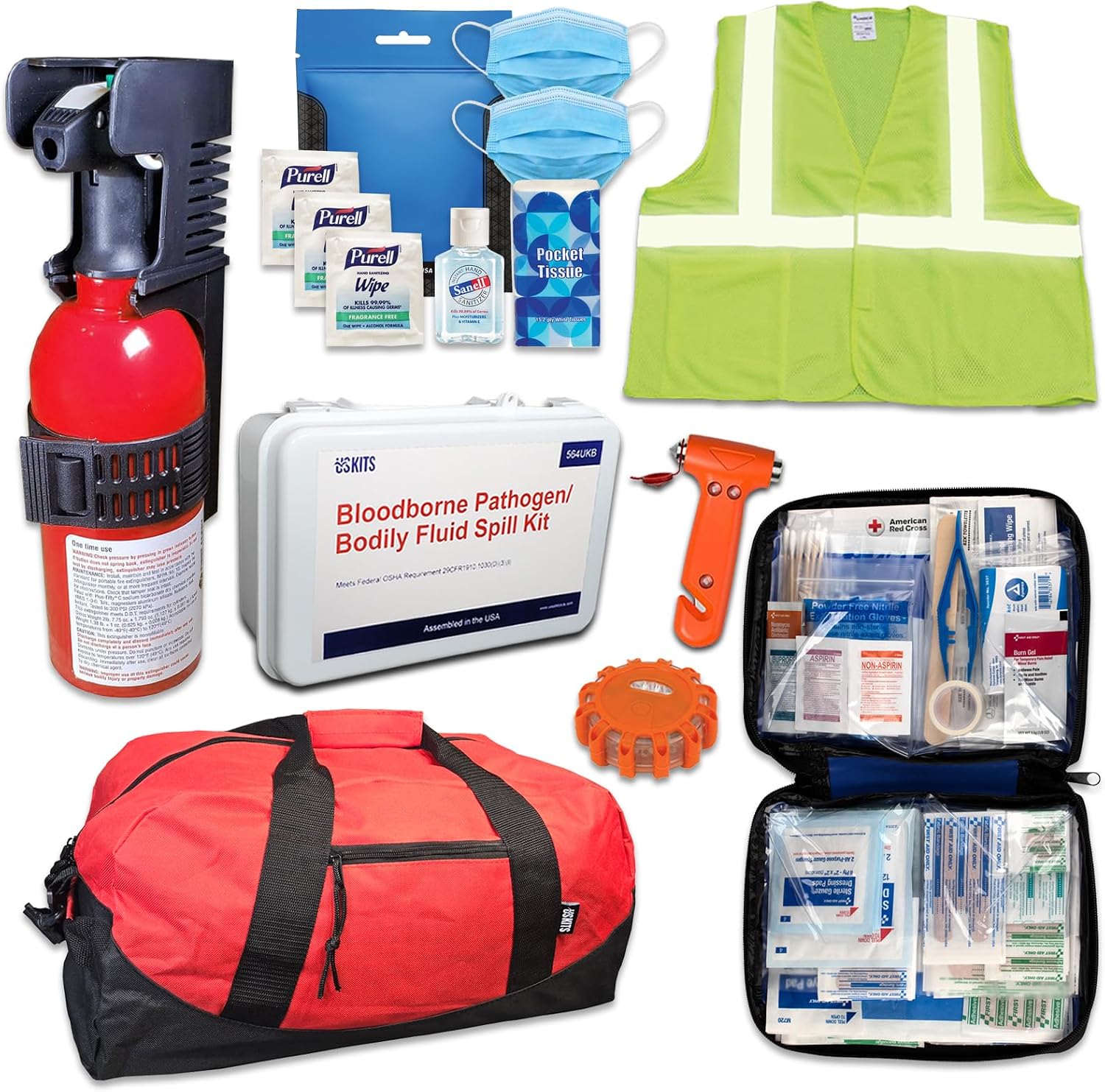
Once your dash is sorted, prepare for the unexpected too. Our car emergency kit guide covers what to keep in your trunk.
Frequently Asked Questions
What are the most useful car dashboard accessories?
The most useful products solve common daily problems. These often include:
- A secure phone mount
- A dash cam
- A storage tray
- A multi-port charger
- Cable clips
- A cleaning brush kit
- A fitted dashboard cover
Your best choice depends on your car. Start with the problem you notice most.
What should I put on my car dashboard?
Place only light, secure, and useful items on the dash. Keep each product low and outside your main view.
Good options may include a phone mount, small display, or fitted tray. Avoid loose tools, glass items, and heavy decorations.
Do not cover airbag panels, sensors, vents, or warning lights.
Are anti-slip dashboard mats safe?
An anti-slip mat can hold light items during normal driving. It should not replace a proper mount for a phone or other heavy object.
Keep sharp and hard objects off the mat. They may move during a sudden stop.
Check the mat for residue and heat damage. Remove it if it starts to melt, stain, or curl.
Do dashboard phone mounts damage the dashboard?
Some mounts can mark the dash. The risk depends on the surface, adhesive, heat, and removal method.
Soft-touch and leather-like panels may be more prone to damage. Strong adhesive can pull at their top layer.
Use a removable mounting pad when possible. Test adhesive in a hidden spot before long-term use.
Is a dashboard mount better than a vent mount?
A dashboard mount often offers more placement choices. It may also hold a heavy phone better.
A vent mount takes less space and needs no dash adhesive. Yet it can block airflow or strain a weak vent.
Choose based on your car’s layout. Neither style works best in every vehicle.
Can dashboard accessories interfere with airbags?
Yes. A product may cover an airbag panel or sit in the path of an opening airbag.
Avoid placing covers, trays, mounts, and ornaments over marked airbag areas. Check your owner’s manual if you are unsure.
Do not guess based on the shape of the dashboard.
How do I keep dashboard accessories from falling off?
Clean the surface before fitting the product. Remove dust, grease, and interior polish.
Then follow these steps:
- Dry the area fully.
- Fit the product at the listed temperature.
- Press the adhesive for the stated time.
- Let it set before adding weight.
- Check the mount after hot days.
For a textured dash, use a vehicle-specific bracket or another mounting style.
Are dashboard covers worth buying?
A dashboard cover may help limit glare and direct sun exposure. It can also hide an old or marked surface.
The cover must fit your exact dashboard. It should leave vents, sensors, speakers, and airbag areas open.
Choose a dark matte finish. Bright or shiny fabric may reflect onto the windshield.
What are the best dashboard accessories for a road trip?
A road trip setup should support charging, phone placement, tire checks, and video recording.
Useful choices include:
- A firm phone mount
- A fast car charger
- A dash cam
- A tire-pressure display
- Cable clips
- A small storage tray
Test each item before leaving. A long trip is not the best time to find a weak mount or faulty cable.
How can I decorate my dashboard safely?
Keep decorations light, small, and low. Fix them firmly away from airbags and your view of the road.
Avoid bright lights, reflective faces, sharp edges, and large moving parts.
If you like car dashboard hanging accessories, make sure they do not swing into your sightline. Check local rules before hanging anything near the windshield.
What is the best dashboard accessory under $25?
Prices change, but several product types often fall near this range:
- Cable organizers
- Anti-slip mats
- Cleaning brush sets
- Simple magnetic mounts
- Sunglasses holders
- Compact chargers
- Small storage trays
Do not choose by price alone. Check material, size, mounting style, and fit.
Final Verdict
The best car dashboard accessories make one part of your drive easier. They should not block your view, damage the dash, or add needless clutter.
A phone mount is a strong first choice for map users. A dash cam suits drivers who want a video record. Cable clips and storage trays help keep the cabin neat.
Check your dashboard shape before you order. Look for heat-safe parts, low-glare finishes, and a secure mount.
Most of all, buy for a clear need. A small, thoughtful setup will serve you better than a dashboard packed with random gadgets.