
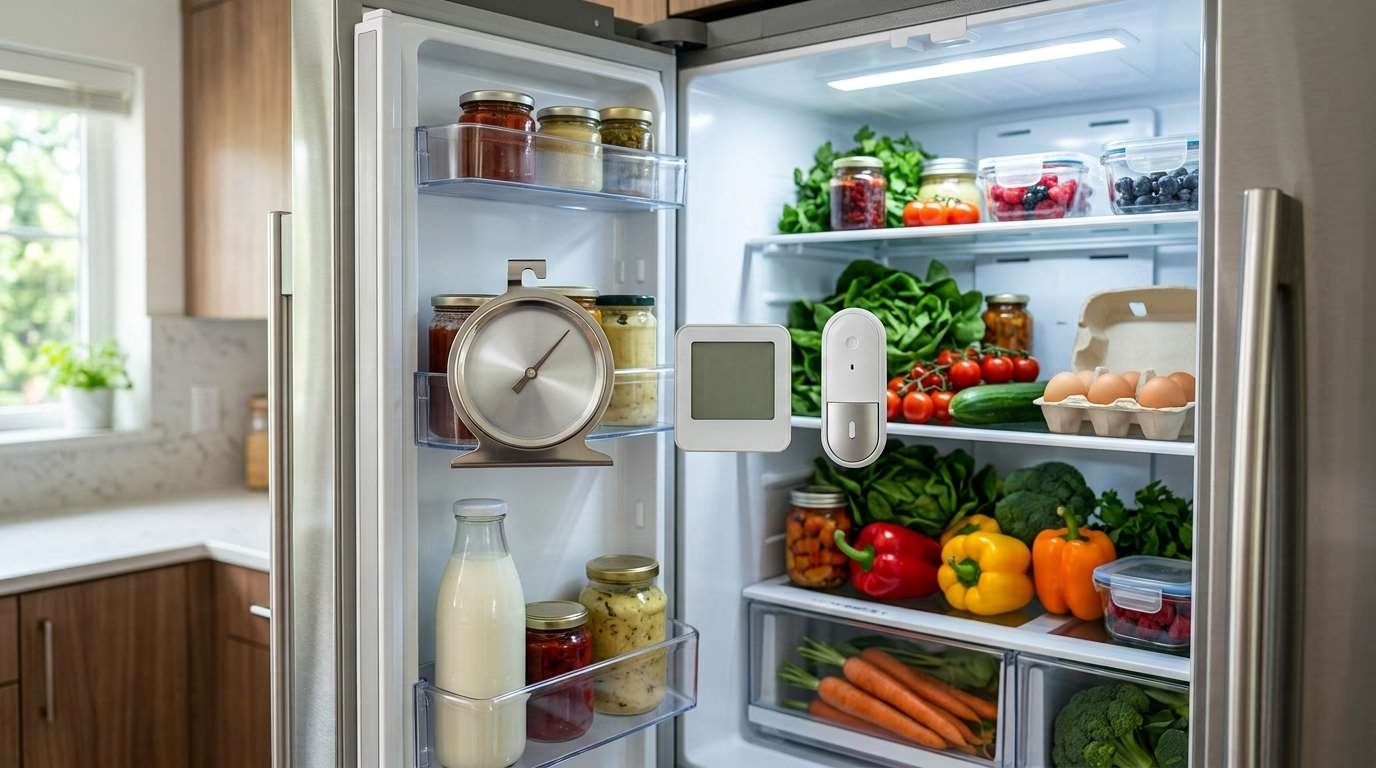
Refrigerator thermometers help you spot unsafe heat before food goes bad. They also show whether your fridge or freezer matches its set point.
The ThermoWorks RT8100 is the best choice for most homes. It is clear, useful, and easy to set up. Yet another model may suit you better. Your needs depend on your budget, appliance, and alert type.
Best Refrigerator Thermometers at a Glance
This page contains Amazon affiliate links. If you buy through them, I may earn a small commission at no additional cost to you.
How We Chose the Best Refrigerator Thermometers
A fridge thermometer should do more than show a number. It should give you a clear and steady view of storage conditions.
We compared each model on these points:
- Accuracy: How close the readings stay to the real temperature.
- Consistency: Whether the device gives steady results over time.
- Readability: How easy the screen or dial is to see.
- Alarm quality: Whether alerts are clear and useful.
- Temperature memory: Whether it saves high and low readings.
- Placement: How well it hangs, stands, clips, or sticks.
- Cold performance: How well batteries work in a freezer.
- Remote access: Whether you can check readings away from home.
- Ease of use: How much work the setup and controls need.
- Owner feedback: Common praise and repeat complaints.
- Value: Whether the features match the cost.
Forum posts and owner reviews can reveal long-term faults. They may show weak mounts, failed links, or false alarms. Still, they are personal reports rather than lab tests. Finding the right filter matters — check out our guide to the best refrigerator filters for cleaner, better-tasting water.
Keeping produce fresh for longer often comes down to how well your fridge is organized, which is why investing in the best refrigerator storage bins is a game-changer for reducing food waste.
Main Product Reviews
1. ThermoWorks RT8100 — Best Overall
The ThermoWorks RT8100 offers the best mix of simple controls and useful data. It suits most home fridges and freezers.
Its digital screen is much easier to read than a small analog dial. You can also set high and low limits. The alarm warns you when the temperature moves out of that range.
Short Verdict
Choose the RT8100 if you want more detail than a basic dial provides. It works well for daily checks and basic fault tracking.
It does not use Wi-Fi. That keeps setup simple, but you cannot get phone alerts away from home.
Key Features
- Digital temperature display
- High and low alarm settings
- External temperature probe
- Out-of-range duration counter
- Magnetic mounting
- Suction-cup mounting
- Fridge and freezer use
Accuracy and Performance
The probe tracks the air inside your appliance. The main display can stay in a spot that is easier to see.
Give the thermometer time to settle after setup. Fridge air warms each time you open the door. A quick rise does not always mean there is a fault.
The duration counter adds useful context. It shows how long the temperature stayed beyond your chosen limit.
That matters more than a single high reading. A short spike may come from loading food. A long spike could point to a door, power, or cooling problem.
Display and Controls
The screen gives you a clear reading at a glance. You do not need a phone, cloud account, or wireless hub.
The controls may take a few minutes to learn. Once set, you should not need to change them often.
Alarm Function
The alarm warns you when the sensor passes your chosen limit. It suits a kitchen fridge or nearby freezer.
However, the sound does not run without end. The device later uses its duration counter to show the event.
That design may not suit a distant garage. You may not hear it through two walls or a closed door.
Installation Options
You can mount the main display with a magnet or suction cups. This gives you more freedom than a fixed shelf model.
Take care with the probe wire. Do not crush it in the door seal. A bent seal can let warm air enter.
What Owners Say
Owners often like the clear screen and simple daily checks. The alarm history is also useful after a warm event.
Some users report weak suction cups or magnets. Others feel the alarm should be louder. Probe-wire care is another common concern.
What We Like
- Clear display
- Useful high and low alarms
- Tracks out-of-range time
- No app needed
- Flexible mounting
- Good feature set for home use
What We Don’t Like
- No phone alerts
- Alarm may be hard to hear far away
- Probe wire needs gentle handling
- Mounting grip may vary by surface
Who Should Buy It
The RT8100 is a strong fit if you want a dependable home monitor. It makes sense for a kitchen fridge, upright freezer, or wine cooler.
If your appliance sits in a garage, consider a remote model instead. This is even more useful for a garage freezer that holds costly food.
2. Rubbermaid Commercial FGR80DC — Best Budget
The Rubbermaid Commercial FGR80DC keeps things plain. It is an analog thermometer with no batteries or digital controls.
You place it inside your fridge or freezer. The dial then gives you a direct temperature reading.
Short Verdict
This is the best choice for a low-cost safety check. It is simple, compact, and hard to misuse.
It does not save past readings. It also cannot warn you about heat while you are away.
Battery-Free Design
The mechanical design needs no batteries. You never have to pair it, charge it, or reset a connection.
This also makes it a good backup. It keeps working if your digital model loses power.
Dial Readability
The dial shows both Fahrenheit and Celsius. Safe temperature zones are easy to spot.
However, the dial is smaller than the Taylor 5924 dial. You may need to open the door and lean closer.
Temperature Range
Its range covers normal fridge and freezer use. That makes it useful across several appliance types.
You can also move it between units during a quick check. Just give it enough time to match the new space.
Placement Options
The unit can hang from a shelf or stand on a flat surface. Place it near the center for a fair reading.
Do not set it against the rear wall. That spot may be colder than the food area.
Durability
The simple build has fewer parts that can fail. There is no screen, app, sensor link, or battery door.
Still, any analog dial can drift over time. Test it if the reading starts to look odd.
What Owners Say
Many users value the no-fuss design. It suits people who want one clear reading without extra features.
The main limits are easy to predict. You get no alarm, history, graph, or remote view.
What We Like
- Low cost
- No batteries
- Easy setup
- Works in fridges and freezers
- Hangs or stands
- Useful as a backup
What We Don’t Like
- No alarm
- No high or low memory
- Small dial
- Slower to react than many digital sensors
- No remote view
Who Should Buy It
Choose this model if you want a basic safety check. It also works well as a second thermometer.
You may want two units in a tall appliance. This can help you check for warm and cold zones.
3. Taylor 5924 — Best Easy-to-Read Analog Thermometer
The Taylor 5924 has a large three-inch dial. It gives you a fast view without tiny buttons or screens.
The face uses marked safe zones. This helps you see whether the temperature looks right.
Short Verdict
The Taylor 5924 is easy to read from a short distance. It is a good fit for older users or busy kitchens.
Its simple design comes with one concern. Some units may not match other thermometers.
Large Dial and Safe-Zone Markings
The three-inch face is the main reason to choose this model. The large marks are easier to read than small dial lines.
Safe zones also cut down on guesswork. You can spot a warm fridge without studying each number.
NSF Certification
NSF certification means the design fits set food-service standards. For you, the key benefit is a simple, clean design.
Certification does not mean every unit stays perfect forever. You should still test any new thermometer.
Hanging and Standing Options
You can hang the Taylor 5924 from a wire shelf. It can also stand on a flat shelf.
Place it where cold air can move around it. Do not hide it behind a packed food box.
Accuracy Concerns Found in Owner Feedback
Some owners report a gap between this model and other sensors. The difference may be a few degrees.
That does not mean each unit is wrong. Two thermometers can also respond at different speeds.
Test yours before you trust it. If the error keeps changing, replace the unit.
What We Like
- Large dial
- Clear safe zones
- No batteries
- Simple to place
- Easy for quick checks
- Works in a fridge or freezer
What We Don’t Like
- No alarm
- No saved readings
- Some owner reports raise accuracy concerns
- Takes time to settle
- Size may use more shelf space
Who Should Buy It
Choose this Taylor model if screen size is your top concern. It works well in a kitchen where you check temperatures by hand.
It may also suit a full-size freezerless refrigerator. The wide storage area can benefit from a large, clear dial.
4. Taylor 5262798 — Best Digital Refrigerator Thermometer
The Taylor 5262798 adds useful memory to a simple digital screen. It shows the current, lowest, and highest recorded temperatures.
That data helps you spot changes that happen overnight. It can also show heat spells while you are at work.
Short Verdict
This Taylor model is a good middle ground. It gives you more detail than an analog dial without needing Wi-Fi.
It does not send alerts. You must check the display to find an issue.
Current, Minimum, and Maximum Readings
The current reading shows what is happening now. The minimum and maximum values show the range since the last reset.
This feature can reveal a door that did not shut. It can also show weak cooling during hot hours.
Clear the records after you make a change. You can then see whether that change helped.
Display Size and Readability
The two-inch screen is easy to scan. It gives you more detail than a dial without a busy layout.
The battery symbol adds peace of mind. You can replace the battery before the screen goes blank.
Battery Indicator
Cold can drain some batteries faster. A battery marker helps you avoid a dead thermometer.
Keep a spare battery nearby. Check the screen on a set day each month.
Clip and Suction-Cup Mounting
The clip works well on a wire shelf. The suction cup may suit a smooth inner wall.
Do not place it on the door. Door shelves face the largest heat swings.
What Owners Say
Users tend to like the large display and saved readings. These features make fridge checks quick.
Some owners report loose battery contact. Others find the memory controls less clear than expected.
What We Like
- Large digital display
- Shows current temperature
- Saves minimum and maximum readings
- Battery marker
- Clip and suction-cup mounts
- No app or hub
What We Don’t Like
- No audible alarm
- No phone alerts
- One unit covers one space
- Battery contact may need care
- Memory controls may take time to learn
Who Should Buy It
Pick this model if you want clear digital records. It suits a fridge that runs well but needs routine checks.
It can also help you track a wine unit. For long-term wine storage, see how temperature control differs in a high-end wine fridge.
5. AcuRite 00515M — Best Wireless Refrigerator Thermometer
The AcuRite 00515M monitors two spaces at once. You place one sensor in your fridge and one in your freezer.
Both sensors send data to one outer display. You can check each space without opening a door.
Short Verdict
The AcuRite system is a smart choice for two-part monitoring. It does not need home Wi-Fi or a phone app.
It uses several batteries. A failed sensor link may also need a full reset.
Two-Sensor Setup
The set includes two remote sensors. This saves you from buying two separate displays.
Label each sensor during setup. You will then know which reading belongs to each space.
Fridge and Freezer Monitoring
One sensor can watch your fresh food. The other can watch frozen food.
This works well for a standard fridge-freezer. It also suits two nearby appliances.
External Display
The display stays outside the cold space. This makes checks fast and keeps the door closed.
You can set it on a counter or mount it nearby. Keep it within the working range of both sensors.
Programmable Alarms
You can set upper and lower limits for each sensor. The display warns you when a reading stays outside the set range.
A short delay helps cut false alarms. You will not get a warning after each quick door opening.
High and Low Temperature Records
The display keeps high and low readings. These show how much the temperature changed.
Check these records after a power cut. They can help you judge how warm each space became.
Wireless Connection Limitations
The cold metal box can weaken a radio signal. Thick walls and long gaps can also cause missed readings.
Test the system before you depend on it. Place the display where both sensors stay linked.
What We Like
- Two sensors included
- One clear outer display
- Fridge and freezer monitoring
- High and low records
- Custom alarms
- No Wi-Fi needed
What We Don’t Like
- Uses several batteries
- Sensor links may need a reset
- No phone alerts
- Range may fall through walls
- Cold freezers may need lithium batteries
Who Should Buy It
Choose AcuRite if you want one screen for two cold zones. It is ideal for a fridge-freezer pair in the same room.
It also makes sense beside a garage refrigerator. You can mount the display near the garage door for fast checks.
6. GoveeLife Smart Thermometer R1 — Best Wi-Fi Refrigerator Thermometer
The GoveeLife Smart Thermometer R1 sends temperature data through a Wi-Fi gateway. You can check it from your phone while away.
It can also send alerts if the temperature leaves your set range. This makes it useful for remote or costly food storage.
Short Verdict
Choose the GoveeLife R1 if remote warnings matter most. It helps protect food when nobody is near the appliance.
The system relies on power, Wi-Fi, and an app. A break in that chain can stop remote alerts.
Remote Temperature Monitoring
You can view the sensor from outside your home. This is the key benefit over a local wireless system.
Remote checks help during travel, storms, or long work shifts. They also suit a freezer in a shed or garage.
App, Email, and Audible Alerts
The system can warn you through more than one path. Phone and email alerts reach farther than a local alarm.
Set up each alert type during installation. Then run a test before storing costly food.
Temperature Graphs and Stored Data
The app saves past readings and shows them as a graph. This gives you a clear view of heat changes over time.
A graph can help you spot repeat events. For example, you may see heat rises at the same time each day.
Adjustable Alarm Delay
Short heat spikes often come from open doors. An alarm delay waits before it sends a warning.
This cuts down on false alerts. Do not set the delay so long that a real fault goes unseen.
Setup and Connectivity
The sensor, probe, gateway, and app need to work as one system. Setup is still simple for most users.
Place the gateway where it has a strong Wi-Fi link. Test its signal with the appliance door closed.
What Owners and Forum Users Say
Many users praise the remote alerts and stored graphs. These features can give you more peace of mind.
Some users report lost links or false alarms. Probe cables may also affect the door seal if placed poorly.
What We Like
- Remote phone access
- App and email alerts
- Adjustable alarm delay
- Saved graphs
- Wide probe range
- Useful for remote freezers
What We Don’t Like
- Needs Wi-Fi for remote alerts
- Relies on an app and gateway
- Probe cable needs careful placement
- Connection faults can occur
- More setup than a basic dial
Who Should Buy It
The R1 suits you if food loss would cost far more than the monitor. It works well for a garage freezer or second fridge.
It is also useful if you travel often. You can see a fault before you return home.
7. SensorPush HT1 — Best Refrigerator Thermometer for Data Logging
The SensorPush HT1 saves detailed temperature and humidity data. It takes frequent readings and builds a clear history.
You can view the data in an app. You can also export it for a closer look.
Short Verdict
SensorPush is best for finding hard-to-see cooling faults. It gives you more data than most households need.
Basic use relies on Bluetooth. Remote internet access needs a separate gateway.
Minute-by-Minute Monitoring
Frequent readings show the shape of each cooling cycle. You can see when the unit cools, rests, and warms.
This detail can help you find a weak compressor or poor door seal. It can also show normal defrost cycles.
Temperature and Humidity Tracking
The HT1 records both heat and moisture. Humidity means the amount of water in the air.
Temperature matters most for food safety. Moisture data can still help with wine, produce, or a damp fridge.
Stored History and Data Export
The sensor stores readings even when your phone is not close. It sends them to the app when you reconnect.
You can view graphs or export the data. This is useful when a service worker needs fault details.
Bluetooth Range
Bluetooth works best across a clear, short path. Walls and metal can cut the stated range.
A fridge shell can block part of the signal. Test the link from the room where you plan to check it.
Optional Wi-Fi Gateway
The added gateway gives you remote access. It can also send alerts when you are away.
This raises the total cost. Make sure you need remote data before adding it.
Water-Resistance Limitation
The basic HT1 is not water-resistant. Keep it away from spills, leaks, and heavy frost.
SensorPush makes more costly water-resistant models. Those may suit wet or harsh spaces better.
What Reddit and Forum Users Say
Users often like the small size and rich data. The sensor can reveal trends that a single display misses.
The extra gateway cost is a common drawback. Some homes may also struggle with signal loss through thick walls.
What We Like
- Frequent readings
- Clear history graphs
- Data export
- Temperature and humidity tracking
- Compact size
- Optional remote access
What We Don’t Like
- Higher cost
- Wi-Fi gateway costs extra
- Standard model is not water-resistant
- No built-in display
- Too much data for basic needs
Who Should Buy It
Choose SensorPush if you need to study a cooling problem. It also suits temperature-sensitive storage.
A basic analog model makes more sense for quick checks. You do not need detailed graphs for a stable kitchen fridge.
SEO and Reader-Helpful Sections
Refrigerator Thermometer Buying Guide
The right thermometer depends on where you use it. Start with the problem you want to solve.
A basic dial can confirm that your fridge stays cold. A smart sensor can warn you about a fault from miles away.
Analog vs. Digital Refrigerator Thermometers
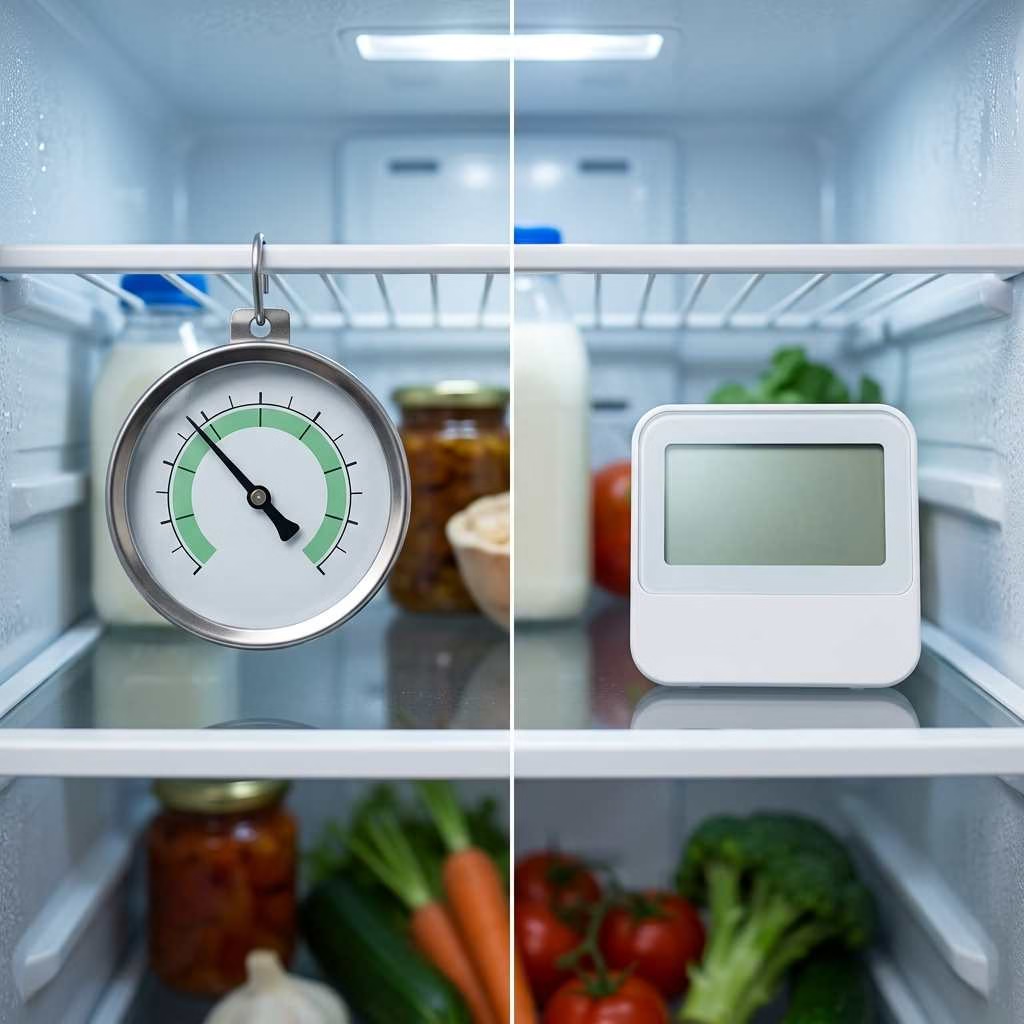
Analog models use a moving dial. They need no battery and have few parts that can fail.
Digital models show numbers on a screen. Many also save high and low readings.
Choose analog if you want:
- Low cost
- No battery changes
- Simple visual checks
- A backup for another monitor
Choose digital if you want:
- A clear number
- Faster checks
- Min/max records
- Alarm features
- Easier fault tracking
Neither type is always more accurate. Build quality and testing matter more than the display type.
Wireless vs. Wi-Fi Refrigerator Thermometers
A wireless thermometer sends readings to a nearby display. It does not always connect to the internet.
A Wi-Fi unit sends data through your home network. This lets you check it through an app.
Choose local wireless if:
- You want one outer display.
- You do not want an app.
- You check the appliance at home.
- Your internet service is not stable.
Choose Wi-Fi if:
- The appliance sits far away.
- You travel often.
- You store costly frozen food.
- You want alerts while away.
The word “wireless” can be vague. Check whether the system means radio, Bluetooth, or Wi-Fi.
Accuracy
An accurate thermometer stays close to the real temperature. Yet steady readings matter just as much.
A device that is always one degree high can still show trends. A sensor that jumps at random is less useful.
Check a new thermometer before you rely on it. Compare it with a trusted model or ice-water test.
Temperature Alarms
A temperature alarm warns you when a space gets too warm or cold. Better models let you set both limits.
Look for an alarm delay. This waits through short door openings before it sends a warning.
Remote alerts suit a garage, basement, or holiday home. A local alarm may be enough for your kitchen.
Minimum and Maximum Temperature Memory
Min/max memory saves the lowest and highest readings. It shows what happened while you were away.
This feature can reveal:
- A door left open
- A power cut
- A weak cooling cycle
- A warm defrost period
- Heat after loading food
- A sensor placed in the wrong spot
Reset the memory after each test. Old readings can make new results hard to judge.
Display and Placement
A clear display saves time. Large numbers also reduce the need to open the door for long.
Common mounting options include:
- Shelf hook: Hangs from a wire shelf.
- Stand: Sits on a flat shelf.
- Magnet: Sticks to a metal surface.
- Suction cup: Holds on a smooth wall.
- External probe: Keeps the display outside.
Make sure food does not block the sensor. Cold air needs room to flow around it.
Temperature Logging
Temperature logging means saving readings over time. An app often shows this data as a graph.
Graphs help you spot repeat patterns. They are useful for a fridge that warms at set times.
Most homes do not need detailed logs. A min/max display gives enough data for simple checks.
Battery Life and Cold-Weather Performance
Cold can slow the chemical action inside a battery. This may cut battery life or stop a sensor.
Lithium batteries often work better in deep cold. Use the type listed in the product guide.
Check battery levels each month. Replace all batteries in a paired set at the same time.
What Temperature Should a Refrigerator and Freezer Be?
Keep your fridge at 40°F or below. A setting near 37°F gives you some room for normal heat swings.
Keep your freezer near 0°F. Frozen food should stay firm without large thaw and freeze cycles.
The displayed setting may not match every shelf. Airflow, food load, and door use can change local readings.
A brief rise does not always mean food is unsafe. Look at how high it went and how long it stayed there.
Normal temperature changes may come from:
- Opening the door
- Adding warm food
- A cooling cycle ending
- An automatic defrost cycle
- A crowded shelf
- A blocked air vent
A steady warm trend needs more care. Check the door seal, vents, and food load first.
Where to Place a Refrigerator Thermometer
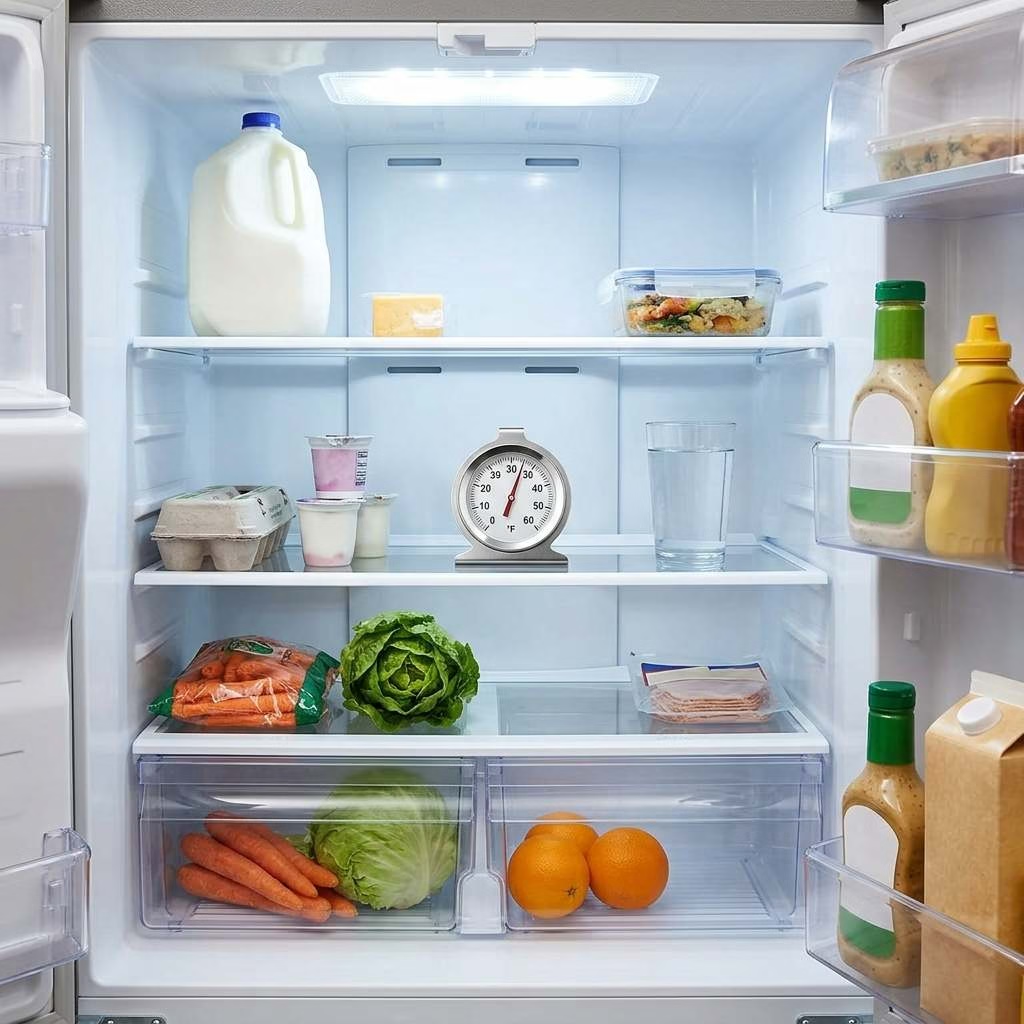
Placement can change the result by several degrees. A poor spot may make a healthy fridge look faulty.
Your goal is to measure the area around stored food. Do not measure the coldest vent or warmest door shelf.
Best Placement in a Refrigerator
Place the thermometer near the center shelf. Keep it away from the rear wall and direct vent air.
For a more stable test, place the sensor beside a glass of water. The water slows short air changes.
You may need two thermometers in a tall fridge. Put one near the upper food zone and one lower down.
Best Placement in a Freezer
Place the sensor near the center of stored food. Do not set it right beside the door.
Leave some space around the sensor. A tight pack may block the air it needs to measure.
For an external probe, secure the wire with care. The freezer door must still seal all the way.
Where Not to Place It
Avoid these spots:
- On the door
- Against the back wall
- Under a cold air vent
- Beside a light
- Next to warm food
- Under a dripping shelf
- In direct contact with ice
- Between the door and its seal
Move the sensor if readings look odd. Then wait several hours before you compare the results.
How to Test a Refrigerator Thermometer for Accuracy
An ice-water test gives you a simple reference point. Ice and water together should sit near 32°F, or 0°C.
Not every thermometer can go in water. Check whether its sensing tip is safe to wet.
If it is safe, follow these steps:
- Fill a cup with crushed ice.
- Add enough cold water to fill the gaps.
- Stir the mix for about 30 seconds.
- Place the sensing tip in the center.
- Keep the tip away from the cup.
- Wait until the reading stops changing.
- Check how close it is to 32°F.
- Note any steady difference.
A small, fixed difference may be easy to track. A large or changing error makes the unit hard to trust.
Do not place a full digital body in water. Use this test only with a safe probe or sealed sensor.
How Long Should You Wait for an Accurate Reading?
A digital sensor may show a number within seconds. That does not mean it has matched the fridge yet.
Give a new sensor several hours inside the appliance. An analog dial may need even more time.
Wait at least 24 hours after changing the fridge setting. This gives the whole space time to settle.
Do not judge the unit right after you open the door. Warm room air can cause a quick rise.
Look for a pattern across a full day. One short reading rarely tells the whole story.
Common Refrigerator Thermometer Mistakes
Small setup errors can lead to poor readings. Most are easy to fix.
Avoid these common mistakes:
- Placing it near a vent: The reading may look too cold.
- Using the door shelf: This area warms each time you open the door.
- Checking too soon: The sensor needs time to settle.
- Trusting one spike: Short rises can be normal.
- Blocking the sensor: Packed food can stop airflow.
- Ignoring min/max data: The current reading shows only one moment.
- Forgetting batteries: A weak battery can cause faults.
- Assuming wireless means Wi-Fi: Some systems work only nearby.
- Skipping alert tests: A phone alert is useless if it never arrives.
- Crushing a probe wire: This may damage the wire or door seal.
- Leaving old records: Old high readings can confuse a new test.
- Using one sensor everywhere: Different shelves may have different heat levels.
Fix one issue at a time. Then wait long enough to see the result.
Do You Need More Than One Refrigerator Thermometer?
One thermometer may be enough for a small, stable fridge. Larger units can have wide temperature gaps.
Use more than one sensor if you have:
- A tall refrigerator
- A side-by-side fridge
- A separate freezer
- A garage appliance
- An older cooling system
- Packed shelves
- Uneven food cooling
- Temperature-sensitive items
At minimum, use one thermometer in each separate space. Your fridge and freezer need their own readings.
For a large fridge, place one sensor in the warmest food area. Add another near the lower middle shelf.
Do not fill the appliance with sensors. Two or three good spots often give enough detail.
Are Smart Refrigerator Thermometers Worth It?
A smart refrigerator thermometer can save you from a costly loss. Yet it adds setup, apps, and more points of failure.
Its value depends on your storage risk. A kitchen fridge may not need remote warnings.
Worth It For
A Wi-Fi model makes sense if you have:
- A garage or basement freezer
- High-value frozen food
- Regular power cuts
- An older appliance
- A holiday home
- Long work shifts
- Frequent travel
- More than one cold storage unit
Remote alerts give you time to act. You may be able to shut a door or move food.
Probably Unnecessary For
A smart model may be too much if:
- Your fridge is new and stable.
- You check it each day.
- You dislike phone apps.
- Your Wi-Fi drops often.
- You need only a basic safety check.
- A local alarm is easy to hear.
A digital min/max model fits the middle ground. It gives you useful history with less setup.
Frequently Asked Questions
What Is the Best Refrigerator Thermometer?
The ThermoWorks RT8100 is the best choice for most people. It has a clear screen, alarms, and useful event tracking.
Choose Rubbermaid for a simple budget model. Choose GoveeLife if you need remote phone alerts.
Is an Analog or Digital Refrigerator Thermometer More Accurate?
Neither type wins by design alone. A well-made analog unit can beat a poor digital one.
Digital sensors often give more features. Analog models offer simple, battery-free use.
Test either type before long-term use. Consistent readings matter more than a fancy screen.
Can I Use an Outdoor Thermometer Inside a Refrigerator?
You can, but it may not work well. Outdoor models may lack the right cold range.
Moisture can also harm an unsealed device. Batteries may fail faster inside a freezer.
Use a model made for cold storage. It should cover the full temperature range you need.
Why Does My Refrigerator Thermometer Keep Changing?
Your fridge runs in cycles. It cools, rests, and then cools again.
The temperature may also rise during defrost. Open doors and warm food cause short jumps.
Watch the full range over several hours. A steady rise is more concerning than a brief spike.
How Many Refrigerator Thermometers Do I Need?
Use at least one thermometer per separate space. Your fridge and freezer each need a sensor.
A large fridge may need two sensors. This helps you find warm or cold zones.
Add remote sensors to garages or distant rooms. Those spaces are easier to forget.
How Often Should I Check the Temperature?
Check a basic dial each day or two. Make it part of your normal kitchen routine.
Review min/max records once a week. Check them sooner after a power cut or door issue.
Smart models still need manual checks. Confirm that alerts and network links work each month.
Can a Refrigerator Thermometer Detect a Power Outage?
A basic thermometer cannot tell you when power stopped. It can show that the space became warm.
A min/max model records the highest temperature. This helps after power returns.
A smart model may send an alert as the space warms. Yet it may stop reporting if its gateway loses power.
A backup power unit can keep the gateway online. Your internet service must also remain active.
Do Wi-Fi Refrigerator Thermometers Work During an Internet Outage?
Many sensors keep taking local readings. Remote phone alerts will often stop without internet access.
Saved data may appear after the link returns. This depends on the model and its memory.
Use a local alarm as a backup. This gives you some cover during a network fault.
How Often Should I Replace a Refrigerator Thermometer?
There is no fixed replacement date for every model. Replace it when readings become hard to trust.
Warning signs include:
- Random jumps
- A blank or fading screen
- Repeat connection loss
- Water inside the case
- A bent probe wire
- A stuck analog needle
- Failed accuracy tests
- Heavy rust or damage
Battery-free models can last for years. Test them from time to time.
Final Verdict
The best refrigerator thermometers match the risk you need to track. You do not always need Wi-Fi or a detailed app.
Use the ThermoWorks RT8100 for clear daily monitoring. The Rubbermaid FGR80DC is better for a simple, battery-free check. The AcuRite 00515M tracks two spaces on one outer display.
The GoveeLife R1 suits remote fridge and freezer alerts. The SensorPush HT1 is better for detailed fault tracking.
Above all, choose the right sensor spot. A basic thermometer in the right place can beat a costly model near a cold vent.