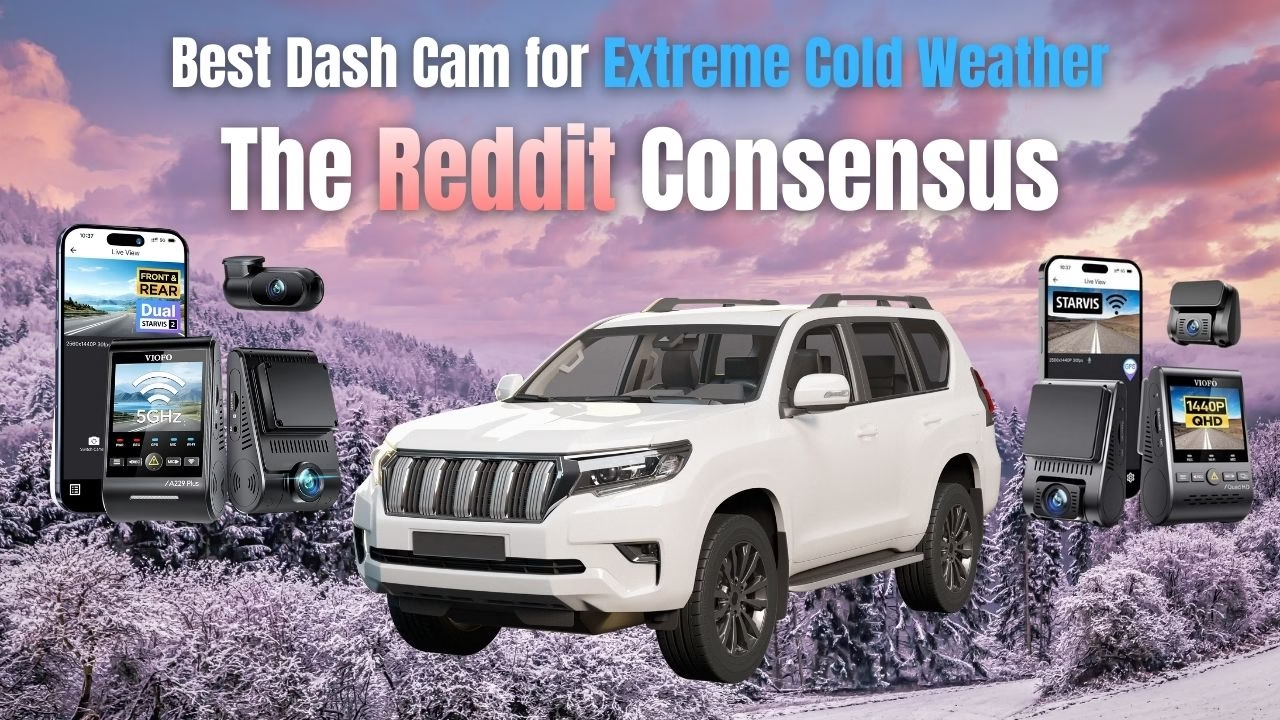
You hate marketing fluff. Good — most reviews are exactly that. This article is built only from long-term user reports scraped from Reddit/forums and verified 3-star Amazon comments; no spec-sheet happy talk, no PR spin. Below is the ugly truth, blunt and sourced from real owners. Capacitors are essential for the cold, but your car’s main battery is also at risk. Learn how to keep your vehicle starting at -20°F in our Winter Car Care & Survival Guide.
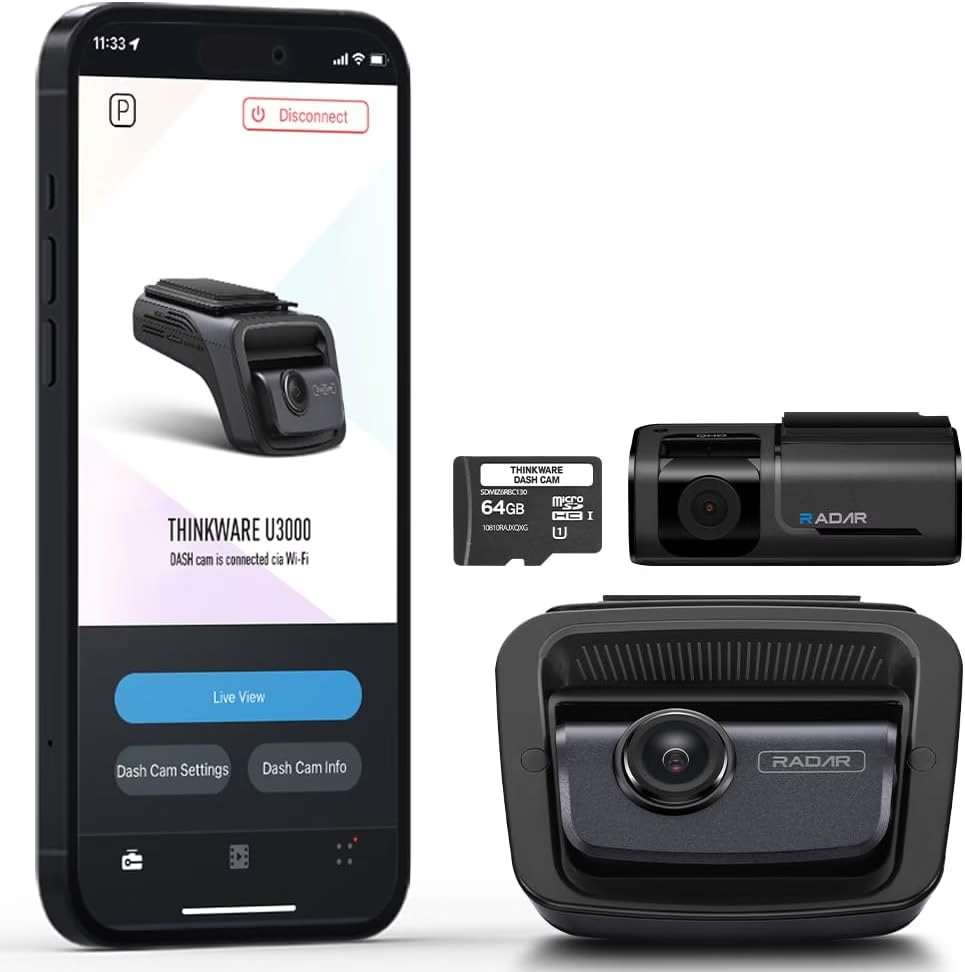
Thinkware U3000
The Brutal Verdict: Buy if you park outside in -20°F and need your car to start in the morning. It has the best power conservation, even if the mobile app is frustratingly glitchy.
Check Price on Amazon →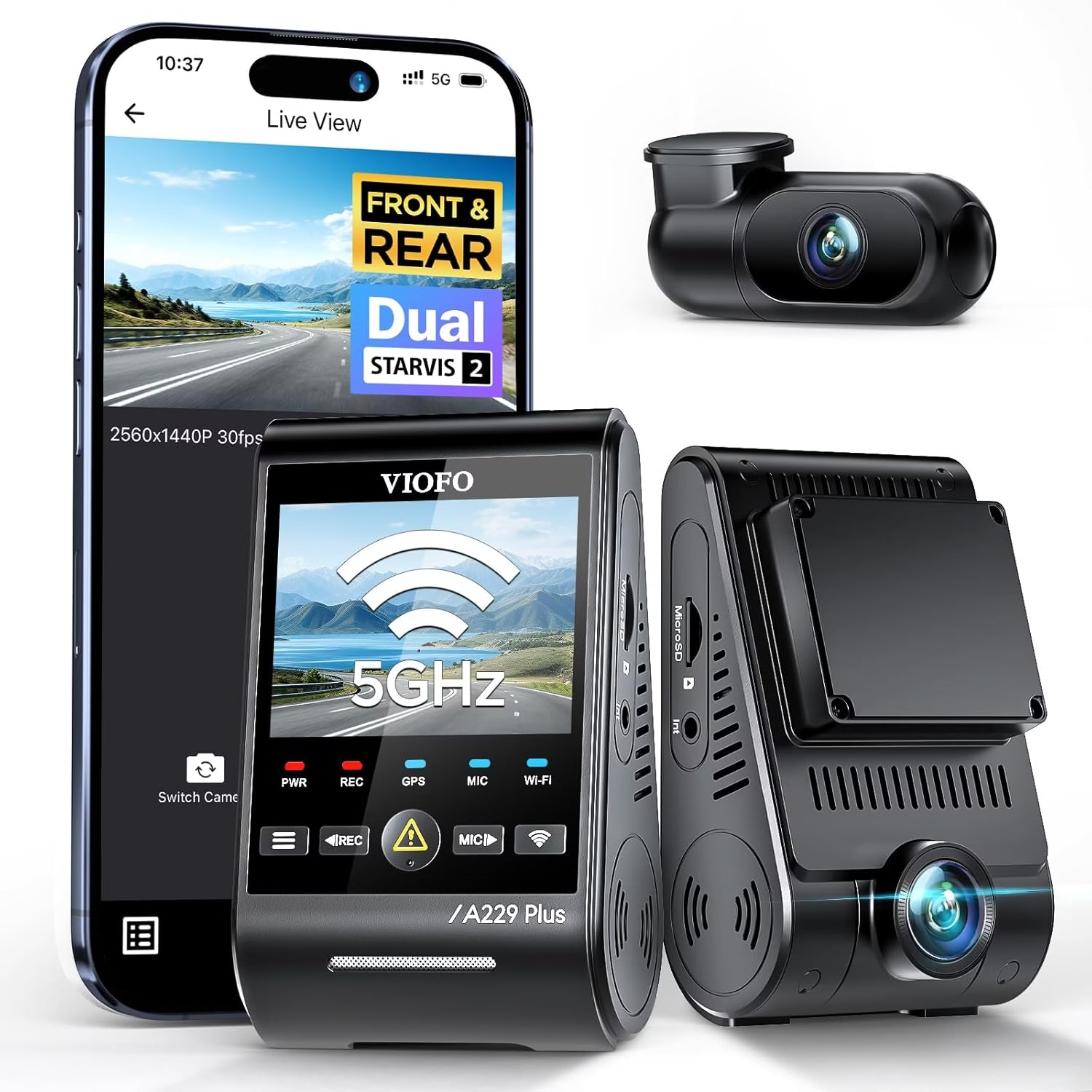
VIOFO A229 Plus
The Brutal Verdict: Buy if capturing license plates at night is more important than plug-and-play simplicity. Be ready to tolerate occasional cold-boot freezes and battery drain management.
Check Price on Amazon →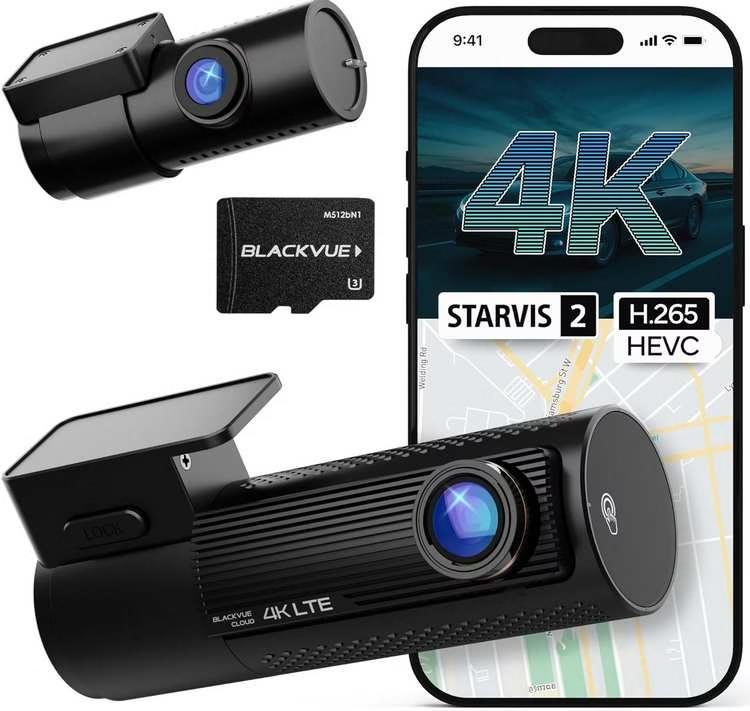
BlackVue DR970X-2CH LTE Plus II
The Brutal Verdict: Buy if remote cloud access is mission-critical. It’s the best for checking your car from your phone, provided you invest in a dedicated battery pack to handle the power load.
Check Price on Amazon →Most dash cam reviews just read the spec sheet. We didn’t. To find cameras that actually survive Canadian winters, we ignored the marketing claims and scraped long-term ownership reports from forums and verified Amazon logs. We looked specifically for failure points: frozen capacitors, cracked screens, and dead car batteries. These are the survivors.
Extreme cold changes everything. Plastics stiffen. Adhesives get moody. Batteries lose punch. Screens lag. That’s why “best dash cam for extreme cold weather” isn’t just a normal buying question. It’s a reliability question. And the easiest win is choosing the right setup habits—not just a shiny spec list.
- Cold-weather checklist
- How to choose
- Install tips for deep cold
- Hot vs cold vs “extreme weather”
- Trucks, truckers, and big rigs
- Jeep Wrangler & JL notes
- FAQ
Cold-weather checklist: what a cold climates dash cam must do
When it’s freezing, “good enough” becomes “random.” So if your goal is the best dash cam cold weather performance, prioritize the basics that keep recording consistent. This is the checklist that separates a dependable cold weather dash cam from one that quits when you need it most.
- Reliable auto-start recording: It should begin recording without you touching anything.
- Stable power behavior: Cold starts are tough. The camera should handle them without constant resets.
- Mount that stays put: Low temps can weaken suction and stiffen plastics. You want a mount that doesn’t drift.
- Clear footage in winter conditions: Snow glare, low sun, and dirty spray are the real test.
- Simple clip protection: Locking a clip should take seconds, not menu-diving.
- Storage resilience: Winter vibration plus temperature swings can expose weak memory cards fast.
Winter problems you can prevent
Cold doesn’t just “reduce performance.” It creates specific failure modes. Fix those, and your dash cam for cold climates becomes boringly reliable (the best kind of reliable).
Clean glass, warm the adhesive surface, and avoid placing on textured frit dots.
Prioritize stable power and check a short test clip periodically.
Defrost and a clean interior windshield matter more than most people think.
Use a dependable memory card and format on a sensible schedule.
How to choose the best dash cam for extreme cold weather (fast and practical)
You don’t need a spec-sheet marathon. You need a cold-first decision process. If you’re searching “dash cam for cold weather” or “best cold weather dash cam,” this is the flow that gets you to a confident shortlist.
- Start with your parking reality. Garage or street? Long overnight sits? That changes power strategy immediately.
- Pick your power plan. Plug-in is simple. A cleaner power setup can improve reliability when the car is off and temps swing.
- Choose mount style you trust. Cold can make some mounts fail earlier. Pick stability and low vibration.
- Prioritize winter visibility. Snow glare and low sun demand balanced exposure, not just “bright video.”
- Lock down storage. A good memory card and simple loop recording reduce winter file surprises.
- Plan for maintenance. A monthly quick test clip is a tiny habit with huge payoff.
How to install a dash cam for cold weather so it keeps working
Installation is where cold-weather success is decided. A careful install makes even a modest setup feel premium. A rushed install turns any camera into a troubleshooting hobby.
Cold-friendly mounting tips
- Prep the glass: Clean it well. Oils and winter film weaken adhesion.
- Warm the contact point: If you can, warm the windshield area before applying adhesive.
- Place it high and centered: Better view, less distraction, and fewer wiper-blind spots.
- Avoid the dotted frit area: It can prevent proper adhesion and cause uneven mounting.
Cold-friendly cable routing
- Go slow with trim: Cold plastic is less forgiving. Gentle pressure prevents clips from snapping.
- Leave a little slack: Tight cables tug mounts over time—especially when plastics contract in the cold.
- Keep wires away from airbags: Route thoughtfully so nothing interferes with safety systems.
Quick “winterize” setup (takes minutes)
- Set date/time and loop length. Keep it simple so files stay manageable.
- Enable clip protection. Make sure the “lock” action is easy to trigger.
- Do a cold-start test. Start the car, confirm it records, then check a short clip.
- Confirm night behavior. Headlights + snow glare can change exposure dramatically.
- Re-check mount stability. After a few drives, make sure it didn’t drift or wobble.
Extreme weather reality: cold is different from heat (and both matter)
Many people search “best dash cam for extreme heat” and “dash cam for extreme heat” because heat is a well-known dash cam killer. But cold has its own set of problems: brittle plastics, stubborn mounts, sluggish startup, and more file issues. If you want the best dash cam for hot and cold weather, focus on stability through the full range.
Cold-weather threats
- Startup lag: Cold can slow down boot behavior.
- Mount failure: Suction and adhesive can behave differently.
- Condensation and fog: Interior moisture can ruin footage.
- Winter glare: Snow and low sun challenge exposure.
If your focus is “best dash cam for cold climates,” these are the problems to design around.
Heat-weather threats
- Overheating: Sustained recording in sun can trigger shutdowns.
- Warped mounts: Heat can soften adhesives and plastics.
- Battery stress: Heat can accelerate wear and swelling risk.
- Sensor noise: High temps can reduce image consistency.
If you also care about “best dash cam for hot weather” or “best dash cam for high temperature,” plan for sun exposure and airflow.
The best dash cam for trucks, truckers, and big rigs in harsh weather
If you’re searching “the best dash cam for trucks” or “the best dash cam for truckers,” you’re usually dealing with longer hours, bigger vibration, and bigger consequences. Cold weather adds another layer. So the priority shifts from “cool features” to “never miss the moment.”
What matters most in trucks and heavy vehicles
- Mount stability under vibration: A steady mount is non-negotiable.
- Clean, secure wiring: Long routes benefit from tidy cable management.
- Easy clip protection: One action to lock clips keeps things simple on the road.
- Cold-start reliability: Morning startups shouldn’t be a gamble.
For searches like “best dash cam for 18 wheeler,” prioritize reliability, stable mounting, and a workflow that lets you grab clips quickly.
Quick setup checklist for long-haul peace of mind
- Position for maximum road context. High and centered is usually the sweet spot.
- Reduce windshield glare. Keep the inside glass clean and defrosted.
- Use a dependable memory card. Constant writing punishes weak cards.
- Test before long trips. A short recording test prevents long regrets.
- Keep it simple. The “xtreme dash cam” mindset is consistency, not complexity.
Jeep Wrangler & JL notes: cold weather + rugged driving
Searches like “best dash cam for jeep wrangler” and “best dash cam for jeep jl” tend to come from drivers who deal with more vibration, more bumps, and more wind noise. Add cold weather, and mounting plus power become the whole game.
Prioritize a stable mount and a placement that minimizes shake. If the camera wobbles, winter glare and motion blur become harder to control.
Tuck cables neatly and leave a little slack so cold contraction doesn’t tug the mount. Clean routing looks better and reduces long-term wear.
If you’re comparing “best dash cam for jeep wrangler jl” options, focus on mount stability, cold-start reliability, and easy clip locking. That trio matters more than any flashy add-on.
Frequently asked questions (extreme cold edition)
What is the best dash cam for extreme cold weather if I park outside overnight?
What’s the biggest mistake people make with a cold weather dash cam?
Is a “camera for extreme cold weather” different from a normal dash cam?
How do I reduce winter glare and improve footage quality?
What about the best dash cam for hot weather—do I need to worry if I’m focused on cold?
What is the best cheapest dash cam for extreme weather?
Do truckers need anything special for dash cam for extreme weather?
Can I use one dash cam setup for both extreme heat and extreme cold?
Extreme cold doesn’t have to be a deal-breaker. Build around stable power, stable mounting, and simple clip handling, and your dash cam for cold weather becomes the quiet teammate you forget about—until you really need it.
Thinkware U3000
Thinkware U3000
- Energy Saving Mode 2.0: Drastically reduces battery drain in the cold.
- Supercapacitor Design: Verified to boot up at extreme freezing temps.
- Radar Sensor: Wakes up for motion without constant power draw.
The one thing owners agree on: parking mode actually works like it should — conservative power management and reliable parked-event capture are repeatedly called out as saving footage when it matters.
Marketing vs. Reality Slap — Thinkware sells slick cloud/app convenience and “smart” features; in reality the mobile/cloud experience is fragmented and flaky, turning a marketed convenience into a recurring aggravation that undermines the product’s promise.
“I cannot add my U3000 to the Thinkware Cloud App.”
Buy if you prioritize robust, conservative parking surveillance and are okay using workarounds or external batteries for extended parking coverage. Avoid if you expect seamless, zero-hassle cloud and app operation out of the box.
VIOFO A229 Pro
Owners keep this because the footage is shockingly good for the price: crisp daytime detail and surprising plate-readability at real distances. That’s the thing almost everyone praises.
Marketing vs. Reality Slap — Viofo markets supercapacitor cold-capability and rock-solid parking reliability; users report that the promise collapses in practice: freezes, boot hangups, and mysterious overnight drains turn the “plug-and-forget” pitch into a fiddly maintenance chore.
“My car battery is dropping 10–15% overnight.”
Verdict — Buy if you want the best everyday image and plate capture for the money and are willing to tune voltage cutoffs, swap SD cards, and accept occasional cold-morning boot quirks. Avoid if you need absolute plug-and-forget reliability or zero fiddling with power management.
BlackVue DR970X-2CH LTE Plus II
When BlackVue’s cloud/LTE actually behaves, owners love the remote live-view and instant notifications — it’s uniquely useful for monitoring vehicles away from sight.
Marketing vs. Reality Slap — BlackVue markets top-tier cloud connectivity as a core selling point; owners frequently experience unreliable remote connections, spurious low-battery warnings, and poor support that turn the flagship cloud promise into a liability rather than an advantage.
“Unable to connect remotely while in parking mode.”
Verdict — Buy if remote LTE access and cloud features are mission-critical and you will invest in a dedicated BlackVue battery pack and tolerate occasional connectivity/support headaches. Avoid if you rely solely on factory app/cloud behavior or need a zero-compromise, maintenance-free system.
Final Verdict
- VIOFO A229 Pro — Choose this if you prioritize raw video and plate readability on a budget and don’t mind hands-on power management.
- Thinkware U3000 — Choose this if parked surveillance that minimizes false-drops matters more than mobile app polish.
- BlackVue DR970X-2CH LTE Plus II — Choose this if remote monitoring is essential and you will offset weak stock behavior with a dedicated battery and patience for flaky cloud features.
How to Boot Up in -30°F (The “Cold Start” Protocol)
Even the best Super Capacitor dash cams can fail to boot if the internal resistance is too high from extreme cold. Here is how to force a start.
Recording a slide-off is important, but driving away from it is better. If you live in freezing climates, check our guide on the Best Portable Jump Starters for Extreme Cold to ensure your engine wakes up when the temp drops.