If you have upgraded to a wireless CarPlay or Android Auto adapter, you might have noticed a pattern:
- Your phone connects via Bluetooth.
- A few seconds later, the Bluetooth disconnects.
- Your CarPlay/Android Auto starts working via WiFi.
Most drivers assume these adapters use Bluetooth to stream music and maps. They do not. Bluetooth is simply too slow and weak to handle the massive data stream required for real-time navigation and high-quality audio.
This guide explains the “Handshake” technology behind wireless adapters, why your audio sometimes lags behind the video, and why your phone gets so hot during the trip.
The Mechanism: The “Handshake” vs. “The Heavy Lifting”
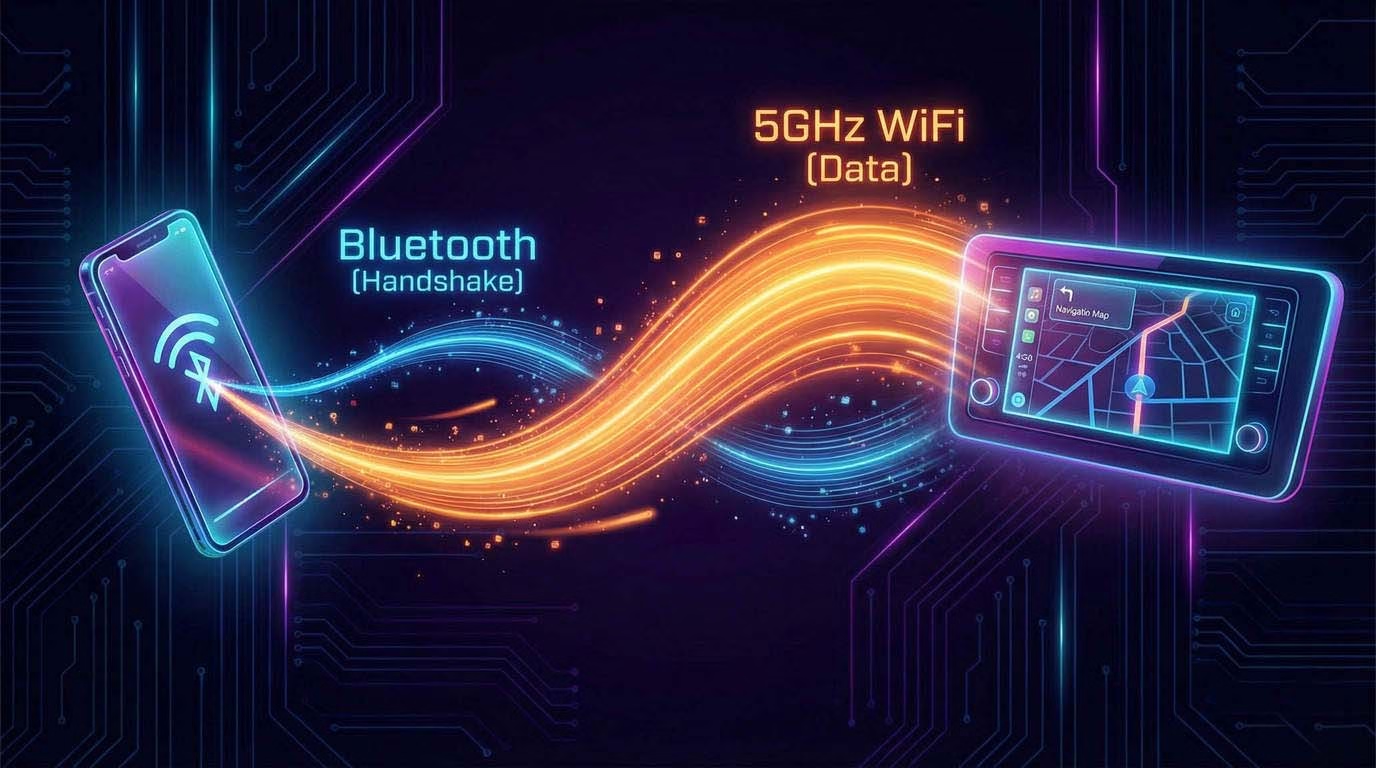
Wireless projection (whether Apple or Google) uses a two-step process.
- The Handshake (Bluetooth): When you turn on your car, the adapter sends out a low-energy Bluetooth signal. Your phone recognizes it and says, “Hello.”
- The Handoff (WiFi): Once the devices agree to connect, the adapter sends your phone its 5GHz WiFi credentials. Your phone then disconnects from Bluetooth and connects to the adapter’s private WiFi network.
Why?
- Bluetooth 5.0 speed: ~2 Mbps (Megabits per second).
- WiFi 5GHz speed: ~400+ Mbps.
Streaming Apple Maps in 60fps while playing Spotify requires bandwidth that Bluetooth simply cannot provide.
The Takeaway: If you turn off your phone’s WiFi to save battery, your Wireless CarPlay adapter will stop working instantly.
The “Lag” Question: Why is there a delay?
The #1 complaint we see in our reviews is “Audio Lag.” You press “Next Track,” and it takes 1-2 seconds for the song to change. Or, you watch a YouTube video while parked, and the lips don’t match the voice.
This is not necessarily a defect; it is often Physics.
1. Buffer Latency
To prevent music from stuttering if there is radio interference, the system builds a “Buffer.” It loads 1-2 seconds of audio ahead of time.
- Wired: The copper cable has near-zero latency.
- Wireless: The signal must be encoded, transmitted through the air, received, and decoded.
2. The “Video Sync” Problem
If you are watching a video on your phone, the phone tries to delay the video on the screen to match the delay of the audio on the speakers.
- Apps like Netflix/YouTube: They are smart. They know there is a delay and try to sync it.
- TikTok/Instagram: They are often poorly optimized for Bluetooth/WiFi audio, resulting in the “Bad Lip Reading” effect.
Buying Advice: High-quality adapters use faster processors to minimize this encoding time, reducing lag from 2 seconds down to a barely noticeable 0.5 seconds.
* Read More: Best Wireless CarPlay Adapter
* Read More: Best Wireless Android Auto Adapter Reddit
The Heat Issue: Why is my phone burning up?
Wireless CarPlay is one of the most resource-intensive tasks your phone can perform.
- GPS Radio: It is constantly pinging satellites for location.
- Cellular Data: It is downloading map tiles and music streams.
- WiFi Transmitter: It is blasting a high-speed video feed to your dashboard.
- GPU/CPU: It is rendering the map graphics in real-time.
When you combine all this processing with the fact that WiFi radios generate heat, your phone gets hot.
🔥 THE DOUBLE COOKER: Charging + Wireless
The worst thing you can do is use Wireless CarPlay while your phone is sitting on a Wireless Charger (Qi pad).
Wireless charging creates heat (induction). Wireless CarPlay creates heat (data). Combining them is a recipe for your phone to thermal throttle, dim the screen, or shut down completely to protect the battery.
Diagnosis: If your battery is dying rapidly even when not using CarPlay, you might have permanently degraded it.
* Read More: Best Car Battery Tester Reddit (2026): Topdon vs. Ancel
Audio Quality: Lossless vs. Lossy
Audiophiles often refuse to cut the cord. Are they right?
- Wired: Can support Lossless audio (ALAC/FLAC) because the cable has massive bandwidth.
- Wireless: Usually compresses audio to AAC or high-bitrate PCM to ensure smooth streaming.
The Reality: Unless you are sitting in a sound-dampened luxury car with a $5,000 Focal sound system, you likely won’t hear the difference between High-Bitrate Wireless and Wired. The road noise of your tires usually drowns out the subtle details of Lossless audio anyway.
Troubleshooting: Connection Drops
If your wireless adapter keeps disconnecting, the culprit is usually Interference, not the adapter itself.
- VPNs: If you have a VPN active on your phone, it often conflicts with the WiFi Direct connection needed for CarPlay. Turn it off.
- 2.4GHz Clutter: Ensure your adapter is using the 5GHz band. The 2.4GHz band is crowded and slow.
- Other WiFi Networks: If your car has its own built-in WiFi Hotspot (e.g., OnStar or FordPass), your phone might be “fighting” between connecting to the Car’s Hotspot and the Adapter’s WiFi. You usually need to “Forget” the car’s hotspot.
Tech Hacks: Stopping the “Thermal Throttle”
Wireless CarPlay makes your phone work hard. If you combine that with wireless charging, your phone will overheat and throttle the CPU, causing lag.
Summary
Wireless adapters are a massive convenience, but they rely on complex radio physics.
- Expect a tiny delay: It’s the price of removing the cable.
- Watch the heat: Don’t leave your phone in direct sunlight while using it.
- Check the specs: Buy an adapter that supports 5GHz WiFi for the smoothest experience.