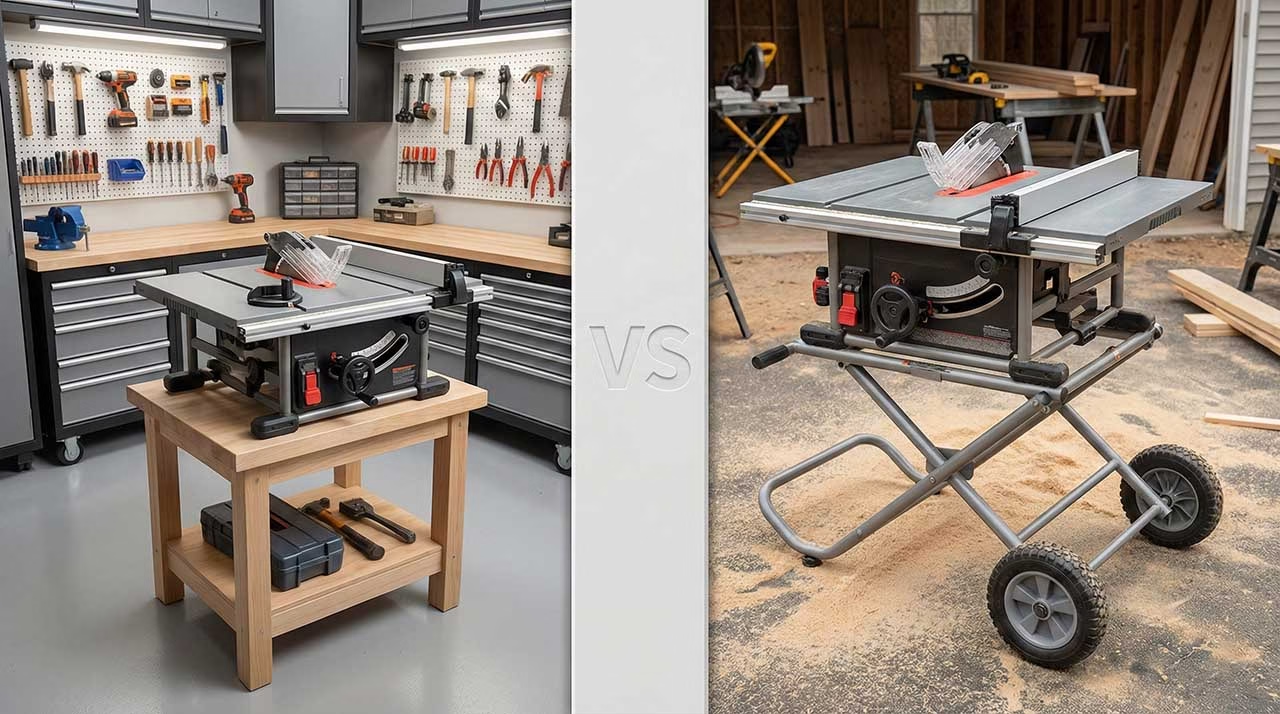
If you’re here, you’ve hit classic tool paralysis: both saws cost real money, both say “precision,” and both wear the SawStop badge like armor.
But the “hard part” isn’t whether the safety system works. It does. The hard part is choosing what kind of daily friction you want to live with.
Because these two saws are aimed at two different lives:
- One life is a small shop where you want predictable, repeatable rip cuts without turning every setup into a mini calibration ritual.
- The other life is a more versatile jobsite/mobile workflow where you want a larger surface, built-in mobility, and dado capability—even if the fence and adjustment workflow can require more patience.
Who should leave this page now:
- If you know you need stacked dado cuts for cabinetry/joinery and you’re not willing to use other methods (router, multiple passes, jigs), the Compact is a “no,” and this comparison is basically done.
Who should keep reading:
- If you want SawStop safety but you’re trying to avoid buying the wrong “tier” and paying for features that create new headaches (or don’t fix your real problem), keep going.
Methodology (so you know what this is): I’m not doing hands-on testing. I’m synthesizing real owner complaints and patterns from woodworking forums, subreddits, and mid-rating retailer reviews. That’s where the truth leaks out: what breaks, what annoys, what people would do differently, and what they still love after the honeymoon phase.
SawStop Compact Table Saw
Best for small shops + easy repeatability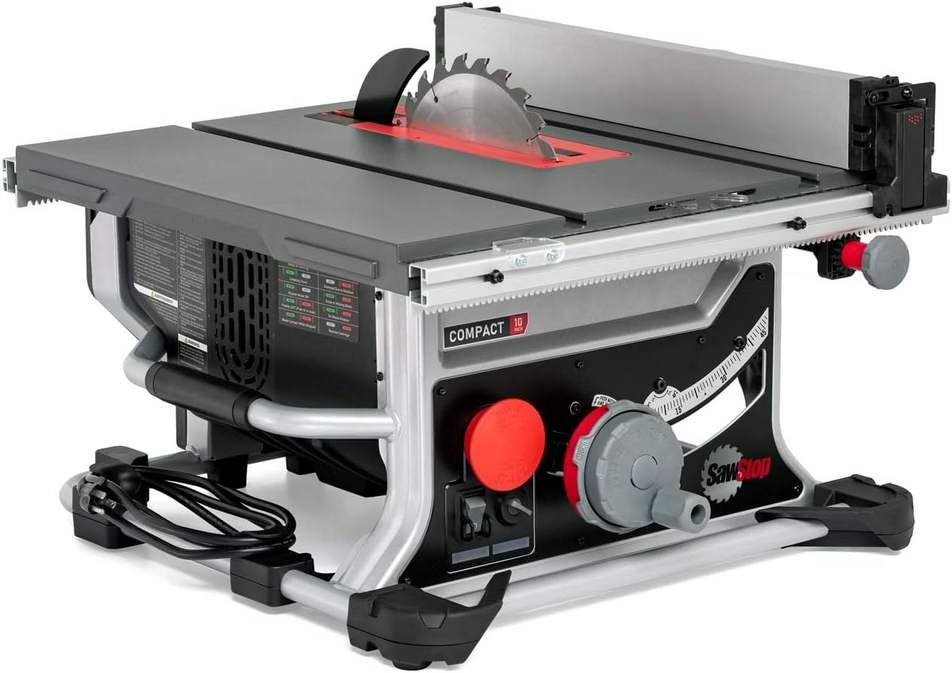
Jobsite Saw Pro
Best for mobility + dado capability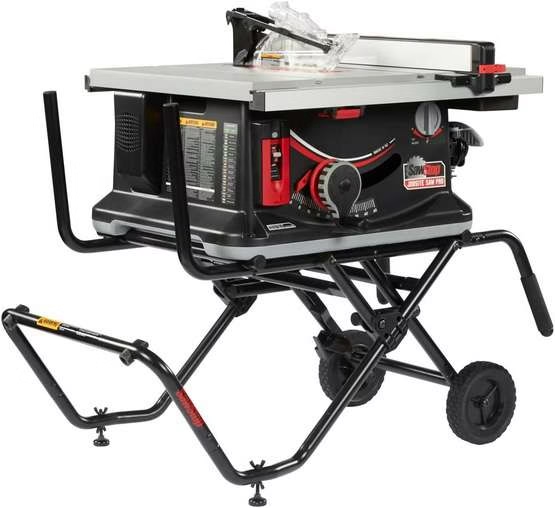
Quick summary: If you want the least drama for rip cuts in a small shop, the SawStop Compact Table Saw is usually the calmer tool: the fence control feels more “dialed” and repeatable for many owners. But it has one unforgivable limitation: no stacked dado support.
If joinery grooves are part of your future, the Jobsite Saw Pro is the only one here that stays in the game. Just go in with eyes open: the Pro is more “jobsite” in behavior—fence technique matters more, tuning matters more, and some people complain about table/fence quirks when chasing fine-woodworking precision.
The dealbreaker differences (read this before you obsess over specs)
1) The major technical gap: Dado capability (this is the real fork in the road)
Let’s be ruthless: if you want stacked dados, rabbets, and joinery grooves done the fast, clean, table-saw way, the Compact is out.
Owners regularly trip over this because they assume “10-inch table saw = dado compatible.” Not here. The Compact’s design and safety system are built around a standard blade setup, and the product is commonly discussed as “not compatible with dado stacks.” That means you don’t get to “add it later.” You accept life without stacked dados.
What that means in real life:
- Cabinets, shelving joinery, bookcases, drawer bottoms, and panel grooves become slower.
- You’ll do more of this work with a router, a track saw + jig, multiple passes with a standard blade, or specialty jigs.
- If you’re the type who likes clean, fast joinery workflows, you’ll resent the Compact eventually.
The Jobsite Saw Pro stays in the game because it can run an 8-inch dado stack when configured correctly (dado cartridge, insert, correct setup). That matters because it turns a bunch of “annoying, multi-step woodworking” back into a single controlled operation.
The hidden truth:
- Dado capability isn’t just a feature. It’s a future-proofing decision.
- Even beginners who don’t “need dados” today often discover that joinery is where the table saw starts earning its keep.
So the correct question is: Do you want to build furniture and cabinetry with joinery that doesn’t feel like a workaround? If yes, Jobsite Saw Pro wins this round by default.
2) The workflow gap: Fence behavior and repeatability (the daily frustration factor)
The Compact’s biggest “practical” advantage is how often owners describe the rack-and-pinion style fence control as predictable. You dial it, it stays where you expect, and you’re not constantly second-guessing the far end of the fence. That’s why Compact buyers who come from DeWalt-style jobsite saws often feel immediately comfortable.
The Jobsite Saw Pro fence is where the internet splits into two tribes:
- Tribe A says: “It’s fine if you set it up and use it right.”
- Tribe B says: “For the money, I shouldn’t have to babysit it.”
What’s actually happening:
- The Pro fence can show a small amount of deflection if you apply side pressure while feeding stock. That can translate into tiny width variation across repeated rips if your technique varies cut to cut.
- Some owners fix this by tuning the fence, improving their feed technique, and using featherboards or better support so they’re not muscling the stock into the fence.
Analogy (because this is the simplest way to explain it):
- The Compact is like a car with stable steering at highway speed. Small mistakes don’t instantly turn into drama.
- The Jobsite Pro is like a truck on rough roads. It can do more, but you feel the road, and your inputs matter more.
If your work is mostly:
- ripping sheet goods,
- repeatable strips,
- furniture parts where consistency matters,
…then fence “feel” and repeatability aren’t minor. They’re your quality ceiling.
This is where many hobbyists end up:
- They buy the Pro for capability,
- then build a bigger table around it or rely on sleds/jigs to bypass fence limitations.
That works. But it’s extra work you should acknowledge upfront.
3) The physicality/durability gap: “jobsite compromises” vs “small-shop intent”
A jobsite saw is built to move. That means it uses more lightweight construction, more plastic where it makes sense, and a design that prioritizes portability and storage. Owners love the Pro’s mobility and quick deployment. They also complain that it feels like “too much plastic for the price” compared to heavier SawStop models.
The Compact sits in a weird middle: it’s still portable, but it’s frequently framed as “small shop + limited space.” The moment you live with it, you discover the real trade:
- smaller table footprint,
- less support for big panels unless you add outfeed/side support,
- but it can feel more controlled for the cuts people make in tight spaces.
Important reality: neither saw turns into a cabinet saw just because it says SawStop.
- If your expectation is “dead-flat cast iron table, industrial fence, cabinet-level dust control,” you’re shopping in the wrong tier.
Section B: Real-world scenarios (stories, not spec sheets)
Scenario 1: The small-shop builder who wants clean repeatability (why the Compact wins)
You’re in a one-car garage, a shed shop, or a corner of a basement. You’re not rolling a saw out to the driveway every time. You want to walk up, set a rip width, and make parts that match.
For this user, the Compact is usually the better psychological tool:
- The fence control is more “direct.” You’re less likely to feel like the far end is drifting.
- You accept the limitations and build around them (crosscut sled, better miter gauge, outfeed support).
- Your projects skew toward boxes, shelving, trim, small furniture, and repeatable parts.
You will still need:
- a good sled,
- a decent aftermarket miter gauge (or just go sled-only),
- and you should plan on setup/tuning as part of ownership.
But your day-to-day feels simpler.
The price you pay:
- you don’t get stacked dados.
- if joinery grooves become central to your work, you’ll either route them or regret the purchase later.
Scenario 2: The “I want to do cabinetry and dados” hobbyist (why the Jobsite Saw Pro wins)
You’re planning cabinets, bookcases, built-ins, drawers, and you like the idea of “table saw joinery that just works.”
This is where the Pro makes sense:
- The dado capability changes what’s practical.
- The larger working surface and stand support make bigger work less sketchy.
- You can store it out of the way, then roll it out when needed.
But your success depends more on:
- tuning,
- technique,
- and not treating the fence like an immovable wall you can push against.
If you’re willing to:
- tune the fence clamping,
- use featherboards,
- build jigs/sleds, …you can get excellent results. Many owners do.
If you’re not willing to do that, you’ll be the person posting “why are my rip widths inconsistent?”
Scenario 3: The “space is fine, accuracy matters, but I’m not going cabinet saw” case (where the choice flips)
If you actually have space and you care about fine-woodworking accuracy above all else, both of these are compromise choices.
Here’s the flip:
- If you don’t need mobility, you’re paying for portability compromises you may not want.
- Many owners in that situation end up saying: “I should have gone Contractor Saw or bigger.”
So why would you still pick between these two?
- Budget constraints,
- ability to store the saw,
- or you want SawStop safety now and can’t justify the next tier.
In this scenario:
- Choose Compact if you want calmer fence behavior and you don’t need dados.
- Choose Pro if you need dados and you accept you’ll build your workflow around jigs and proper setup.
Section C: Spec-sheet decoder (7 specs you must understand before buying)
- Dado stack compatibility
This is not “can I cut a groove.” Any saw can cut a groove with multiple passes. Dado compatibility means a stacked dado set is supported safely (arbor length, brake cartridge type, insert). Compact = no. Jobsite Pro = yes (with the right cartridge and insert). - Brake cartridge (standard vs dado)
SawStop safety relies on a cartridge that stops the blade. For dados, you need a cartridge designed to stop the wider stack. If you buy the Pro for dados, budget and plan for that accessory as part of ownership. - Bypass mode / conductivity testing
Some materials can trigger the brake without you touching the blade: wet wood, pressure treated lumber, some sheet goods, hidden moisture, or accidental contact with conductive items. Bypass mode is your “don’t waste a cartridge” mode when the workpiece is suspicious. - Fence deflection
If a fence can flex a tiny bit when you push stock into it, your rip width can vary slightly depending on your technique. That’s why some owners complain about inconsistent rips, and why others say “use featherboards and stop muscling the cut.” - Miter gauge and miter slot fit
Stock miter gauges are often basic. Slop in the bar/slot means angle cuts can vary unless you use a sled or upgrade. Many owners treat “upgrade miter gauge” as normal. - Parallelism (blade-to-slot, fence-to-slot)
If the blade isn’t parallel to the miter slot, sleds bind, cuts burn, and accuracy goes out the window. If the fence isn’t parallel to the blade, you invite binding and kickback. Setup is not optional with portable saws. - Table flatness and support
Portable saw tables are smaller and lighter. Some owners complain about dips or unevenness around slots/openings. Even when “good enough,” you still need outfeed/side support for big panels to avoid controlling a floppy sheet with your wrists.
Section D: Internet consensus & truths (the two tribes + what they hate)
The Compact “tribe”
They’re usually: – small-shop owners, – people coming from DeWalt-style saws, – safety-first buyers who want controlled, predictable operation.
What they praise:
- the fence control feels precise and repeatable,
- compact footprint,
- generally “small shop friendly.”
What they admit:
- the stock miter gauge is nothing special,
- you still need to tune/setup,
- and the no-dado limitation is a permanent ceiling.
The Jobsite Saw Pro “tribe”
They’re usually: – people who want mobility, – remodelers, – hobbyists who want dado capability without jumping to a bigger saw.
What they praise:
- portability (stand/cart),
- “smart storage” and jobsite-ready design,
- dado capability (future-proofing).
What they admit:
- fence feel can be divisive,
- repeatability depends on setup and technique,
- “jobsite compromises” show up when you demand cabinet-saw behavior.
The hated features (brutally honest)
Compact hate list
- No dado stacks. This is the big one.
- Some owners report fence squareness/flatness issues on their unit and end up dealing with support or replacement.
- Rail play when extended can feel cheap, even if it doesn’t ruin a cut.
Jobsite Saw Pro hate list
- Fence deflection/locking behavior creates distrust in repeatability for some users.
- Table flatness debates: some people insist there’s a dip/unevenness and say it’s “not for fine woodworking” unless you rely on sleds.
- Height adjustment workflow complaints show up when people try to dial repeatable dado depths like it’s a heavier shop saw.
- Power complaints appear when pushing hardwood aggressively (feed rate, blade choice, and setup matter a lot).
Translation: Neither saw is “buy once, cry once” perfection. They’re “buy once, accept the compromises” tools.
Section E: Troubleshooting survival guide (bookmark this)
1) “My SawStop brake fired and I didn’t touch the blade.”
Why it happens:
- Moisture or conductivity in the workpiece (wet plywood, MDF with moisture, pressure treated wood).
- Contact with a conductive item (metal tape measure edge, miter gauge, embedded staple, etc.).
- Setup issues (clearance too tight, wrong blade assumptions).
How to prevent it:
- Treat “unknown sheet goods” as suspicious until proven otherwise.
- Use the saw’s conductivity test / bypass mode process when the material might be wet or treated.
- Keep metal tools away from the blade path (obvious, but people still do it).
- If you’re cutting reclaimed wood, assume hidden nails exist until proven otherwise.
What to do after it happens:
- Replace the cartridge.
- Inspect/replace the blade (many owners consider the blade compromised after a brake event).
- Figure out the cause before you repeat the same mistake.
2) “My Jobsite Saw Pro rips aren’t consistent. Same fence setting, different widths.”
Why it happens:
- Fence deflection plus inconsistent feed pressure.
- Fence not properly tuned (clamping force / alignment).
- Blade not parallel to miter slot, creating a steering/binding effect.
- Lack of support causing you to twist the workpiece mid-cut.
Fix it (in order):
- Confirm blade-to-miter-slot parallel.
- Confirm fence-to-blade parallel.
- Adjust fence clamping behavior so it locks without shifting.
- Stop pushing the board into the fence like you’re trying to bend it. Your hands guide; the fence locates.
- Add featherboards for repeatability.
- Add infeed/outfeed support so the board isn’t levering sideways.
If you do those and still hate the fence feel:
- You’re not crazy. Some people simply don’t like the fence design at this tier and end up building a bench system around the saw.
3) “My saw won’t cut straight / burns / binds.”
Most common causes:
- Alignment is off.
- Wrong blade choice (too many teeth for ripping, dull blade, dirty blade).
- Riving knife mismatch or misalignment.
- Fence slightly toeing in toward the blade.
Fix:
- Do a full setup procedure. Portable saws aren’t “plug and perfect.”
- Use the right blade for the cut.
- Verify riving knife alignment and thickness compatibility with your blade choice.
- Don’t force feed rate; let the blade cut.
Maintenance / care schedule (simple but effective)
Weekly (if you use it often): – Clean dust build-up from the cabinet/under-table area (dust causes friction and adjustment issues). – Check fence locking feel and verify it hasn’t drifted.
Monthly:
- Recheck blade-to-slot and fence-to-slot alignment (especially if the saw travels).
- Inspect power cord and switch behavior.
- Confirm riving knife alignment.
Whenever you change blades:
- Verify brake clearance and correct cartridge.
- Run a quick test cut and confirm fence scale accuracy (don’t assume).
Reliability audit (what’s likely to annoy you long-term)
This isn’t about catastrophic failure. It’s about “how often will I be mildly mad?”
SawStop Compact Table Saw
- High certainty annoyance: no dado stacks (if you ever want them).
- Medium annoyance risk: stock miter gauge (upgrade solves it).
- Medium annoyance risk: rail play / fence squareness on some units (support/adjustment may be needed).
- Low-to-medium annoyance: limited table size means you must build support.
Jobsite Saw Pro
- High certainty annoyance: you’ll spend time tuning/learning fence technique if you chase repeatability.
- Medium annoyance risk: table flatness debates (if you’re hyper-precision focused, you’ll use sleds anyway).
- Medium annoyance risk: repeatable depth settings for joinery can feel fiddly.
- Low-to-medium annoyance: power “feel” in hardwood depends heavily on blade/feed/setup.
The correct mindset:
- Buy the Compact when you want a calmer daily experience and accept the no-dado ceiling.
- Buy the Pro when you want capability and accept you may need to work harder for cabinet-grade repeatability.
The 7-spec comparison (no fluff)
| 1) Dado stacks | Compact: No | Jobsite Pro: Yes (requires dado setup) |
|---|---|---|
| 2) Best “daily” strength | Compact: Predictable fence control | Jobsite Pro: Versatility + mobility |
| 3) Fence behavior | Compact: Rack-and-pinion style, repeatable feel | Jobsite Pro: Can deflect if you push hard; tuning helps |
| 4) Table/support needs | Compact: You’ll add support sooner | Jobsite Pro: Stand/table help, but still “portable saw” reality |
| 5) Joinery workflow | Compact: Router/jigs/multi-pass grooves | Jobsite Pro: True dado workflow available |
| 6) Typical upgrades | Compact: Miter gauge/sled, support tables | Jobsite Pro: Miter gauge/sled, fence technique aids |
| 7) Who regrets it? | Compact: People who later want dados | Jobsite Pro: People who expect cabinet-saw repeatability without effort |
Killer feature highlight (the one thing that should decide it fast)
The killer feature that ends the debate
If you want stacked dado joinery, buy the Jobsite Saw Pro. If you do not want stacked dado joinery and you care more about calm, repeatable fence control in a small space, buy the SawStop Compact.
PHASE 5: FAQ & final verdict
Frequently Asked Questions (real questions people keep asking)
1) “Is the Compact a bad choice for accuracy in fine woodworking?”
Not automatically. Many owners like it for predictable rip setups. The real limiter is not “accuracy,” it’s capability: no stacked dados and a smaller working surface. If you build sleds and support tables, you can do clean work. If you want table-saw joinery grooves, you’ll hate it.
2) “I have limited space—should I get Compact or Jobsite Pro?”
If you need to store the saw tight and prioritize controlled rip cuts, Compact tends to fit better. If you need a rolling stand and want to move it easily (or store it against a wall), Jobsite Pro is strong—just accept the fence/technique learning curve.
3) “Do I really need dado stacks?”
If you’re building cabinets, bookcases, drawers, and anything with grooves/rabbets often, dado stacks save time and keep results consistent. If your projects are mostly basic rips/crosscuts, trim, and simple furniture, you can survive without dados using routers and jigs.
4) “Why do some people complain about fence deflection on the Jobsite Pro?”
Because if you push stock sideways into a fence that can flex slightly, you can change your cut width without realizing it. Some users never notice because their technique is consistent and they use featherboards/support. Others chase perfect repeatability and get annoyed.
5) “Is the stock miter gauge good on either saw?”
Most people treat stock miter gauges as “temporary.” The common upgrade path is a better miter gauge or, better yet, a crosscut sled. If you’re serious about accuracy, plan on sleds.
6) “Can wet wood or sheet goods trigger the brake?”
Yes, it can. That’s why bypass mode exists and why SawStop users talk about “testing suspicious material.” If you cut treated lumber, reclaimed wood, or questionable sheet goods, plan for bypass workflow so you don’t burn cartridges.
7) “What upgrades should I budget for day one?”
Minimum: a crosscut sled plan (or materials), featherboards, and a better blade suited to your common cuts. For the Pro: budget for dado cartridge + insert if dados are the point of buying it. For the Compact: budget for support tables/outfeed if you cut larger panels.
8) “Which one is better for hardwood?”
Both are portable-saw class. Hardwood success depends heavily on blade choice, feed rate, and alignment. Owners complaining about “gutless” behavior are often dealing with binding, alignment issues, or poor blade choice. If you expect cabinet-saw muscle, you’ll be disappointed.
9) “If I’m already spending this much, should I skip both and go bigger?”
If you have the space and you want consistent cabinet-grade behavior (flat table confidence, heavier fence systems, better dust handling), many owners say the jump to the Contractor tier (or above) is where the “tool fighting” drops. If you can’t, then you pick the compromise that matches your workflow.
Final verdict (direct and unfiltered)
The bottom line:
This choice is not about “which SawStop is safer.” It’s about whether you want capability (dados + mobility) or calm repeatability (simpler fence control in a small shop).
Buy the SawStop Compact Table Saw if…
- You do not need stacked dado joinery (now or later).
- You want a more “predictable” fence experience for repeatable rips.
- You work in a smaller shop and want a compact footprint.
- You’re fine upgrading the miter gauge / building sleds.
Buy the Jobsite Saw Pro if…
- You want dado stacks and joinery workflows that don’t feel like hacks.
- You want a rolling stand / mobility and faster setup/tear-down.
- You can accept that technique + tuning matter more for repeatability.
- You’re okay using sleds/jigs to get “fine woodworking” consistency.