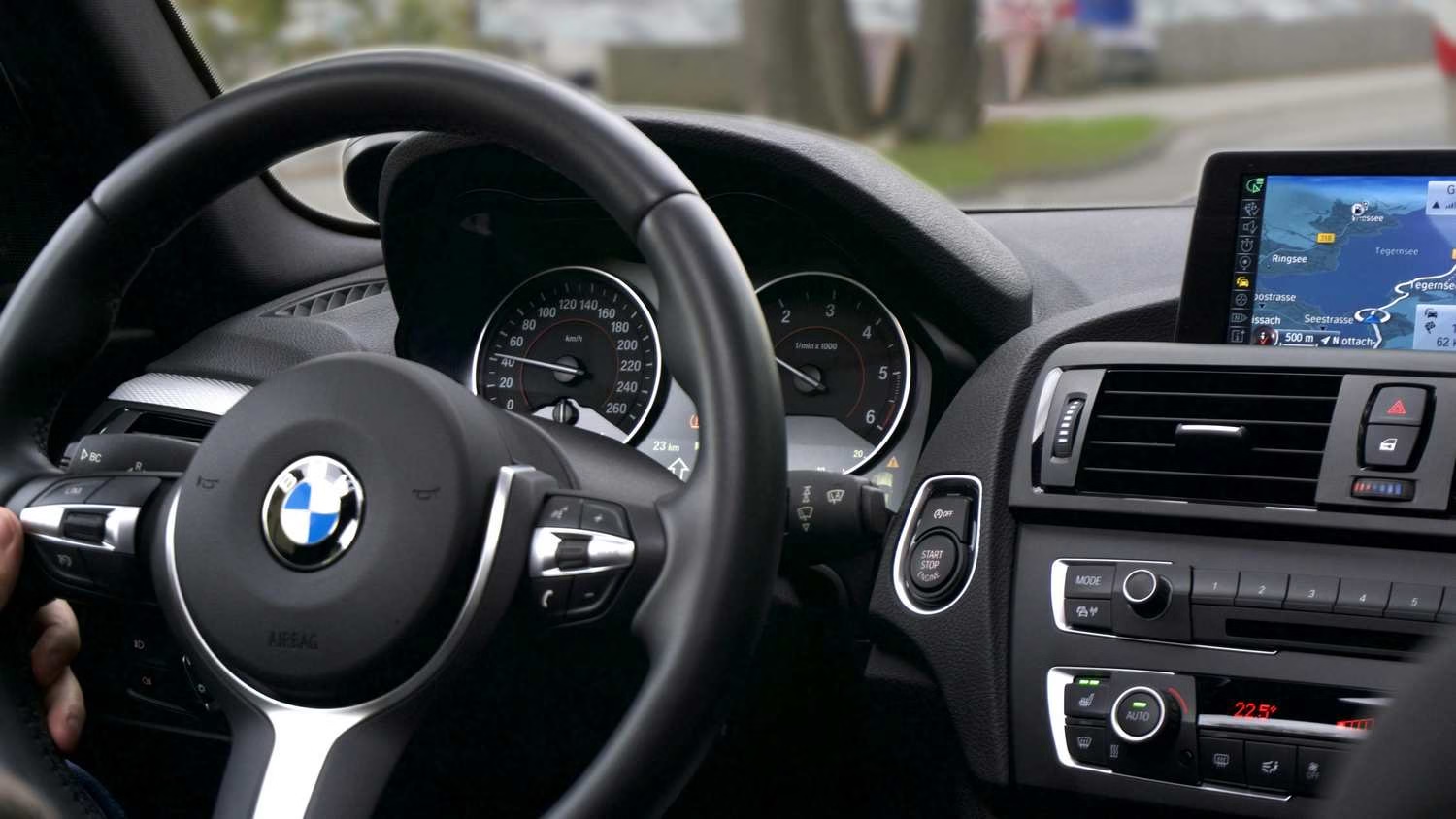
If you install a cheap dash cam in a BMW, your car will scream at you.
BMW’s energy management system is notoriously sensitive. If a standard dash cam draws power for even a few hours while parked, you will wake up to the dreaded “Increased Battery Discharge” warning on your iDrive screen—or worse, a car that won’t start.
Most dash cam guides ignore this. They recommend the same generic cameras they suggest for a Honda Civic. That is dangerous advice for a BMW owner.
We analyzed real-world reports from Bimmerpost and r/BMW to find the only three cameras that respect your BMW’s sensitive electronics and complex interior trim.
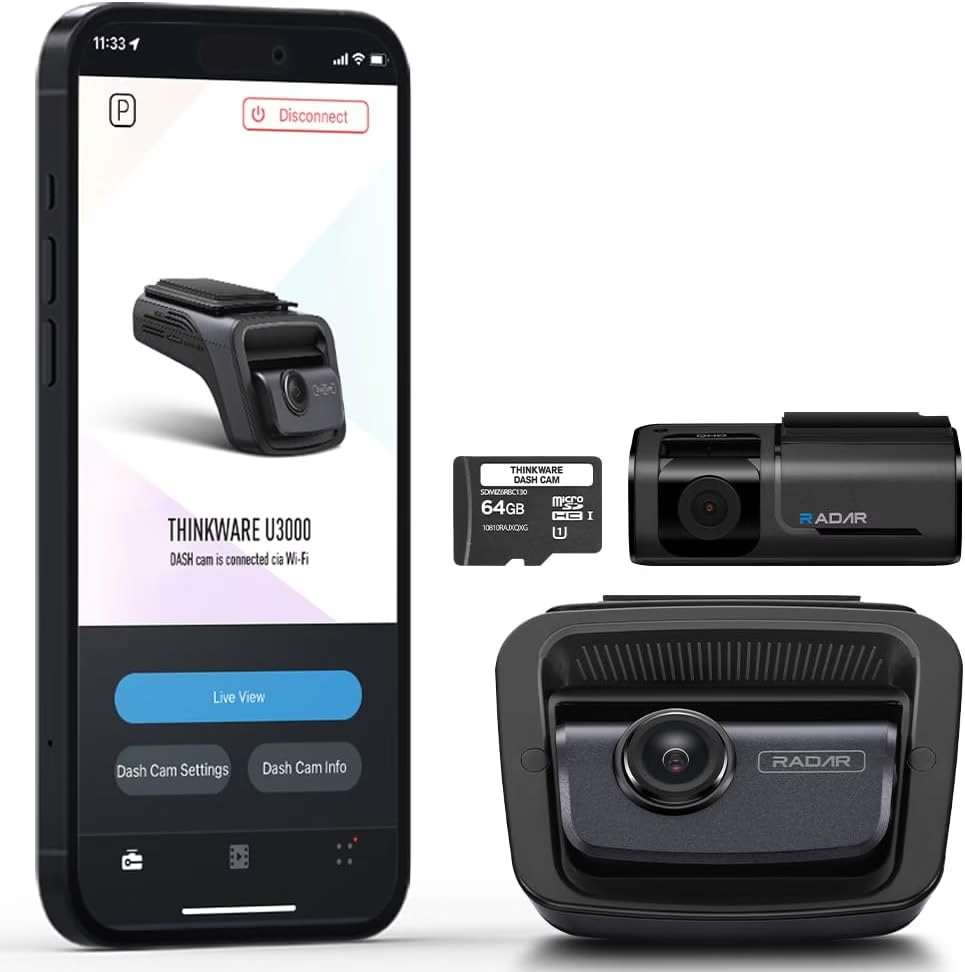
Thinkware U3000
The Brutal Verdict: The only camera with built-in “Radar Parking Mode” that sleeps until it sees motion. It prevents the “Increased Battery Discharge” iDrive warning.
Check Price on Amazon →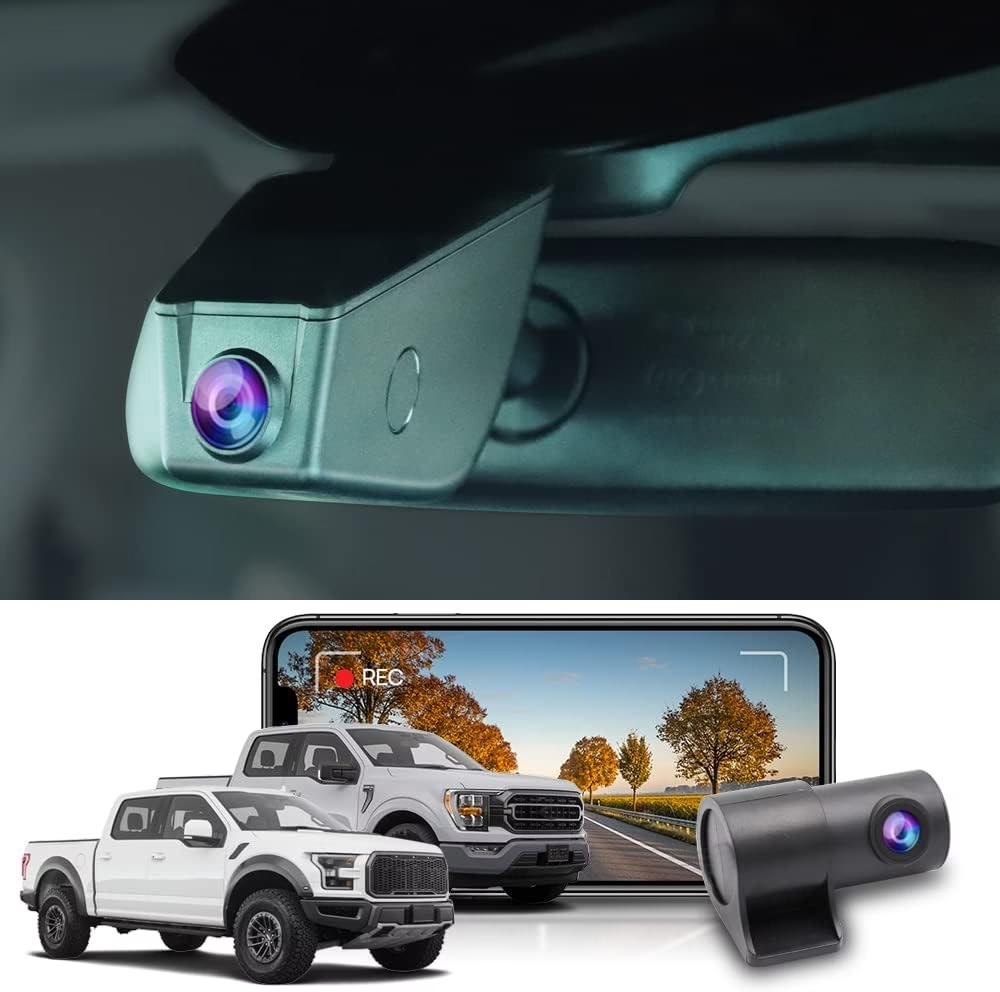
FitcamX Integrated Cam
The Brutal Verdict: Replaces the plastic shell behind your mirror for a 100% factory look. No visible wires, no splicing, but the app is clunky.
Check Price on Amazon →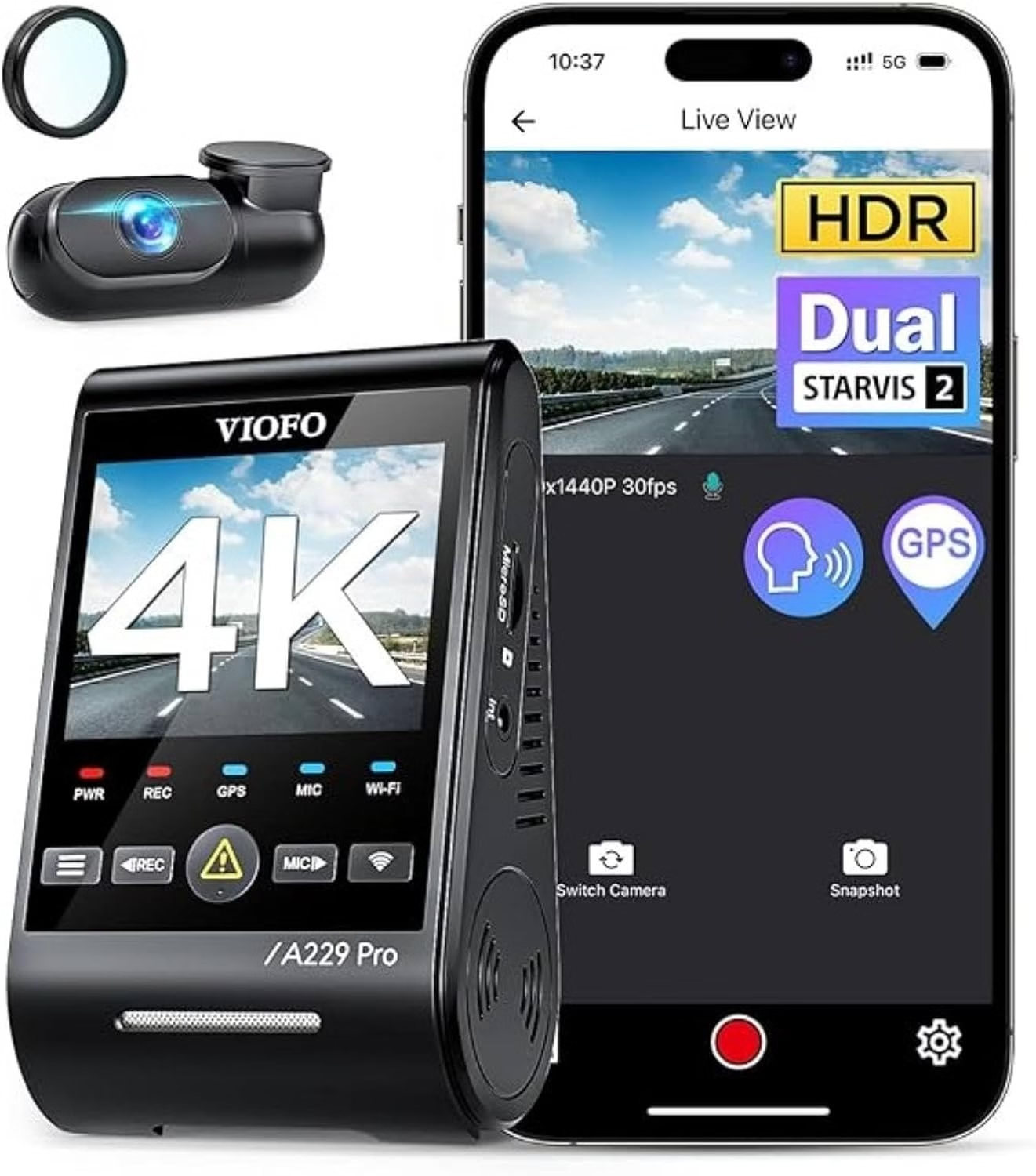
VIOFO A229 Pro
The Brutal Verdict: The video quality destroys the OEM BMW “Car Eye” camera, but you MUST use a dedicated battery pack (like Cellink Neo) to avoid draining your car battery.
Check Price on Amazon →If you’re searching best dash cam for BMW, you’re probably not just chasing sharp video. You want a clean fit, factory-like behavior, and no surprise warnings after parking mode. The good news? You can get a tidy setup that looks OEM and still captures the moments that matter—front, rear, or both.
What matters most (so you don’t overbuy)
People ask, what is the best dash cam for a car—but for BMW drivers, the answer usually comes down to fit and power behavior. Aim for a setup that stays quiet in the background and records reliably when it counts.
- Smart power management Choose wiring that won’t confuse the car’s electrical monitoring. This is the difference between smooth parking mode and random battery messages.
- Front and rear coverage that’s actually usable If you’re comparing what is the best dash cam for front and rear, prioritize clean night video and stable frame rate over flashy specs.
- Cold-weather consistency For dash cam for cold weather, look for dependable startup behavior and a mount that doesn’t droop when temperatures swing.
- Low-profile placement A discreet install reduces reflections and keeps the cabin looking factory. It’s especially helpful if you want a best BMW dash cam front and rear style look.
How to choose the best dash cam for BMW (simple steps that save time)
Want an easy path that avoids buyer’s remorse? Use this flow. It works whether you’re comparing which brand dash cam is best, hunting for dash cam recommendations, or narrowing down the best dash cam 4k front and rear idea into something practical.
- Start with your goal. Daily commute protection? Parking incidents? Road trips? The right “best dash cam” depends on when you need footage most.
- Pick your coverage level. If rear bumps and tailgaters are common, what is the best dash cam for front and rear becomes the smarter baseline.
- Decide how you’ll power it. A clean power plan is how you keep the “stop battery drain” part of your plan strong—especially if you want parking recording.
- Plan the cable route before mounting. Quick installs look messy later. Think factory lines, avoid airbags, and aim for a stealth look.
- Test night video and reflections. Polarizing filters and positioning matter more than you’d expect. Move it slightly, then re-check footage.
- Set recording settings once and forget it. Keep it simple: loop recording on, impact events saved, and storage formatted on schedule.
Model-specific fit: BMW drivers search these phrases for a reason
Fit and placement change with windshield angle, mirror housing shape, and rear hatch design. That’s why searches get very specific. If you’ve typed any of the lines below, you’re looking for a setup that mounts cleanly and records without distractions.
- Small SUVs and crossovers People often compare best dash cam for BMW X1, best dash cam for BMW X2, does BMW X3 have dash cam, best dash cam for BMW X3, best dash cam for BMW X4, best dash cam for BMW X5, best dash cam for BMW X6, and best dash cam for BMW X7—mostly for rear camera routing and hatch movement.
- Sedans and coupes Searches like best dash cam for BMW 3 series, dash cam for BMW 3 series, best dash cam for BMW 330i, best dash cam for BMW 330e, best dash cam for BMW 4 series, best dash cam for BMW 5 series, and best dash cam for BMW 7 series usually come down to a discreet front mount that doesn’t block the driver’s view.
- Chassis codes and enthusiast cars If you’re comparing best dash cam for BMW F30, best dash cam for BMW G20, dash cam BMW F10, best dash cam for BMW F10, best dash cam for BMW G30, best dashcam for BMW G05, best dash cam for BMW M2, best dash cam for BMW M3, best dash cam for BMW M4, or best dash cam for BMW Z4, you’re probably focused on OEM-like routing and an install that stays rattle-free.
- EVs and i models Drivers commonly search best dash cam for BMW i3, best dash cam for BMW i4, best dash cam for BMW iX, and best dash cam for BMW iX1 because they want clean integration and careful power behavior with modern electrical systems.
If you’re bouncing between options, keep it simple: the best dash cam for BMW X5 and the best dash cam for BMW X3 can be very similar on paper, but installation details and rear routing usually make the final call.
Frequently asked questions BMW drivers keep googling
Does BMW have dash cam?
Many BMWs include cameras for safety and assistance features, which sparks the question does BMW have a dash cam. But a dedicated recording dash cam is built for saving clips, looping video, and capturing incidents consistently—especially when you want front and rear footage.
Do BMW have built in dash cam, and do BMW cameras record?
The “built-in” conversation usually comes from driver-assistance hardware. That’s why people ask do BMW have built in dash cam and do BMW cameras record. A true dash cam experience is about easy access to saved files, reliable event capture, and consistent recording behavior.
What is the best dash cam for front and rear in a BMW?
When you search what is the best dash cam for front and rear, look for clear night footage, stable performance, and a mounting style that stays out of your sightline. For BMW interiors, a low-profile front unit plus a tidy rear route usually feels the most “OEM.”
Which brand dash cam is best?
It’s tempting to chase a name when you’re asking which brand dash cam is best or what is the best dash cam brand. Instead, judge by consistent video at night, heat handling, reliable file saving, and power behavior that plays nicely with BMW electrical monitoring.
Is the BMW dash cam any good?
People ask is the BMW dash cam any good because they want “set it and forget it” simplicity. The best choice is the one that fits your driving habits and records the scenarios you care about—without adding battery anxiety.
What is the best dash cam to buy if I want something cheap but reliable?
If you’re searching what is the best cheapest dash cam or what is the best dash cam to buy, keep expectations realistic. Prioritize stable recording, readable plates in your typical lighting, and a straightforward setup you’ll actually maintain.
Does BMW X3 have dash cam?
This question pops up a lot: does BMW X3 have dash cam. The practical takeaway is the same—assistance cameras aren’t automatically a full dash cam experience. A dedicated unit gives you dependable recording and easy clip access.
How to use BMW dash cam features if my setup includes an app?
If you’re looking up how to use BMW dash cam or what is the best dash cam app, focus on simple habits: connect when needed, download important clips right away, and keep storage healthy with occasional formatting. The best “app experience” is the one you don’t have to fight.
Are Reddit threads a good way to choose the best dash cam for BMW?
Lots of drivers search reddit best dash cam for BMW or best dash cam for BMW reddit for real-world feedback. Use those discussions to learn about fit and wiring experiences, then pick based on reliability, power behavior, and clean installation—not hype.
A simple rule that keeps BMW installs stress-free
The best dash cam for BMW is the one that records clearly, stays discreet, and doesn’t irritate the car’s electrical system. Keep your plan focused: front-only if that’s enough, or step up to front and rear when you want full coverage. Either way, choose a clean install route, keep settings simple, and you’ll get dependable video without the nagging battery drain worries.
And if you’re still comparing searches like what is the best dash cam and what is the best dash cam for a car, remember: BMW ownership rewards the “fit + power” approach. Nail those two things, and the rest becomes easy.
1. Thinkware U3000: The Battery Saver
Thinkware U3000
- No Battery Drain: Keeps the BMW electrical system happy.
- Radar Detection: Captures the incident BEFORE impact, unlike G-sensor cams that start late.
- Clean Look: Sleek wedge shape fits nicely behind the rearview mirror.
Do you park your BMW overnight? Do you want protection without a dead battery? This is your best choice.
Most dash cams stay “on” to watch for motion. This drains your car’s battery. The Thinkware U3000 is different. It has a built-in radar sensor. This lets it sleep deeply. It uses very little power.
The Catch (The Price)
The tech works great. But you pay a premium for it. It costs a lot more than other 4K cameras. Its night vision is good. It uses the same sensor as cheaper Viofo cams. So the video quality is similar. You are paying for the radar, not better video.
- “Viofo a229 pro and thinkware u3000 are the best options… Thinkware… Hands down the best.”
The Bottom Line: Buy the U3000 if you want parking mode without an extra battery pack. It is the safest pick for your BMW.
2. FitcamX Integrated Dash Cam: The OEM Look
A BMW’s interior is a work of art. A clunky gadget on the windshield ruins it. FitcamX fixes this. It replaces the plastic cover behind your mirror. It looks like it came from the factory.
The Catch (The App)
The physical install is brilliant. The digital experience is just okay. It lacks GPS speed stamps. The app is not as smooth as others. It gets power from your rain sensor. This is easy. But it usually cannot record while parked. For that, you need a complex wire to the fuse box.
- “FitCamX… looks OEM, no visible wires at all… App is fiddly, but once you have it set up, you never need to go in it.”
The Bottom Line: Buy the FitcamX if you hate wires. Get it if you do not need parking mode security. It is the cleanest look you can get.
3. VIOFO A229 Pro: The Video Quality Pick
Do you not care about a factory look? Do you just want the best video? The VIOFO A229 Pro is the winner. It uses top-tier Sony sensors for both front and rear cameras.
The Catch (Battery Risk)
Here is a big warning. Do not use its parking mode on a BMW without a separate battery pack. The A229 Pro uses a lot of power. If you wire it straight to your car’s battery, you will likely get a battery warning very fast.
- “Im running VIOFO A229 Pro with the hardwire kit. Quality is good… basically want a camera with the Starvis2 sensor.”
The Bottom Line: Only buy the A229 Pro if you also buy a dash cam battery pack. Never run it directly from your car’s battery.
Final Verdict: Which One Fits Your BMW?
Your choice is simple.
- For 24/7 protection with no battery errors: Get the Thinkware U3000. Its radar is a lifesaver.
- For a hidden, invisible look: Get the FitcamX. It snaps right in and disappears.
- For the very best video quality: Get the VIOFO A229 Pro, but you must buy an external battery pack for it.
BMW Hacks: The “Battery Discharge” Fix
BMWs hate aftermarket electronics. If you wire it wrong, you will wake up to a scary “Battery Discharge” dashboard warning.