
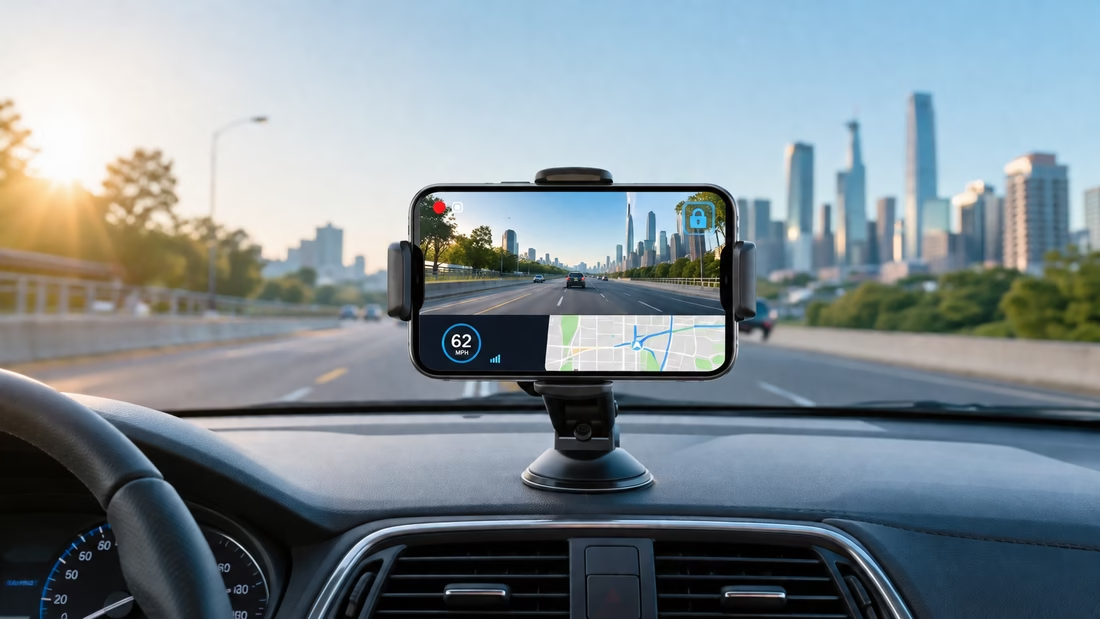
The best dash cam apps turn your phone into a road camera. They record each trip, save key clips, and track your speed. Some can also spot a crash and protect the video.
For Android, Droid Dashcam offers the best mix of tools and ease. For iPhone, DashCam Recorder is a strong free choice. Yet, other apps may suit your needs better.
Below, you will find five Android apps and five iPhone apps. You may like to read: Are Dash Cams Worth It? Pros, Cons & Who Actually Needs One
Best Android Dash Cam Apps
Android gives dash cam apps more control over your phone. Many can record in the back while you use a map. Some can also start when your car begins to charge your phone.
1. Droid Dashcam — Best Overall for Android
Droid Dashcam covers almost every key need. It records trips in short clips and replaces old clips as space runs low. This is called loop recording [reuses storage on its own].
You can also run it behind your map app. That helps you record the road while you get turn-by-turn help.
Key Features
- Loop recording with a set storage limit
- Recording while other apps stay open
- Auto-start when your phone begins charging
- Auto-start through a Bluetooth link
- Crash detection that locks key clips
- Date, speed, address, and GPS stamps
- Front and rear camera support
- Local storage for better privacy
What You Should Know
The app does not add digital video stabilization. Your phone mount must stay firm to reduce shake.
Some phones may not support the wide camera. Dual-camera recording can also vary by device.
Best For
Choose Droid Dashcam if you want strong features without a complex setup.
2. DailyRoads Voyager — Best for Reliable Loop Recording
DailyRoads Voyager has a simple goal. It records each drive and saves the moments you need.
You can set how much storage the app may use. Once that space fills, it removes the oldest clips. Protected clips stay safe.
Key Features
- Custom video quality and clip length
- Loop recording with storage controls
- One-tap clip protection
- Auto-lock after a hard impact
- Recording in the background
- Speed and GPS data on videos
- Time, height, and map data
- Heat protection for your phone
- Photo mode for time-lapse clips
What You Should Know
The app has been around for many years. Its design may feel old next to newer tools.
It also receives fewer updates than some rivals. Test it on your phone before a long trip.
Best For
This app is a good fit for an old Android phone used only as a dash cam.
3. Auto Dash Cam Blackbox — Best for 4K Recording
Auto Dash Cam Blackbox puts video quality first. It can record in 4K on phones that support it.
4K gives you more image detail. That may help with road signs and number plates. Yet, it also uses more space and power.
Key Features
- 4K and Full HD video
- Record mode that runs behind other apps
- Automatic loop recording
- Crash and hard-brake detection
- Auto-start when charging begins
- Auto-start through Bluetooth
- Support for phone and memory card storage
- Quick lock for key clips
- Audio controls and voice prompts
What You Should Know
High video quality can make your phone hot. It can also fill your storage at a fast rate.
Start with Full HD for normal trips. Switch to 4K only if your phone stays cool.
Best For
Pick this app if you want sharp road video from a newer Android phone.
4. Drive Recorder — Best for Simple Editing and Cloud Sharing
Drive Recorder keeps things easy. It starts recording when you open the app.
You can trim clips without using a second video tool. You can also save copies to a cloud service [online file storage].
Key Features
- Fast recording from app launch
- Loop recording
- Custom video size and quality
- Set limits for storage use
- Speed and route tracking
- Simple clip editing tools
- Cloud backup options
- Speed alerts
- Map view for past trips
What You Should Know
The app includes ads and optional paid tools. It may also collect location and device data.
Check its privacy options before your first drive. Turn off any access you do not need.
Best For
Drive Recorder suits you if you want easy clips, basic edits, and quick sharing.
5. AutoBoy Dash Cam – BlackBox — Best for Detailed Recording Controls
AutoBoy gives you deep control over each video. You can change the video size, frame rate, sound, and file quality.
A frame rate is the number of images filmed each second. A high rate can make fast motion look more clear.
Key Features
- Continuous recording in the background
- Loop recording and old-file cleanup
- Phone and memory card storage
- Custom video size and frame rate
- Custom video and sound quality
- GPS, time, event, and address stamps
- Photos while video keeps recording
- Video playback with a map
- Manual clip protection
What You Should Know
The large number of settings may feel hard at first. Its design also looks less fresh than most new apps.
Use the default settings for your first few trips. Change one setting at a time after that.
Best For
AutoBoy works best for users who enjoy fine control over video settings.
Best iPhone Dash Cam Apps
Apple places more limits on apps that run in the background. Even so, several iPhone apps offer useful dash cam tools.
You can get loop recording, speed stamps, GPS data, and cloud backup. Some apps can also work with Siri or Apple CarPlay.
6. DashCam Recorder — Best Overall for iPhone
DashCam Recorder offers a clean and private setup. You do not need an account to start recording.
The app has no ads or monthly plan. It can also store clips in iCloud or your Photos app.
Key Features
- Free use without ads
- No account or sign-up
- High-quality video recording
- Loop recording
- Crash clip protection
- Speed, date, time, and GPS data
- iCloud and Photos support
- Siri voice controls
- Ultra-wide camera support
- Heat and battery checks
- Face ID or Touch ID clip protection
What You Should Know
Long trips can still heat your iPhone. This risk rises when you record and charge at once.
Keep the phone away from hot, direct sun. A vent mount may help it stay cool.
Best For
DashCam Recorder is a top choice if you want a free and private iPhone dash cam app.
7. Driver: Driving & Dash Cam App — Best for Cloud Backup
Driver does more than save video on your phone. It can upload your trip files to its cloud service.
You can then share a trip through a web link. This may help after a crash or road dispute.
Key Features
- Full trip video capture
- Cloud storage for saved drives
- Apple CarPlay support
- Speed, location, and weather logs
- Force and hard-brake tracking
- One-minute clip bookmarks
- Front and cabin video on some iPhones
- Automatic phone storage cleanup
- Alerts for unsafe driving events
What You Should Know
Many cloud tools need a paid plan. Some added services only work in the United States.
Cloud uploads also use mobile data unless you limit them to Wi-Fi. Check this setting before your first long drive.
Best For
Choose Driver if you want cloud copies and easy links for trip videos.
8. Car Camera DVR Pro — Best for Maximum Video Detail
Car Camera DVR Pro can record high-quality road video. On a supported iPhone, you can use 4K and up to 60 frames per second.
A high frame rate can make fast cars look less blurred. It also creates much larger files.
Key Features
- Up to 4K video
- Up to 60 frames per second
- Time and speed stamps
- GPS and direction data
- Continuous loop recording
- Custom video quality
- In-app video playback
- Export to your photo library
- One-time app price
What You Should Know
This is a paid app. It also focuses more on video than smart crash tools.
High-end settings can cause heat and fast battery drain. Full HD will work better for most daily trips.
Best For
This app suits you if clear video matters more than cloud or safety tools.
9. Smart Dash Cam — Best Budget iPhone Option
Smart Dash Cam offers the main tools you need for basic road recording. You can use manual mode or let the app start on its own.
It also lets you cap storage use. This keeps your dash cam clips from taking over your phone.
Key Features
- Manual and automatic recording
- Loop recording
- Set storage limits
- Impact-based clip protection
- Speed and time stamps
- Map display
- Custom frame rate
- Audio controls
- Screen-off recording mode
- Cloud upload options
What You Should Know
Its listed video quality is lower than newer apps. That can make small signs hard to read.
Some phones may also get hot during long trips. Test it for 20 minutes before you depend on it.
Best For
Smart Dash Cam fits light use when you only need basic video proof.
10. AI Dashcam by Navmii — Best Free App with Driving Alerts
AI Dashcam records the road and checks what appears ahead. It can track road speed limits and warn you about key events.
AI means the app uses software to spot road details. It does not mean the app will catch every risk.
Key Features
- Free use without ads
- Road analysis tools
- Speed limit tracking
- Current speed display
- Loop recording
- One-to-five-minute video clips
- Background recording
- Ultra-wide camera support
- One-tap photos
- Manual clip protection
- Auto-record when the app opens
What You Should Know
The app has far less user feedback than top picks. Its results may also vary by road, light, and phone.
Treat its alerts as extra help. Keep your full focus on the road.
Best For
Try AI Dashcam if you want free recording with basic road alerts.
Quick Recommendations
You do not need the app with the most tools. You need one that fits your phone and drive time.
Here are the easiest picks:
- Best Android app: Droid Dashcam
- Best iPhone app: DashCam Recorder
- Best for cloud backup: Driver
- Best for an old Android phone: DailyRoads Voyager
- Best for an old iPhone: DashCam Recorder
- Best for 4K on Android: Auto Dash Cam Blackbox
- Best for 4K on iPhone: Car Camera DVR Pro
- Best for Android controls: AutoBoy
- Best for easy edits: Drive Recorder
- Best for iPhone road alerts: AI Dashcam
- Best for privacy: Droid Dashcam or DashCam Recorder
Important Limitations
A dash cam app can save you money. It can also give an old phone a useful new job.
Still, a phone cannot match a good dash cam in every case.
Your Phone May Get Hot
Video recording puts stress on the phone. Charging adds even more heat.
Direct sun can make the issue worse. Too much heat may stop the app or shut down your phone.
To lower the risk:
- Keep your phone out of direct sun.
- Avoid 4K on long trips.
- Remove a thick phone case.
- Use a good car charger.
- Point an air vent toward the phone.
- Stop recording if the phone feels too hot.
Calls May Stop the Video
A call can pause or stop some dash cam apps. The same may happen when another app uses your camera.
Run a short test call before you trust the setup. Check the saved clip once the call ends.
Background Recording Can Fail
Phone systems often stop apps to save power. This can end a recording without a clear alert.
Turn off battery limits for your dash cam app. You should also check the app after each system update.
Parking Mode Can Drain Your Battery
Parking mode records while your car stays still. This can use a lot of phone power.
A hot car can also harm the battery. Do not leave your main phone on the dash for hours.
Your Mount Affects Video Quality
A loose mount will cause shake and blur. Poor placement can also block your camera or road view.
Place the phone high enough to see the road. Keep it outside your main line of sight.
A Phone Is Not a Full Dash Cam
A true dash cam starts with your car and stays in place. It can also cope better with long use.
A phone app is best for short trips or rare use. It also works well while you test whether you need a full camera.
Final Thoughts on the Best Dash Cam Apps
The best dash cam apps make road recording simple. Droid Dashcam is the best all-round Android pick. DashCam Recorder is the strongest free choice for iPhone.
Your phone, mount, and drive time still matter. Test your chosen app during a short trip first. Then check the video, sound, heat, and storage use.
If the app stays stable, it can become a useful road witness. For daily long drives, though, a true dash cam offers more peace of mind.