
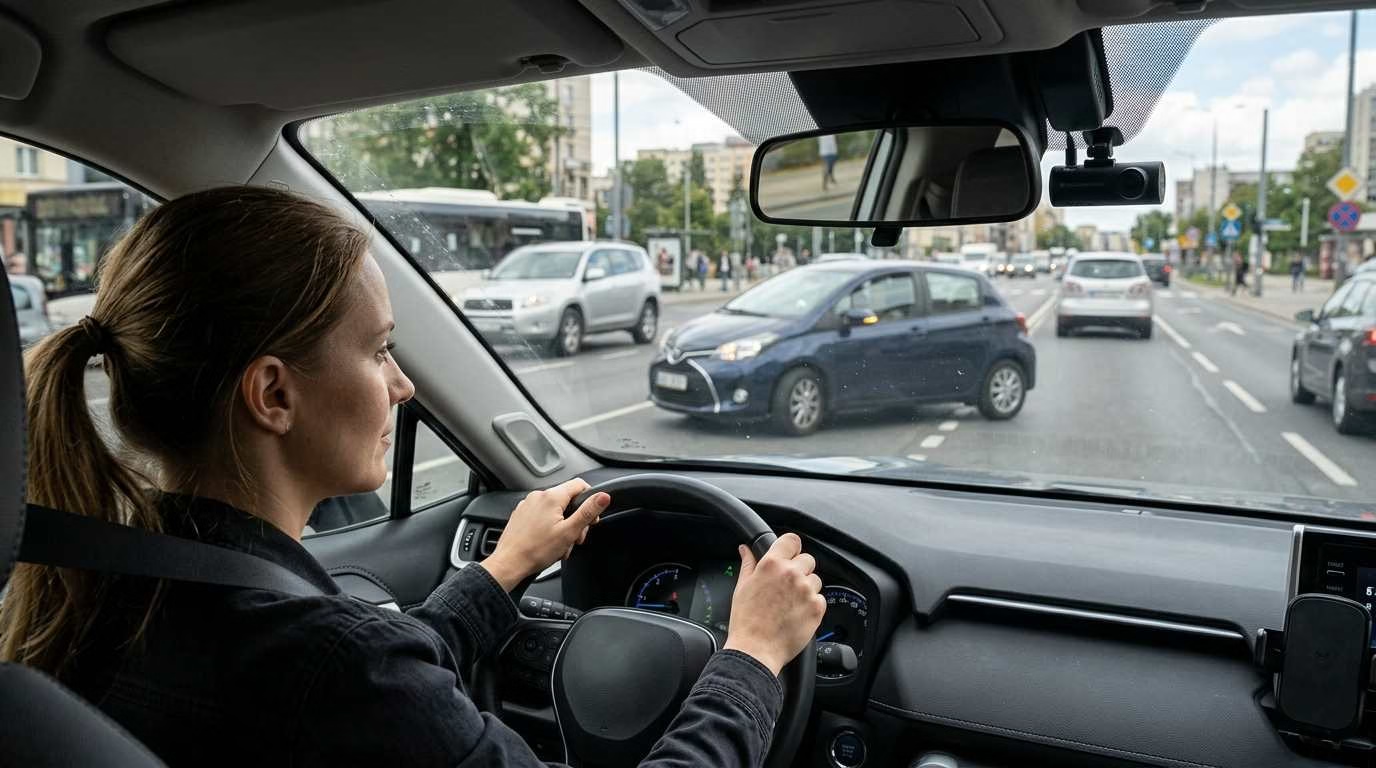
A car changes lanes and hits you. The other driver says you caused it. With no clear witness, your claim may come down to two different stories.
Are dash cams worth it? In many cases, yes. They can record crashes, parking damage, road hazards, and hit-and-runs. That footage may help explain what happened. You might interested about: 10 Best Dash Cam Apps for Android and iOS
Still, a dash cam is not right for every driver. It costs money, needs care, and cannot stop an accident. Your driving habits, parking risks, and budget should guide your choice.
Check price for reputed dash cams on the market.
What Is a Dash Cam and What Does It Actually Do?
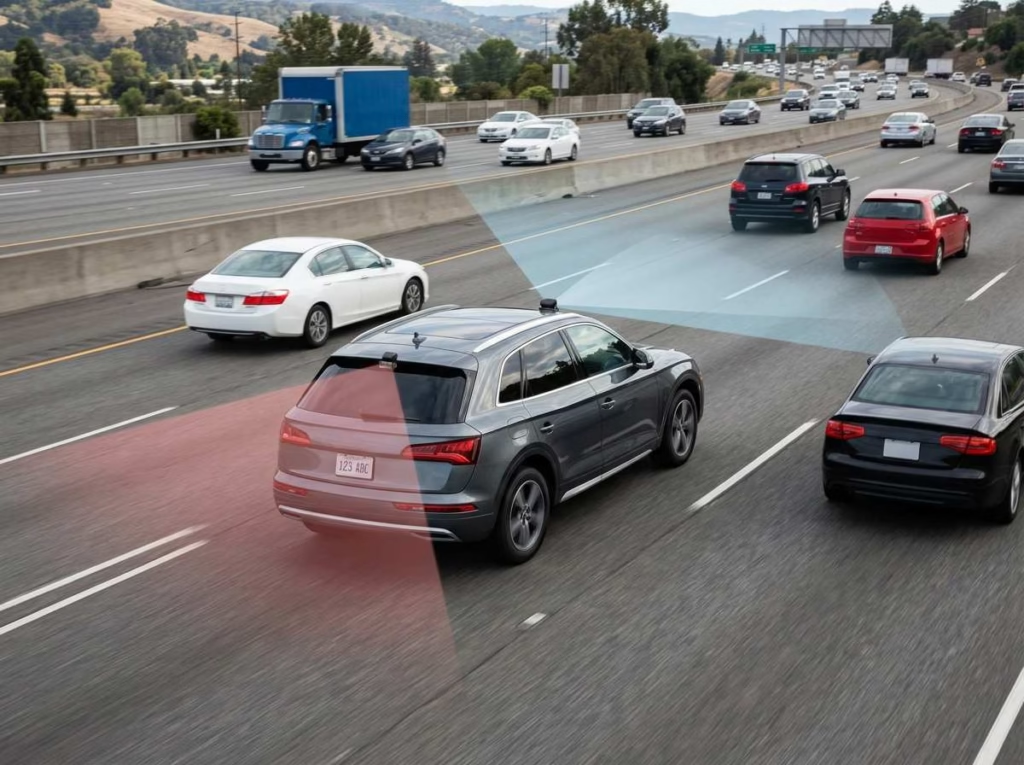
A dash cam is a small camera made for your vehicle. Most models sit near the top of your windshield.
The camera records the road as you drive. It stores each clip on a memory card. When the card fills up, the camera replaces the oldest files.
How a basic dash cam works
Most dash cams turn on with your vehicle. Recording starts without you pressing a button.
The camera saves video in short clips. These clips often last one to five minutes. This makes large files easier to store and review.
Most cameras also have an impact sensor. It can lock a clip after a hard bump. Locked clips should not get erased during normal loop recording.
However, impact sensors are not perfect. A pothole may lock a clip. A light parking scrape may not trigger one.
Common types of dash cams
Dash cams come in several forms:
- Front-facing dash cam: Records the road ahead.
- Front-and-rear system: Records traffic at both ends.
- Cabin camera: Records inside your vehicle.
- Three-channel system: Records the front, rear, and cabin.
- Commercial camera system: May cover several sides of a work vehicle.
A front camera handles many common crashes. Yet it cannot show what took place behind you.
A front-and-rear system gives you wider coverage. Cabin cameras make more sense for taxis and rideshare vehicles.
Features that affect real-world usefulness
Camera quality involves more than a sharp image. Useful features include:
- Clear night video
- Wide but natural viewing angles
- Parking mode
- GPS location data
- Impact detection
- Wi-Fi file transfer
- Heat resistance
- Clear error alerts
- Support for durable memory cards
Some cameras include cloud storage. This lets you send or view files online. It may also need a paid plan and mobile data.
Dependable recording matters most. A long feature list has little value if files fail.
Are Dash Cams Worth It? The Short Answer
Dash cams are often worth it for people who drive each day. They also make sense if you park in busy public areas.
You may gain more value from one if you:
- Have a long daily drive
- Spend time in heavy traffic
- Drive at night
- Carry paying passengers
- Make deliveries
- Park on a street
- Own a costly vehicle
- Have a new or teen driver at home
- Often take long road trips
- Have faced a disputed claim before
A dash cam may offer less value if you drive once or twice a month. The same applies if your car stays in secure parking.
You also need realistic hopes. A camera does not stop theft or prevent crashes.
Bottom line: A dash cam makes sense when its cost is small beside the risk of an unclear crash claim.
Pros of Owning a Dash Cam
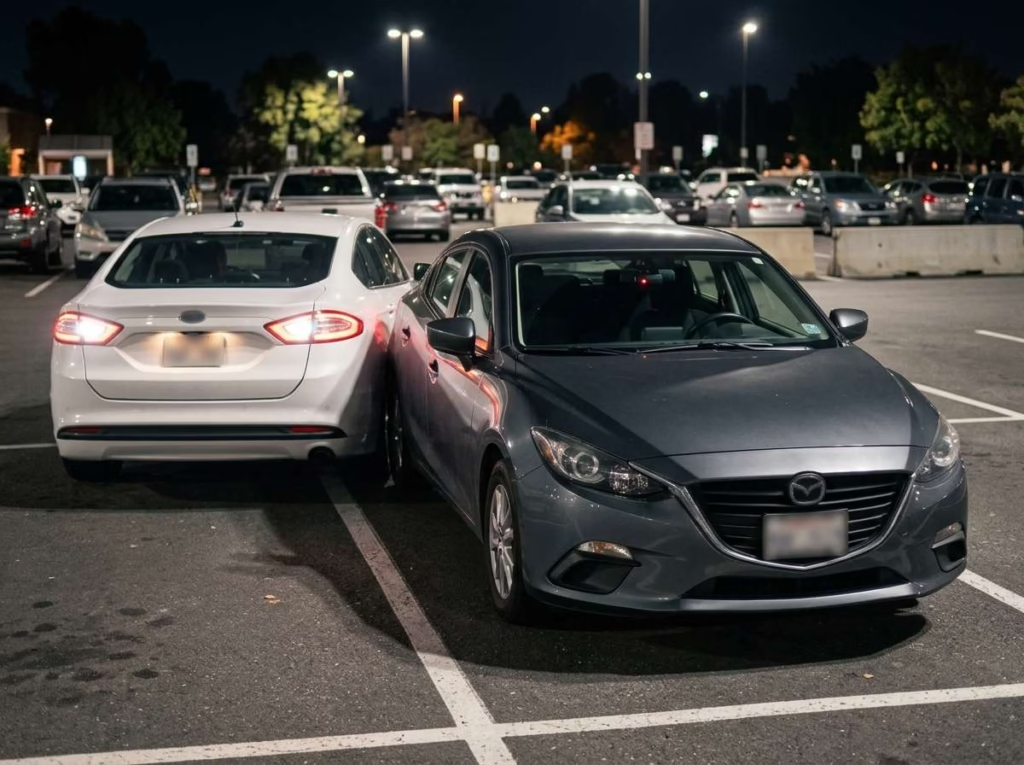
The main dash cam benefits relate to evidence. A good recording can preserve details you may miss during a stressful event.
1. It can provide evidence after a crash
A dash cam may record:
- Traffic light colors
- Lane positions
- Sudden braking
- Unsafe turns
- Road signs
- Weather conditions
- Events before the crash
This can help form a clear timeline. It may also show whether another car entered your lane.
Footage does not always prove fault by itself. The camera only records its field of view. Other facts may still matter.
2. It can simplify conflicting accident stories
Stress can affect how people recall an event. Two honest drivers may remember the same crash in different ways.
Video gives you a fixed record. You can check the order of events without relying on memory alone.
It may also support talks with your insurer. Clear footage can reduce doubt about basic facts.
3. It may help with hit-and-run incidents
A dash cam may capture the other vehicle’s:
- Color
- Make
- Body style
- Plate number
- Damage
- Direction of travel
Yet readable plates are never certain. Speed, rain, glare, and low light can blur key details.
A better camera may improve your odds. Proper camera placement matters too.
4. Parking mode can record damage while the car is unattended
Parking mode lets a dash cam watch your car after you leave. It may record a door ding, scrape, or act of damage.
Some systems start recording after they sense movement. Others save video from before and after an impact. That second type is called buffered parking mode.
Reliable parking coverage may require:
- A hardwire kit
- A separate dash cam battery
- Low-voltage battery protection
- The right motion settings
- Enough storage space
If unattended damage is your main concern, see this guide to choosing a dash cam for vandalism and parking.
5. It can protect rideshare and delivery drivers
Rideshare drivers spend many hours on the road. They also deal with passenger complaints and cabin disputes.
A front-and-cabin camera can show road events and actions inside the car. This may help if a passenger makes a false claim.
Audio recording needs extra care. Some places require everyone to agree before sound is recorded.
Tell passengers if your camera records them. Clear signs can also prevent surprise.
6. It can help parents coach teen drivers
Dash cam clips can turn close calls into useful lessons. You can review unsafe turns or poor following distance together.
Use the camera as a teaching tool, not a trap. Tell your teen what it records and why.
Focus on habits such as:
- Giving other cars more space
- Checking blind spots
- Reducing speed in rain
- Avoiding phone use
- Spotting road risks early
Open talks often work better than secret checks.
7. It can capture unexpected road events
Dash cams sometimes record events that are hard to explain later. These may include:
- Falling cargo
- Road debris
- Wildlife
- Flooded roads
- Sudden hail
- Unsafe drivers
- Damaged signs
Such clips may help prove that damage came from an outside event. They can also help road crews or local officials understand a hazard.
Still, this is a side benefit. Accident evidence remains the main reason to use one.
8. It may provide peace of mind
A camera can reduce the worry of having no proof. You know part of each trip has a record.
That does not mean every event will appear on video. The lens may face the wrong way, or a file may fail.
Regular checks help make that peace of mind more realistic.
Cons of Dash Cams
Dash cams have clear limits. Knowing them can prevent wasted money and false trust.
1. The full cost can exceed the camera’s listed price
The camera is only part of the cost. You may also need:
- A high-endurance memory card
- A rear camera
- A hardwire kit
- Professional fitting
- A parking battery
- Cloud storage
- Mobile data
- Replacement mounts
A low-priced camera may become costly after these extras. Work out the full setup cost before you decide.
2. Installation can be inconvenient
A basic front camera is often simple to fit. A front-and-rear system takes more time.
You must hide cables without placing them over airbags. You also need to keep the camera out of your main view.
Hardwiring brings more risk. A bad connection may drain the battery or cause power issues.
Get help if you do not know your vehicle’s wiring. A clean setup should be safe, firm, and easy to inspect.
3. Cheap cameras may fail when footage is needed
A very cheap dash cam can create false trust. It may seem fine until you need a saved clip.
Common faults include:
- Missing files
- Corrupt video
- Weak night footage
- Heat shutdowns
- Loose power ports
- Poor mobile apps
- Wrong dates and times
- Failed memory cards
Heat is a major concern inside parked cars. Cabin temperatures can rise far above the outdoor temperature.
If you live in a hot area, read this guide to dash cams built for high heat.
4. Dash cams require maintenance
A dash cam is not a fit-and-forget device. You should check it through the year.
Basic care includes:
- Cleaning the lens
- Checking the power cable
- Testing saved clips
- Setting the correct time
- Formatting the memory card
- Replacing worn memory cards
- Installing needed updates
Try to review a sample file once a month. Check both day and night clips.
Also listen for error sounds when the camera starts. An alert may mean that it has stopped recording.
5. Video can potentially work against the owner
Your camera may record your own mistake. It could show speeding, unsafe space, or a missed sign.
Audio may also capture comments you did not mean to share. GPS data can add your speed and route.
Do not edit or delete important files after a serious event. Save the original clip and a backup copy.
Be careful about posting footage online. A public post could harm an open claim or expose private details.
6. Privacy and recording laws can be complicated
Rules differ by place. They may cover:
- Windshield mounts
- Blocked driver views
- Cabin recording
- Sound recording
- Passenger notice
- Public sharing
- Work vehicles
A legal setup at home may not follow the rules elsewhere. This matters during road trips or cross-border travel.
Check local laws before fitting the camera. Pay close attention to audio and hidden cabin recording.
7. Parking mode can drain the vehicle battery
Parking recording needs power while your engine is off. It may weaken an old battery if the setup is poor.
A hardwire kit should include low-voltage cutoff. This turns off the camera before the battery gets too low.
You may need a separate dash cam battery for long parking periods. This costs more but reduces strain on the car battery.
8. A visible camera may attract unwanted attention
A large camera can draw attention to your car. Someone may break a window to take it.
A small camera placed near the mirror is harder to spot. Dark cables and clean fitting also help.
In higher-risk areas, you may choose a camera that detaches fast. Keep in mind that a removed camera cannot guard the parked car.
How Much Does a Dash Cam Really Cost?
Dash cam prices range from basic to premium. Your full cost depends on camera count, parking needs, and fitting.
Avoid judging value from price alone. A sound mid-range model may last longer than a feature-heavy budget model.
Budget setup
A budget setup often includes one front camera. It may record well in bright daylight but struggle at night.
This setup can suit you if:
- You drive less often
- You want basic crash evidence
- You do not need parking mode
- You want a simple test setup
Check sample clips before trusting it. Test heat performance and error alerts as well.
Mid-range setup
A mid-range system often gives you better night video. It may include GPS, Wi-Fi, and a rear camera.
This level tends to suit:
- Daily commuters
- Family cars
- City drivers
- Frequent road trips
- Street parking
You may still need to pay for hardwiring and storage. Include those costs in your plan.
Premium setup
Premium systems may include front, rear, and cabin cameras. They may also offer cloud access and parking alerts.
These features can help:
- Rideshare drivers
- Fleet owners
- High-mileage drivers
- Owners of costly cars
- People who use public parking each day
A premium model is not always the best fit. Extra tools add cost and may need paid plans.
Hidden and ongoing costs
Plan for costs beyond the camera:
- Memory card replacement
- Hardwire parts
- Professional fitting
- Cloud fees
- Mobile data
- Rear camera cables
- Parking batteries
- New mounts
A simple system can have lower long-term costs. Choose features you will use.
| Setup | Best For | Main Strength | Main Limitation |
|---|---|---|---|
| Front-only | Basic road evidence | Simple and low cost | Cannot record the rear |
| Front and rear | Daily driving | Wider road coverage | Takes longer to install |
| Front, rear, and cabin | Rideshare work | Covers road and cabin | More privacy concerns |
| Cloud-connected | Fleets or risky parking | Remote access and alerts | May need monthly fees |
Can a Dash Cam Lower Your Insurance Premium?
A dash cam does not always lower your car insurance rate. Discounts depend on your insurer and location.
Its main money value comes from evidence. A useful clip may support your claim after a crash.
Do not assume the camera will pay for itself through lower bills. Ask your insurer about any discount before you count on one.
Treat insurance savings as a possible bonus. Evidence is the main benefit.
Can Dash Cam Footage Be Used as Evidence?
Dash cam footage may help with a police report or insurance claim. It can also support a legal case.
The clip must show something useful. A dark or corrupt file may add little.
What makes footage more useful?
Helpful footage often has:
- The correct date and time
- A clear view of the road
- Stable video
- Visible traffic signs
- Clear lane markings
- The original sound, if legal
- Location data
- Clips from before and after the event
Keep the original file. Do not crop it or add text.
Make a separate copy for easy viewing. Store the untouched file in a safe place.
What to do with footage after an accident
After a crash:
- Move to safety if you can.
- Call for help when needed.
- Avoid arguing about blame.
- Lock the dash cam clip.
- Remove the card only when safe.
- Copy the full file to another device.
- Take photos of the scene.
- Record contact and insurance details.
- Keep any nearby clips.
- Do not post the footage online.
Loop recording may erase the clip later. Save it as soon as you safely can.
Who Actually Needs a Dash Cam?
Some drivers face more road and parking risk than others. Your time behind the wheel is a good place to start.
Daily commuters
Daily driving gives you more exposure to traffic. Busy roads also raise the chance of small crashes and disputes.
A front camera may meet basic needs. A rear camera adds value in stop-and-go traffic.
Verdict: Usually worth it.
Rideshare, taxi, and delivery drivers
You drive more miles and deal with more people. You may also work late at night.
Road and cabin footage can help explain complaints or damage. Clear passenger notice remains important.
Verdict: Strongly worth considering.
Parents of teen drivers
A dash cam can help you review close calls. It may also show what happened when you were not in the car.
Set clear rules before using it. Make safety coaching the main goal.
Verdict: Often worthwhile when used openly.
Drivers who park on the street
Street parking brings risks that may not have witnesses. Your car could get scraped, hit, or damaged on purpose.
You need a dependable parking mode for this use. A front-only camera may miss damage at the rear or side.
Verdict: Worth it with a good parking setup.
Owners of new, luxury, classic, or modified vehicles
Repair costs can be high for rare parts or custom paint. Evidence may help if another person damages your car.
A discreet front-and-rear setup gives wider coverage. Parking protection may also make sense.
Verdict: Often worthwhile.
Road-trip and long-distance drivers
Long trips expose you to new roads and changing weather. You may also meet wildlife, debris, or unsafe drivers.
A camera can keep a record far from home. Make sure the memory card can hold enough video.
Verdict: Usually worthwhile for frequent trips.
Commercial drivers and small fleet owners
Fleet cameras can support driver training and claim reviews. They can also show how a road event began.
You must set fair rules for drivers. Explain what gets recorded and how files are used.
Verdict: Potentially high value.
People who rarely drive
If you drive a few times each month, your road risk is lower. Secure home and work parking reduce it further.
A basic front camera may still offer comfort. Yet a costly three-camera system may be hard to justify.
Verdict: Optional rather than essential.
Who Probably Does Not Need a Dash Cam?
You may not need one if you:
- Drive only a few times each month
- Keep your car in secure parking
- Use the vehicle only on private land
- Will not check the memory card
- Cannot mount it without blocking your view
- Want it only for an insurance discount
- Expect it to stop theft
- Do not want any trip records stored
“Not needed” does not mean “useless.” It simply means the likely benefit may not match the cost and effort.
You could still use a low-cost front camera. Just avoid paying for tools that do not fit your risks.
When a Dash Cam Is Not Enough
A dash cam records part of an event. It is not full protection.
It cannot:
- Prevent a collision
- Control another driver
- Guarantee clear plate numbers
- Record every angle
- Replace proper insurance
- Stop car theft
- Promise a successful claim
- Work without power
- See through dirt, rain, or blocked glass
You still need safe driving habits. You also need good insurance and a working vehicle.
A dash cam is a witness, not a shield.
What Features Make a Dash Cam Worth Buying?
The best features help the camera record clear, usable files. Focus on daily function before extra tools.
Reliable video quality
Resolution tells you how many pixels a video has. It does not tell the full story.
A good sensor, lens, and image processor also matter. The camera must handle movement, glare, and shade.
Look at real day and night clips. Check moving plates, road signs, and bright lights.
Strong nighttime recording
Night video is hard for small cameras. Headlights can wash out plates, while dark roads hide detail.
Strong low-light performance matters if you:
- Drive before sunrise
- Work at night
- Use dark rural roads
- Drive through winter evenings
- Carry rideshare passengers
A newer sensor may help, but setup still matters. This Sony STARVIS 1 vs. STARVIS 2 comparison explains the key differences in plain terms.
High dynamic range
High dynamic range helps balance bright and dark areas. It may keep headlights from turning into large white spots.
This can help during sunrise, sunset, and night driving. It also helps when you leave a dark tunnel.
Do not judge it by the feature label alone. Check sample footage in mixed light.
Front-and-rear coverage
The front camera records what you approach. The rear camera records what follows you.
Rear footage may help with:
- Rear-end crashes
- Tailgating
- Parking impacts
- Unsafe passing
- Hit-and-run events
It will not cover every side angle. Still, it gives more context than a front camera alone.
Buffered parking mode
Buffered mode keeps a short part of video in temporary memory. After an impact, it saves the moments before and after it.
This can show how the event started. A basic motion mode may begin too late.
Check how the feature gets power. Also check how long it can run while parked.
GPS data
GPS can add your location, route, and time. It may help place an event on a certain road.
Some systems also record speed. That data may support your case or work against you.
Decide if you want speed shown on the video. Some cameras let you turn that stamp off.
Capacitor-based power design
Some dash cams use a capacitor instead of an internal battery. A capacitor holds enough power to close files safely.
This design often handles cabin heat better. It also reduces the risks tied to swollen internal batteries.
Heat tolerance still varies by model. Check the stated working temperature.
High-endurance memory card support
Dash cams write data all the time. This can wear out a standard memory card fast.
A high-endurance card is made for repeated recording. Use a size that your camera supports.
Replace the card if errors start to appear. Even durable cards wear out.
Clear status alerts
You need to know when recording stops. A clear beep, voice alert, or warning light can help.
Useful alerts include:
- Memory card failure
- Lost camera connection
- Power loss
- Recording failure
- Storage error
- Update problems
A silent failure is one of the worst dash cam issues. Test all alerts after setup.
Features You May Not Need
Extra features can raise the price without adding much value.
You may not need:
- Very high resolution with weak night video
- A large built-in screen
- Cabin video in a private family car
- Cloud storage you rarely check
- Social sharing tools
- Voice control
- Driver alerts your car already has
- A large, easy-to-see camera
Start with reliability, heat tolerance, and clear night footage. Then add wider coverage if your risks call for it.
A simple camera that always records beats an advanced model you cannot manage.
Questions to Ask Before Buying a Dash Cam
Use these questions to define what you need:
- How many days per week do you drive?
- Do you often drive at night?
- Where do you park?
- Do you need front and rear video?
- Do you carry paying passengers?
- Is sound recording legal where you drive?
- Can you mount the camera without blocking your view?
- Do you need parking mode?
- Can your car support hardwiring?
- Will you check the memory card each month?
- Do you need GPS data?
- Will you use cloud access?
- What is your full setup budget?
- Can the camera handle local heat?
- How fast can you save a clip?
Your answers should shape the setup. Avoid paying for features that solve problems you do not have.
Quick Dash Cam Value Calculator
Add one point for each statement that fits you:
- I drive at least five days each week.
- I spend time in rush-hour traffic.
- I park on public streets.
- I often drive at night.
- I carry passengers or make deliveries.
- My car is costly to repair.
- I have faced a hit-and-run.
- A teen or family member uses my car.
- I take long road trips.
- A disputed claim would cause money stress.
Use your score as a rough guide:
- 0–2 points: A dash cam is optional.
- 3–5 points: A dash cam may be worth considering.
- 6–8 points: You may gain clear value from one.
- 9–10 points: A dependable multi-camera setup could make sense.
This is not a scientific risk score. It is a quick way to compare your needs.
How to Get the Most Value From a Dash Cam
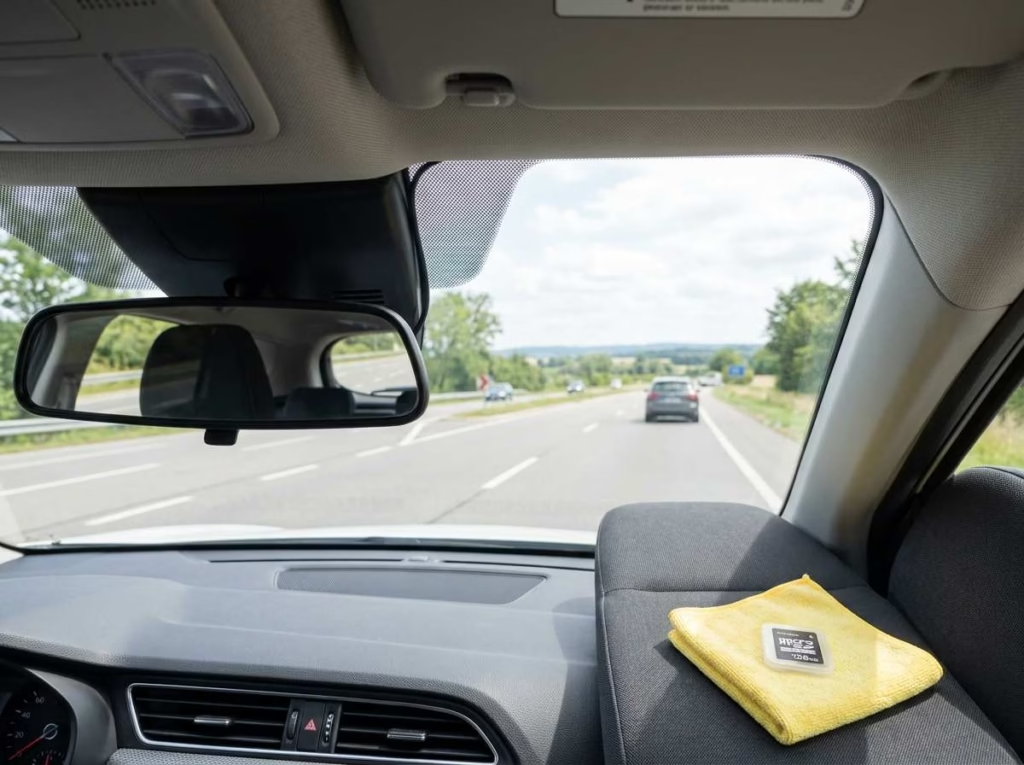
A good camera can still fail if you fit or maintain it poorly.
Follow these steps:
- Mount it high on the windshield.
- Keep it near the center.
- Do not block your main view.
- Leave airbags and their paths clear.
- Use a high-endurance memory card.
- Set the correct date and time.
- Test day and night clips.
- Clean the windshield and lens.
- Check error lights and sounds.
- Format the card as directed.
- Save important files right away.
- Check local audio rules.
- Use safe low-voltage protection.
- Get fitting help if you need it.
Review the camera before a long trip. A one-minute check can reveal a loose cable or failed card.
Dash Cam Alternatives
A different device may record parts of your trip. Yet most options lack the automatic tools found in a dash cam.
Smartphone recording apps
A phone can record the road from a mount. However, long recording can drain the battery and create heat.
Calls and alerts may break the recording. You also need to start the app each time.
A phone works as a short-term backup. It is less practical for daily use.
Factory-installed vehicle cameras
Modern cars may have several built-in cameras. Many support parking help or driver safety features.
That does not mean they save exportable crash video. Check your vehicle manual before relying on them.
Some built-in systems record only under set conditions. Others may store clips for a short time.
Action cameras
Action cameras can produce sharp video. Yet they often require manual control.
They may also lack:
- Automatic start
- Loop recording
- Impact locking
- Parking mode
- Car battery protection
- Clear error alerts
Battery heat can also be a concern. An action camera works better for planned trips than daily evidence.
Better insurance and roadside preparation
A camera is only one part of road preparation. You can also:
- Review your insurance limits
- Carry an emergency kit
- Keep roadside help active
- Store emergency numbers
- Learn how to take crash photos
- Use a vehicle tracker for theft
- Keep a phone charger in the car
These steps do not replace recorded evidence. They protect you in other ways.
Final Verdict—Are Dash Cams Worth It?
So, are dash cams worth it? For most daily drivers, they can be. The value is highest if you face regular traffic, public parking, long trips, or passenger disputes.
A camera will not prevent a crash. It also cannot promise clear proof in every case. Its job is to preserve one useful view of what happened.
You may not need an advanced setup if you rarely drive. A simple front camera can cover basic road events. Frequent drivers may gain more from front-and-rear coverage.
Choose based on your real risks. Focus on clear footage, heat tolerance, safe fitting, and regular file checks.
Frequently Asked Questions
Are dash cams worth it for everyday drivers?
Yes, they often are. Daily drivers spend more time around traffic, road hazards, and busy parking areas.
A camera may help settle basic facts after a crash. Its value grows with the number of miles you drive.
Is a front-only dash cam enough?
A front camera can record many common road events. It is a good starting point for basic evidence.
A rear camera adds coverage for tailgating, rear impacts, and parking damage. Your parking and traffic risks should guide the choice.
Do dash cams record when the car is turned off?
Some do, but they need parking mode. This feature needs a steady power source.
The camera may use a hardwire kit or a separate battery. It should also have low-voltage protection.
Will a dash cam drain my car battery?
It can if parking mode runs too long. Poor hardwiring can make the problem worse.
Use a kit with low-voltage cutoff. Check the health of older car batteries as well.
Can dash cam footage prove who caused an accident?
It can support your side of the event. It may show lanes, lights, movement, and timing.
However, footage does not decide fault by itself. Insurers or officials may review other facts too.
Can a dash cam lower car insurance costs?
It may in some cases, but discounts are not common everywhere. Ask your insurer about its rules.
Do not buy a camera only for a lower rate. Evidence is its main value.
Is it legal to use a dash cam?
Dash cams are allowed in many places. Yet rules for mounts, sound, and cabin recording differ.
Check the law where you live and drive. Do the same before crossing into another area.
Is a cheap dash cam better than no dash cam?
Only if it records dependable video. A cheap camera that loses files may give you false trust.
Test it in heat, darkness, and motion. Check the files often.
How long does dash cam footage last?
That depends on card size, camera count, and video quality. Higher detail uses more storage.
Loop recording replaces old, unlocked clips. Save important files before they get erased.
Should I leave my dash cam in the car?
You can leave a fixed dash cam in place. A small, dark model may be hard to notice.
A visible camera may attract theft in some areas. You may prefer a quick-release mount if that risk is high.
Do I need professional dash cam installation?
A plug-in front camera is often easy to fit. Rear cameras and hardwired parking systems take more work.
Professional fitting may help if cables pass near airbags. It can also reduce battery and wiring mistakes.
Is 4K necessary for a dash cam?
No. High resolution can help with detail, but it does not ensure good video.
Night clarity, exposure, lens quality, and reliability also matter. A clear lower-resolution clip can beat a poor 4K file.