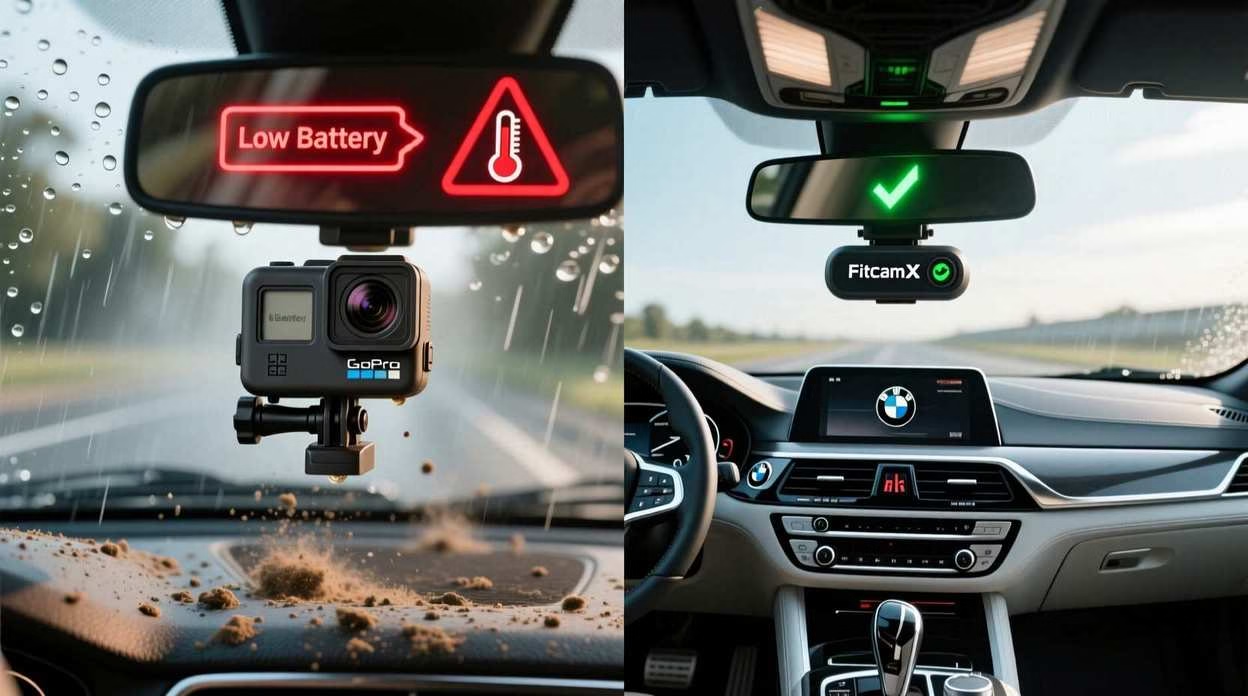
You are reading this because you want a dash cam that sticks to your windshield without a single wire running to your cigarette lighter. I have bad news: That product does not exist.
If you buy a “truly wireless” battery-powered camera (like a GoPro or a cheap Amazon action cam) for your car, three things will happen:
- It will overheat: Batteries hate the 140°F heat of a parked car. They swell, leak, and shutdown.
- It will die in 45 minutes: A 4K sensor drains a standard battery in under an hour.
- You will quit: You will get tired of taking it down to charge it every single night.
The Solution: You don’t actually need “wireless.” You need “Invisible.”
You need a camera that steals power from your rearview mirror or rain sensor so that zero wires hang down your dashboard. We found the only three setups that achieve the “wireless look” without the battery nightmare.
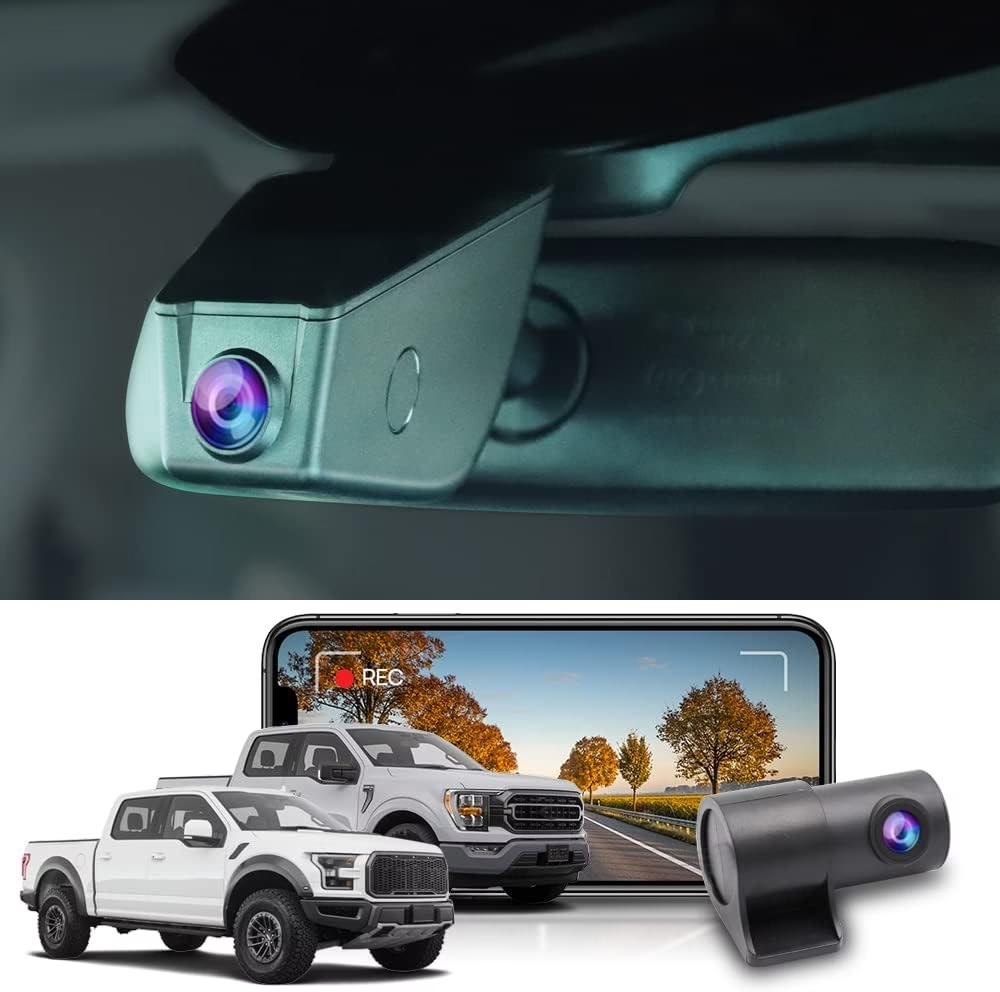
FitcamX Integrated Dash Cam
The Brutal Verdict: The only camera that looks 100% factory-installed. It replaces your mirror cover and draws power from the rain sensor. Zero visible wires.
Check Price on Amazon →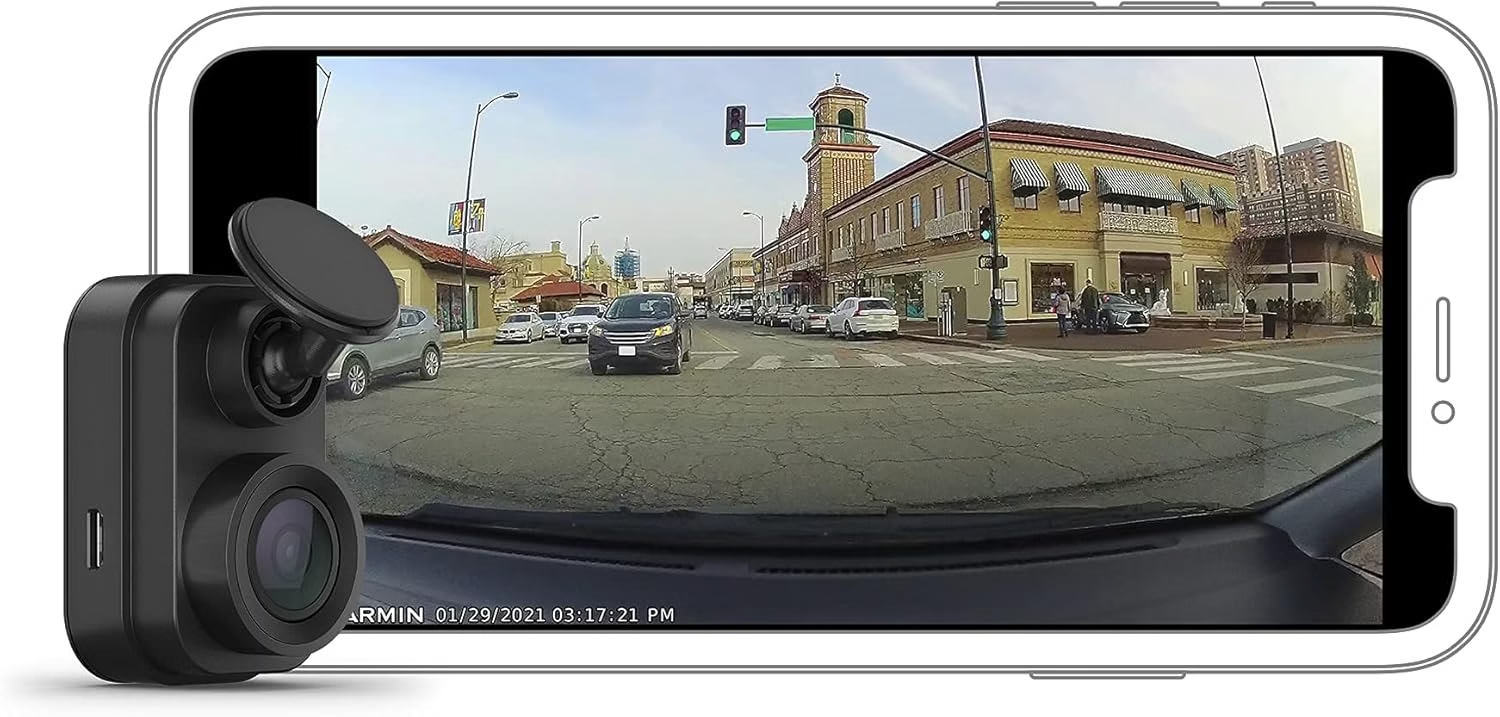
Garmin Dash Cam Mini 2 (Use with Dongar)
The Brutal Verdict: It’s the size of a key fob. Pair it with a Dongar Adapter to plug it into your rearview mirror, eliminating the long cable run.
Check Price on Amazon →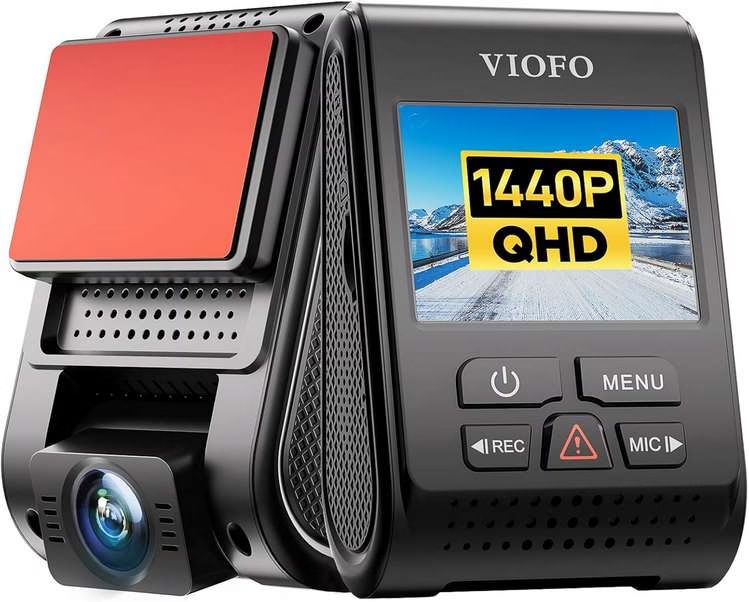
VIOFO A119 V3
The Brutal Verdict: It has a wire, but the 2K video quality destroys any battery-powered cam. The slim cable is easily tucked into the headliner.
Check Price on Amazon →Searching best wireless dash cam sounds like you want a clean, cable‑free install. Totally fair. But here’s the truth that keeps surprising people: “wireless” usually means wireless connection to your phone (Wi‑Fi/Bluetooth), not “no power cable.” The good news? Once you understand the myth, it becomes easy to pick the best wireless dash cam for car and install it so it looks truly tidy.
The “no‑wire” myth in one sentence
- A “wireless dash cam” is typically wireless to your phone—but still needs power for reliable recording.
- A “wireless rear camera” often means the rear video signal is wireless, yet the rear unit still needs power.
- Battery-powered models exist, but daily driving and heat can make “set it and forget it” harder.
The fix (what actually looks wire‑free)
- Use a front camera with tight cable routing so it disappears behind trim.
- If you want best wireless dash cam front and rear, plan a neat power solution for the rear unit.
- Prioritize stable recording first, then make it beautiful.
How Does a Wireless Dash Cam Work?
If you’ve been asking how does a wireless dash cam work or “is there a wireless dash cam,” here’s the clean explanation: the camera records to local storage (usually a memory card), while the “wireless” part lets your phone connect for settings, live view, and quick downloads. That’s why many people call the best option a best dash cam that connects to phone wireless—it’s wireless control, not wireless power.
Wireless features that actually matter
- Wi‑Fi app access: faster clip downloads and easier setup.
- Rear camera pairing: some systems link rear video wirelessly for cleaner routing.
- Instant sharing: great when you want footage quickly after an incident.
- Parking mode support: “best wireless dash cam with parking mode” searches usually mean you want smarter standby behavior.
Wireless myths to ignore
- “No wires at all” is rare in real vehicles because reliable recording needs consistent power.
- “Battery powered equals better” can be tricky in heat and long parking sessions.
- “Front and rear is always wireless” often means only the data link is wireless, not the rear power.
Best Wireless Dash Cam Front and Rear: What to Expect in 2026
People searching best wireless dash cam front and rear, best wireless dash cam front and back, or best wireless dash cam front and rear with wi‑fi usually want full coverage with minimal clutter. That’s achievable—just plan for the rear unit’s power, even if the video link is wireless.
Front + rear coverage that feels “complete”
- Front camera for the road and impact events.
- Rear camera for tailgaters, parking bumps, and hit‑and‑runs.
- Optional interior channel if you want “front and inside” coverage.
- This is why “best wireless dual dash cam” and “best wireless 3 channel dash cam” searches keep growing.
Night vision: what actually helps
- “Night vision best wireless dash cam” is more about sensor quality + exposure control than buzzwords.
- For “best front and rear dash cam with night vision wireless,” look for readable plates and balanced highlights.
- If you want audio too, “wireless night vision best dash cam for car with audio” intent usually means clear cabin/road sound without distortion.
Best Wireless Dash Cam Battery Powered: Convenient, But Know the Tradeoffs
“best wireless dash cam battery powered” and “wireless best battery powered dash cam no wires” sound perfect—until real life happens. Batteries can be convenient for short sessions, but consistent recording and parking coverage often work better with steady power.
Battery-powered (why people love it)
- Quick installs and easy transfers between vehicles.
- Good for occasional use, rentals, or temporary setups.
- Often chosen by people searching “best compact wireless dash cam” or “best wireless mini dash cam.”
Battery-powered (where it can disappoint)
- Long parking coverage can be limited.
- Heat and constant charging cycles can reduce battery life over time.
- Rear camera power still needs a plan if you go “front and rear.”
Parking mode tip that improves results
If your priority is best wireless dash cam with parking mode, aim for stable power plus motion sensing. That’s how “motion sensing best wireless dash cam front and rear” setups stay dependable without turning into a daily recharge chore.
The “No‑Wire” Fix: Make Any Wireless Dash Cam Look Clean
This is the part that makes the “wireless” promise feel real. With smart routing, a best wireless dash cam for car front and rear setup can look almost invisible from the driver’s seat.
Mount high, behind the mirror
Choose a spot that doesn’t block your view. A high mount makes the camera harder to notice and improves the “best wireless dash cam front” perspective.
Hide the cable along trim lines
Tuck the power cable along headliner edges and down the side trim. This is how “wireless” turns into “looks wire‑free.”
Rear camera: plan power first
Even with a wireless link, the rear unit typically needs power. A clean route makes the best wireless dash cam front and rear feel premium instead of messy.
Pair the phone once and move on
Use the Wi‑Fi feature for setup and quick downloads. After that, it should quietly record in the background.
Want better coverage without extra clutter?
- Choose “front and rear with Wi‑Fi” for easy downloads and settings.
- If night footage matters, prioritize “night vision best wireless dash cam front and rear” performance over fancy marketing.
- If you park outdoors often, look for parking mode + motion sensing behavior you can trust.
What Is the Best Wireless Dash Cam to Buy? Use This Fast Checklist
If you’re comparing best wireless dash cam 2025, best wireless dash cam 2024, and the 2026 picks, focus on the stuff that affects footage and daily use. The best wireless dash camera is the one you’ll trust without thinking about it.
Video quality (day + night)
- For “night vision wireless best dash cam for car,” prioritize balanced highlights and readable detail.
- If you want front and rear, ensure both cameras hold up at night—not just the front.
- “Best 4K wireless dash cam” searches often mean you want sharper detail, not bigger file headaches.
Wireless experience (phone-friendly)
- Strong Wi‑Fi app performance for quick downloads.
- Stable connection for settings and reviewing clips.
- This is the core of “best wireless dash cam front and rear with wi‑fi” intent.
Parking mode + motion sensing
- If you want “best wireless dash cam with parking mode,” look for calm, reliable event capture.
- Motion sensing is great, but only if it doesn’t spam you with false events.
- That’s why “motion sensing night vision wireless best dash cam” trends every year.
Fit, size, and “set it and forget it”
- Compact designs are easier to hide: “best small wireless dash cam” and “best wireless mini dash cam” intent.
- Heat tolerance matters more than most people expect.
- Easy clip access makes it more likely you’ll actually use the footage when needed.
Frequently Asked Questions
Is there a wireless dash cam? Can you get wireless dash cam?
Yes—wireless dash cam usually means the camera connects to your phone wirelessly for setup and clip downloads. Most models still need power to record reliably, which is why the “no‑wire” idea is often misunderstood.
What is the best wireless dash cam to buy in 2026?
The best wireless dash cam is the one that records clearly day and night, stays stable in your car’s heat, and offers a smooth Wi‑Fi app experience. If you want full coverage, aim for the best wireless dash cam front and rear with a clean install plan.
What is the best wireless dash cam front and rear?
The best wireless dash cam front and rear is the setup that gives you both angles without turning your interior into a cable mess. “Front and rear with Wi‑Fi” is popular because it makes downloads and settings effortless.
Is a battery-powered wireless dash cam truly “no wires”?
A best wireless dash cam battery powered can reduce wiring, but “no wires” still depends on your goals. If you want consistent long drives, hot weather stability, and parking mode coverage, steady power often wins.
Do I need Wi‑Fi for a wireless dash cam?
You don’t need Wi‑Fi to record, but Wi‑Fi makes the experience easier. That’s why “best wireless dash cam with wi‑fi” keeps trending—people want quick clip downloads and simple settings from their phone.
Is night vision worth prioritizing?
Absolutely—night footage is where cheaper cameras often struggle. If you’re searching “night vision best wireless dash cam” or “best front and rear dash cam with night vision wireless,” focus on balanced exposure and readable detail, not just a label that says “night vision.”
What’s the difference between dash cam alternatives and a proper dash cam?
Dash cam alternatives can be useful for occasional recording, but a purpose-built dash cam is designed for continuous looping, heat tolerance, and quick evidence access. That’s why “top rated wireless dash cam” searches usually end up back at dedicated cameras.
Which brand dash cam is best?
“Best” usually means reliable video, stable app performance, consistent recording, and support you can count on. For Reddit-style comparisons like “best wireless dash cam reddit” and “best wireless dash cam front and rear reddit,” the winners are typically the ones that quietly work every single drive.
1. FitcamX: The “Visual” Wireless Choice
FitcamX Integrated Dash Cam
- No Visible Wires: The power cable is 3 inches long and hidden entirely inside the mirror housing.
- OEM Look: It looks like it came from the factory. Thieves won’t even notice it’s there.
- Plug & Play: No fuse box taps. Just unplug your rain sensor, plug this in, and snap it shut.
Want a wireless look? The goal is no ugly cables on your windshield. For that, the FitcamX is your best bet. It cleverly uses your car’s own electronics.
Instead of a long cable to the fuse box, the FitcamX uses a special adapter. This adapter plugs into your car’s rain sensor or auto-dimming mirror. Here’s how it works:
- You gently remove the plastic cover behind your rearview mirror.
- You plug the camera in.
- You snap the new FitcamX cover into place.
The result is a clean, factory-installed look.
The Honest Downside: This camera needs a custom plastic shell. You must buy the model made specifically for your car’s brand, like BMW or Toyota. You can’t take it with you if you switch to a different brand of car.
2. Garmin Dash Cam Mini 2: The Hidden Wire Trick
Does FitcamX not make a model for your car? Try the Garmin Dash Cam Mini 2 with a Dongar Adapter. It’s a great universal option.
The Mini 2 is tiny, like a key fob. It has no screen, so it hides easily behind your mirror.
The “Wireless” Hack: The secret is the Dongar Adapter. This $30 part plugs into the back of your car’s powered rearview mirror. You know, the kind with a compass or auto-dimming feature. The adapter turns that power into a USB port. You just plug the Garmin in. The only cord is a tiny 3-inch cable that hides completely.
The Honest Downside: This only works if your car has a powered rearview mirror. A basic manual mirror won’t provide power for this trick.
3. VIOFO A119 V3: The Reliable Choice
Sometimes, one thin wire is a fair trade for total reliability. The VIOFO A119 V3 is not wireless. But its standard USB cable is easy to hide in your car’s headliner and door seals.
Why pick this one?
- Superior Reliability: It uses a super capacitor, not a battery.
- Heat Resistant: Battery cams can fail in extreme heat. This one handles temperatures over 140°F without a problem.
- Sharper Video: It records in 2K resolution. This is sharper than the FitcamX or Garmin, making it better for reading license plates.
Choose this if you value performance over a completely wire-free look.
The “Invisible Wire” Protocol
You want the “GoPro look” without the battery dying in 40 minutes. Here is how to hide the power cable so completely it looks wireless.
The Truth About “Battery” Dash Cams
You see the ads for tiny magnetic cameras with “12-hour battery life.” Don’t believe it.
Here’s why a truly wireless dash cam is a bad idea for your car:
- The Heat Problem: Lithium-ion batteries hate heat. They start to fail above 113°F. A parked car in summer can easily hit 140°F. The camera will shut down to protect itself—right when you need it most.
- The Runtime Problem: Recording video uses a lot of power. An action cam battery lasts about 60-80 minutes. Unless your commute is very short, the camera will die before you get home.
- The Hassle Factor: Will you really take the camera down and charge it every single night? Let’s be real. Most people give up after two weeks.
The Verdict: Skip battery-powered dash cams. Go for a FitcamX or the Dongar Adapter method. You get the clean, wireless look without the battery headaches.