Disclosure: I have a quick confession. I didn’t just buy these mice for a quick review. I spent over 20 hours digging through a year’s worth of posts on r/MouseReview and r/LogitechG. My goal was simple: to find the long-term flaws that only show up after months of daily use.
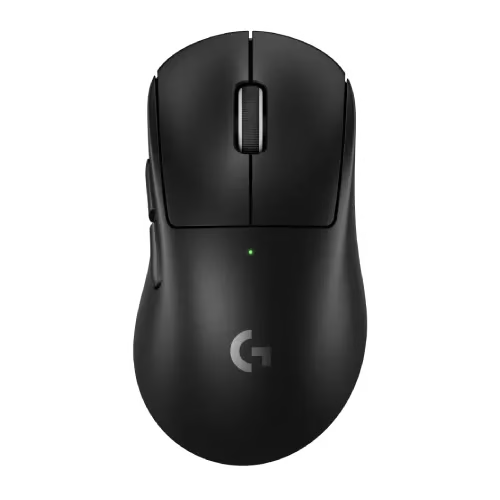
1. Logitech G PRO X Superlight 2
The Verdict: The safest shape on the market with battery life that lasts weeks. Just be warned: the clicks are loud and metallic.
Check Price on Amazon →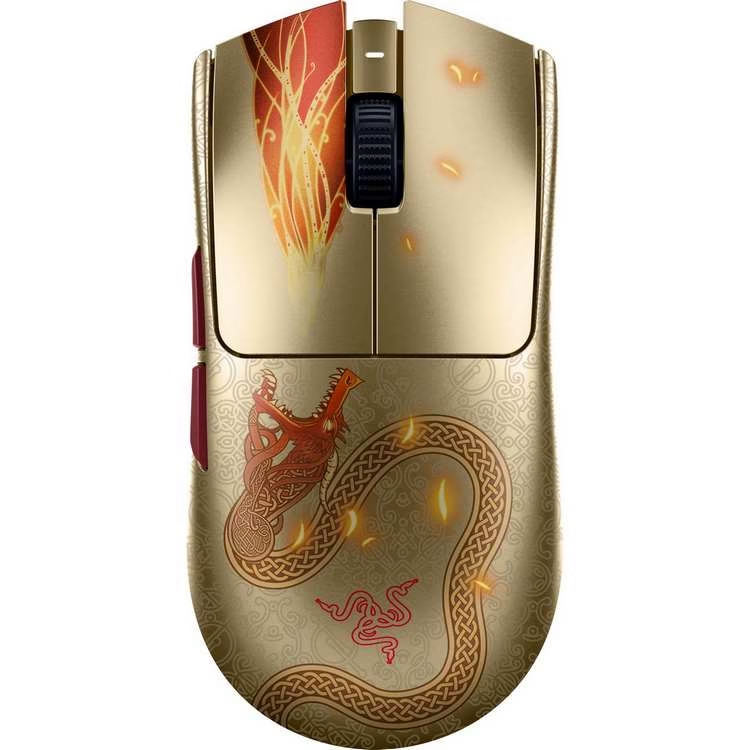
2. Razer Viper V3 Pro
The Verdict: The best sensor implementation and coating available today. However, scroll wheel QC issues are a common complaint on Reddit.
Check Price on Amazon →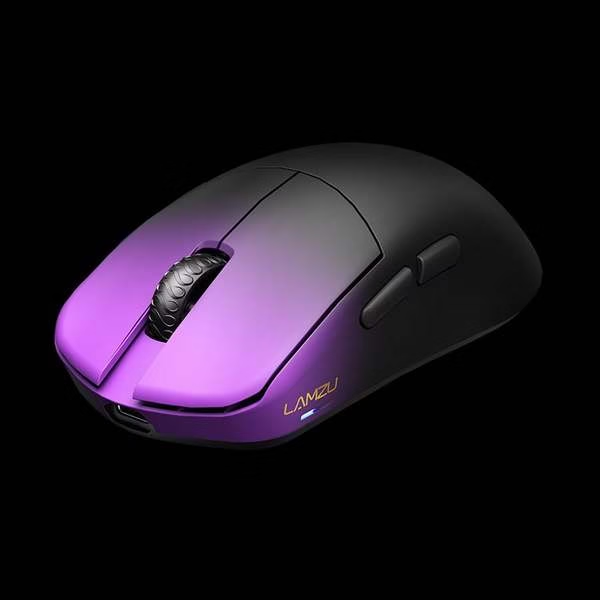
3. Lamzu Maya X
The Verdict: The smartest choice for office workers because it uses a web-based driver (no software install required). Plus, it’s lighter and cheaper.
Check Price on Amazon →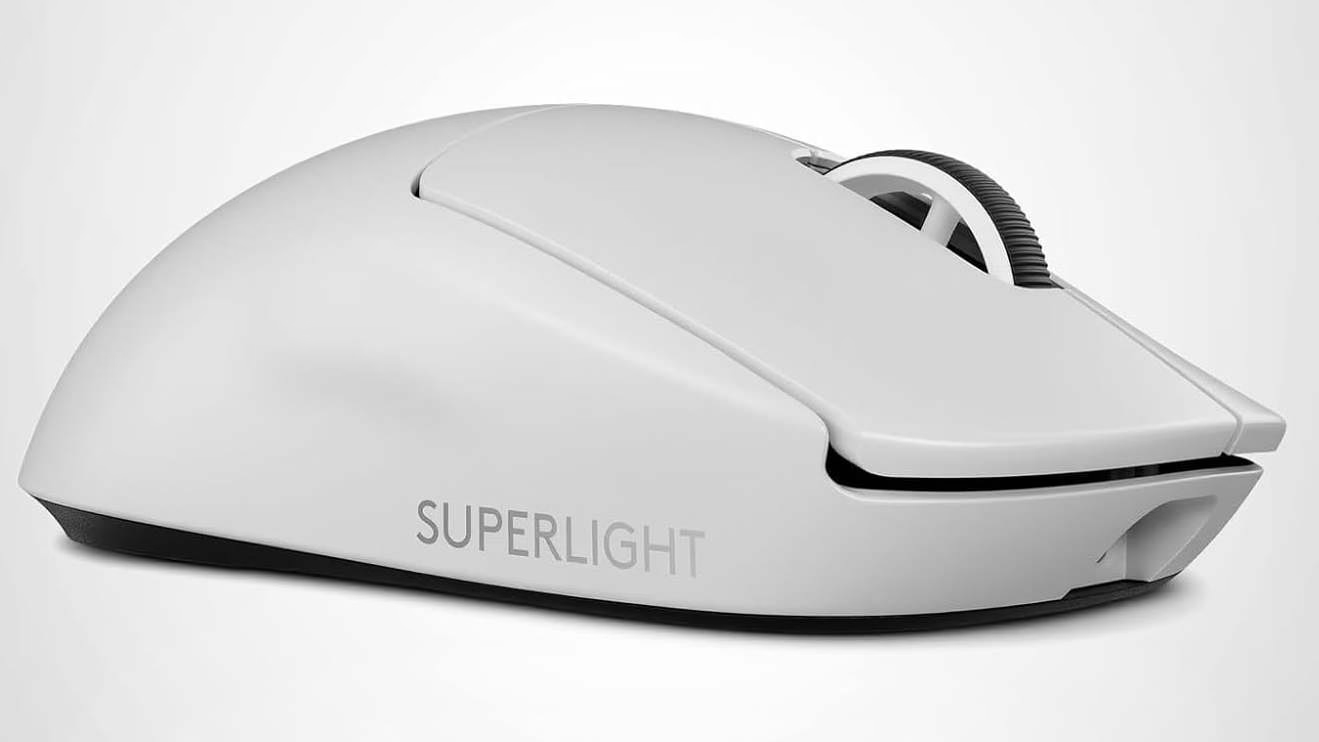
Logitech G PRO X Superlight 2
- Battery Life: Lasts for weeks (Reddit verified).
- Shape: Fits almost any hand size comfortably.
- Reliability: No “bloatware” issues for IT security.
When you search for “best gaming mouse for work,” you usually get generic lists. They often just recommend the most expensive option. That’s why smart shoppers add “Reddit” to their search. They want real stories from people who use one mouse for work all day and for gaming all night.
I did the hard work for you. I read through six months of threads to find the truth. We’ll talk about “silent” switches, real battery life, and which mice look professional on a Zoom call. Worried about looking unprofessional? We’ve compiled a list of sleek, office-appropriate gaming mice.
Here is what the community really thinks.
1. Logitech G PRO X SUPERLIGHT 2: The “Safe” Pick
According to Reddit, if you need one mouse for everything, this is it. It’s the “Toyota Camry” of mice. It just works. It fits most hands and rarely breaks. But for office life, it has one big issue.
The Reddit Consensus
- The Good: The battery seems to last forever. Its shape is the gold standard for comfort during long shifts.
- The Bad: The new “Optical Switches” are a topic of debate.
The “Dealbreaker” for Office Work: The Sound
The V2 model fixes the old double-clicking problem. But Reddit users all say the same thing: it’s loud.
“The clicks are much louder and stiffer than the V1. It has a metallic, hollow sound.” — User on r/MouseReview
For a deeper understanding of why some of these mice sound louder, read our guide on Optical vs. Mechanical Switches.
Verdict: This is the best mouse you can buy for working from home. If you work in a silent, open office, your neighbors might get annoyed.
Check Current Price on Amazon2. Razer Viper V3 Pro: The Esports King (With a Risk)
If you want top-tier performance, Reddit says the Viper V3 Pro beats the Logitech. It has a grippier coating and a snappier sensor. But professional reviewers often miss a key flaw.
The “Hidden” Flaw: The Scroll Wheel
Long-term Reddit users tell a different story about quality.
“I’m on my 3rd unit. The scroll wheel started rattling and skipping steps after just two weeks.” — User on r/razer
For a gamer, a bad wheel is annoying. For an office worker in Excel all day, it’s a disaster.
The “Work Computer” Problem: Synapse
To use this mouse fully, you need Razer’s Synapse software. Reddit users call it “bloatware” that hogs CPU. Worse, many office IT systems block its installation. If you can’t install it, you lose key functions. If your company laptop blocks software like Razer Synapse, check out our workaround on how to use onboard memory without admin rights.
Verdict: Buy this if you are a competitive gamer first and an office worker second.
Check Current Price on Amazon3. Lamzu Maya X: The “Smart” Office Choice
This is the mouse you probably don’t know. But it’s the one all the enthusiasts are talking about. It’s lighter and much cheaper than the big brands.
Why it Wins for Office Work: No Software Needed
This is the killer feature most reviews miss. Lamzu uses a Web-Based Driver.
You don’t need to install any files on your work laptop. Just go to a website, change your settings, and they save directly to the mouse. For anyone with a locked-down work computer, this is a game-changer.
The Reddit Reality Check
- Build Quality: Users say the build is “shockingly rigid” with no creaks.
- The Click Feel: The clicks are described as “crispier” and more tactile than the Logitech.
Verdict: Want to save money and skip the IT hassle? This is the Reddit “Hidden Gem.”
Unsure if you should give up your ergonomic mouse? See our direct comparison of the Gaming Mouse vs. Productivity Mouse.
Check Current Price on AmazonThe secret nobody says out loud: a great work mouse is basically a great gaming mouse… with better priorities. Comfort. Precision. Consistency. And shortcuts that actually save time. If you’re comparing “best gaming mouse for office work” versus “best gaming/work mouse,” this guide helps you choose without the usual gear rabbit hole.
Quick checklist: what the best gaming mouse for work should nail
If you’re asking “what is the best mouse for work” and also “which mouse is the best for gaming,” you’re already close. The overlap is real. But work has one extra rule: comfort has to survive long sessions.
- Comfort over hours: shape that matches your grip and hand size.
- Reliable sensor feel: steady tracking on your actual desk surface.
- Scroll wheel you trust: smooth, predictable, and not wobbly.
- Buttons you can use blindly: shortcuts without accidental presses.
- Good software (optional): only matters if it makes your day easier.
- Low friction workflow: switching devices and profiles should feel effortless.
Fast decision: pick your work style
Prioritize comfort, a great scroll wheel, and a couple of programmable buttons for copy/paste/undo.
Prioritize extra buttons, app-specific profiles, and quick device switching.
Prioritize wireless stability, compact comfort, and easy pairing.
Prioritize weight balance, consistent clicks, and a sensor feel you trust.
Are gaming mice good for work? Yes—here’s why it actually makes sense
“Are gaming mouses good for work” shows up because it sounds counterintuitive. But the logic is simple: gaming mice are built for precision and repeatability. Work is basically repeatability all day long.
- Better tracking and consistency
- More ergonomic shapes available
- Programmable buttons = real time saved
- Often better wireless performance
They’re worth it when they reduce strain and speed up common actions. If it helps your wrist and saves clicks every hour, it pays you back daily.
Ergonomics: best gaming mouse for wrist pain without killing performance
Comfort is not optional. If you’re searching “best gaming mouse for wrist pain” or “best ergonomic mouse for work and gaming,” your body is already voting. Here’s how to pick an ergonomic feel without sacrificing control.
Grip-first approach
- Palm grip: prioritize fuller support and a relaxed hand posture.
- Claw grip: prioritize a stable hump and crisp click feel.
- Fingertip grip: prioritize lightweight feel and quick micro-movements.
Ergonomic micro-habits that help immediately
- Lower your sensitivity slightly so you move from the arm, not only the wrist.
- Center your mouse space so your shoulder stays relaxed.
- Use a supportive mouse pad to reduce friction and micro-tension.
- Map “back/forward” and “copy/paste” to side buttons to reduce finger strain.
- Take 20-second resets between tasks. Tiny breaks matter.
Wireless vs wired: do pro gamers use wireless mice? Yes, and it matters for work too
“Do pro gamers use wireless mice” and “do professional gamers use wireless mouse” show up because wireless used to be sketchy. Now the question is different: does it feel consistent for your workflow? For work, wireless wins when it reduces clutter and makes laptop docking painless.
- You switch between desk and laptop
- You hate cable drag and desk clutter
- You want easy mobility for meetings
- You want a cleaner, calmer setup
- You want zero charging habits
- You keep a fixed desk setup
- You prefer “plug in and forget”
- You want the simplest troubleshooting path
Programmable buttons: why gaming mice feel like productivity tools
This is where the “best computer mouse for work and gaming” conversation gets real. Programmable buttons aren’t for flexing. They’re for removing friction. Fewer clicks. Fewer menus. Faster flow.
High-impact button mappings for work
- Back / Forward: browsing, docs, and file navigation
- Copy / Paste: obvious, but life-changing
- Undo: saves you constantly in creative apps
- Mute / Push-to-talk: for meetings and calls
- App switch / Task view: for multi-window work
How many buttons is “enough”?
More buttons can be great, until they become accidental presses. The sweet spot for most people is “a few you can hit confidently.”
Two side buttons + a great wheel. Simple, effective, easy to learn.
More buttons for macros and multi-app work—great if you’ll actually use them.
Laptop compatibility: will a gaming mouse work on a laptop? Yep
“Will a gaming mouse work on a laptop” is a common concern, especially for hybrid work. The practical answer is yes—most will work instantly. The only real difference is how you connect and how you want to switch between devices.
- Keep one USB port reserved if you rely on a dongle
- Use Bluetooth when you want “no dongle” travel
- Store the dongle in the mouse or a tiny case
- Use a compact mouse pad for consistent tracking
If you want the best mouse for both work and gaming, prioritize quick profile switching and easy device switching. That’s what makes the setup feel effortless day-to-day.
Where to buy gaming mouse near me (without getting stuck with the wrong shape)
The phrase “where to buy gaming mouse near me” usually means one thing: you want to try shapes in hand. That’s smart. Shape is personal, and it’s the #1 reason people return mice.
- Prioritize return-friendly purchases
- Test comfort for a full work session
- Check scroll feel and button placement
- Confirm it tracks well on your desk/pad
- Can you reach side buttons naturally?
- Does your wrist feel neutral?
- Does the wheel feel controlled?
- Does it feel stable when you click?
Frequently asked questions (gaming mouse for work)
Are gaming mice good for work?
Can I use a gaming mouse for work?
Are gaming mouses worth it for office work?
What is the best mouse for gaming and work?
Does it matter what mouse you use for gaming?
Do pro gamers use wireless mice?
Will a gaming mouse work on a laptop?
Which mouse is the best for gaming?
What mouse do professional gamers use?
What is the best mouse for work?
The Reddit-style truth is simple: the best gaming mouse for work is a comfort tool first and a performance tool second. Pick shape and grip fit. Then choose wireless or wired based on your routine. Add a few programmable buttons that actually save time. Do that, and you’ll end up with the best mouse for both work and gaming—without the endless comparison spiral.
Natural keyword variations you can weave around your picks: best gaming mouse for work reddit, best gaming mouse for office work, best gaming mouse for work and play, best wireless mouse for work and gaming, best wired mouse for gaming and work, best mouse for work and gaming reddit, and best mouse for work and gaming 2025.
Final Verdict: Which One Fits Your Job?
So, which mouse is right for you? Let’s break it down.
- For the “Remote” Worker: Get the Logitech G PRO X Superlight 2. It’s built like a tank and will last for years.
- For the “Open Office” Worker: Be careful with the Logitech—it’s loud. The Lamzu Maya X is a smarter, quieter choice.
- For the “Competitive” Gamer: Get the Razer Viper V3 Pro. But buy it from a store with a good return policy, in case the scroll wheel rattles.